
Short answer
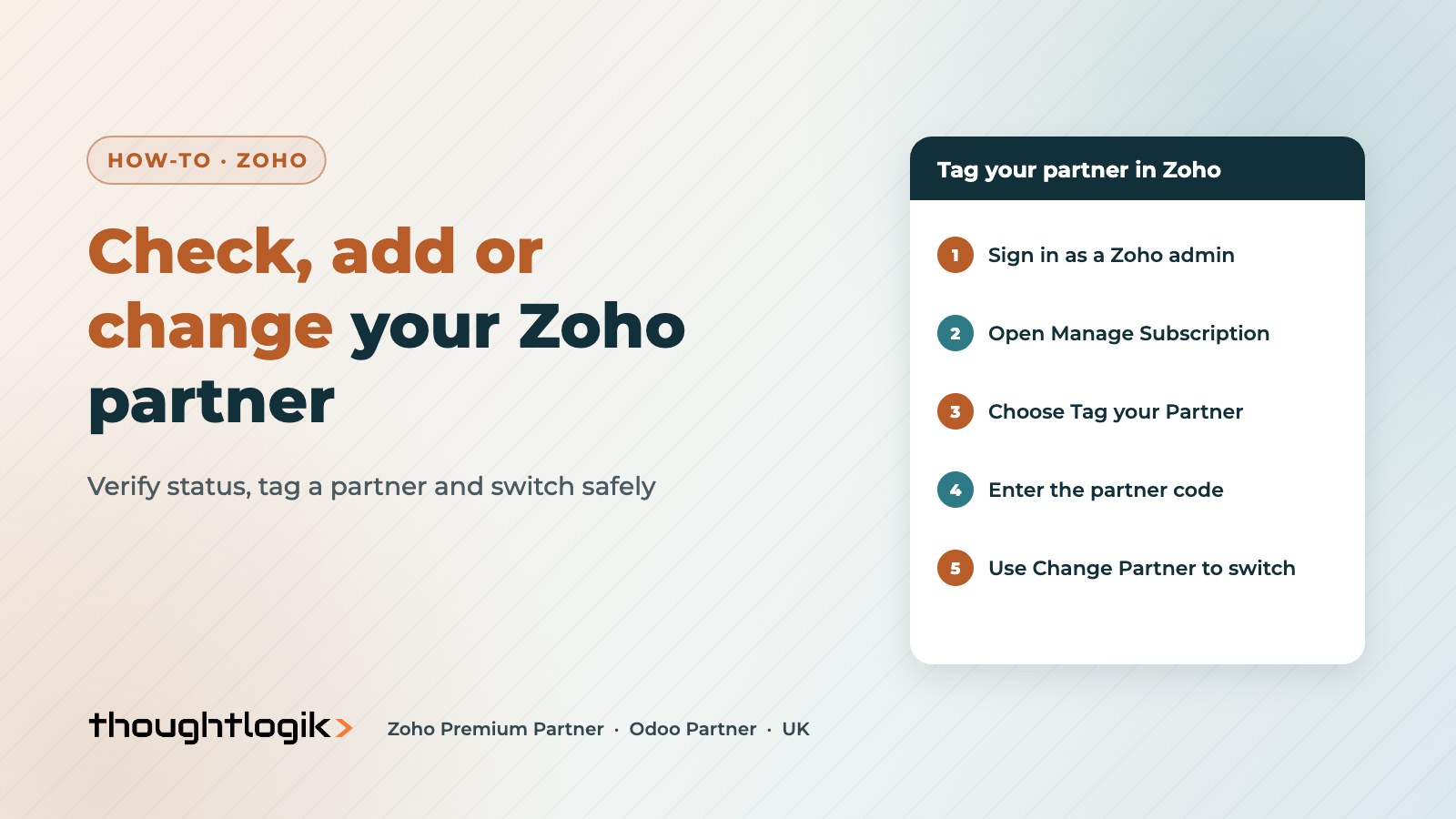
To check a Zoho partner is official, search the Zoho Partner Directory or email partner-operations@zohocorp.com. To add or change your Zoho partner, a Zoho admin opens Manage Subscription, selects Tag your Partner and enters the partner’s code, or uses Change Partner to switch. Tagging a partner lets them manage your subscription and give first-line support. It does not give them access to your data.
Key takeaways
- The Zoho Partner Directory is the official place to verify a Zoho partner.
- Only a Zoho admin can tag, add or change the partner on your account.
- You can use different partners for different Zoho products.
- Partner mapping covers licences, renewals and first-line support, not access to your records.
- Zoho is not party to your contract with a partner, so always sign a statement of work.
Many UK businesses start on Zoho by themselves, then bring in a Zoho partner when they need help with setup, integrations or support. Others want to move away from a partner who is no longer responsive. Either way, the process is simple once you know where to look. This guide covers how to check a Zoho partner, how partner tagging works, and what changes when you switch.
How do I check that a Zoho partner is official?
Start with the Zoho Partner Directory. Zoho says listed partners have met its benchmark criteria and are ranked on performance. You can filter by country, industry, products, certifications, languages and experience, and each profile shows the partner’s tier. Our guide to Zoho partner tiers explains what Authorized, Advanced and Premium mean.
If you cannot find a partner in the directory, that does not always mean they are not a Zoho partner. Zoho’s partner FAQs say some partners are not listed because they do not yet meet the listing criteria, and you can confirm status by emailing partner-operations@zohocorp.com.
What is the difference between a Zoho partner and Zoho Support?
Zoho Support helps with how the product works: bugs, standard features and account issues. A Zoho partner works on your business: choosing the right apps, configuring them around your processes, migrating data, building integrations and training your team. Zoho lists the common reasons to use a partner as help choosing products, a lack of in-house capacity, integration, data migration and hands-on support.
A partner is an independent business. Zoho’s points to note make clear that Zoho is not party to your agreement with a partner, and that fees are set by the partner and agreed by you. That is why Zoho recommends a signed statement of work and service agreement before any work starts.
How do I add a Zoho partner to my account?
- Sign in to Zoho as an administrator.
- Open Manage Subscription for the Zoho product.
- Select Tag your Partner.
- Enter the partner code your partner gives you.
- Confirm. The partner is now mapped to that product.
Zoho’s tag your partner guide covers the screens step by step. Only admins can tag a partner, so if the option is missing, check your role first.
How do I change my Zoho partner?
Use the same screen. Under Manage Subscription, choose Change Partner and enter the new partner’s code. Nothing in your Zoho data, fields or automations changes. What changes is who manages your licences, renewals and first-line support.
Before you switch, do three things:
- Get your documentation. Ask for solution designs, custom function code, integration details and admin credentials for any connected tools.
- Review user access. If the old partner had user accounts in your Zoho organisation, deactivate them once handover is complete.
- Check renewals. If you paid licences through the old partner, confirm your renewal date and billing route with the new one.
You can also use different partners for different Zoho products, for example one partner for Zoho CRM and another for Zoho Books.
What can a tagged Zoho partner see?
Zoho says partners mapped to your account can manage your subscription, users, licences and renewals, and provide first-level support. Zoho also states that partners will not be able to access your Zoho apps or confidential business data through this mapping. If a partner needs to configure your system, you grant that separately by adding them as a user, and you can remove that access at any time.
This is also where a partner’s own security matters. Thoughtlogik holds ISO 27001 and Cyber Essentials, so access control, data handling and change control are part of how we work on client systems.
Taking over a Zoho system from another partner
We often pick up Zoho systems that were partly configured by someone else. We start with an audit of your setup, list what is working, what is broken and what is missing, then agree a plan. See our Zoho optimisation service. For ongoing help, Thoughtlogik Shield is our Zoho managed support service.
Frequently asked questions
How do I find my Zoho partner?
Sign in as a Zoho admin and open Manage Subscription for the product. If a partner is tagged, it is shown there. You can also check partners in the Zoho Partner Directory.
Can I change my Zoho partner?
Yes. A Zoho admin can switch partner under Manage Subscription using Change Partner and the new partner’s code. Your Zoho data and setup do not change.
Can a Zoho partner see my data?
Not through partner tagging. Zoho says tagged partners can manage your subscription but cannot access your Zoho apps or confidential data. Access for configuration work is granted separately as a user account.
Do I need a Zoho partner?
Not always. Zoho suggests using a partner when you need help choosing products, lack in-house capacity, or need integrations, data migration or hands-on support.
Is my contract with a Zoho partner or with Zoho?
Your services contract is with the partner. Zoho is not party to it, so agree a signed statement of work and service agreement before work starts.
Thinking of switching Zoho partner? Book a free consultation with a UK Zoho Premium Partner.





