Short answer
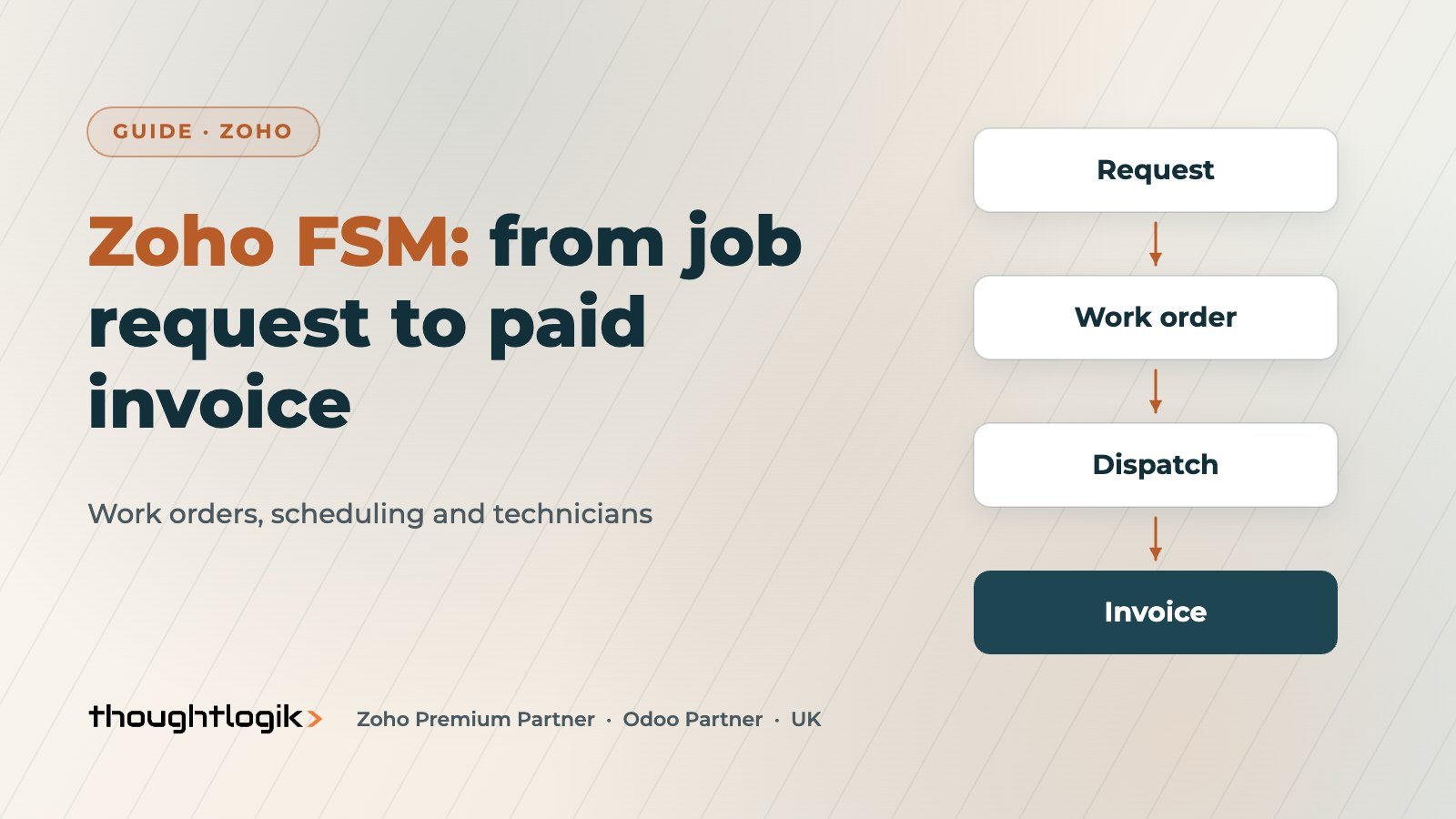
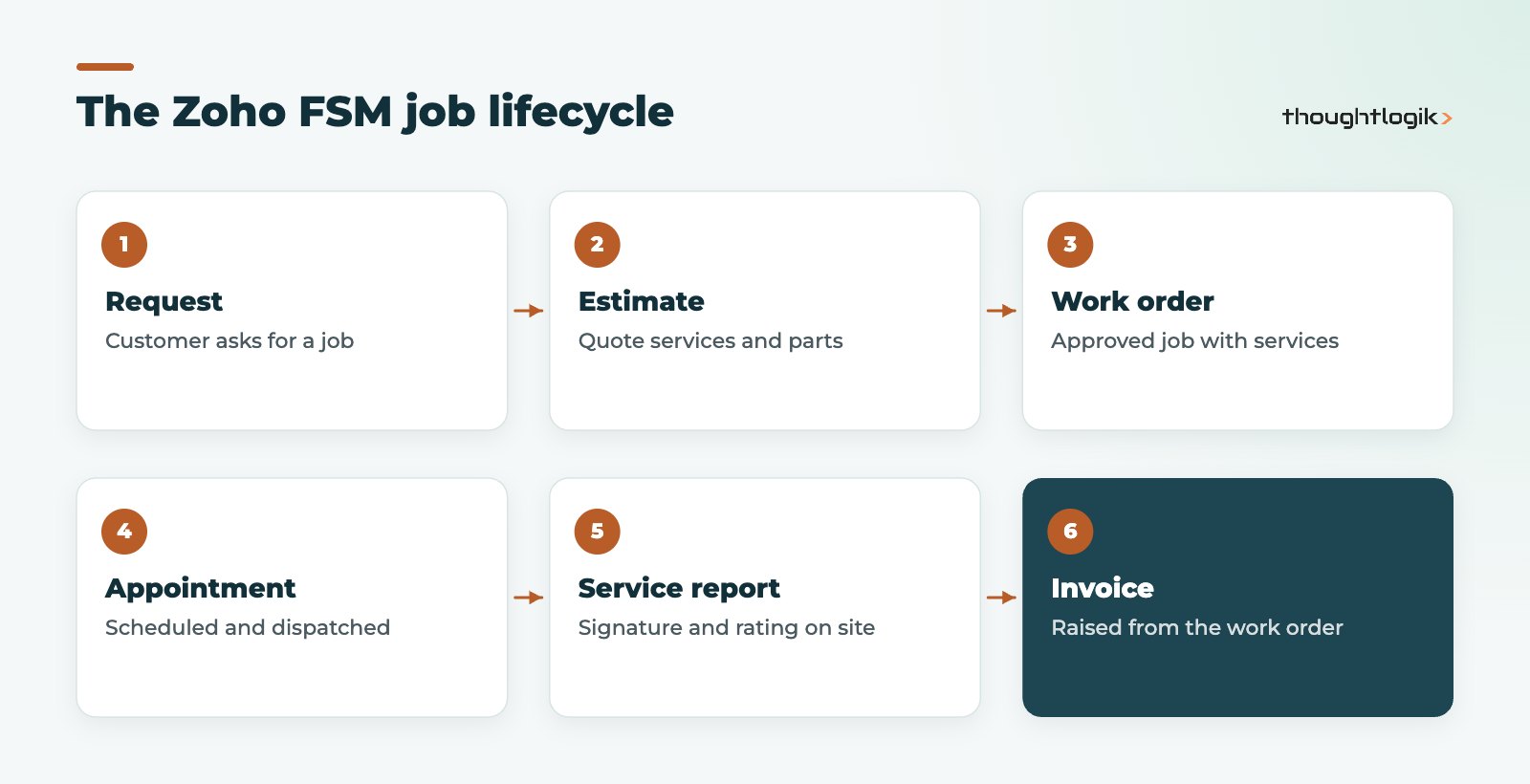
Zoho FSM is Zoho’s field service management app, taking a job from customer request and estimate through work orders, scheduled service appointments and the technician’s service report to an invoice. Office teams schedule on a dispatch console with Gantt, grid, calendar and map views, while technicians work from the Zoho FSM mobile app on Android and iOS. It integrates with Zoho CRM and Zoho Books, which suits UK service businesses already on Zoho.
Key takeaways
- The core chain is request, estimate, work order, service appointment, service report and invoice.
- A work order holds services; each service can have one or more service appointments.
- The dispatch console filters technicians by territory, skills, shifts, time off and existing jobs.
- Technicians start and complete work, capture signatures and log timesheets in the mobile app.
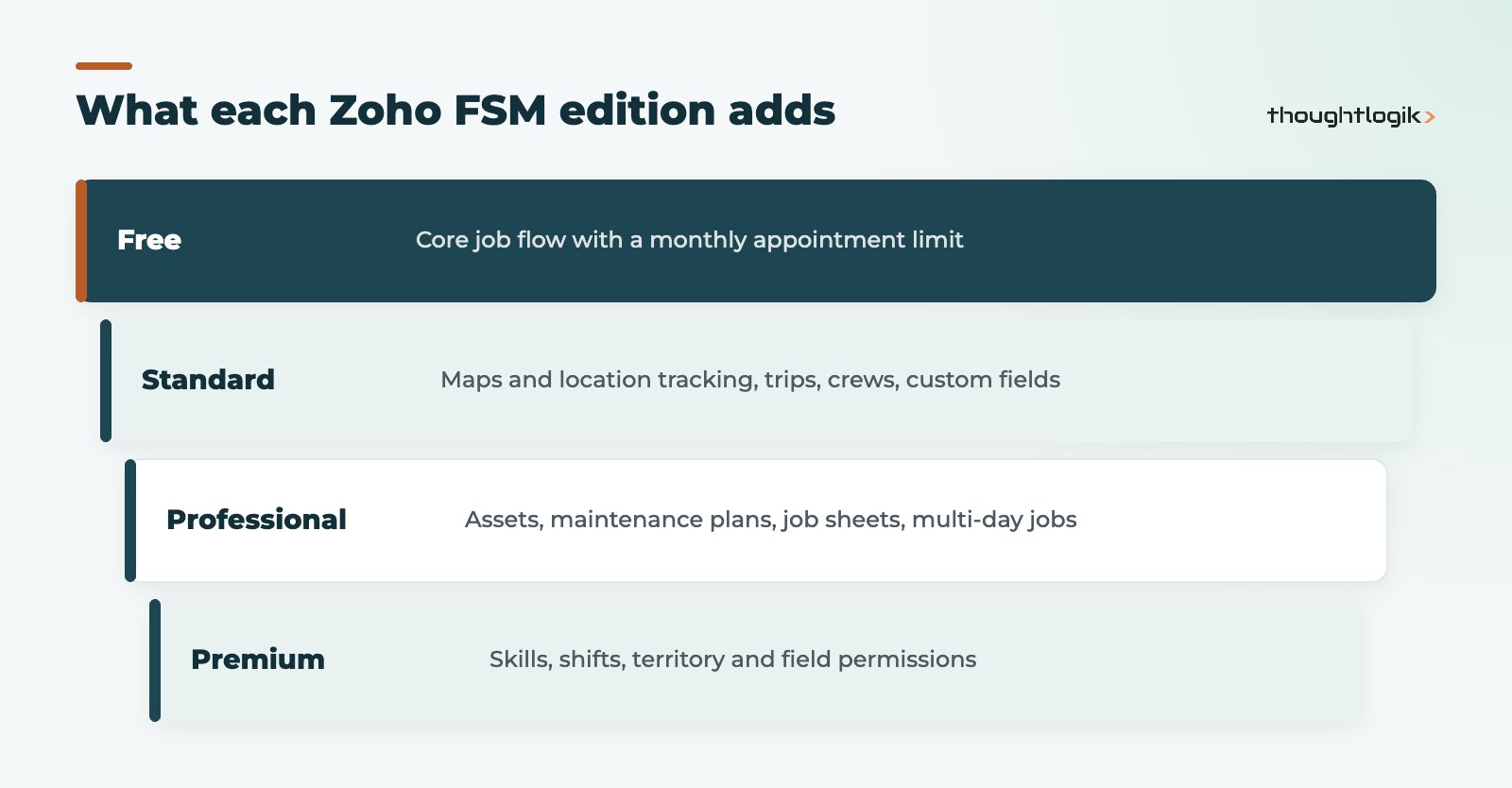
- Assets and maintenance plans for recurring servicing sit in the Professional edition and above.
UK field service businesses, from HVAC and fire safety to facilities maintenance and equipment installers, tend to run on a mix of spreadsheets, whiteboards, phone calls and paper job sheets. It works until volumes grow or a key coordinator is off sick. This app brings the whole job into one system shared by office and field. This guide explains how it is structured and what to plan before rolling it out.
What is Zoho FSM?
It is Zoho’s standalone field service management application for managing jobs carried out at customer sites. Its core modules cover requests, estimates, work orders, services and parts, customer management, the dispatch console, service reports, invoicing and payments, users and equipment, reports and a mobile app. Workflow automation and REST APIs are available from the Free edition.
How do work orders and service appointments fit together?
Understanding the data model saves a lot of confusion later. A work order is the approved job for a customer. It contains one or more services, such as “annual boiler service” or “replace filter unit”, each with the parts required. For each service you create one or more service appointments, which are the scheduled visits a technician carries out.
| Record | What it represents | Who uses it |
|---|---|---|
| Request | A customer’s request for work | Office or customer service |
| Estimate | The quote for services and parts | Office and sales |
| Work order | The approved job, holding services and parts | Office and dispatch |
| Service appointment | A scheduled visit to carry out a service | Dispatchers and technicians |
| Service report | Record of the work, with rating and signature | Technicians and customers |
Service appointments move through statuses: Scheduled, Dispatched, In Progress, Completed, Cancelled or Cannot Complete. That gives the office a live view of every job without phoning technicians.
Scheduling with the dispatch console
The dispatch console is where coordinators plan the day. It offers Gantt, grid, calendar and map views, drag and drop scheduling and bulk dispatch. When you assign an appointment, the system filters available service resources (technicians, crews or equipment) by territory, active status, required skills, shift hours, time off and clashes with existing appointments. Skills and shifts are Premium edition features, so smaller teams on lower editions will rely more on the coordinator’s judgement.
Location tracking and travel time
From the Standard edition, maps and location tracking let dispatchers see where technicians are and assign nearby jobs. Trips and timesheets help track travel time as well as time on site. As with any tracking of employees, explain to staff how location data is used and keep it proportionate under UK GDPR.
How does the technician app work?
Technicians use the mobile app on Android and iOS to see their appointments, start work, record what was done and complete the job, which updates the appointment and its services. On completion they can send a service report and capture the customer’s rating and signature. Timesheets logged in the app also matter for licensing, because appointment usage is counted from the distinct dates on logged timesheets.
Which Zoho FSM edition do you need?
There are Free, Standard, Professional and Premium editions. The Free edition carries a monthly limit on appointments, so it suits evaluation or very small teams. Most UK service businesses doing planned maintenance will need Professional for asset management and maintenance plans, which create recurring work orders. See the current breakdown on the Zoho FSM editions page and our Zoho pricing UK page for licensing.
Connecting Zoho FSM to Zoho CRM and Zoho Books
The Zoho FSM extension for Zoho CRM, installed from the Zoho Marketplace, provides two-way sync of contacts, accounts and products. Salespeople can create service requests, estimates and work orders directly from CRM, for example raising an installation request when a deal reaches a particular stage, and see service history on the customer’s record. Work orders can be turned into invoices, with Zoho Books integration so finance keeps VAT and ledgers in one place. See our guides to Zoho Books and Zoho CRM quotes if sales and service quoting need to line up.
Zoho FSM rollout tips for UK service businesses
- Standardise your service catalogue and parts list before migrating jobs.
- Import customer sites and assets with clean postcodes so maps and territories work.
- Pilot with one team for a few weeks before moving everyone.
- Design service report templates your customers will recognise as professional.
- Decide which system owns customers if you also run Zoho CRM.
If your field staff are sales reps rather than engineers, the Zoho CRM mobile app is usually the better fit. Our field service industry page covers wider options.
What to measure once you are live
The point of a field service system is better service at lower cost, so decide how you will measure that before go-live. Useful measures include the time from request to scheduled appointment, the share of jobs completed on the first visit, the time from job completion to invoice, and the number of appointments marked Cannot Complete, with reasons. Most of these come straight from appointment statuses and timesheets, so they need no extra data entry from technicians. Reviewing them monthly with coordinators usually highlights quick wins, such as parts that are often missing on the van or job types that are regularly under-estimated.
Common pitfalls
The most common problems we see are services defined too loosely, so reports cannot tell a repair from a routine service, and technicians not completing jobs in the app on site, which delays invoicing. Both are fixed with clear definitions and a short, practical training session in the van rather than the office.
How ThoughtLogik helps
ThoughtLogik implements field service management on Zoho for UK businesses and connects it to the rest of your systems.
- Process mapping from request to invoice, including planned maintenance.
- Configuration of services, parts, territories, skills and service report templates.
- Zoho CRM and Zoho Books integration through our Zoho implementation service.
- Data migration of customers, sites and assets.
Frequently asked questions
Is Zoho FSM part of Zoho CRM?
No. Zoho FSM is a separate application, but it integrates with Zoho CRM through an extension that syncs contacts, accounts and products and lets you create requests, estimates and work orders from CRM.
Does Zoho FSM have a free edition?
Yes. The Free edition includes the core job flow with a monthly limit on appointments, which is useful for evaluation or very small teams.
Can it handle planned maintenance contracts?
Yes. Maintenance plans create recurring work orders, and asset management tracks customer equipment. Both are in the Professional edition and above.
Can customers sign on completion?
Yes. Technicians can send a service report on completion that includes the customer’s rating and signature.
Does it work for crews as well as individual technicians?
Yes. Service appointments can be assigned to field agents, crews or equipment, with crews available from the Standard edition.
Still running field jobs from a whiteboard? We can map your process and set up Zoho FSM end to end. Book a free consultation or see our Zoho industry solutions.