
Short answer
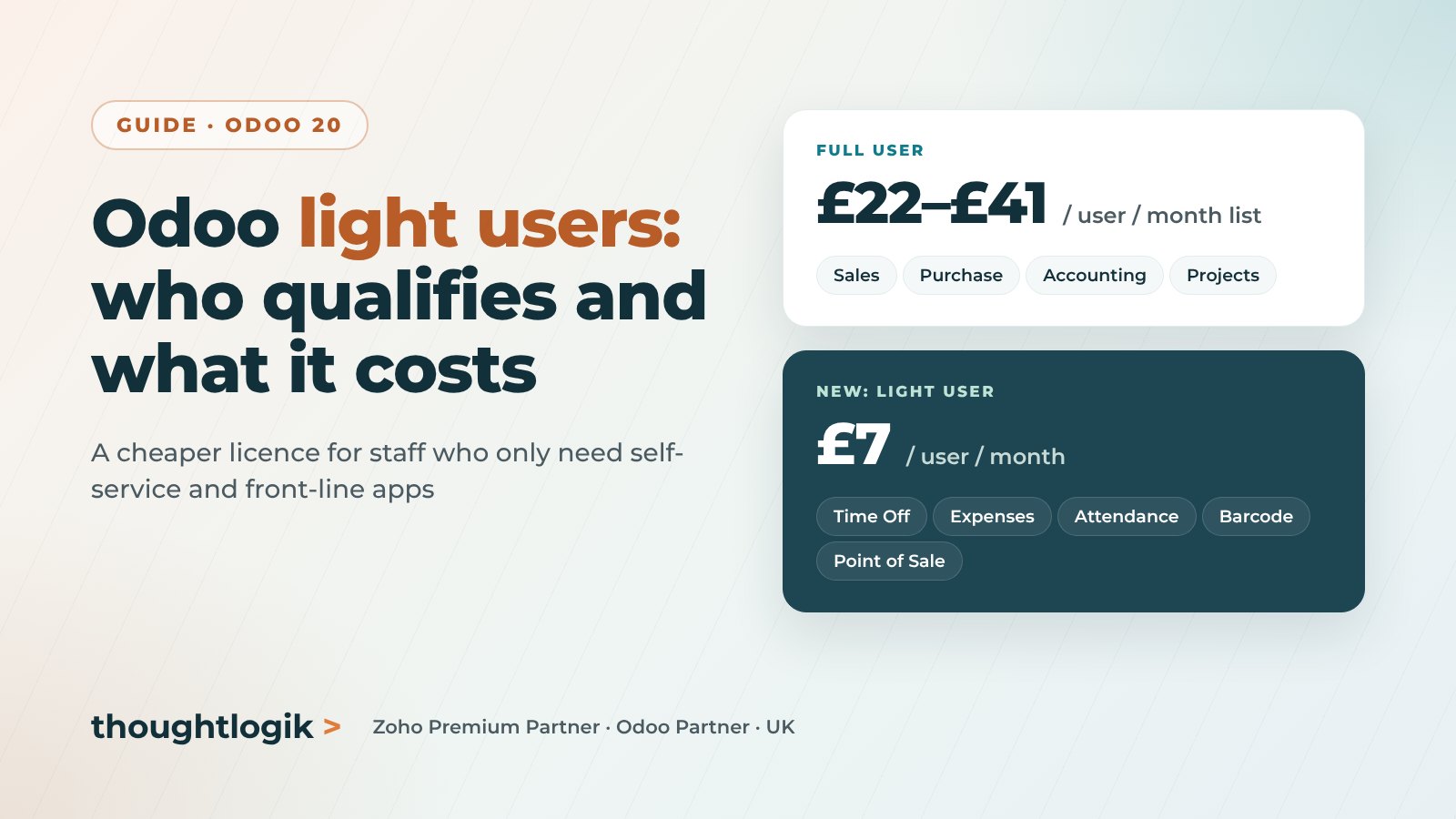
An Odoo light user is a new, lower-cost user type introduced with Odoo 20 in September 2026. It is designed for employees who only need self-service tools such as time off, attendance, expenses and appraisals, plus simple operational tasks like Point of Sale login, barcode scanning, shop floor work, planning and field service. On Odoo’s UK pricing page a light user is £7 per user per month, and you need at least one full user on the subscription.
Key takeaways
- Light users were announced at Odoo Experience on 24 September 2026, alongside Odoo 20.
- A light user costs £7 per user per month in the UK, against £22 (Standard) or £41 (Custom) list for a full user.
- They cover HR self-service and front-line apps, not Sales, Purchase, Accounting or Project.
- Grant one access right outside the light group and the account becomes a full user.
- Under the updated subscription terms, active employee records without a backend user can count as light users.
Most businesses that run Odoo have two kinds of people in the system: those who run the business in it every day, and those who only need to book leave, log hours, submit an expense or scan a pallet. Until now both needed the same paid user licence. The new Odoo light user changes that, and for companies with large warehouse, shop floor, retail or field teams the saving can be significant.
This guide explains what an Odoo light user is, what it can and cannot do, what it costs in the UK and the rules you need to understand before you change your user mix.
What is an Odoo light user?
Odoo announced the light user at Odoo Experience in Brussels on 24 September 2026, at the same event where it unveiled Odoo 20 and a price increase on the Custom plan. Reporting from the event described it as a new category for employees who need Odoo for their own work rather than for running business processes, available when there is at least one full user on the subscription.
In practice, a light user is a user account set to the light role in Odoo’s access rights. The account keeps a deliberately narrow set of permissions, and is billed at a much lower rate than a full user.
What can a light user do?
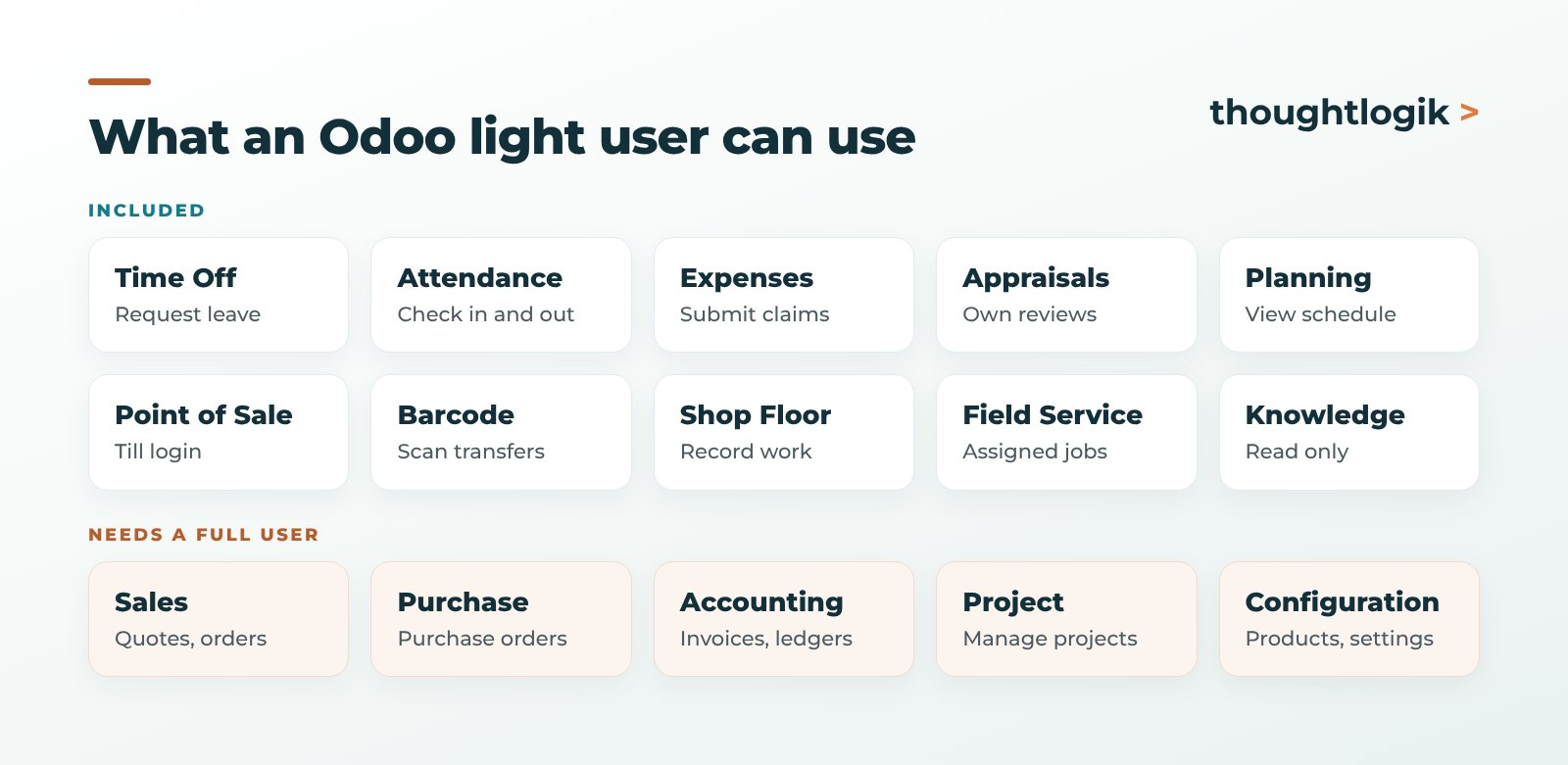
Light users are built around two groups of tasks.
Employee self-service
- Time Off: request leave and see balances.
- Attendance: check in and out.
- Expenses: submit expense claims with receipts.
- Appraisals: take part in their own reviews.
- Employee profile: keep personal details up to date.
Front-line operational work
- Point of Sale: log in to a till as an employee.
- Inventory Barcode: scan and process transfers, without managing products or stock settings.
- Shop Floor: record work on manufacturing operations.
- Planning: view their schedule.
- Field Service: work through their assigned jobs.
- Knowledge: read articles, without editing them.
What a light user cannot do
Anything that runs the commercial or financial side of the business still needs a full user. That includes creating quotations and sales orders, purchasing, accounting, project management, product and inventory configuration, and administration. If someone in your warehouse also raises purchase orders, or a field engineer also builds quotes, they need a full licence.
How much does a light user cost in the UK?
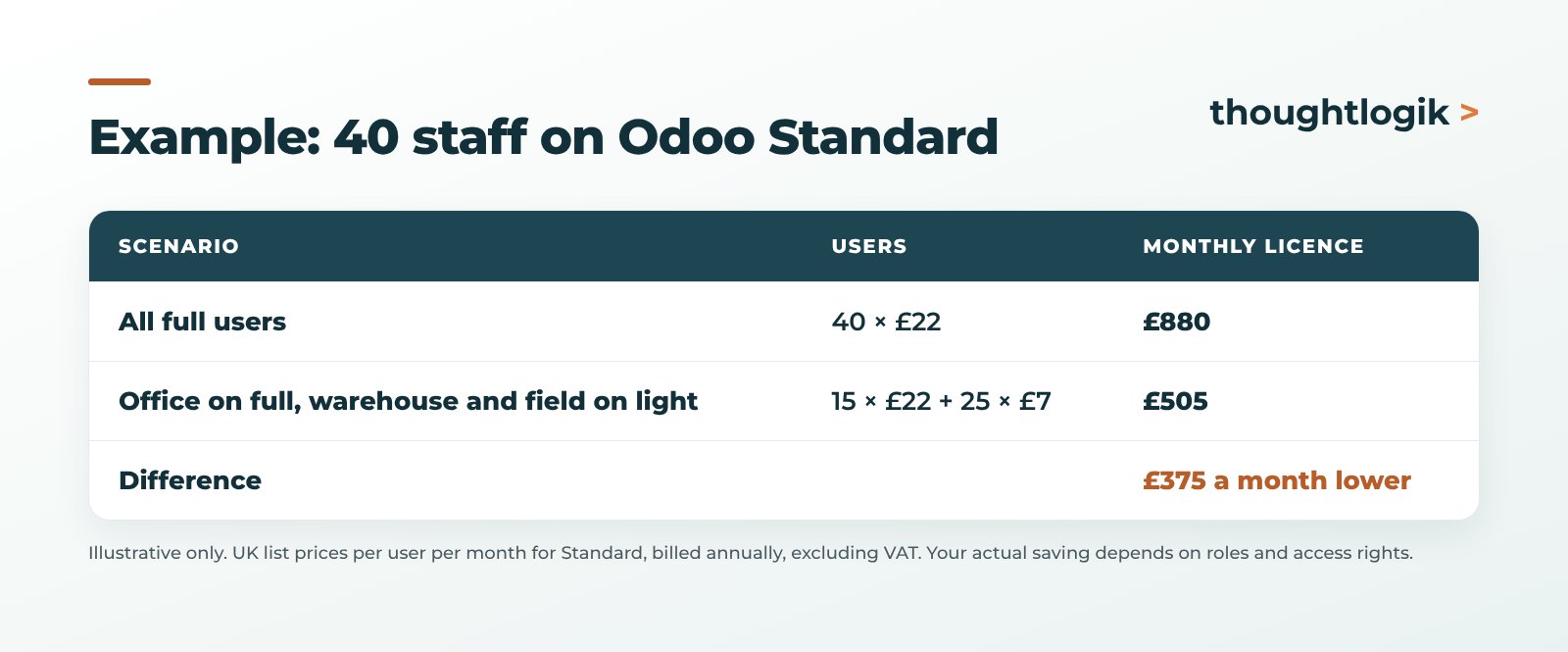
At the time of writing, Odoo’s UK pricing page lists the light user at £7 per user per month. For comparison, a full user on annual billing is:
| User type | First year (per user per month) | List price from year two |
|---|---|---|
| Full user, Standard | £18 | £22 |
| Full user, Custom | £32 | £41 |
| Light user | £7 | £7 |
Prices exclude VAT and are set by Odoo, so always confirm the figure on your own quote or subscription. Our Odoo pricing guide for the UK explains the plans in more detail.
The rules that catch people out
One extra permission makes a full user
The light role only holds while the account stays inside the light access group. Give a light user any right outside it, for example Sales set to “User: Own Documents Only”, and Odoo treats the account as a full user, which is billed as one. Review access rights carefully before and after go-live, and check them again whenever someone changes role.
Employees without a user account may count
Odoo’s updated Enterprise Subscription Agreement defines a light user as either an active account designated as a light user, or an active employee record that is not linked to a normal backend user account. If you keep employee records in Odoo for everyone in the business, those records may now be counted. Check your employee list and archive leavers before your next renewal.
You still need full users
Light users sit alongside full users. You cannot run a subscription on light users alone.
Who benefits most from light users?
- Manufacturers with operators who record work on the shop floor but never touch purchasing or costing.
- Wholesalers and distributors with warehouse teams who pick, pack and receive using barcode scanners.
- Retailers with till staff who only log in to Point of Sale.
- Field service businesses with engineers who work through scheduled jobs.
- Any business that wants every employee on Odoo for leave, attendance and expenses, without paying a full licence for each one.
How to move to light users without surprises
- Audit your users. List every active user and what they actually do in Odoo each week.
- Map roles to access. Decide which roles fit the light group and which need full access.
- Check your version. Light users arrive with Odoo 20. If you are on an older version, plan an Odoo upgrade first.
- Clean up employee records. Archive leavers and review records with no linked user.
- Test in a copy database. Confirm light users can complete their daily tasks before you switch over.
- Review after each renewal. Roles change, and access creep is what turns light users back into full ones.
Frequently asked questions
What is an Odoo light user?
A lower-cost Odoo user type introduced with Odoo 20 for employees who only need self-service tools such as time off, attendance, expenses and appraisals, and simple operational tasks such as Point of Sale login, barcode scanning, shop floor, planning and field service.
How much is an Odoo light user in the UK?
Odoo’s UK pricing page lists a light user at £7 per user per month at the time of writing. Prices are set by Odoo and exclude VAT, so confirm the figure on your own quote.
Can a light user create sales orders or invoices?
No. Sales, purchasing, accounting, project management and configuration need a full user. Giving a light user any access right outside the light group turns the account into a full user.
Do I need a full user to buy light users?
Yes. Light users are available alongside at least one full user on the subscription.
Do employee records count as light users?
Under the updated Enterprise Subscription Agreement, an active employee record that is not linked to a normal backend user account can count as a light user. Archive leavers and review employee records before renewal.
Paying for full users who only book leave or scan stock? We will review your user mix and access rights. Book a free consultation or see our Odoo optimisation service.





