
Short answer
The Zoho CRM mobile app, available on iOS and Android, gives field sales reps their meetings, records, deals and dashboards on their phone, with offline access that syncs when signal returns. Reps can check in at customer sites, find nearby customers, log calls with voice notes and scan business cards into contacts. It works best when CRM layouts and permissions are designed with mobile users in mind.
Key takeaways
- The app mirrors core CRM: leads, contacts, accounts, deals, activities and dashboards.
- Offline access means updates made with no signal sync later, which matters on UK rural patches.
- Check-in records a visit at the customer’s location, giving managers visit evidence without timesheets.
- Zia can capture notes, update deals, create tasks or make calls from voice commands.
- Shorter mobile-friendly layouts and clean addresses make the biggest difference to adoption.
Field sales reps judge a CRM by one test: can they update it between visits in under a minute? If not, notes stay in notebooks and the pipeline goes stale. The Zoho CRM mobile app is built for that gap between meetings. This guide covers what it does, how UK field sales teams use it, and the configuration that makes it work.
What can the Zoho CRM mobile app do?
Zoho describes the app as letting reps create and update deals, schedule calls, plan visits and conduct meetings, in other words most of what they do on desktop. The features field teams rely on most are:
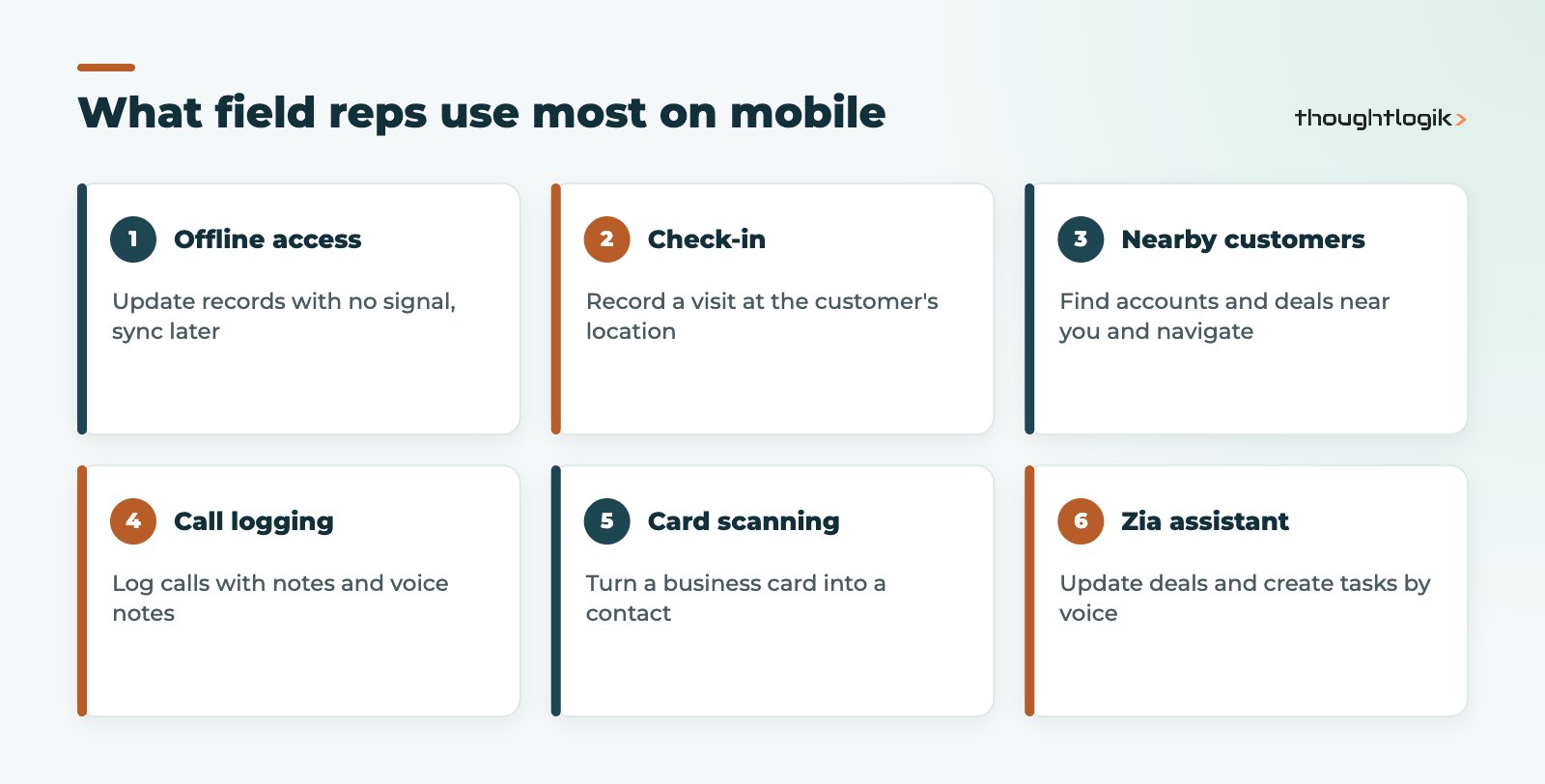
- Activities overview: scheduled tasks, meetings and calls with reminders, plus notes and attachments to review before a meeting.
- Global search: find any record quickly from one search bar.
- Location features: locate customers and opportunities nearby, navigate to them, and view prospects as clusters on a map.
- Caller ID and call logging: see when a lead or contact is calling, then log the call with details and voice notes.
- Feeds: collaborate with colleagues and @mention them from the field.
- Dashboards and alerts: interactive dashboards, including voice commands, and real-time alerts.
Offline access for patchy UK coverage
Offline access is one of the most practical features for UK teams covering rural areas, industrial estates or long motorway stretches. Reps can update information offline and the app syncs later. We still advise reps to open the records they need for the day while connected, and to check the sync has completed at the end of the day.
How do field sales reps use check-in?
Check-in lets a rep record their visit at a client’s location from the app. For managers, this provides evidence of visits and a basis for field activity reports, without asking reps to fill in separate visit sheets. For reps, it replaces the end-of-week admin of reconstructing where they have been.
Before rolling check-in out, be clear with your team about why location is captured and how it is used. Under UK GDPR, location data about employees is personal data, so explain the purpose and keep it proportionate. The GOV.UK guidance on data protection is a useful starting point, and our Zoho CRM GDPR compliance guide covers the CRM side.
Business card scanner and Zia voice assistant
At trade shows and networking events, the business card scanner turns a card into a CRM contact instantly, which avoids a pile of cards being typed up days later. Zia, Zoho’s AI assistant, can be used conversationally in the app to capture notes, update deals, create tasks or make calls. For reps who spend hours driving, voice input is often the difference between notes being captured and being forgotten. See our overview of Zia in Zoho CRM for the wider AI features.
| Field sales task | Without mobile CRM | With the Zoho CRM mobile app |
|---|---|---|
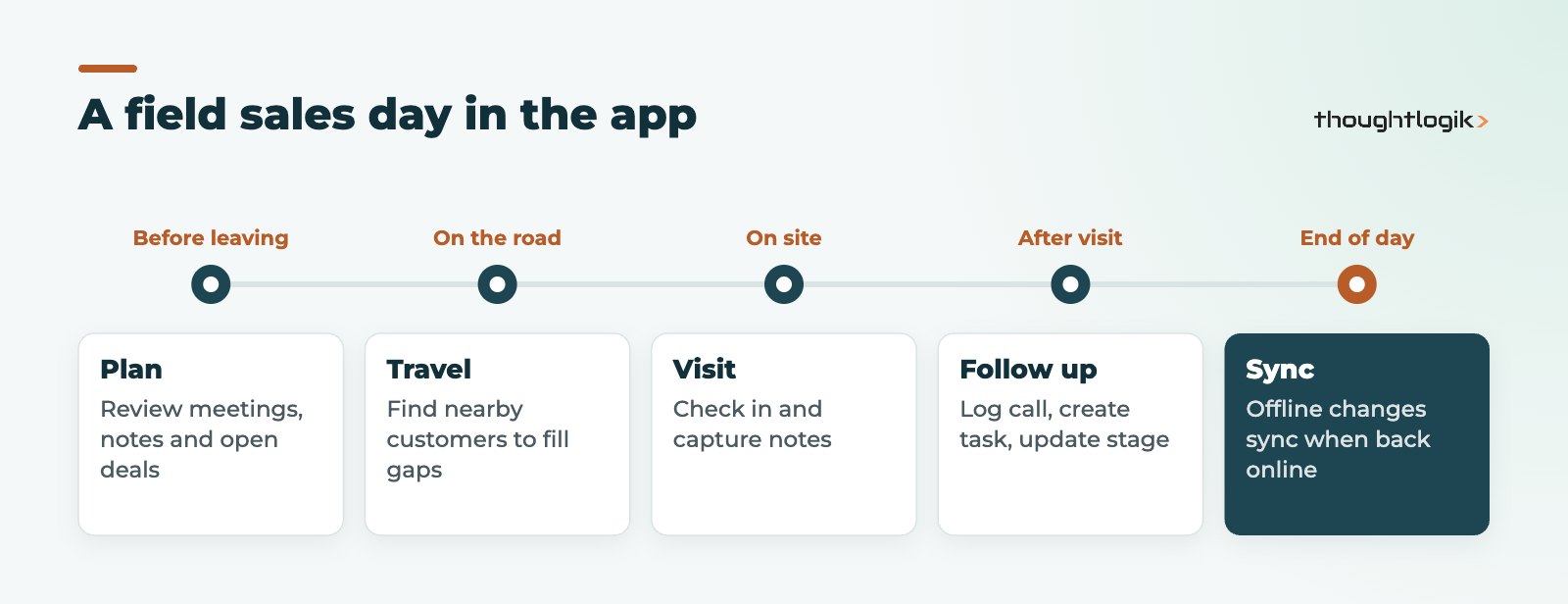
| Preparing for a visit | Printouts or calling the office | Notes, attachments and open deals on the phone |
| Proving a visit took place | Manual visit sheets | Check-in at the customer’s location |
| Filling a cancelled slot | Guesswork | Find nearby customers and navigate |
| Recording outcomes | Typed up at the weekend | Log the call, add a voice note, update the stage |
| New contacts at events | Cards typed up later | Scan the card into a contact |
Configuring Zoho CRM for mobile users
The Zoho CRM mobile app shows the fields and layouts you configure in CRM, so a desktop layout with 80 fields becomes a long scroll on a phone. Good mobile CRM design is mostly good CRM design:
- Trim layouts. Move rarely used fields into later sections and keep mandatory fields to what a rep can reasonably complete on site.
- Clean addresses. Nearby and map features depend on accurate addresses. Our UK postcode address finder helps keep them consistent.
- Use picklists, not free text. Tapping a value is faster and more reliable than typing.
- Automate the follow-ups. Let workflow rules create tasks and notifications so reps do less manual entry.
- Test on real phones. Walk through a full visit on iOS and Android before launch.
Security for a Zoho CRM mobile app rollout
Phones get lost. Make sure devices have screen locks, that users have the minimum profile permissions they need, and that you have a process for deactivating a leaver’s CRM access on day one. If you use Zoho One, manage users centrally so access is removed across all apps together.
Is the Zoho CRM mobile app right for engineers too?
The app is designed around selling: leads, deals, meetings and calls. If your field staff are engineers or technicians carrying out installations, repairs or maintenance, they usually need work orders, service appointments, parts, timesheets and customer signatures on a service report. That is the job of Zoho FSM, which has its own technician app and can integrate with Zoho CRM. Many UK businesses run both: sales reps on the CRM app, engineers on the FSM app, with shared customer records.
How to measure adoption after launch
A rollout is only successful if reps keep using the app after the first month. Track a small set of signals in CRM reports: the share of meetings with an outcome logged the same day, the number of check-ins per rep per week, and how many deals have had their stage updated in the last fortnight. Review these with regional managers rather than using them as a stick. Where a rep’s numbers drop, the cause is often a layout that is too long or a mandatory field that cannot be completed on site, and both are quick to fix.
How ThoughtLogik helps
ThoughtLogik configures Zoho CRM so the mobile experience is fast enough that reps actually use it.
- Mobile-first layout, field and picklist design for field sales teams.
- Address clean-up and location setup so nearby and map features are reliable.
- Automation that turns visits and calls into tasks and pipeline updates.
- Rollout training for reps and managers through our Zoho implementation service.
Frequently asked questions
Is the Zoho CRM mobile app free?
The app is free to download on iOS and Android, but users need a Zoho CRM licence to sign in. See our Zoho pricing UK page for current licensing.
Does the Zoho CRM mobile app work offline?
Yes. Reps can update information offline and the app syncs the changes later when a connection is available.
Can managers see where reps have visited?
Reps can check in at a customer’s location to record their visit, which managers can then report on. Explain to staff how this location data is used, in line with UK GDPR.
Can the app scan business cards?
Yes. A business card can be scanned and converted into a CRM contact straight away, which is useful at trade shows and events.
Will custom fields and modules appear in the app?
The app reflects your CRM configuration, including custom fields and layouts, which is why trimming layouts for mobile use matters.
Reps still updating CRM at the weekend? We can set up Zoho CRM for fast mobile use in the field. Book a free consultation or see our Zoho CRM UK services.





