Why we built it
Credit checks usually happen outside the CRM. Someone logs in to Creditsafe, downloads a report and emails it round, and the result never makes it onto the customer record. Sales end up agreeing terms without seeing the risk, and finance has to chase for information that should already be there.
Key benefits
- Credit risk at the point of sale. See a company’s risk score and credit limit on the record before you quote or agree terms.
- One click, no re-keying. Search, select and update without leaving Zoho CRM or copying values from a report.
- Summary and full report. Key figures are written to fields, and the full Creditsafe report can be attached as a PDF.
- One view for sales and finance. Everyone works from the same score, limit and status, so decisions are consistent.
- International searches. Search by country, in line with the coverage of your Creditsafe package.
- Report and automate on credit data. Because the data lives in CRM fields, you can build views, reports and workflows around it.
How it works
The extension takes the company name from the record: the Company field on Leads and the Account Name field on Accounts.
1. Open Credit Check
Save the Lead or Account, then open the buttons drop-down on the record and click Credit Check.
2. Search Creditsafe
Choose whether to search by Company Name or Company ID, enter the details, select the country and click Search.
3. Pick the right company
Matching companies are listed with their ID and address. Click the correct one.
4. Review the summary report
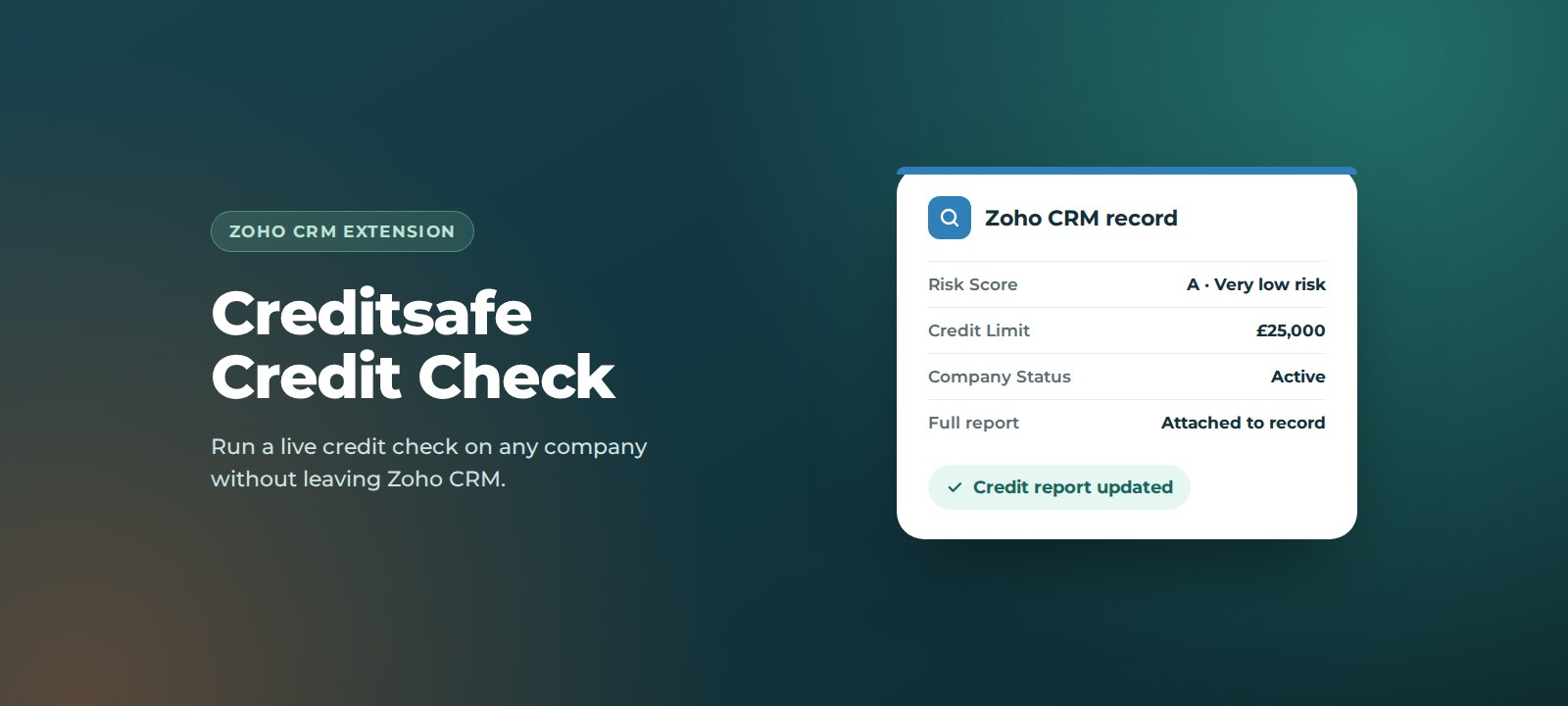
A summary of the company’s credit report is shown, including risk score, international score, credit limit and contract limit. To keep the full report, turn on Attach Full Report to CRM in the top right.
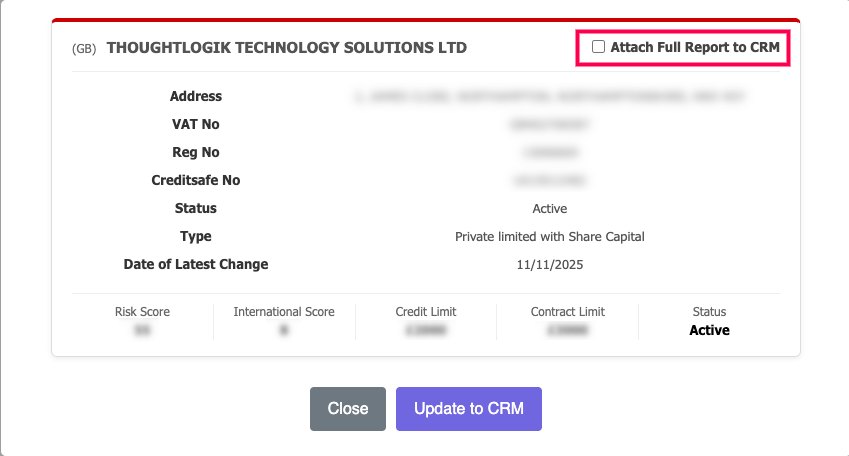
5. Update the CRM
Click Update to CRM. The credit fields on the record are filled in, and if you chose to attach it, the full report appears as a PDF in the record’s Attachments.
How to set it up
Before you install: buy a Creditsafe API package from Creditsafe and keep your authorisation key to hand.
- Install the extension. We will share the installation link with you, or install it for you as part of onboarding.
- Open variables. In Zoho CRM, go to Settings > Developer Hub > Variables.
- Add your key. Find the variable named Company_Check_API Key, paste your Creditsafe authorisation key into the Value field and save.
- Show the fields. Make sure the credit fields are visible on the Lead and Account layouts your team uses.
- Run a test. Open a saved Account for a company you know and run Credit Check.
Support
Creditsafe Credit Check is built and supported by ThoughtLogik’s UK-based Zoho team, so you speak to the people who wrote it.
- Get in touch: email support@thoughtlogik.com, or contact your ThoughtLogik account manager if you have a support plan with us.
- Help us help you faster: tell us the extension name, the CRM module and a link to the record, what you expected to happen and what actually happened, and include a screenshot of any error message.
- Quick check first: confirm your Creditsafe package is active and that the key saved in the Company_Check_API Key variable is current.
- Need it to do more? We can add modules, change the field mapping or tailor the extension to your process.
Frequently asked questions
Do I need a Creditsafe subscription?
Yes. The extension connects to your own Creditsafe account, so you need a Creditsafe API package. You can compare packages on the Creditsafe website.
Can I check companies outside the UK?
Yes. Select the country when you search. The countries and reports available depend on your Creditsafe package.
Where is the full report saved?
If you turn on Attach Full Report to CRM, the full Creditsafe report is saved as a PDF in the record’s Attachments.
Can I run a check before saving a new Lead?
No. Save the Lead or Account first, then click Credit Check from the record.
Which Zoho CRM modules does it work with?
Leads and Accounts. The company name is taken from the Company field on Leads and the Account Name field on Accounts.
Want Creditsafe Credit Check in your Zoho CRM? ThoughtLogik is a UK Zoho Premium Partner. Book a free consultation or email support@thoughtlogik.com and we will get you set up.