Why we built it
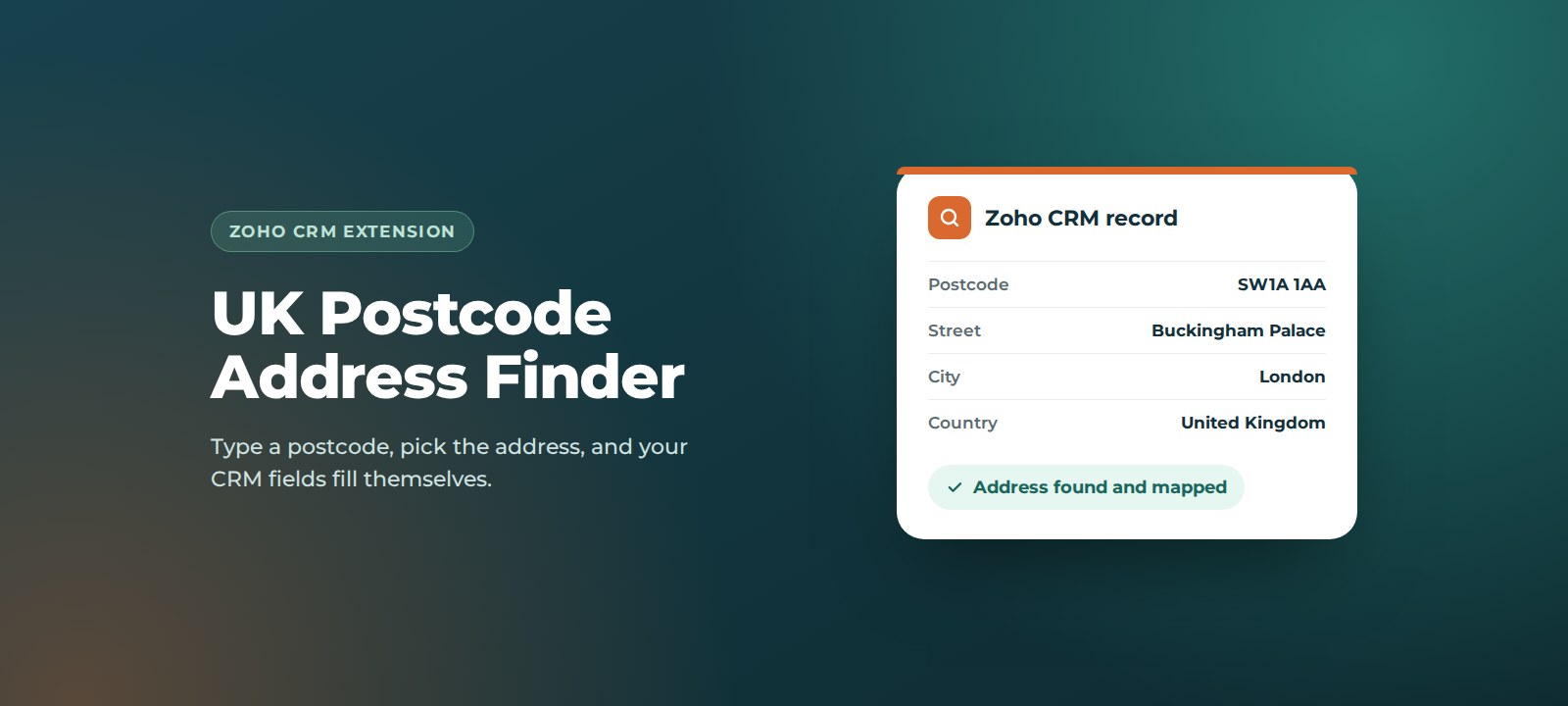
Addresses typed by hand are one of the biggest sources of messy CRM data: missing postcodes, misspelt streets and towns in the wrong field. That flows straight into returned post, failed deliveries, invoicing queries and unreliable reporting by region. A postcode lookup fixes the problem where it starts, at the point of entry.
Key benefits
- Faster data entry. A full address in seconds from a postcode and one click.
- Accurate, consistent addresses. Every address comes from the same source and is formatted the same way, every time.
- Fewer returned letters and failed deliveries. Correct addresses mean paperwork, samples and engineers get to the right place.
- Better regional reporting. Clean postcodes and towns make territory, region and route planning reports trustworthy.
- Works where your team works. Available on Leads, Contacts, Accounts and Deals, whether you are creating, editing or viewing a record.
- Pay only for what you use. Lookups run on pay-as-you-go credits from Ideal Postcodes, with no extra monthly fee for the data.
How it works
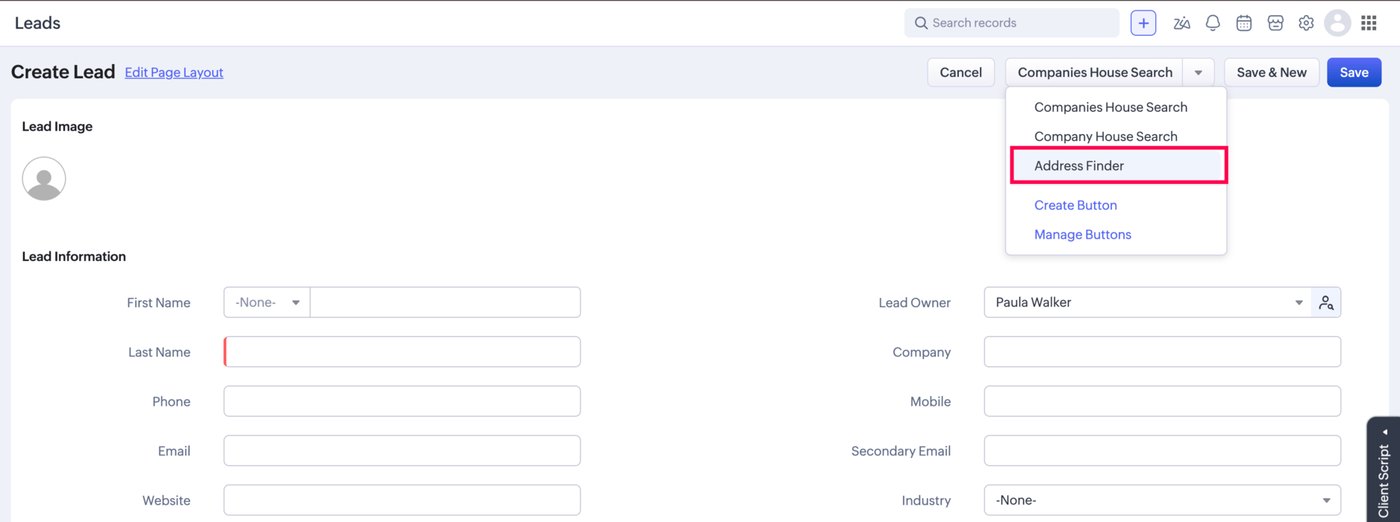
1. Open Address Finder
On any Lead, Contact, Account or Deal, open the buttons drop-down at the top of the record and click Address Finder. The Postcode Lookup pop-up opens.
2. Search by postcode
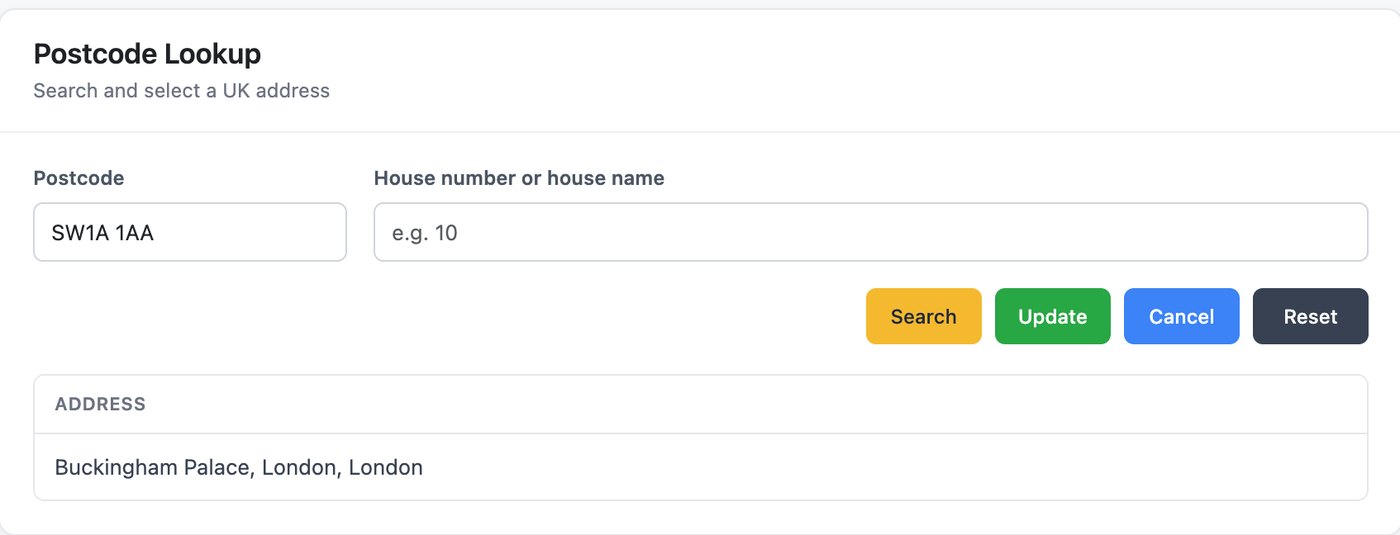
Enter the postcode and click Search. To narrow a long list, add a house number or name. Changing either field and clicking Search again refreshes the results, and Reset clears both fields.
3. Select and update
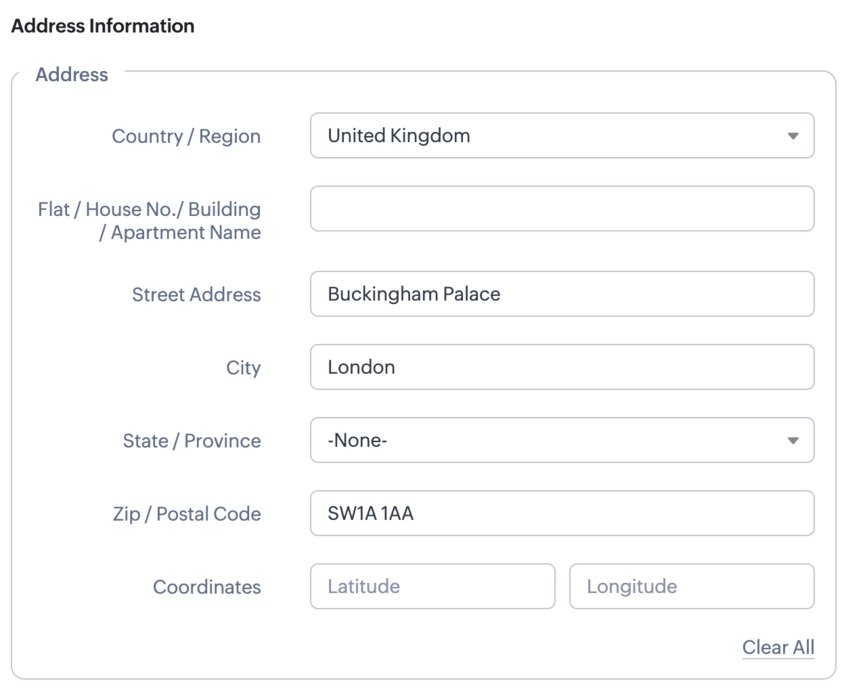
Click the correct address, then Update. The street, city, postcode and country fields on the record are filled in for you.
How to set it up
Before you install: buy an API key from Ideal Postcodes. Choose a credit pack that suits the number of lookups your team makes.
- Install the extension. We will share the installation link with you, or install it for you as part of onboarding.
- Open the extension settings. In Zoho CRM, go to Settings > Marketplace > Installed, find Postcode Finder – UK and click Settings.
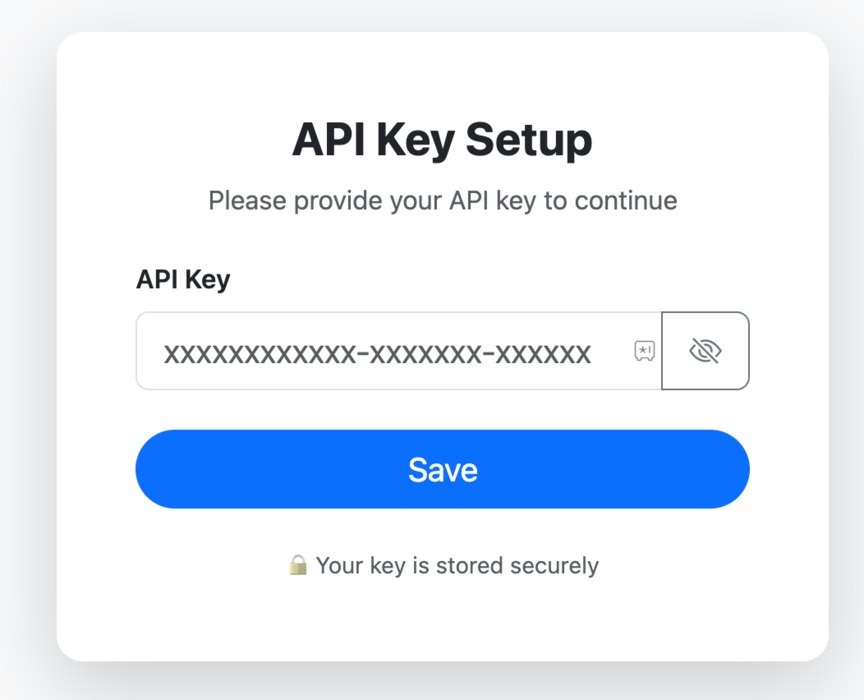
- Add your API key. Paste your Ideal Postcodes API key and click Save.
- Run a test. Open a Lead, click Address Finder and look up a postcode you know.
Support
UK Postcode Address Finder is built and supported by ThoughtLogik’s UK-based Zoho team, so you speak to the people who wrote it.
- Get in touch: email support@thoughtlogik.com, or contact your ThoughtLogik account manager if you have a support plan with us.
- Help us help you faster: tell us the extension name, the CRM module and a link to the record, what you expected to happen and what actually happened, and include a screenshot of any error message.
- Quick check first: check your Ideal Postcodes credit balance and that the API key saved in the extension settings is still current.
- Need it to do more? We can add modules, change the field mapping or tailor the extension to your process.
Frequently asked questions
Do I need an Ideal Postcodes account?
Yes. The extension uses Ideal Postcodes for UK address data, so you need an API key from ideal-postcodes.co.uk. Lookups are bought as pay-as-you-go credits.
Which Zoho CRM modules does it work with?
Leads, Contacts, Accounts and Deals, on the create, edit and detail views.
Can I search by house number?
Yes. Add a house number or name alongside the postcode to narrow the list to the exact address.
Where is my API key stored?
The key is saved once in the extension settings, not on individual records, and is masked on screen.
Lookups have stopped returning results. What should I check?
Check your Ideal Postcodes credit balance first, then confirm the API key in the extension settings is still current.
Want UK Postcode Address Finder in your Zoho CRM? ThoughtLogik is a UK Zoho Premium Partner. Book a free consultation or email support@thoughtlogik.com and we will get you set up.