
Short answer
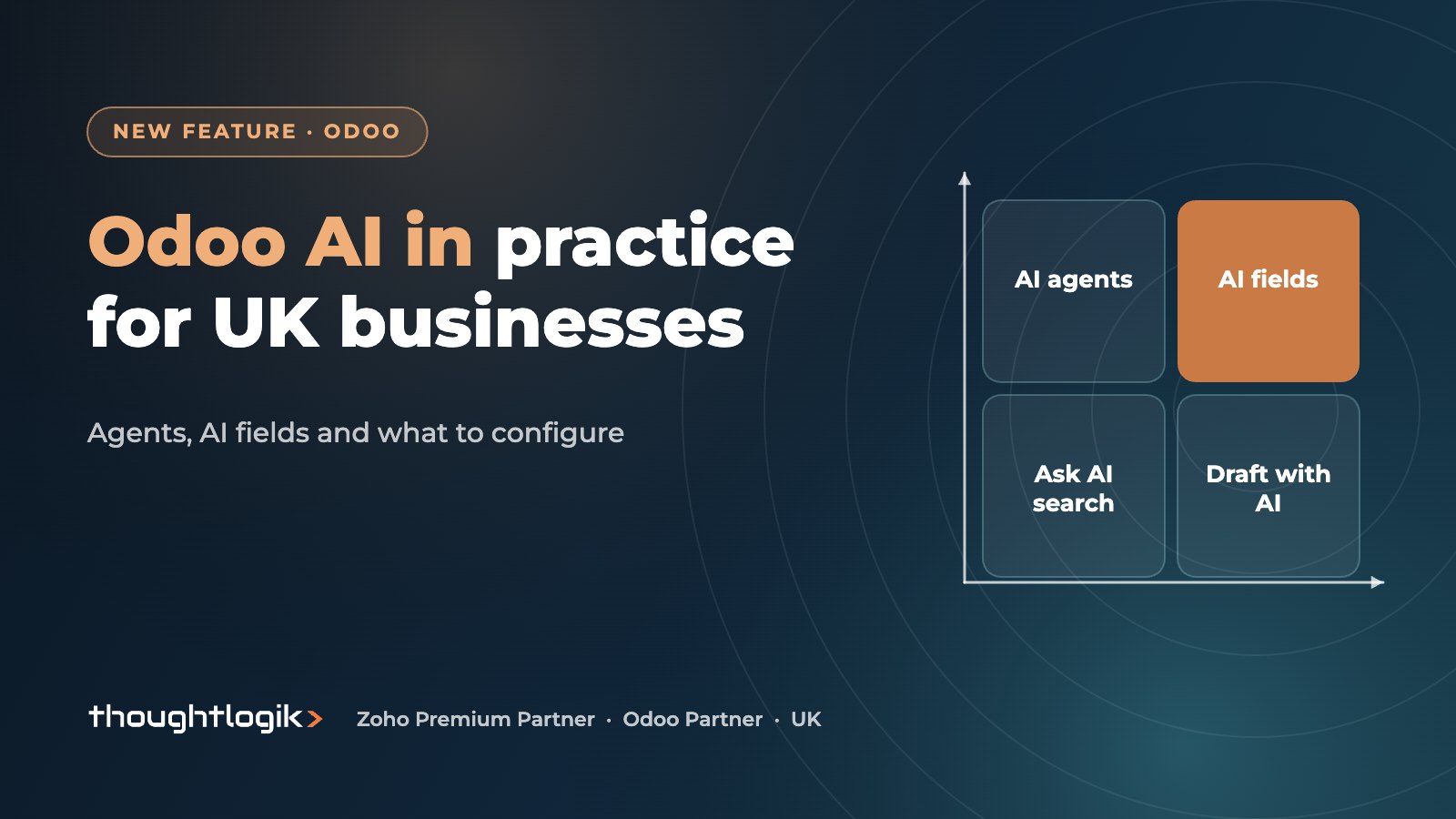
Odoo AI is a set of features built into Odoo, introduced as a dedicated AI layer in Odoo 19 and extended in Odoo 20. It includes configurable AI agents, AI fields that fill themselves in from a prompt, natural language search and AI drafting in email and chatter, alongside long-standing tools such as bill digitisation and predictive lead scoring. Most features are Enterprise only, use separately purchased credits, and need permissions and data sources set up before they are useful.
Key takeaways
- Odoo 19 introduced AI agents, AI fields, AI server actions and “Ask AI” natural language search.
- Odoo 20 lets agents create and update records, including from an uploaded file, and adds a native MCP connection for external AI tools.
- The best early wins for UK SMEs are purchase invoice processing, email drafting, lead handling and internal knowledge questions.
- AI features rely on large language model providers such as OpenAI and Google, and consume in-app credits.
- Treat Odoo AI as a data processing activity under UK GDPR: decide what data it may see and keep a person in the loop.
AI in business software has moved quickly from novelty to everyday tool. In Odoo, it is no longer a separate add-on: since Odoo 19 there is a dedicated AI app that works across the other apps. For UK owners and finance and operations leaders, the useful questions are practical. What does Odoo AI actually do? Where will it save time? What has to be set up? And what are the data protection implications?
What Odoo AI includes
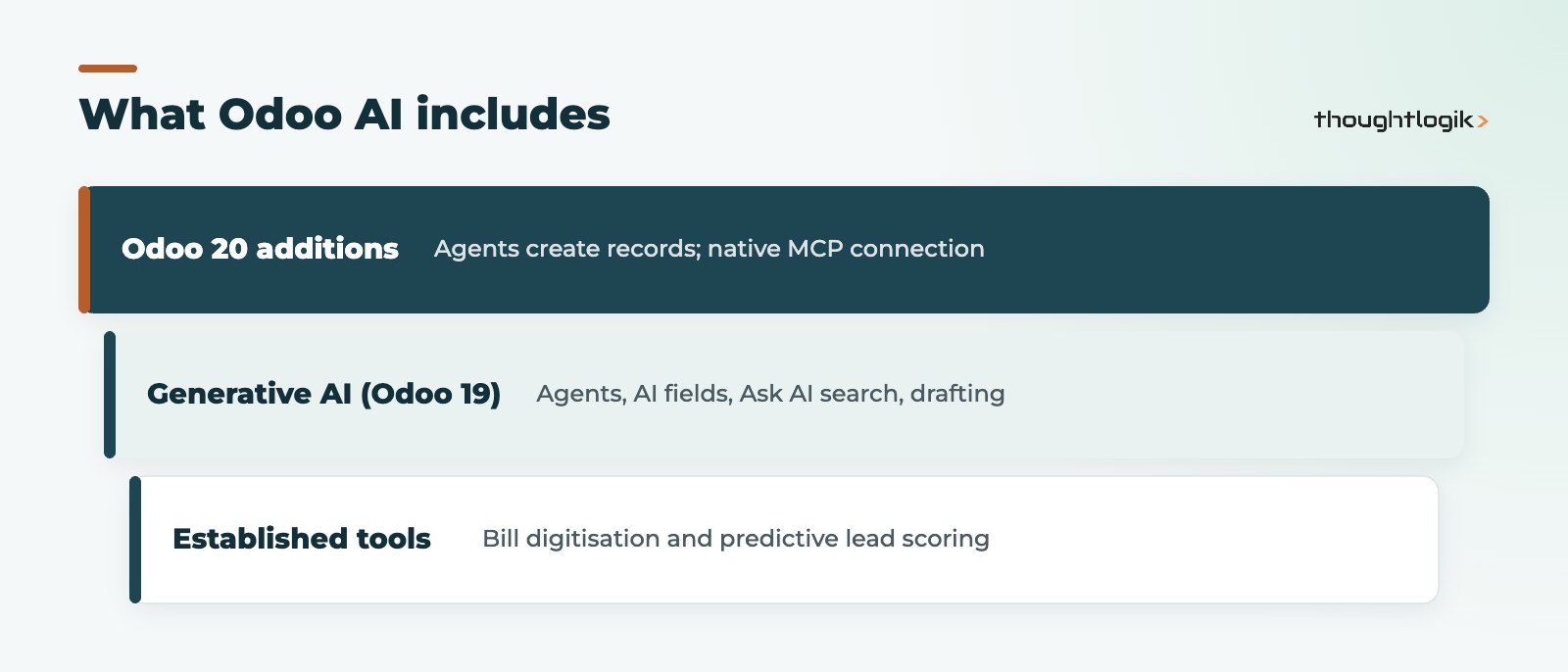
Odoo’s AI capabilities fall into two groups: newer generative AI features, and older automation that uses machine learning or optical character recognition.
Generative AI features (Odoo 19 onwards)
- AI agents. Chat assistants you configure with a purpose, instructions and sources such as uploaded documents, Knowledge articles or web pages. They can answer questions about your data and perform actions. Agents can also be connected to Live Chat on your website.
- AI fields. Fields, added through Studio, that populate themselves from a prompt using the record’s own data.
- AI server actions. Automation steps that use AI to update fields, which can be triggered by automation rules.
- Ask AI search. Type a question in plain English and Odoo turns it into a filter on your records.
- Draft with AI. Help writing and improving emails and messages, and summarising chatter threads.
- AI in Documents and Website. Prompt-based sorting of documents and generation of web page content.
What Odoo 20 adds
Odoo 20, released in September 2026, lets agents create and update records on request, including from an uploaded file, and introduces a native connection based on the Model Context Protocol (MCP) so that external AI assistants can work with your Odoo database. Launch coverage also describes AI agents for accounting questions. Read our overview of Odoo 20 new features for the wider release.
Established AI and automation tools
- Bill and receipt digitisation. Upload or email in supplier bills and expense receipts, and Odoo extracts the key details into a draft.
- Predictive lead scoring. CRM calculates a probability of winning each opportunity based on your historical won and lost data.
- Lead enrichment and generation. Optional services that add company information to leads, paid for with credits.
Practical Odoo AI use cases for UK SMEs
| Use case | Odoo feature | Who benefits | Human check needed |
|---|---|---|---|
| Processing supplier bills | Bill digitisation, plus bill line prediction in Odoo 20 | Finance team | Yes, before posting |
| Replying to customer emails | Draft with AI in chatter and email | Sales and customer service | Yes, before sending |
| Prioritising the pipeline | Predictive lead scoring | Sales managers | Periodic review of the model’s inputs |
| Answering “how do we do X?” | AI agent trained on policies and procedures | All staff, new starters | Keep sources up to date |
| Summarising product or customer notes | AI fields | Operations and account managers | Spot checks |
| Website visitor questions | AI agent on Live Chat | Marketing and sales | Monitor transcripts |
Where to start
Pick one process with high volume and clear rules. Purchase invoice processing is often the best candidate: suppliers are known, coding is repetitive and errors are easy to spot. Measure how long it takes today, switch on digitisation, review the drafts for a month, then decide whether to go further. For wider automation beyond Odoo’s built-in tools, see our Odoo AI and automation service and our work on agentic AI.
Limitations to be aware of
Generative AI can produce confident answers that are wrong, particularly when an agent’s sources are out of date or incomplete. It also works best on text: it will not fix inaccurate stock figures or poorly structured product data. Treat AI output as a first draft, keep sources current, and do not rely on it for figures that must be exact, such as VAT or payroll values, without checking against the underlying records.
What needs configuring
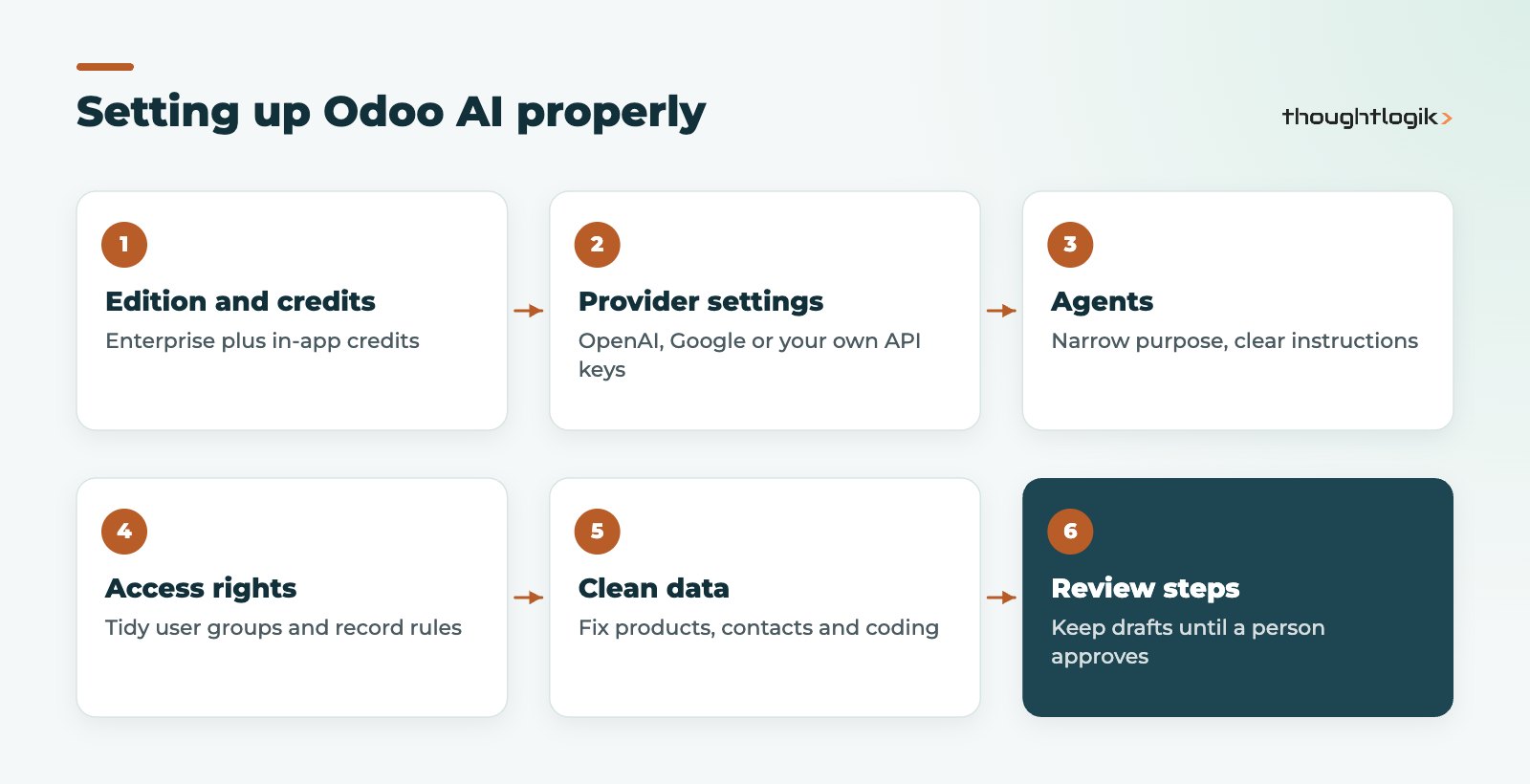
Odoo AI does not do much out of the box. To get reliable results you need to set up:
- Edition and credits. Most AI features require Odoo Enterprise, and usage consumes separately purchased in-app credits.
- Provider settings. Odoo’s AI uses models from providers including OpenAI and Google. Odoo’s documentation also covers adding your own API keys for these providers, which changes which contract governs the processing.
- Agents. Give each agent a narrow purpose, clear instructions and only the sources it needs. A general agent with access to everything is harder to trust.
- Access rights. AI works within Odoo’s user permissions, so tidy up user groups and record rules first. If a user should not see salaries, neither should an agent acting for them.
- Clean data. Suggestions are based on your history. Poor product data, duplicate contacts or inconsistent coding will produce poor results.
- Review steps. Keep drafts as drafts until a person approves them, particularly for bills, customer emails and anything that changes stock or money.
Data protection and GDPR considerations
Using AI on business data is processing personal data in most cases, because customer, supplier and employee records contain names and contact details. Under UK GDPR, check the following before rolling out:
- Who processes the data. Review Odoo’s data processing terms and, if you use your own API keys, the AI provider’s terms as well.
- Where it goes. Understand where prompts and responses are processed and whether any international transfer safeguards are needed.
- What is in scope. Keep special category data, such as health information in HR records, out of AI prompts and agent sources unless you have a clear lawful basis.
- Transparency. If a website chat is answered by an AI agent, tell visitors.
- Human oversight. Avoid fully automated decisions with significant effects on people, such as credit or recruitment decisions, without human review.
- Records. Update your record of processing and consider a data protection impact assessment for higher-risk uses.
External assistants connected through MCP deserve particular care: agree which users may connect them and which models and records they may reach.
How ThoughtLogik helps
ThoughtLogik is an Odoo Partner based in Northampton, working with UK SMEs on practical AI that saves time without creating risk.
- Workshops to pick the right first use case and measure the result.
- Configuration of agents, AI fields and server actions with sensible permissions.
- Data clean-up so suggestions are based on reliable history.
- Custom automation and integrations through our Odoo AI automation and Odoo integrations services.
Frequently asked questions
What is Odoo AI?
Odoo AI is the set of artificial intelligence features built into Odoo, including AI agents, AI fields, AI server actions, natural language search and AI drafting, plus established tools such as bill digitisation and predictive lead scoring.
Which Odoo version introduced AI agents?
Odoo 19, released in 2025, introduced configurable AI agents and a dedicated AI app. Odoo 20, released in September 2026, extended agents so they can create and update records.
Is Odoo AI available in the Community edition?
Most Odoo AI features require the Enterprise edition. Community users would need third-party modules or custom development to get similar capabilities.
Does Odoo AI cost extra?
AI features consume in-app credits that are purchased separately from your Odoo subscription. The amount you use depends on how many users rely on the features and how often.
Is Odoo AI GDPR compliant?
Compliance depends on how you use it. Review Odoo’s and any AI provider’s data processing terms, limit what data agents can access, keep people involved in significant decisions and update your records of processing.
Want to know where AI would help in your Odoo? We will identify one use case worth trying first. Book a free consultation or see our Odoo AI automation service.





