
Short answer
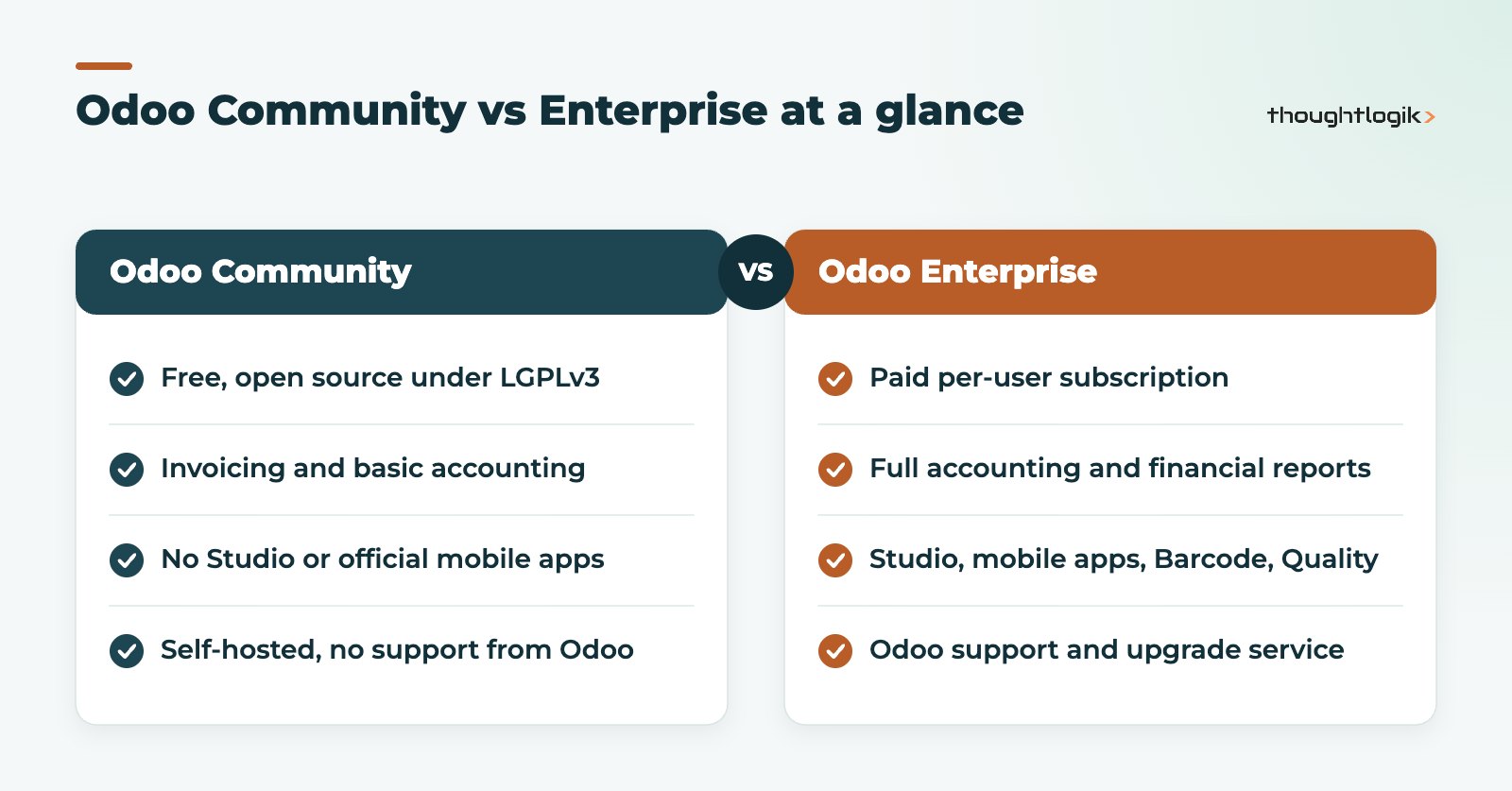
Odoo Community is the free, open source edition licensed under LGPLv3, which you host and maintain yourself. Odoo Enterprise is a paid, per-user subscription that adds full accounting, Studio, official mobile apps, apps such as Barcode, Quality and PLM, Odoo’s support and its upgrade service. For most UK SMEs that need proper accounting, warehouse scanning or regular upgrades, Enterprise is lower risk; Community suits firms with in-house technical skills and simpler needs.
Key takeaways
- Community has no licence fee but you pay for hosting, maintenance and any modules you add to fill gaps.
- Enterprise includes full accounting and financial reporting; Community’s built-in finance is closer to invoicing.
- Studio, the official mobile apps, Barcode, Quality, PLM, Documents and Sign are Enterprise only.
- Odoo Online is available only with Enterprise; Community must be self-hosted or hosted by a third party.
- Enterprise includes Odoo’s upgrade service; Community upgrades rely on your partner or community tools.
“Odoo Community vs Enterprise” is one of the first questions every business asks when it looks at Odoo. The free edition is tempting, and for some organisations it is the right answer. But the comparison is not simply free against paid: the two editions differ in features, hosting, upgrades and support, and those differences change the total cost over a few years. This guide sets out the facts so you can decide with your eyes open.
What is the difference between Odoo Community and Enterprise?
Both editions share the same core framework. Odoo Community is the open source base, licensed under the GNU LGPLv3. Odoo Enterprise is Community plus a set of additional proprietary modules, licensed under the Odoo Enterprise Edition licence and available only with a paid subscription. To give a sense of the split, coverage of the Odoo 20 release notes found that roughly two thirds of the changes in that release were available in Community, with the rest Enterprise only.
Feature differences that matter to UK SMEs
| Area | Community | Enterprise |
|---|---|---|
| Accounting | Invoicing and basic accounting; full reporting needs third-party modules | Full accounting, bank reconciliation, financial reports, budgets, UK localisation features |
| Customisation without code | Not available; changes need a developer | Odoo Studio for fields, views, reports and simple automation |
| Mobile | Mobile browser only | Official iOS and Android apps |
| Warehouse and production | Inventory and Manufacturing core | Adds Barcode, Quality, PLM, shop floor tools and planning features |
| Productivity | Core apps such as CRM, Sales, Purchase, Project | Adds Documents, Sign, Spreadsheet BI, Helpdesk, Field Service, VoIP and more |
| AI | Very limited | Most AI features, using separately purchased credits |
| Hosting | On-premise or your own cloud | Odoo Online, Odoo.sh or on-premise |
| Upgrades | Self-managed or via partner and community tools | Included upgrade service from Odoo |
| Support | No support from Odoo | Functional support and bug fixes from Odoo |
Accounting
This is the difference that decides most UK cases. Enterprise includes full double-entry accounting with bank reconciliation, financial reports and the UK localisation features that support VAT reporting. Community covers invoicing, but finance teams wanting a complete ledger, reports and reconciliation typically add community-built modules, such as those from the Odoo Community Association (OCA), which then need maintaining through every upgrade. If you are replacing Sage or Xero, read our Odoo vs Sage comparison as well.
Studio and customisation
Studio lets trained users add fields, adjust forms and reports and build simple automation without writing code. In Community, the same changes need a developer and a custom module. Note that on Odoo’s pricing, Studio is included in the Custom plan rather than the Standard plan.
Mobile and barcode
Enterprise has official mobile apps and the Barcode app for scanning receipts, picks, transfers and counts. For distributors and manufacturers, scanning is one of the biggest drivers of stock accuracy, which we explain in our guide to Odoo inventory accuracy.
Upgrades and support in practice
Odoo releases a new major version each year and gives each major version three years of standard support. That means every Odoo customer upgrades periodically, whichever edition they run.
With Enterprise, Odoo’s upgrade service migrates the standard data model for you, and your partner deals with any custom modules and testing. With Community, there is no upgrade service from Odoo. Businesses typically rely on their partner, on community migration scripts such as OpenUpgrade, or on rebuilding data in a new database. The more community modules installed, the more each one must be available and tested for the new version before you can move.
Support follows the same pattern. Enterprise customers can raise functional questions and bugs with Odoo. Community users depend entirely on their partner, their own developers or community forums. Our Odoo upgrade checklist explains what a well-run upgrade involves.
When Community is the right choice
Community is not a “lite” product to be avoided. It is a capable platform that works well in the right circumstances:
- You have developers in-house, or a partner on retainer, who are comfortable maintaining Python modules.
- Your accounting stays in a dedicated package, and Odoo handles sales, CRM, purchasing or stock.
- You do not need scanning, Studio or the mobile apps.
- You want full control over the code and hosting for policy reasons.
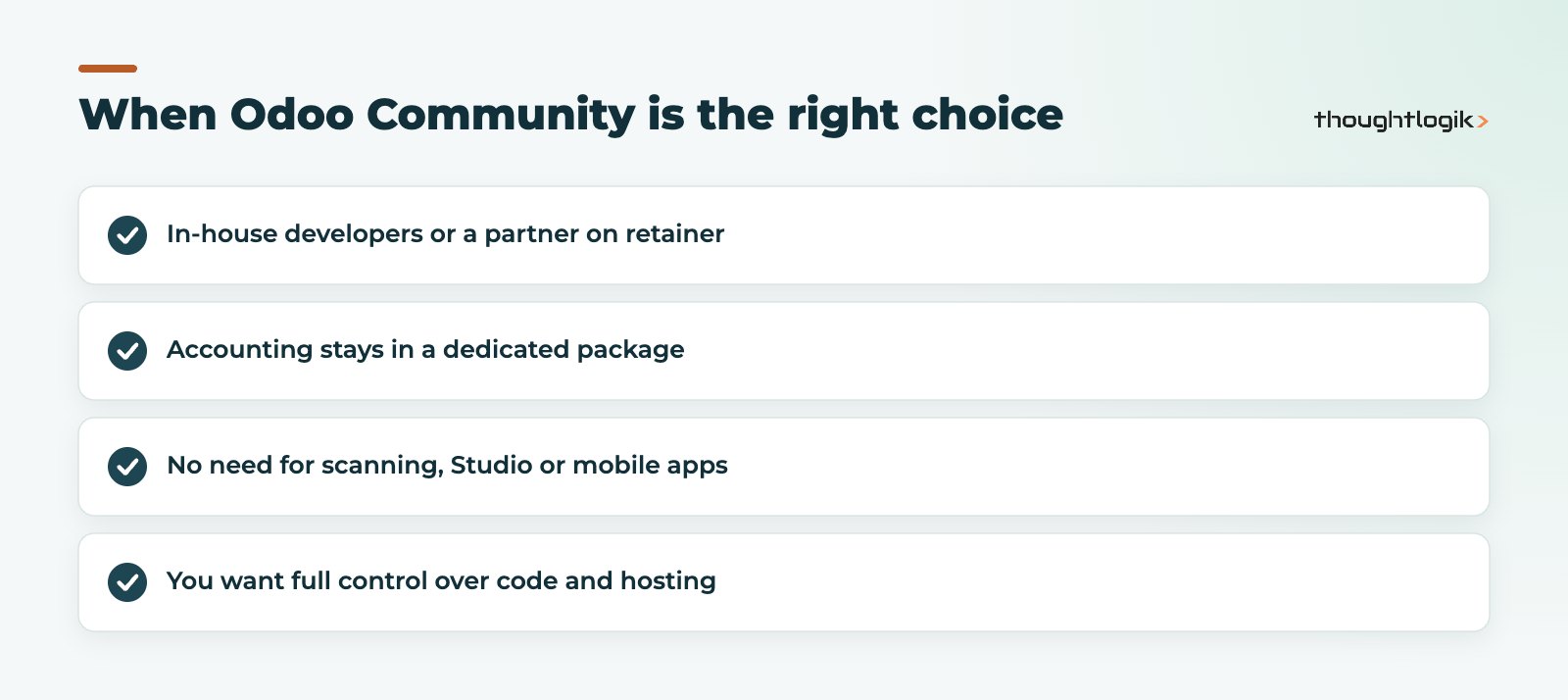
If two or more of these do not apply, Enterprise is usually the more economical choice over time.
Licensing model and plans
Community has no licence fee. Enterprise is priced per user, with different plans:
- One App Free: one app (plus its dependencies) with unlimited users, hosted on Odoo Online.
- Standard: all apps, hosted on Odoo Online, without Studio, multi-company or external API access.
- Custom: adds Studio, multi-company, external API access, and the option to host on Odoo.sh or on-premise.
Odoo reviews its prices periodically, so we do not quote figures here. See our Odoo pricing guide for the UK for current guidance.
Total cost of ownership
Comparing licence fees alone gives a misleading answer. Over three to five years, consider:
- Hosting and administration. Community needs a server, backups, security patching and monitoring, which someone must pay for.
- Gap-filling modules. Every third-party module added to Community to match an Enterprise feature needs testing and maintaining.
- Upgrades. Moving Community between major versions, especially with many modules, is usually a larger project than an Enterprise upgrade using Odoo’s service.
- Support. With Community, all troubleshooting falls to your team or partner.
- Staff time. Missing tools, such as barcode scanning or bank reconciliation, cost time every day.
Decision table: which edition suits you?
| Your situation | Likely fit |
|---|---|
| You want full UK accounting in Odoo | Enterprise |
| You need barcode scanning in the warehouse | Enterprise |
| You want a managed cloud with no server to look after | Enterprise on Odoo Online or Odoo.sh |
| You have in-house developers and simple processes | Community could work |
| You mainly need CRM, sales or a website, with accounting elsewhere | Community could work |
| You want to use Odoo AI features | Enterprise |
| You expect to upgrade regularly to stay supported | Enterprise |
You can also start on Community and move to Enterprise later, as Enterprise builds on the same base. The move still needs planning and testing, particularly if you have added community modules. Our Odoo migration service covers this.
How ThoughtLogik helps
ThoughtLogik is an Odoo Partner based at Vulcan Works in Northampton. We give honest advice on which edition fits, including when Community is enough.
- Fit-gap reviews against your processes, not a generic feature list.
- Total cost comparisons across editions and hosting options.
- Community to Enterprise migrations with testing.
- Implementation through our Odoo implementation service.
Frequently asked questions
Is Odoo Community really free?
Yes, Odoo Community has no licence fee and is licensed under LGPLv3. You still pay for hosting, maintenance, any developer time and any third-party modules you use.
Does Odoo Community include accounting?
Community includes invoicing and basic accounting. Full accounting with bank reconciliation and financial reporting is part of Enterprise, although community-built modules can add some of it.
Can I use Odoo Community on Odoo Online?
No. Odoo Online is available only with an Enterprise subscription. Community must be hosted on your own servers or by a third-party provider.
Is Odoo Studio available in Community?
No. Studio is an Enterprise feature, and on Odoo’s plans it is included in the Custom plan.
Can I switch from Community to Enterprise later?
Yes. Enterprise is built on the same base as Community, so you can move up, but it should be planned and tested, especially if you have third-party modules installed.
Not sure which edition fits? We will compare both against how you actually work. Book a free consultation or read about us as your UK Odoo partner.





