Why we built it
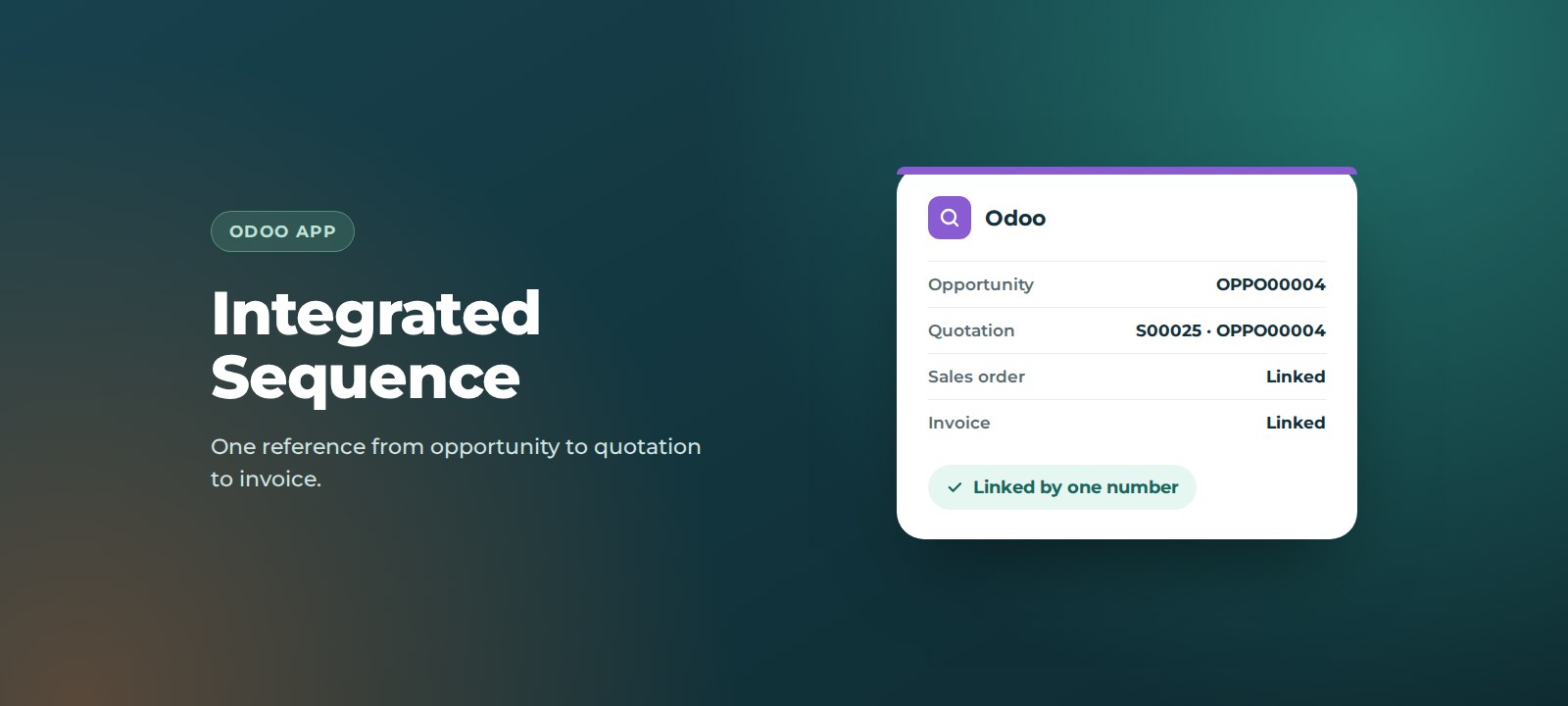
In standard Odoo, opportunities are identified by name, and quotations and invoices each get their own separate numbers. When a customer calls about an invoice, or finance asks which deal a payment relates to, someone has to search around to join the dots. A single reference that follows the deal from first contact to final invoice removes that guesswork.
Key benefits
- One reference for the whole deal. The same number appears on the opportunity, quotation, sales order and invoice.
- Unique and automatic. Every new opportunity gets its own number, with no manual numbering.
- Click through, not search. Jump from a quotation or invoice straight back to the opportunity.
- Everything in one place. The opportunity shows its linked quotations, sales orders and invoices.
- Easier reporting and queries. Sales, finance and support can all quote the same reference.
- Organised pipeline. Numbers show in the CRM list view in descending order, newest first.
How it works
1. Create an opportunity
Create an opportunity as normal and save it. A unique sequence number is generated automatically and shown at the top of the form.
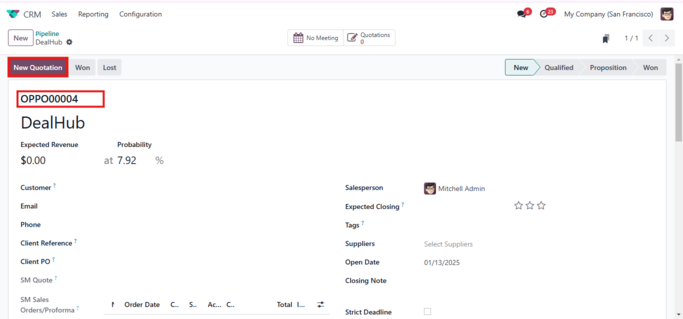
2. Create a quotation
Click New Quotation, add your products and save. The quotation shows a smart button with the opportunity number. Click it to go straight back to the opportunity.
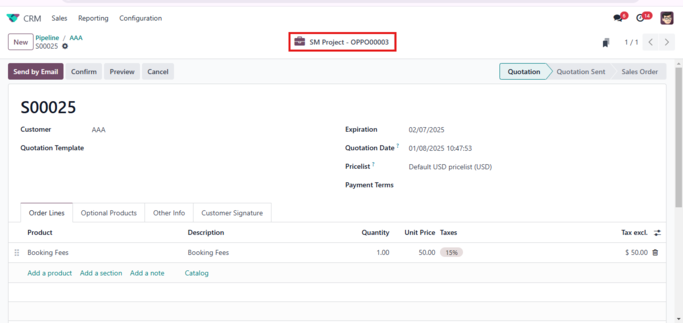
3. See linked documents on the opportunity
The opportunity lists its linked quotations and sales orders, so you can see every document for the deal in one place.
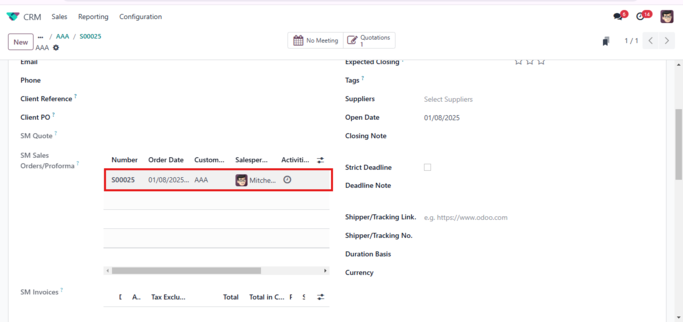
4. Confirm and invoice
Confirm the quotation and create the invoice. The invoice carries the same sequence number, clicking it takes you back to the opportunity, and the invoice is added to the opportunity automatically.
How to set it up
Before you start: third-party apps can be installed on Odoo.sh and on self-hosted (on-premise) Odoo. Odoo Online does not support custom apps. If you are not sure which you have, ask us.
- Get the app. Download it from the Odoo Apps Store, or we can install it for you.
- Install it. Add the module to your Odoo instance, then go to Apps, update the apps list, search for the app and click Activate.
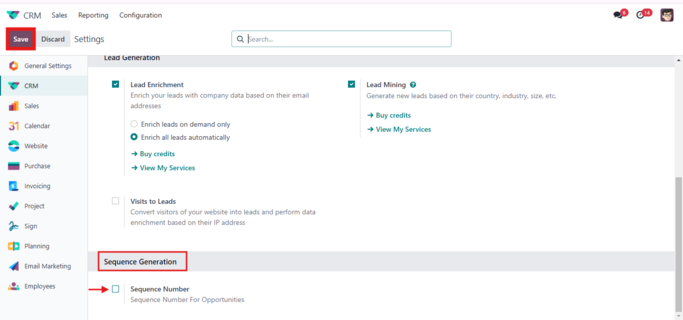
- Turn on numbering. In CRM, go to Configuration > Settings, find Sequence Generation, tick Sequence Number and click Save.
- Run a test. Create a test opportunity, then a quotation, and check the number appears on both.
Support
Integrated Sequence is built and supported by ThoughtLogik, an Odoo Partner, so you speak to the people who wrote it.
- Get in touch: email support@thoughtlogik.com, or contact your ThoughtLogik account manager if you have a support plan with us.
- Help us help you faster: tell us the app name, your Odoo version and hosting (Odoo.sh or on-premise), what you expected to happen and what actually happened, and include a screenshot of any error message.
- Quick check first: confirm the Sequence Number setting is ticked in CRM settings, and that the quotation was created from the opportunity using New Quotation.
- Need it to do more? We can adapt the app to your process or build a new one around it.
Frequently asked questions
Can I turn sequence numbers off?
Yes. The feature is controlled by the Sequence Number setting in CRM settings.
Do existing opportunities get a number?
Numbers are generated when opportunities are created after the setting is enabled. Talk to us if you want existing records numbered too.
Can I change the number format?
The app uses a standard Odoo sequence. We can adjust the prefix and padding to suit your numbering.
Can I use it on Odoo Online?
No. Odoo Online does not support third-party apps. It works on Odoo.sh and self-hosted Odoo.
Want Integrated Sequence in your Odoo? ThoughtLogik is an Odoo Partner. Book a free consultation or email support@thoughtlogik.com and we will get you set up.