Short answer
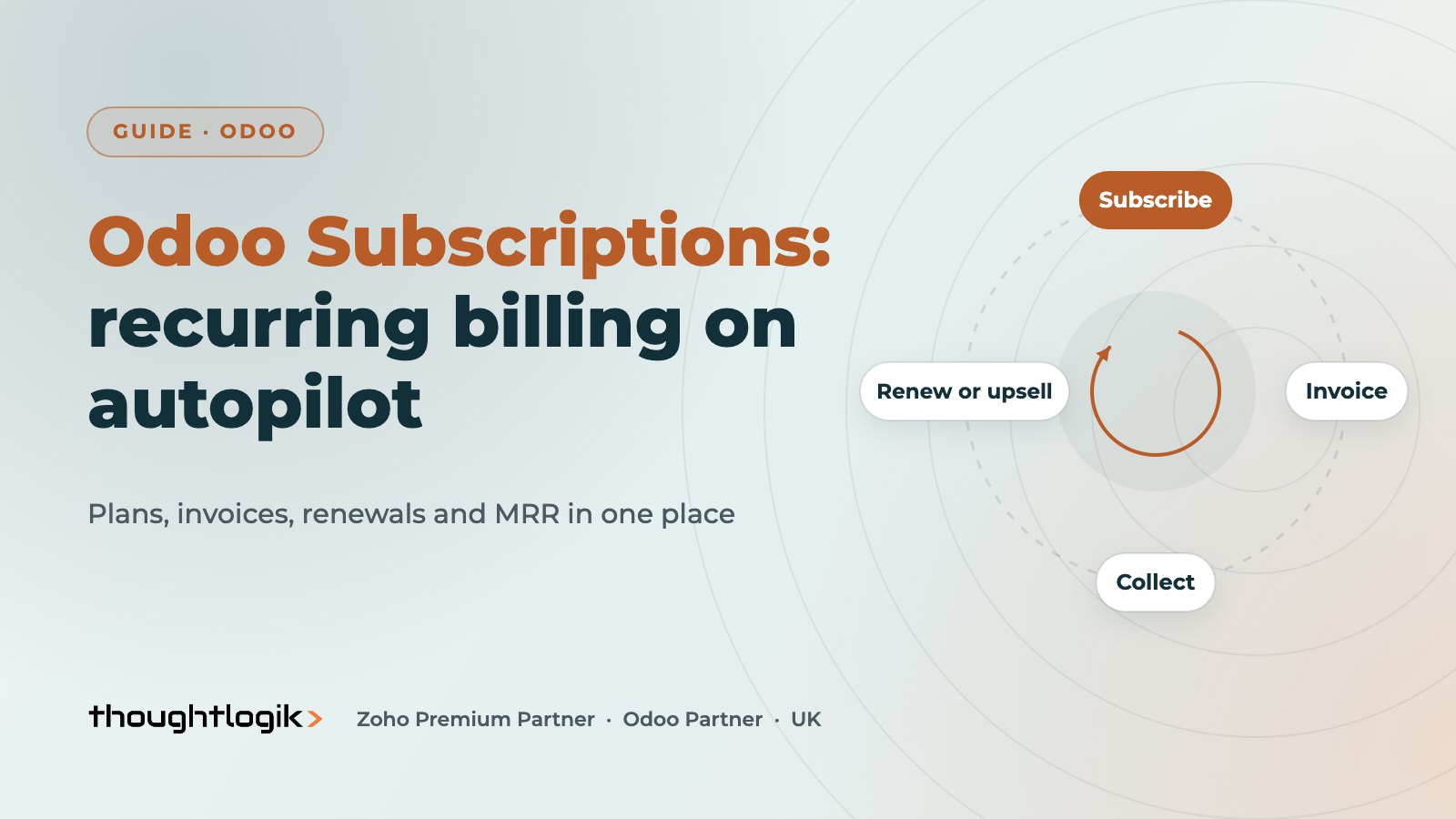
Odoo Subscriptions manages recurring billing for products and services sold on a regular cycle, from software and maintenance contracts to memberships and boxes. You define recurring plans, confirm a subscription like a sales order, and Odoo raises invoices each period, can take automatic payment from a saved payment method, and handles upsells, renewals and cancellations while reporting on monthly recurring revenue.
Key takeaways
- A subscription is a sales order with a recurring plan, so it uses the same products, pricing and taxes.
- Invoices are generated automatically at each period, with optional automatic payment.
- Upsell and renewal quotations keep changes traceable and billed correctly.
- Customers can view subscriptions, invoices and payment methods in the portal.
- MRR and churn reporting rely on clean close reasons and consistent products.
Recurring revenue is attractive because it is predictable, but only if billing keeps up. Many UK SMEs still run contracts from a spreadsheet: someone checks renewal dates, raises invoices by hand and hopes nothing slips. Odoo Subscriptions replaces that with subscription management built into sales, invoicing and accounting. This guide explains how it works, who it suits and the design decisions that determine whether it runs smoothly once live.
What are Odoo Subscriptions?
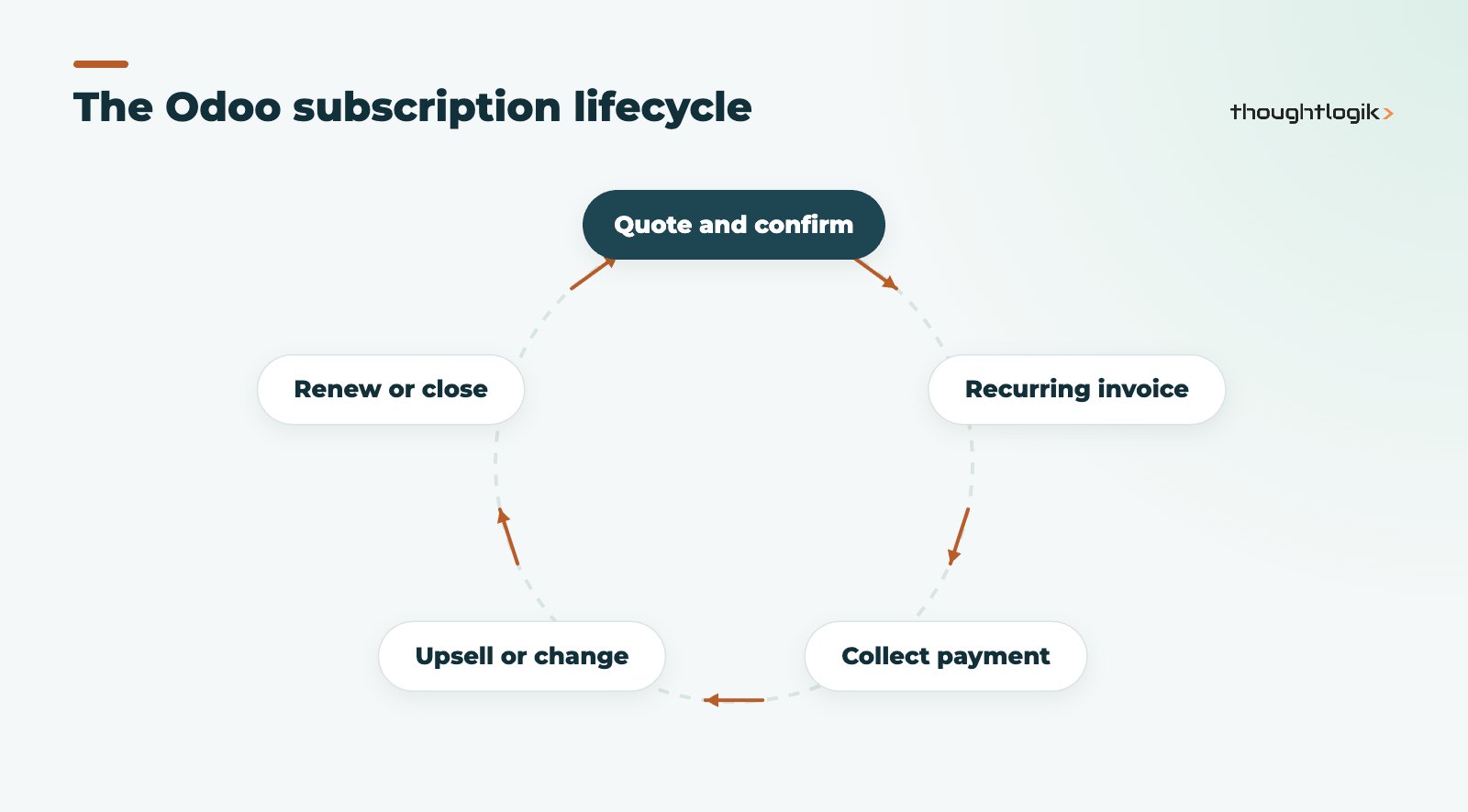
Odoo Subscriptions is an Enterprise app for recurring billing. Each subscription is a sales order linked to a recurring plan, such as monthly or yearly. When the order is confirmed, it becomes an active subscription, and Odoo creates invoices at the start of each period. Because it is built on the sales order, it uses your standard products, price lists, taxes and payment terms, and invoices post straight into Odoo Accounting with the right VAT treatment. See Odoo’s Subscriptions documentation for the full configuration options.
Who is Odoo Subscriptions for?
- Software, SaaS and IT managed service providers billing per user or per service.
- Equipment suppliers selling maintenance or service contracts.
- Membership organisations, clubs and training providers.
- Product businesses selling subscription boxes or regular deliveries through Odoo eCommerce.
- Professional services firms billing monthly retainers.
How does recurring billing work in Odoo?
The building blocks are recurring plans, subscription products and quotation templates.
| Element | What it defines | Example |
|---|---|---|
| Recurring plan | How often the customer is billed and related rules | Monthly, quarterly or yearly |
| Subscription product | What is sold on a recurring basis and its price per plan | Support contract, licence, membership |
| Quotation template | A ready-made offer with products, plan and optional contract length | 12-month service agreement |
| Payment method | How invoices are settled | Saved card via a payment provider, or bank transfer |
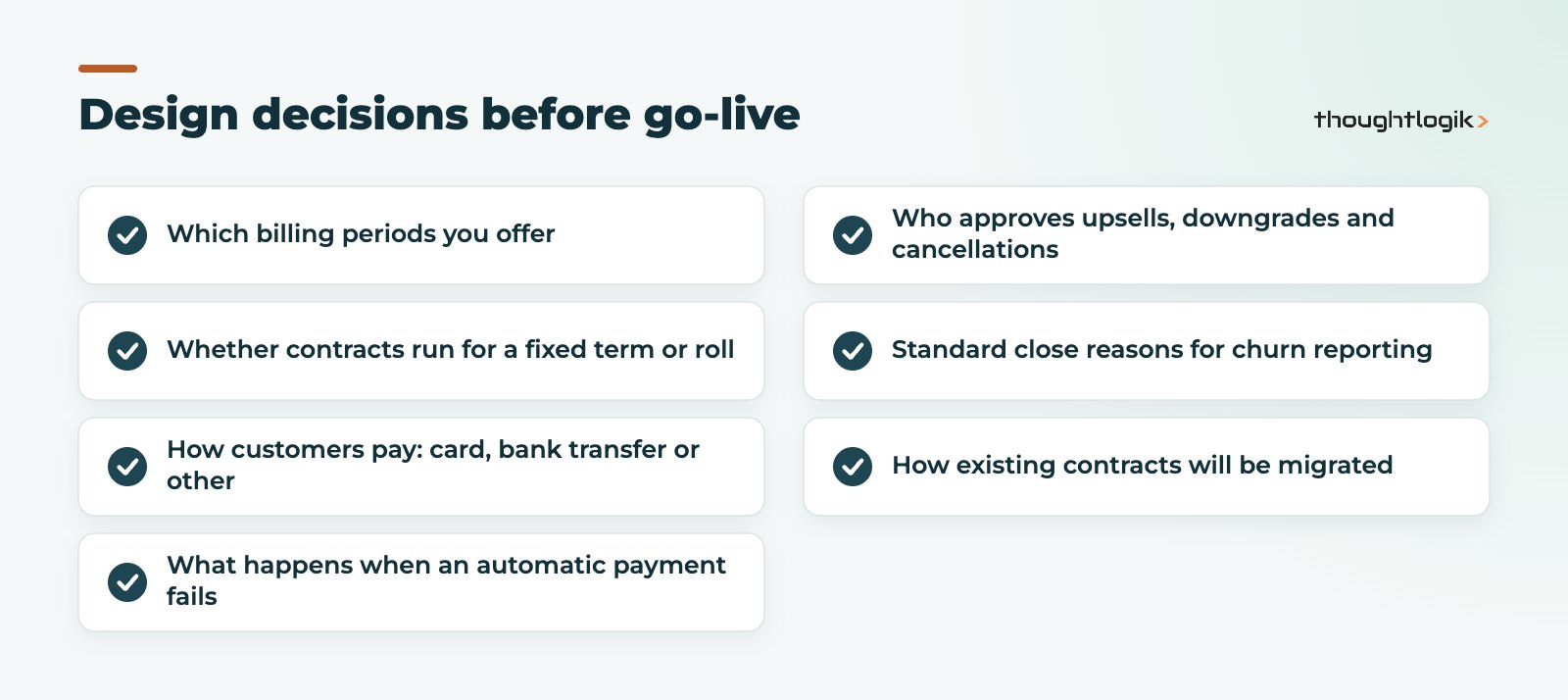
When a period starts, Odoo generates the invoice automatically. If the customer has saved a payment method through a supported payment provider, Odoo can charge it and reconcile the payment. Otherwise the invoice is sent for payment in the usual way. Check which payment providers support saved-card or recurring payments for UK customers before you design the process, and decide in advance how your team handles failed payments.
Upsells, renewals and cancellations
Subscriptions change. Customers add users, upgrade service levels or leave. Odoo handles these as documents rather than edits, which keeps an audit trail:
- Upsell. Creates a quotation for additional products on the existing subscription. Once confirmed, the change is added and the amount for the rest of the current period can be calculated pro rata.
- Renewal. Creates a new quotation to continue the subscription, useful for fixed-term contracts where terms or prices change at renewal.
- Close. Ends the subscription with a close reason, so you can analyse why customers leave.
Customers can also manage their subscriptions through the Odoo portal: view the subscription, download invoices, pay and update their payment method. Whether they can close it themselves depends on how you configure the plan.
What recurring revenue reporting does Odoo provide?
Odoo includes subscription analysis reports focused on monthly recurring revenue. You can see MRR over time and how it moves with new subscriptions, upsells, downgrades and churn, and filter by plan, product, salesperson or customer. For management packs that combine recurring revenue with cash and pipeline, many businesses build Odoo spreadsheet dashboards; see our guide to Odoo reporting.
These figures are only as good as the data behind them. Consistent products, correct recurring plans and meaningful close reasons make the difference between a monthly recurring revenue report the board trusts and one they question.
How to implement Odoo Subscriptions well
Most of the work is design, not configuration. Agree the commercial rules first.
Migrating existing contracts
If you already have customers on recurring contracts, plan the migration carefully. For each contract you need the customer, products, price, plan, start date and next invoice date, so that Odoo bills the next period correctly without duplicating or skipping an invoice. We usually migrate active contracts only and reconcile the first billing run against the old system before switching it off. Our Odoo data migration guide covers the wider approach.
Accounting considerations for UK businesses
- Check VAT treatment on each subscription product, especially for mixed goods and services.
- Decide how you recognise revenue for annual contracts invoiced in advance, and discuss deferred revenue with your accountant.
- Reconcile automatic card payments and provider fees in Odoo Accounting. Our Odoo accounting UK guide explains the set-up.
Common mistakes with Odoo Subscriptions
Most subscription problems we are asked to fix trace back to a handful of early decisions.
- Too many products. Creating a new product for every price variation makes reporting messy. Use one product with different prices per plan or price list wherever possible.
- Editing live subscriptions directly. Changing quantities or prices on an active subscription without an upsell or renewal quotation loses the audit trail and can distort recurring revenue figures.
- No close reasons. If every cancellation is recorded as “other”, churn analysis tells you nothing. Agree a short list of reasons your team will actually use.
- Ignoring failed payments. Automatic payment is only automatic when it works. Assign someone to review failed payments every week and follow up quickly.
- Mixing one-off and recurring items without thought. Set-up fees and hardware can sit on the same order as recurring lines, but check how each is invoiced before go-live.
Avoiding these keeps your recurring billing accurate and your reports credible from the first month.
Odoo Subscriptions with eCommerce and CRM
Subscription products can be sold online through Odoo eCommerce, so customers sign up and pay without a salesperson. For B2B contracts, opportunities in Odoo CRM flow into subscription quotations, giving sales teams a single pipeline for new business and renewals.
How ThoughtLogik helps
ThoughtLogik is a UK Odoo Partner that designs subscription management around your commercial model, not the other way round.
- Recurring plans, products and quotation templates that match how you sell.
- Payment provider and automatic payment set-up.
- Migration of live contracts with a reconciled first billing run.
- Recurring revenue reporting and dashboards for management, as part of Odoo implementation.
Frequently asked questions
Is Odoo Subscriptions part of Odoo Community?
No. Subscriptions is an Enterprise app. See our Community vs Enterprise guide for what each edition includes.
Can Odoo take automatic payments for subscriptions?
Yes, when the customer saves a payment method through a supported payment provider. Odoo then charges it when each recurring invoice is created.
Can customers change or cancel their subscription online?
Customers can view subscriptions, invoices and payment methods in the portal. Whether they can close a subscription themselves depends on the recurring plan settings.
Can one customer have several subscriptions?
Yes. A customer can hold several subscriptions on different plans, for example a monthly support contract and an annual licence.
Does Odoo Subscriptions handle price increases?
Yes. You can apply new prices at renewal through renewal quotations or price lists. Plan price changes carefully and tell customers in line with your contract terms.
Recurring revenue still billed from a spreadsheet? We can automate it in Odoo. Book a free consultation or see our Odoo solutions.