
Short answer
In the Zoho Creator vs Power Apps decision, the ecosystem you already use usually settles it. Power Apps fits businesses built around Microsoft 365, SharePoint and Dynamics 365, while Zoho Creator fits businesses using Zoho apps or wanting a self-contained low-code platform with its own database, scripting and native mobile apps. Both can build serious business applications.
Key takeaways
- Both are established low-code platforms capable of production business apps.
- Power Apps sits inside Microsoft’s Power Platform and works closely with Microsoft 365, SharePoint and Dataverse.
- Zoho Creator includes its own database, Deluge scripting, native mobile apps and customer portals.
- Licensing models differ significantly, so model the costs for your real user mix.
- The deciding factor is often where your data and users already live.
UK SMEs outgrow spreadsheets and email-based processes long before they can justify fully bespoke software. That is where low-code tools come in, and two names come up repeatedly: Zoho Creator and Microsoft Power Apps. We are a Zoho partner, so we have a view, but in some situations Power Apps is simply the better fit. This comparison sets out the differences plainly.
What are Zoho Creator and Microsoft Power Apps?
Zoho Creator is Zoho’s low-code platform for building custom business applications. You design forms, reports and pages with drag-and-drop builders, model data with a schema builder, and add logic with Deluge, Zoho’s scripting language. Apps can be deployed to the web and as native iOS and Android apps, and Creator includes a customer portal builder, approval processes and an AI assistant called CoCreator for app building.
Microsoft Power Apps is part of Microsoft’s Power Platform. According to Microsoft’s Power Apps documentation, you can build canvas apps, designed freely on a screen, and model-driven apps, generated from a data model. Data typically sits in Dataverse, Microsoft’s data platform that also underpins Dynamics 365, or is reached through connectors to SharePoint, SQL Server, Microsoft 365 and many other services. Copilot can generate an app from a description.
Zoho Creator vs Power Apps: how do they compare?
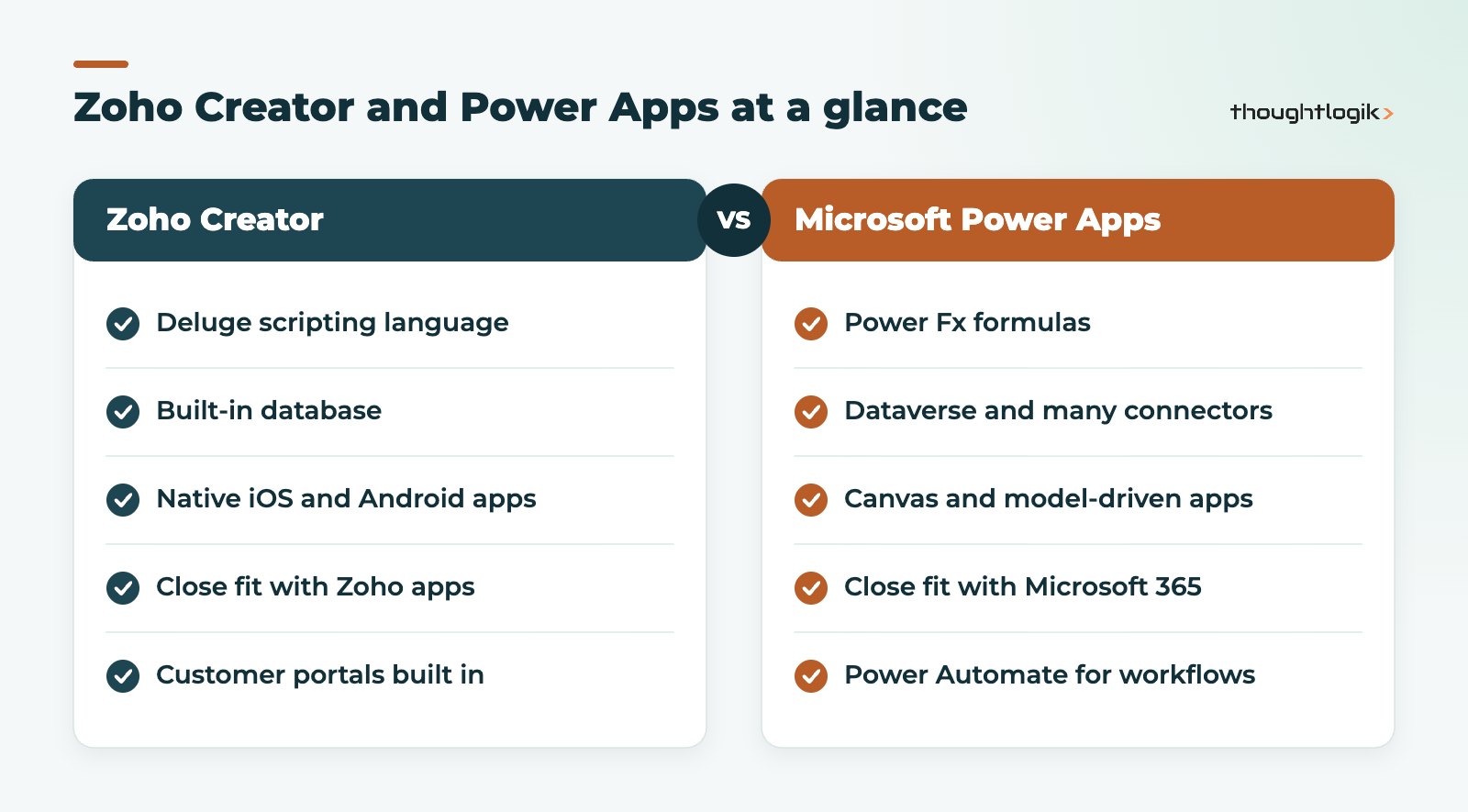
| Area | Zoho Creator | Microsoft Power Apps |
|---|---|---|
| Data | Built-in database designed in the app | Dataverse, SharePoint lists, SQL or other sources via connectors |
| Logic | Deluge scripting, workflows, blueprints | Power Fx formulas, with Power Automate for flows |
| App types | Web apps, native mobile apps, portals | Canvas apps and model-driven apps |
| Best ecosystem fit | Zoho CRM, Books, Desk, People and other Zoho apps | Microsoft 365, Teams, SharePoint, Dynamics 365 |
| External users | Customer portal builder included | Typically handled with Power Pages, a separate product |
| AI assistance | CoCreator and Zia | Copilot |
Data: built-in database or Dataverse?
Creator gives every application its own database, defined as you build forms. For SMEs this is simple: there is no separate data layer to set up. With Power Apps, many first apps are built on SharePoint lists, which is quick but can become limiting. Moving to Dataverse gives you relational data, security roles and scale, but it usually brings premium licensing into play.
Deluge scripting vs Power Fx
Deluge scripting is a procedural language designed to be readable by non-developers, with built-in tasks for calling Zoho apps and external APIs. Power Fx is a formula language modelled on Excel, which many business users find familiar for canvas apps. Complex server-side logic in the Microsoft world typically moves into Power Automate flows. Both approaches work; the question is which your team can maintain. In our experience of Zoho Creator vs Power Apps projects, maintainability matters more than syntax. Our guide to Zoho Deluge custom functions shows what Deluge looks like in practice.
Integrations in Zoho Creator vs Power Apps
If your business runs on Microsoft 365, Power Apps connects to SharePoint, Outlook, Teams and Excel with little effort. If you run Zoho CRM, Zoho Books or Zoho Desk, Creator connects to them natively and shares users and data more directly. Both platforms can call REST APIs, so almost anything is possible; it is a matter of effort and upkeep. See our Zoho integration services for common patterns.
Zoho Creator vs Power Apps licensing and cost factors
We do not quote licence prices because they change, but the structure matters as much as the headline figure. Check how each low-code platform charges for:
- Internal users: per user, per app, or bundled in a wider suite.
- External users: customers or suppliers logging in to a portal.
- Premium data and connectors: in the Microsoft world, Dataverse and premium connectors generally need Power Apps licences beyond what Microsoft 365 plans include.
- Storage and capacity: records, files and API calls.
For Zoho, our Zoho pricing guide explains how Creator is licensed, including within Zoho One.
Zoho Creator vs Power Apps: which should a UK SME choose?
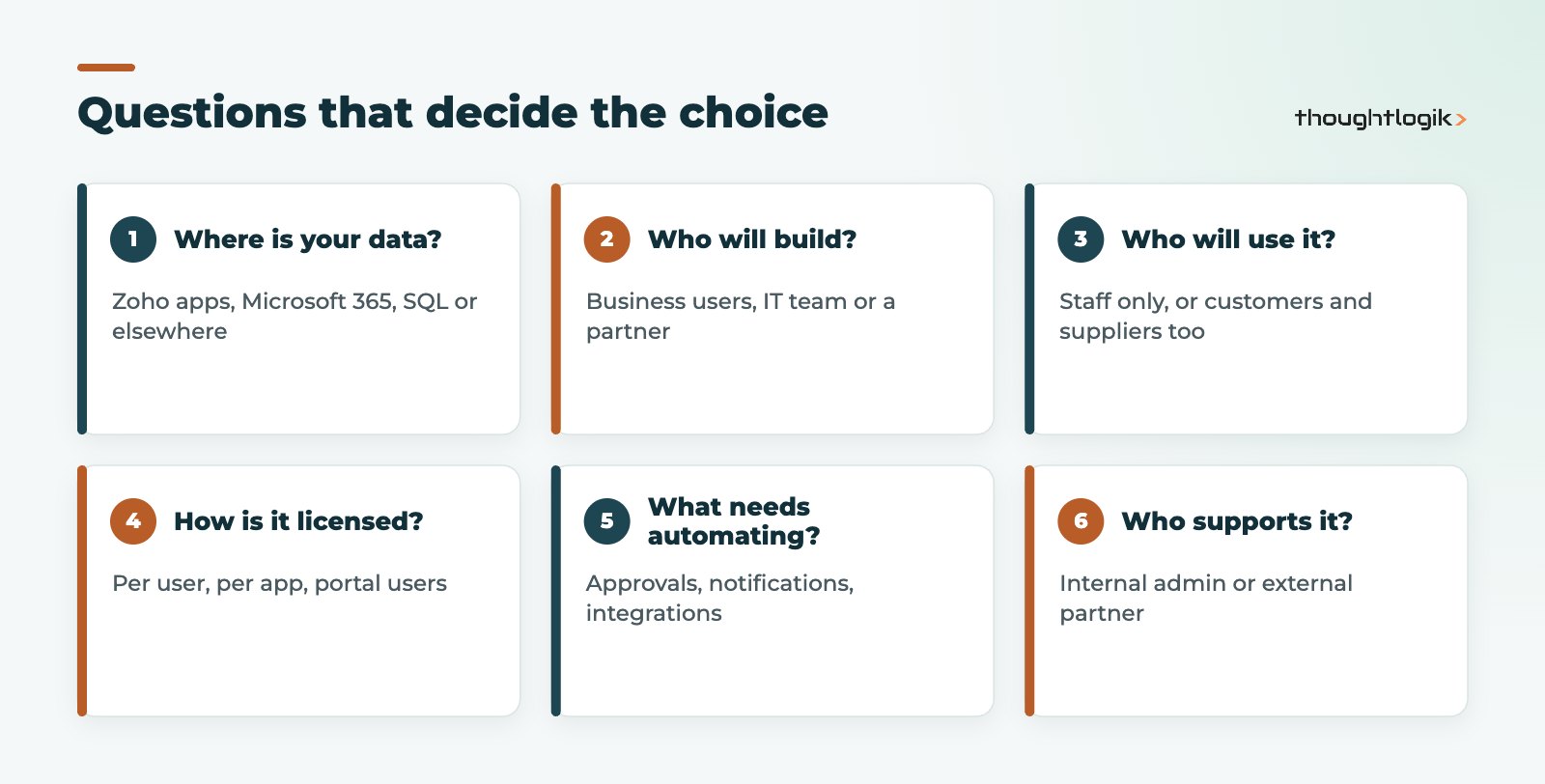
Use the questions below to frame the decision before you compare feature lists.
When Zoho Creator vs Power Apps favours Creator
- You already use Zoho CRM, Zoho Books or Zoho One and want apps that share their data.
- You need native mobile apps, for example for staff working on site.
- Customers or suppliers need a portal, and you want it on the same platform.
- You want one low-code platform that includes the database, logic and interface without assembling several products.
When Microsoft Power Apps is the better fit
- Your data lives in SharePoint, SQL Server or Dynamics 365.
- Your IT team is already skilled in Power Platform and Power Automate.
- The apps are mainly internal tools surfaced in Teams.
Governance and support after launch
Low-code apps are easy to create and just as easy to lose control of. Before you commit to either option in the Zoho Creator vs Power Apps decision, agree who can build and publish apps, how changes are tested, and who supports users when something breaks. Power Platform offers environments and admin controls for this; Zoho Creator offers application lifecycle management and role-based access. Neither replaces a simple internal rule: every app has a named owner, documented purpose and a review date.
Think about skills too. An app built by one enthusiastic employee becomes a risk if they leave. Keep logic readable, comment scripts, and make sure at least two people, or a partner, understand how it works.
Whichever you choose, the harder work is designing the process and data model well. Poorly designed apps cause the same problems on either platform. For real-world ideas, see our Zoho Creator app examples.
How ThoughtLogik helps
We build custom applications on Zoho Creator for UK businesses, from simple approval apps to field service and portal solutions integrated with the rest of Zoho.
- Process and data model design before any build
- Creator apps with Deluge automation and native mobile deployment
- Integrations with Zoho CRM, Zoho Books and third-party systems
- Support and enhancement once the app is live, via our custom app development team
Frequently asked questions
Is Zoho Creator easier than Power Apps?
It depends on the builder. Creator bundles the database, logic and interface in one tool, which many SMEs find simpler. Power Apps can feel familiar to users who know Excel formulas and Microsoft 365.
Can Zoho Creator connect to Microsoft 365?
Yes. Creator can call external APIs, and Zoho provides integration options, so it can exchange data with Microsoft services, though the connection is less native than within Power Platform.
Does Power Apps have native mobile apps?
Power Apps apps run in the Power Apps mobile app on iOS and Android. Zoho Creator can generate native mobile apps for your application.
Which is better in the Zoho Creator vs Power Apps comparison for portals?
Creator includes a customer portal builder. In the Microsoft world, external-facing sites are usually built with Power Pages, which is licensed separately.
Can we move from Power Apps to Zoho Creator?
Yes, but it is a rebuild rather than a migration. Data can be exported and imported, while screens and logic are recreated in Creator.
Weighing up low-code options? We will give you a straight answer on which platform fits. Book a free consultation or see our Zoho custom app development services.





