
Short answer
Odoo vs Xero is really a comparison of an ERP with an accounting package. Xero is excellent cloud accounting for small businesses and their accountants; Odoo is a modular ERP whose accounting sits in the same database as sales, stock, purchasing, manufacturing and projects. If your pain is outside the ledger, such as stock, orders or operations running on spreadsheets, Odoo is usually the better fit.
Key takeaways
- Xero is accounting-first; Odoo is a full ERP with accounting as one app.
- Both submit VAT returns to HMRC under Making Tax Digital.
- Outgrowing Xero usually shows up in stock, operations and reporting, not bookkeeping.
- Odoo needs more setup; Xero is quicker to start.
- Some businesses run Odoo for operations and keep Xero for accounting via connectors.
Xero is one of the most popular accounting packages in the UK, and many growing businesses start on it. The question we hear is not “is Xero bad?” but “is it still enough?”. This comparison looks at where each product fits, the signs you are outgrowing Xero, and what moving to Odoo involves.
Odoo vs Xero: what is the core difference?
Xero is cloud accounting software. Its UK feature set covers invoicing and quotes, bank connections and reconciliation, bills, expenses, payroll, purchase orders, basic inventory, project tracking, multi-currency, fixed assets and VAT returns to HMRC, with a large marketplace of connected apps for everything else.
Odoo is an ERP made of integrated apps: Accounting, Sales, CRM, Purchase, Inventory, Manufacturing, Project, Helpdesk, eCommerce and more, all sharing one database. You switch on the apps you need. Odoo accounting is therefore not a separate system receiving data from others; the sales order, delivery and invoice are linked records.
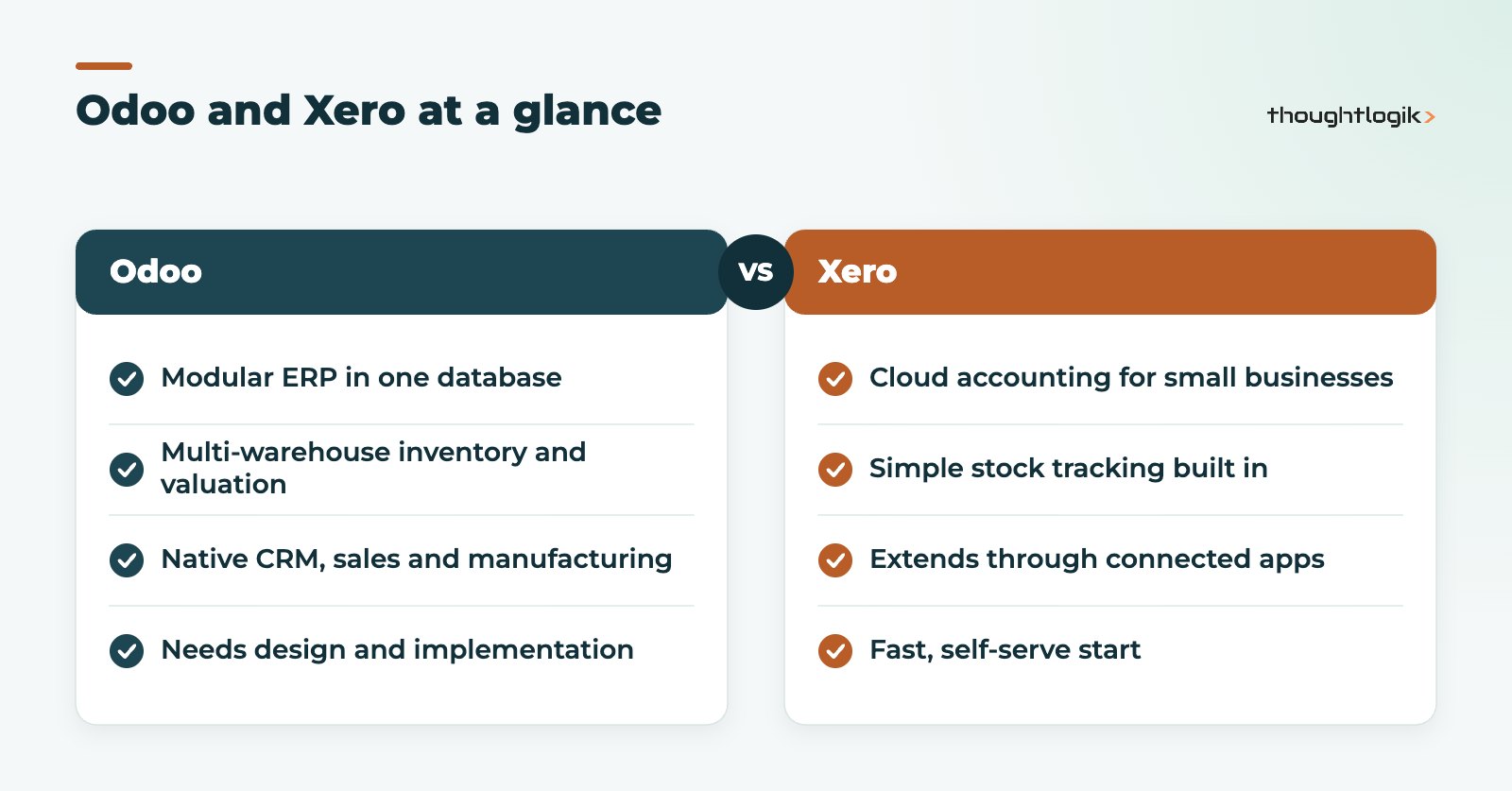
Odoo vs Xero feature comparison
| Area | Xero | Odoo |
|---|---|---|
| Core accounting and bank reconciliation | Strong, accountant-friendly | Full double-entry accounting with bank reconciliation |
| MTD VAT returns | Yes, submits to HMRC | Yes, via the UK localisation in Odoo Enterprise |
| Inventory | Designed for simple stock tracking | Multi-warehouse, routes, lots and serials, valuation |
| Manufacturing | Through third-party apps | Native Manufacturing app with bills of materials |
| CRM and sales pipeline | Through third-party apps | Native CRM and Sales apps |
| Customisation | Limited; extend with apps | Configurable, with Studio and custom modules |
| Time to start | Fast, self-serve | Needs design and implementation |
Which is better for MTD and UK VAT?
Both handle Making Tax Digital for VAT. Odoo’s UK localisation connects to HMRC from the tax report and submits the return, as described in the Odoo UK localisation documentation. Our guide to Odoo and Making Tax Digital covers the setup and its limits. On compliance alone, neither wins; the decision rests on everything else.
Signs you are outgrowing Xero
Outgrowing Xero rarely means the accounting stops working. It means the business around the accounting has become complex, and the app stack connected to Xero has grown to match. Typical signs:
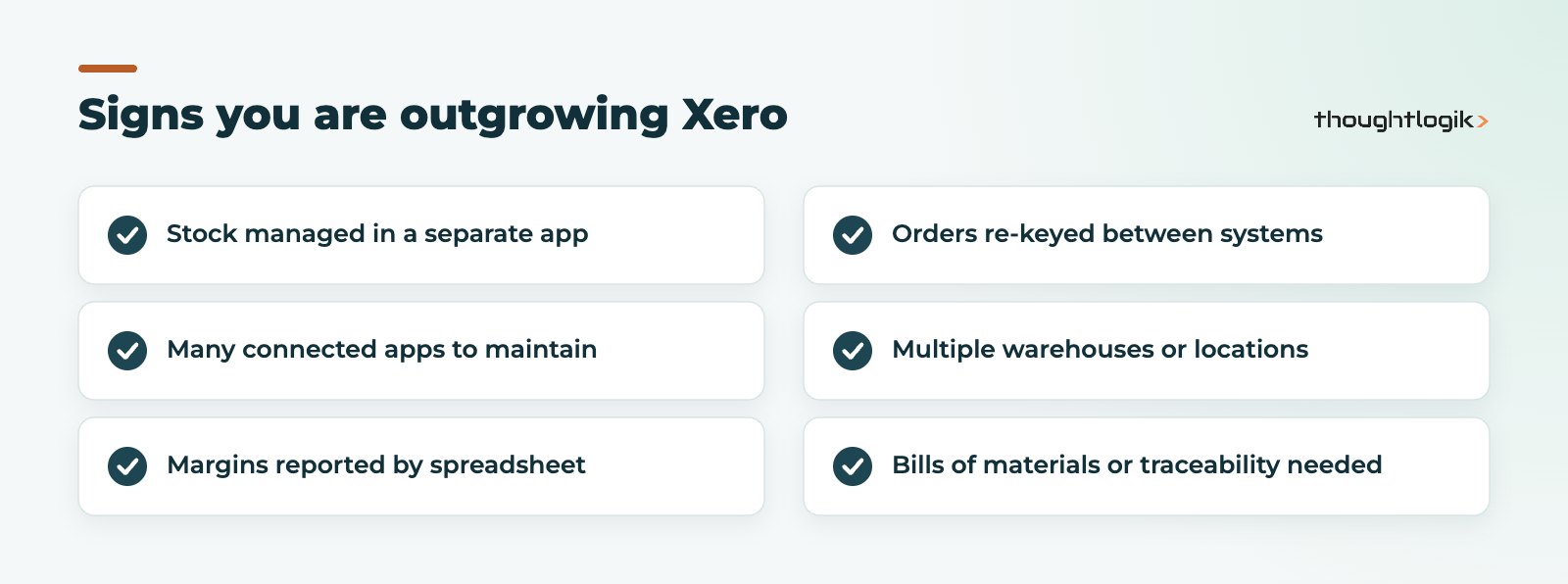
- Stock lives elsewhere. A separate inventory app, with sync errors and stock values that do not match the ledger.
- Too many connected apps. CRM, quoting, inventory, ecommerce and job tracking each in a different tool, each with a subscription and an integration to maintain.
- Reporting by spreadsheet. Margin by product, customer or job needs exports and manual work.
- Manual re-keying. Orders typed from one system into another.
- Warehouse or production needs. Multiple locations, picking, bills of materials or traceability.
If several of these sound familiar, an ERP such as Odoo is a genuine Xero alternative, not just another accounting package.
When should you stay with Xero?
Stay with Xero if your business is mainly services, your operations fit comfortably in a couple of connected apps, and your accountant runs your books in Xero. The cost and effort of an ERP project would not pay back. Odoo vs Xero is not a contest Odoo wins by default; it wins when operations, not bookkeeping, are the bottleneck. If you are unsure, list every tool connected to Xero today and what it costs to run and maintain; that list usually makes the answer obvious.
Can Odoo and Xero work together?
Yes. Some businesses run Odoo for CRM, sales, inventory or manufacturing and keep Xero for accounting, linked by third-party connectors. This keeps the accountant’s workflow unchanged, but you then maintain an integration and two sources of truth. If most of your processes move into Odoo, running Odoo accounting as well is usually simpler.
What does Odoo accounting look like day to day?
For a finance team used to Xero, the daily routine in Odoo accounting is familiar: bank feeds arrive, transactions are matched and reconciled, supplier bills are entered or digitised, and customer invoices go out. The difference is where the data comes from. In Odoo, a customer invoice is usually created from a confirmed sales order or a delivery, so quantities, prices and tax are already set. A supplier bill can be matched to the purchase order and the goods received, which gives a three-way check before payment. Stock receipts and deliveries post their valuation entries automatically when perpetual valuation is used.
That linkage is the real reason businesses move. Month-end becomes less about chasing information from other tools and more about reviewing it. It also means the finance team depends on good operational discipline: if the warehouse does not validate deliveries on time, invoicing and stock values lag. We cover the finance setup in more detail in our Odoo bank reconciliation guide.
Is Odoo a good Xero alternative for UK businesses?
For product businesses, wholesalers, distributors and manufacturers, Odoo is a strong Xero alternative because stock movements post their accounting entries automatically and margins are visible without exports. See our guide to Odoo inventory management for how that works. For pure service firms it is still an option, especially with Project and Timesheets, but the case is less clear-cut.
Odoo vs Xero: cost considerations
Xero is priced as an accounting subscription; Odoo is priced per user across the apps on your plan, plus an implementation project. Compare the total cost of your current Xero plus app stack against Odoo, not Xero alone. Our Odoo pricing guide explains the plans.
Moving from Xero to Odoo
A Xero to Odoo move follows the usual accounting migration pattern: configure the UK chart of accounts and taxes, import customers, suppliers and products, then load the opening trial balance and open invoices and bills at a period end. Historic transactions usually stay in Xero for reference. Our Odoo migration service handles this, and our Odoo vs QuickBooks comparison covers the similar decision for QuickBooks users.
How ThoughtLogik helps
As a UK Odoo Partner, we help businesses weigh Odoo vs Xero honestly, including when to stay put.
- Process review to see where Xero and its apps fall short
- Odoo design, configuration and UK finance setup
- Migration of master data and opening balances from Xero
- Connector options if you want to keep Xero for accounting
Frequently asked questions
Is Odoo more complicated than Xero?
Yes, because it does more. Odoo needs implementation and training, while Xero can be started by a small business on its own.
Can my accountant work in Odoo?
Accountants can be given user access to Odoo Accounting. Discuss it with them early, as many are more familiar with Xero.
Does Odoo vs Xero change for manufacturers?
Significantly. Odoo has native manufacturing with bills of materials and work orders, which Xero only reaches through third-party apps.
Is Odoo accounting suitable for a small finance team?
Yes. Many small teams run Odoo accounting well, provided the setup is done properly and users are trained on the linked sales, purchase and stock flows.
Will I lose my Xero history if I move?
No. Most businesses migrate opening balances and open items, and keep Xero access, or a full export, for historic reference.
Not sure whether you have outgrown Xero? We will review your processes and give you a straight answer. Book a free consultation or see our Odoo accounting guide.





