
Short answer
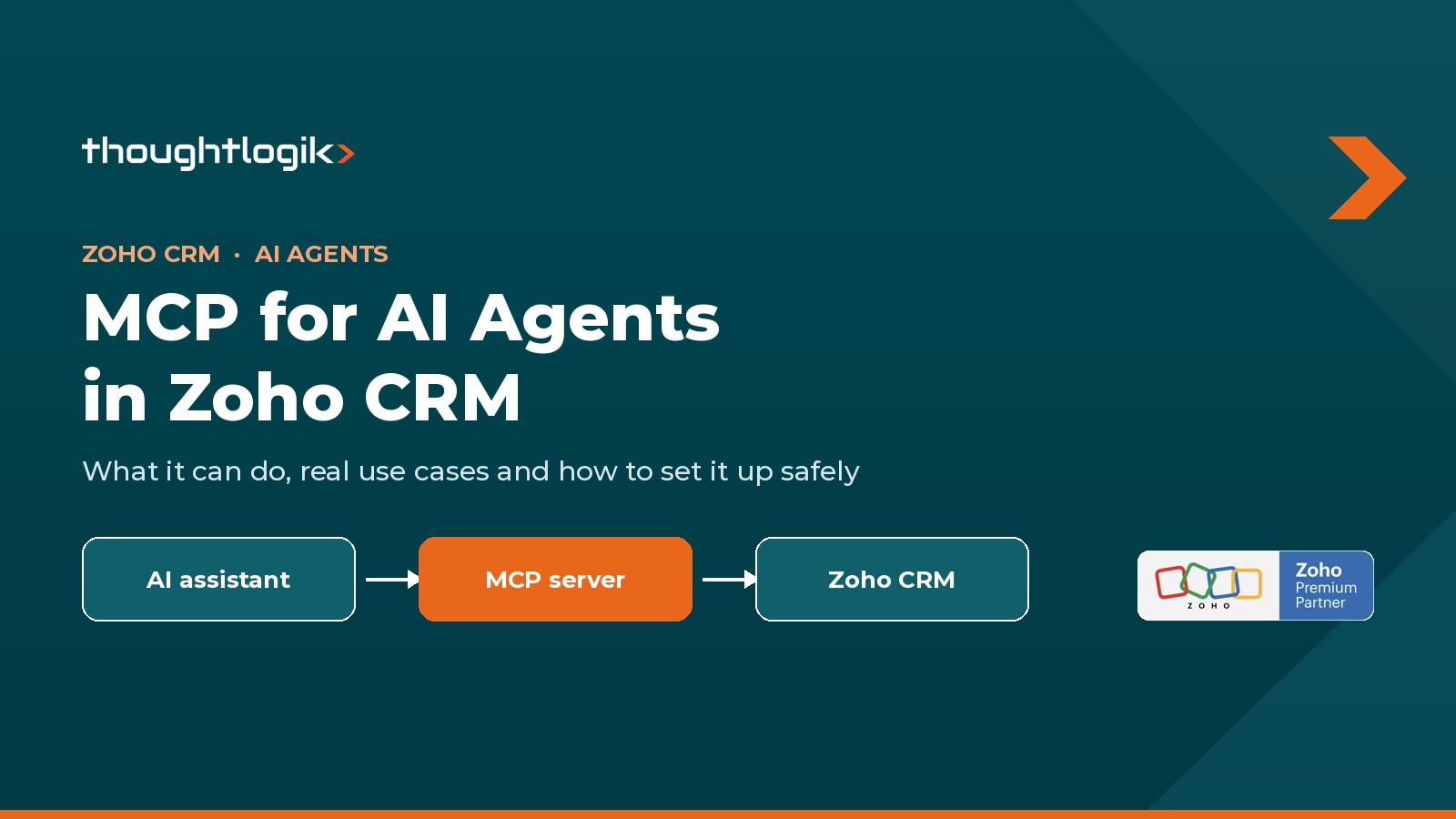
Zoho CRM’s MCP for AI Agents lets AI assistants such as Claude, Cursor, VS Code and Windsurf work directly in your CRM. Zoho provides four ready-made servers, Data Insights, Data Operations, Module Customization and Workflow & Process Automation, set up from Setup > Developer Hub > MCP for AI Agents. The assistant signs in with OAuth and can only do what your own Zoho CRM permissions allow.
Key takeaways
- Four servers cover read-only reporting, record updates, CRM customisation and workflow automation.
- Setup takes minutes: choose servers, add them to your assistant and sign in with OAuth.
- Every action runs with your user permissions and uses your normal API credits.
- Start with the read-only Data Insights server and keep structural changes in a sandbox.
Zoho CRM now lets AI assistants such as Claude, Cursor and VS Code work inside your CRM directly, through a feature called MCP for AI Agents. Instead of copying data out of Zoho into a chat window, your assistant can look up records, update deals, build fields and set up workflows itself, while staying inside the permissions you already have.
At Thoughtlogik we have spent years building and supporting Zoho CRM for UK businesses. Below we explain what MCP is, what Zoho CRM’s MCP servers can do, where they help most, and what to put in place before you switch them on.
What is MCP?
MCP stands for Model Context Protocol. It is an open standard that lets AI applications connect to business systems, read their data and carry out tasks in them. The official MCP site compares it to a USB-C port: one standard plug instead of a different cable for every device.
Before MCP, connecting an AI assistant to Zoho meant custom code against the Zoho APIs. With MCP, Zoho publishes ready-made servers, and any MCP-compatible assistant can plug into them. The assistant sees a list of tools, such as “search records” or “create a field”, and decides which ones to use for your request.
How does Zoho CRM’s MCP work?
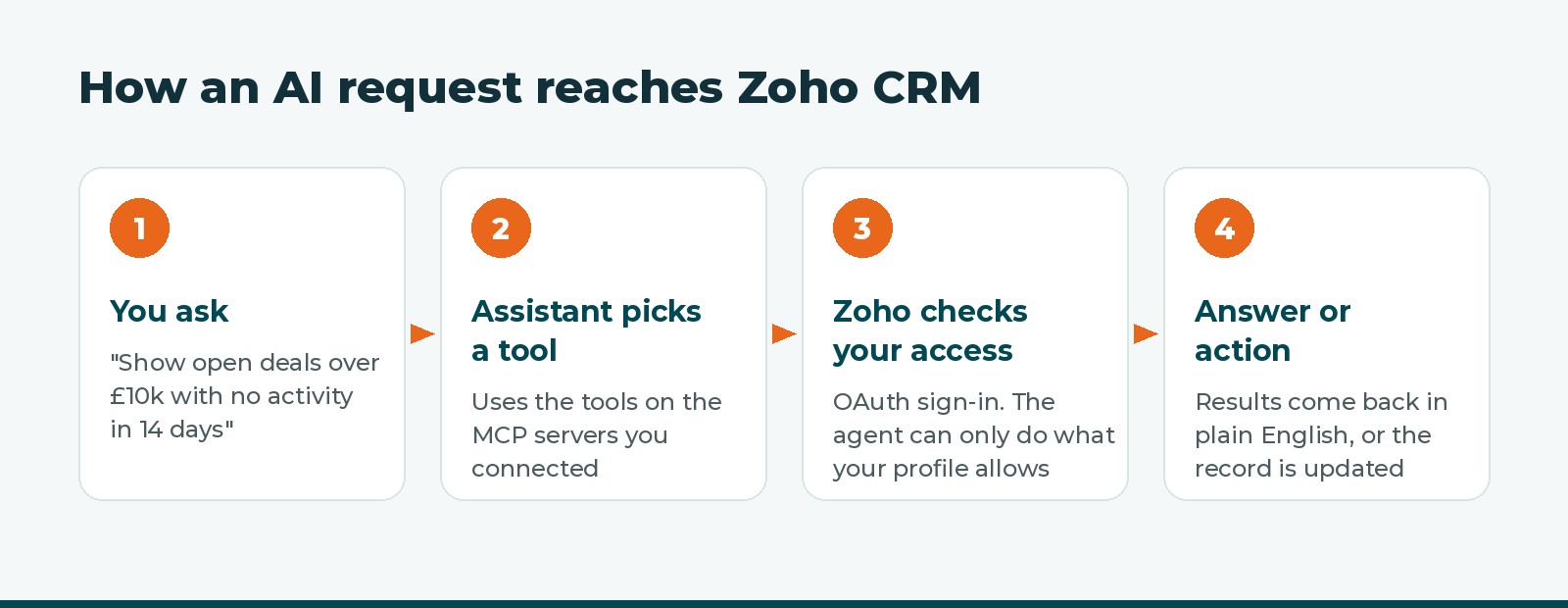
Zoho CRM offers four ready-made MCP servers, found in Setup > Developer Hub > MCP for AI Agents. You choose the servers you need, add them to your AI assistant and sign in to Zoho once with OAuth. No code or hosting is needed for basic use (Zoho CRM MCP overview).
- Supported AI assistants: Claude Desktop, Cursor, VS Code and Windsurf, each with a Zoho setup guide (Claude, VS Code).
- Sign-in: the first time the assistant uses a tool, you log in to Zoho in your browser and approve access.
- Permissions: every action runs as you. In Zoho’s words, “All actions are scoped to your Zoho CRM user permissions”.
- API credits: calls made through MCP use your Zoho CRM API credits in the same way as normal API calls.
- Availability: Zoho has been rolling the feature out by data centre, so check it appears in your Setup menu (Zoho announcement).
What can an AI agent do in Zoho CRM?
Each of the four servers gives the assistant a different level of access, from read-only reporting to changing how your CRM is built. You can add one, some or all of them.
| Server | What the assistant can do | Access level |
|---|---|---|
| Data Insights | Query records with COQL (filter, sort, group, page through results), list modules and read field definitions | Read only |
| Data Operations | Create, read, update and delete records, run bulk updates, work with related records, search with COQL | Reads and changes data |
| Module Customization | Create custom modules and fields, change module settings and field properties, manage page layouts | Changes your CRM’s structure |
| Workflow & Process Automation | Create, update, list and reorder workflow rules, manage workflow actions and read workflow configuration | Changes your automation |
COQL is Zoho’s SQL-like query language for CRM data.
Use cases, with example requests
The biggest gains come where people currently click through many screens or wait for an admin. These are the requests we see working well, each matched to the server it needs.
| Team | Example request | Server | What happens |
|---|---|---|---|
| Sales manager | “Show open deals over £10,000 closing this quarter with no activity in the last 14 days, grouped by owner.” | Data Insights | A pipeline risk list for the Monday meeting, without building a report |
| Sales rep | “Move the Acme renewal to Negotiation, set the close date to 30 November and add a note that they want a 12-month term.” | Data Operations | The deal is updated straight after the call, in one sentence |
| Account manager | “Which accounts with more than 20 users have Zoho CRM but not Zoho Desk?” | Data Insights | A shortlist for upsell conversations, if products are tracked in the CRM |
| Sales operations | “Find leads from the September trade show with no owner and assign them to the London team.” | Data Operations | A bulk clean-up that would otherwise need an export and re-import |
| Leadership | “Compare won deal value by month this year against last year.” | Data Insights | A grouped summary answered in seconds |
| CRM admin | “Create a Contracts module with start date, end date, renewal value and a lookup to Accounts.” | Module Customization | The module and fields are built for the admin to review |
| CRM admin | “List every active workflow rule on Leads and explain what each one does.” | Workflow & Process Automation | A plain-English audit of automation, useful when you inherit a CRM |
| CRM admin | “When a deal moves to Closed Won, create a task for the account owner to book onboarding within 2 days.” | Workflow & Process Automation | A new workflow rule with its task action, ready to test |
A worked example: from workshop to working prototype
In a discovery workshop, a client tells us they track contracts in a spreadsheet. With the Module Customization server connected to a sandbox, our consultant asks the assistant to create a Contracts module, add the agreed fields and place them on a layout while the client watches. With the Workflow server, the same session adds a renewal reminder rule. The client sees a working idea in minutes, and our team then reviews, tests and hardens it before anything reaches their live CRM.
Two limits are worth knowing. MCP only acts when someone asks it to in a chat, so it does not replace scheduled workflows or Blueprints. And the assistant can only use the tools on the servers you have connected.
Security and governance to plan for
MCP is safe when it is set up with the same care as giving a new colleague access to your CRM. Because the assistant acts with the signed-in user’s permissions, the user it runs as matters most.
- Start read-only. Connect Data Insights first and prove the answers are accurate before adding servers that change data.
- Match the user to the job. Avoid connecting as a CRM administrator for everyday tasks. A user whose role and profile fit the task limits what can go wrong.
- Keep structural changes in a sandbox. Run Module Customization and Workflow requests in a Zoho CRM sandbox first, then deploy reviewed changes to production.
- Remember where data goes. Records the assistant reads are sent to the AI provider you use, so check that provider’s data terms against your GDPR obligations.
- Watch API credits. MCP calls draw on the same API credit allowance as your integrations.
- Name an owner. One person should decide which servers are connected, for which users, and review what the assistant has changed.
Getting started
- Check that MCP for AI Agents appears under Setup > Developer Hub in your CRM.
- Pick one team and three to five questions they ask every week.
- Connect the Data Insights server for a small group and compare its answers with your reports.
- Add Data Operations for routine updates once the team trusts the results.
- Use Module Customization and Workflow only in a sandbox, with your CRM admin or partner reviewing every change.
As a Zoho Premium Partner, Thoughtlogik helps businesses adopt AI in Zoho safely. We review roles, profiles and your data model so the assistant sees the right data, set up sandbox-first ways of working for admins, and train teams on requests that get reliable answers.
Thinking about AI in your Zoho CRM? We will help you choose the right servers, permissions and first use cases. Book a free consultation or see our Zoho implementation service.
Frequently asked questions
Where do I find MCP in Zoho CRM?
Go to Setup > Developer Hub > MCP for AI Agents. If you cannot see it, the feature may not have reached your data centre yet.
Which AI assistants work with Zoho CRM MCP?
Zoho provides setup guides for Claude Desktop, Cursor, VS Code and Windsurf. Other MCP-compatible assistants may also connect.
Can the AI agent see data I cannot see?
No. Every action runs with your Zoho CRM user permissions, so the assistant is limited to what your role and profile allow.
Does MCP cost extra?
Zoho does not list a separate price. MCP calls use your existing Zoho CRM API credits, in the same way as other integrations.
Is it safe to let AI change my CRM?
It can be, with controls. Start with the read-only Data Insights server, use a user with the right permissions, and test structural changes in a sandbox first.
Sources
- MCP for Zoho CRM, Zoho
- Zoho CRM MCP servers overview, Zoho
- Zoho CRM MCP: Claude setup guide, Zoho
- Zoho CRM MCP: VS Code setup guide, Zoho
- Zoho CRM with built-in MCP support, Zoho Community
- What is the Model Context Protocol?, modelcontextprotocol.io





