

Short answer
Stock figures in Odoo stop matching reality when physical movements are not recorded, or are recorded late, in the wrong unit or in the wrong location. The fix is a combination of process and configuration: scan every movement with the Barcode app, set up a clear location structure with putaway rules, record manufacturing consumption and returns properly, and replace the annual stock take with regular cycle counts. Most businesses see a clear improvement within 30 days of focused effort.
Key takeaways
- Inaccurate stock is almost always a process problem that shows up in the system.
- The most common causes are unrecorded moves, unit of measure errors, late receipts and unrecorded production consumption.
- Barcode scanning, locations and putaway rules, cycle counts and multi-step routes are the main Odoo tools for accuracy.
- Food and drink businesses should add lot tracking with expiry dates and a first expiry, first out removal strategy.
- Accurate quantities matter for finance too, because they drive stock valuation and cost of goods sold.
Few things erode trust in an ERP system faster than stock figures that are wrong. Sales promise orders that cannot be fulfilled, buyers over-order to be safe, and the warehouse team starts keeping its own spreadsheet. Before long, people stop believing Odoo at all. The good news is that Odoo inventory accuracy problems follow predictable patterns, and Odoo has the tools to fix them once the causes are understood.
Why your stock figures never match reality
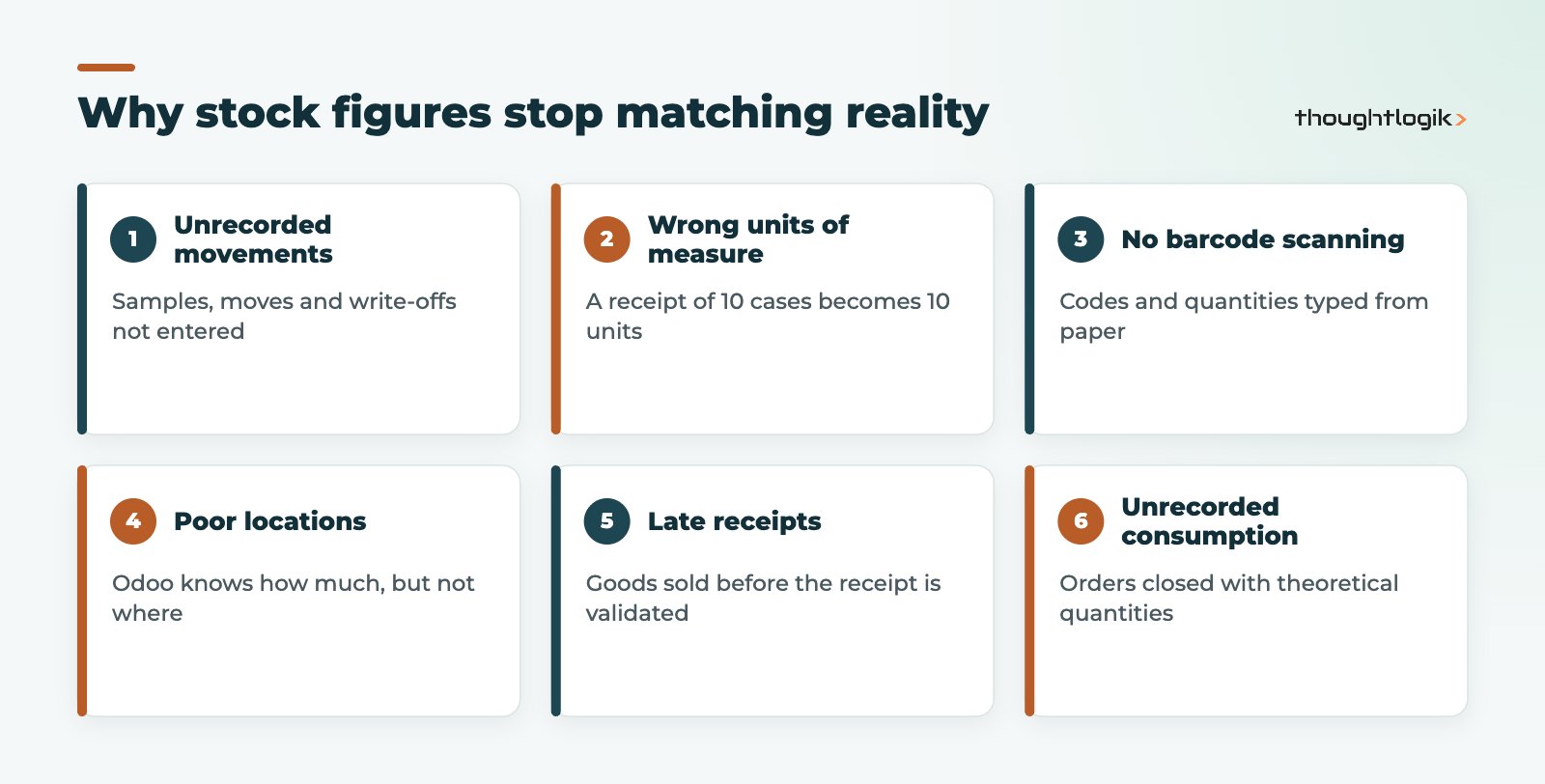
Odoo records what it is told. When the on-hand quantity is wrong, one of these is usually responsible.
1. Unrecorded or informal movements
Stock borrowed for samples, moved to a different bay, used for repairs or written off as damaged, with nobody updating Odoo. Each is small; together they make the figures meaningless.
2. Wrong units of measure
A supplier invoices by the case, you store by the unit and sell by the pack. If units of measure and packaging are not set up correctly, a receipt of 10 cases can become 10 units.
3. No barcode scanning
Manual entry means typing product codes and quantities from paper. Picking the wrong product variant or keying the wrong number is easy, and the error is invisible until the next count.
4. Poor location structure
If everything lives in one stock location, Odoo can tell you how much you have but not where it is. Stock that cannot be found is treated as missing, and adjustments then create a second error.
5. Delayed receipts and deliveries
Goods are put away and sold before the receipt is validated in Odoo, or orders ship before the delivery is confirmed. For hours or days, the system and the shelf disagree, and decisions are made on the wrong numbers.
6. Manufacturing consumption not recorded
Production uses more or less material than the bill of materials says, because of waste, substitutions or yield variation, but the manufacturing order is closed with the theoretical quantities. Component stock drifts steadily.
7. Returns handled outside the system
Customer returns put back on the shelf, or supplier returns sent back, without a return transfer in Odoo.
How to fix inventory accuracy in Odoo
| Cause | Odoo fix |
|---|---|
| Unrecorded movements | Internal transfers and scrap orders for every move, with clear user rights |
| Wrong units of measure | Correct units of measure, purchase units and product packaging on each product |
| Manual entry errors | Barcode app for receipts, picks, transfers and counts |
| Stock that cannot be found | Storage locations with putaway rules |
| Late receipts | Multi-step receipt routes validated at the dock |
| Production drift | Record actual consumption on manufacturing orders and scrap waste |
| Unrecorded returns | Return transfers from the original delivery or receipt |
| Errors found too late | Cycle counts by location instead of one annual count |
Barcode scanning
The Barcode app, part of Odoo Enterprise, lets warehouse staff scan products, locations, lots and packages on a mobile device or scanner. Scanning confirms the right item and the right place at the moment of movement. It is the single biggest improvement for most warehouses. If you are on Community, see our comparison of Odoo Community vs Enterprise.
Locations and putaway rules
Create storage locations that reflect your real layout, such as aisles, racks and bays. Putaway rules then direct incoming products to the correct location automatically, by product or product category, so stock is stored consistently and is easy to find and count.
Multi-step routes
Odoo supports one, two or three step receipts and deliveries. A two-step receipt separates “received at the dock” from “put away in stock”, so goods are recorded the moment they arrive, even if putaway happens later. Similarly, pick and pack steps make it clear what has left the shelf and what has left the building.
Cycle counts and inventory adjustments
Rather than one disruptive annual stock take, set a counting frequency on locations so that Odoo schedules regular counts. Count fast-moving and high-value locations more often. Investigate large adjustments rather than simply accepting them, because each one points to a process gap.
Manufacturing consumption
Ask operators to record actual component quantities on the manufacturing order and to scrap waste explicitly. Review how strictly your bills of materials control consumption, so that variances are flagged rather than silently accepted. Our Odoo for manufacturing page covers production setup in more detail.
Reordering rules
Minimum and maximum reordering rules only work when on-hand figures are right. Once accuracy improves, review them. Odoo 20 adds suggested reordering levels based on demand history, covered in our guide to Odoo 20 new features.
Valuation
Every quantity error is also a valuation error. With automated stock valuation, each movement posts to your accounts, so accurate quantities feed straight through to stock value and cost of goods sold. Agree your costing method (standard price, average cost or FIFO) with your finance team.
Food and drink manufacturers and distributors
Food and drink businesses have extra reasons to get this right: traceability, shelf life and customer audits. In Odoo, enable lot tracking with expiration dates, so each batch carries its best before or use by date, and set a first expiry, first out (FEFO) removal strategy so pickers are directed to the oldest stock. Lot tracking also supports recalls, because you can trace which customers received a given batch. Watch for two variances that are common in food businesses: customer returns put back into stock without a return transfer, and short-dated stock moved to a clearance or staff sales area without recording the move. Learn more on our food and drink manufacturing and distribution page.
A 30-day plan to improve Odoo inventory accuracy
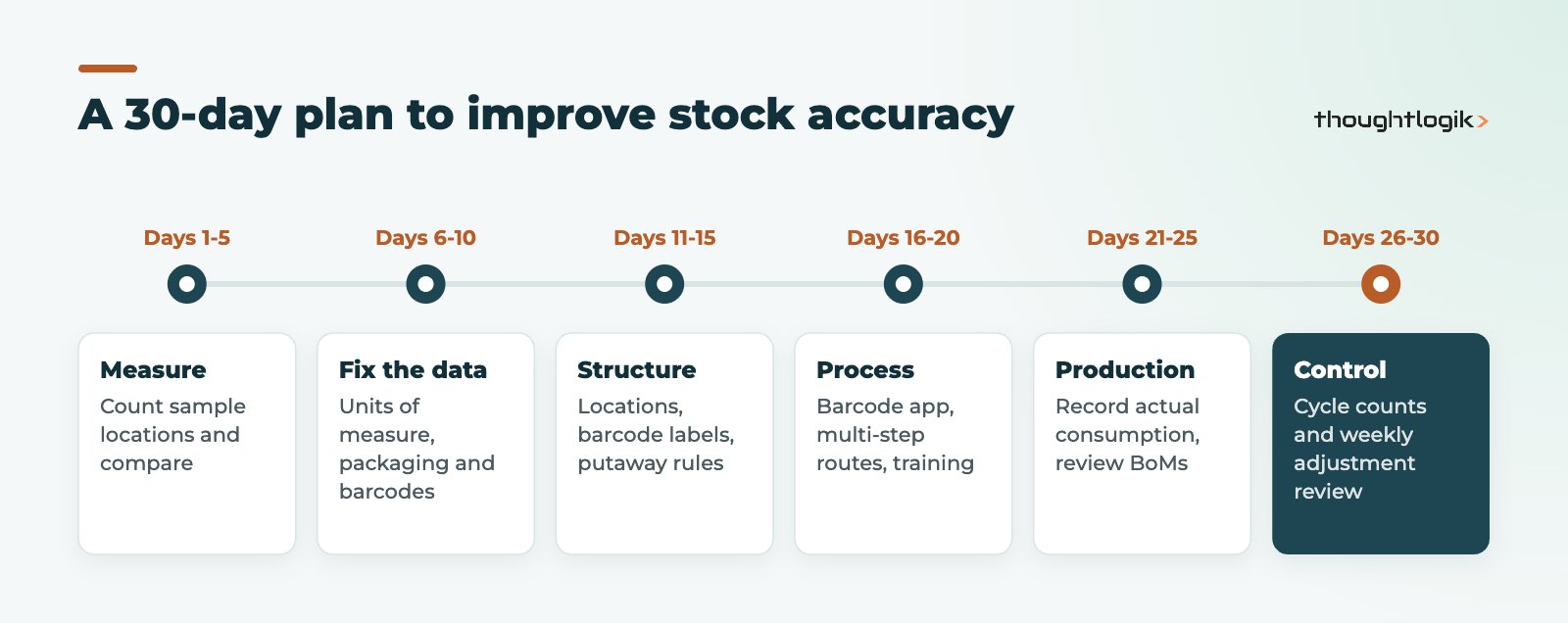
- Days 1 to 5: measure. Count a sample of locations and compare with Odoo. Record where and why differences occur.
- Days 6 to 10: fix the data. Correct units of measure, packaging and product barcodes. Archive duplicate products.
- Days 11 to 15: structure. Set up storage locations, label them with barcodes and create putaway rules.
- Days 16 to 20: process. Switch on the Barcode app for receipts and picks, and introduce multi-step routes where needed. Train staff on transfers, scrap and returns.
- Days 21 to 25: production. Record actual consumption on manufacturing orders and review bill of materials accuracy.
- Days 26 to 30: control. Start cycle counts, review adjustments weekly and share an accuracy figure with the team.
How ThoughtLogik helps
ThoughtLogik is an Odoo Partner based at Vulcan Works in Northampton, working with UK manufacturers and distributors on warehouse and production accuracy.
- Stock accuracy reviews that identify where your variances come from.
- Configuration of locations, routes, putaway rules, lots and expiry dates.
- Barcode rollout and warehouse team training.
- Ongoing tuning through our Odoo optimisation service.
Frequently asked questions
Why is my Odoo stock quantity wrong?
Usually because physical movements are not recorded, are recorded late, or are entered in the wrong unit of measure or location. Unrecorded manufacturing consumption and returns are also common causes.
Does Odoo support cycle counting?
Yes. You can set a counting frequency on stock locations so Odoo schedules regular counts, and record the results as inventory adjustments.
Is barcode scanning available in Odoo Community?
The Barcode app is part of Odoo Enterprise. Community users would need a third-party module or custom development for scanning.
How does Odoo handle expiry dates for food products?
Enable lot tracking with expiration dates on the product, record dates on receipt, and use a first expiry, first out removal strategy so the oldest stock is picked first.
How long does it take to improve inventory accuracy in Odoo?
Most businesses see a clear improvement within about 30 days of focused work on data, locations, scanning and cycle counts, with further gains as habits settle.
Tired of stock figures nobody trusts? We will find where your variances come from and fix them in Odoo. Book a free consultation or see our Odoo for wholesale distribution page.





