Short answer
Odoo customisation means changing the product with Studio or code, while configuration means using the settings and options Odoo already provides. Configure first, use Studio for light changes, and write custom modules only for requirements that give you a real business advantage. Every line of custom code adds testing, support and upgrade work for as long as you run Odoo.
Key takeaways
- Configuration uses Odoo’s own settings; customisation changes how Odoo behaves.
- Most requests that look like customisation can be met by configuration or process change.
- Odoo Studio covers fields, views and reports without writing Python.
- Custom modules must be maintained and upgraded for every new Odoo version.
- An over-customised Odoo is slower to upgrade, harder to support and costlier to own.
When a business moves onto Odoo, every team arrives with a list of “must haves” shaped by the old system. The easy answer is to build each one. The better answer is to ask whether Odoo already does the job in a slightly different way. That decision, made hundreds of times during a project, is what separates a clean system from an over-customised Odoo that nobody wants to upgrade.
What is the difference between Odoo configuration and Odoo customisation?
Odoo configuration is everything you can change through the interface without altering the product: company settings, taxes and fiscal positions, warehouse routes, approval rules, email templates, user access groups, pipeline stages, automation rules and so on. It is data, not code, so it carries forward when you upgrade.
Odoo customisation changes the product itself. That can be light, such as adding a field or tweaking a form in Odoo Studio, or heavy, such as a Python module that rewrites how stock is reserved or how invoices are calculated.
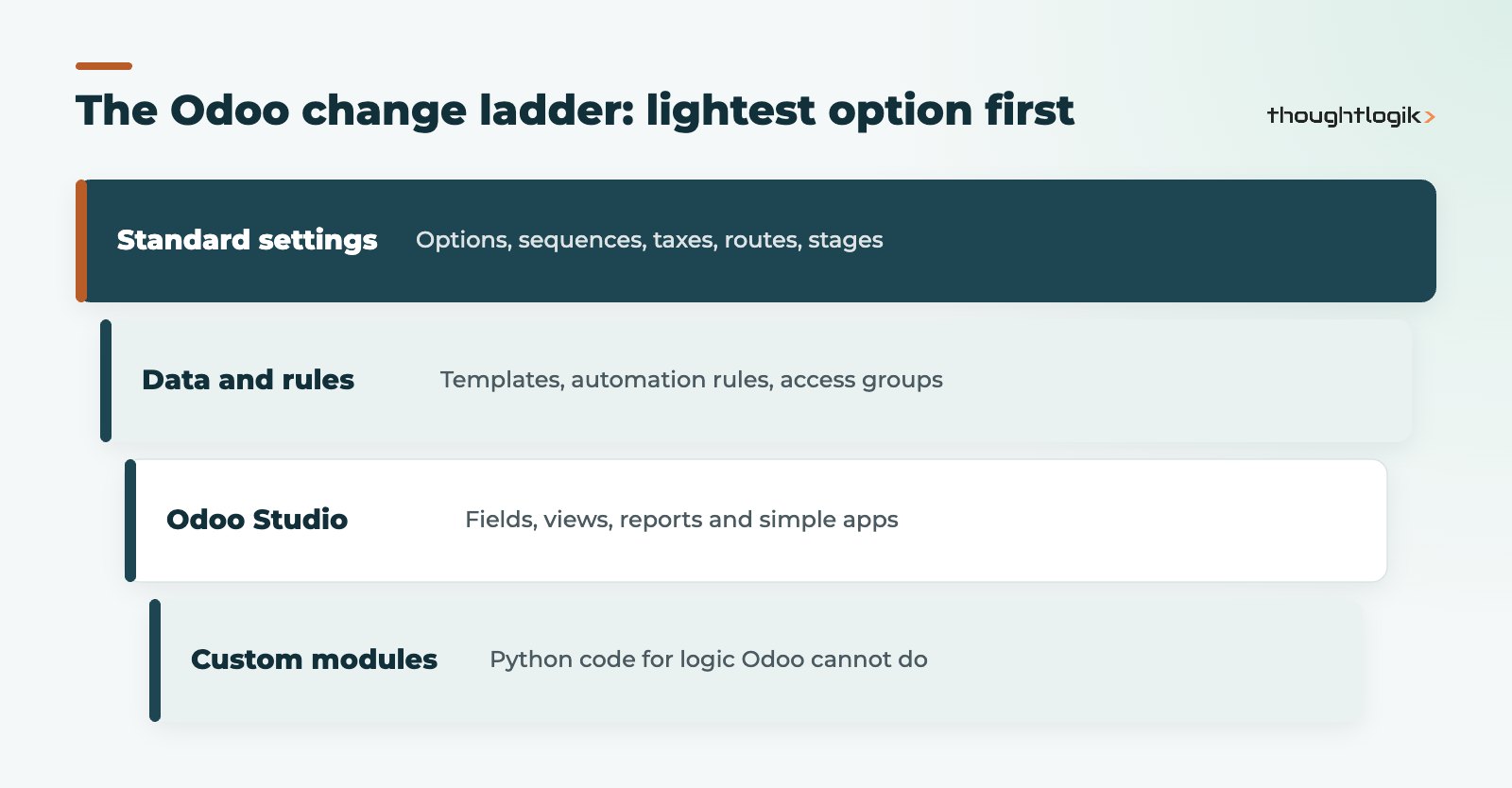
The ladder below is the order we work through for every requirement.
| Approach | Typical examples | Upgrade impact |
|---|---|---|
| Configuration | Settings, routes, taxes, stages, templates, access rights | Low: carried forward as data |
| Odoo Studio | Extra fields, form and list changes, report layouts, simple apps | Moderate: handled by Odoo’s upgrade service while Studio remains installed and subscribed |
| Custom modules | New business logic, complex integrations, changes to core behaviour | High: code must be reviewed, adapted and retested for each version |
In practice, a well-configured system does a surprising amount. A typical example: a distributor asks for custom code to flag orders from customers who are over their credit limit. Odoo’s standard customer credit limit setting already warns users when an order would take a customer past their limit, with no development needed. The same pattern repeats across sales, purchasing, stock and accounting: the requirement is real, but the answer is already in the product.
Why does an over-customised Odoo cause problems?
An over-customised Odoo rarely fails on day one. The pain arrives later, usually in three places.
- Upgrades. Odoo releases a major version every year. Odoo’s upgrade documentation explains that the upgrade service covers standard modules and Studio customisations, but in-house or third-party custom modules are only covered under a separate maintenance arrangement. Otherwise someone has to rewrite and retest them.
- Support. When something breaks, the first question is whether it is standard Odoo or custom code. Heavy customisation makes that harder to answer and slower to fix.
- Hosting choice. Odoo Online does not allow your own custom Python modules, so heavy custom code pushes you to Odoo.sh or on-premise hosting. Our guide to Odoo Online vs Odoo.sh vs on-premise explains the trade-offs.
There is also a quieter cost: custom code often locks in an old process. If Odoo’s standard workflow is sound, bending it back to match a spreadsheet habit means losing improvements Odoo ships in later versions.
When is custom code justified?
Custom modules are the right answer in a minority of cases, and when they are right they can be very valuable. We usually support custom development when:
- The requirement is a genuine competitive advantage, such as a pricing model or production rule unique to your business.
- A regulatory or contractual obligation cannot be met through settings or Studio.
- You need an integration with a system that has no maintained connector.
- The volume of manual work saved clearly outweighs the ongoing cost of maintaining the code.
Before writing anything, check the Odoo Apps Store and partner marketplaces. A maintained app is often cheaper to own than bespoke code, provided you check who supports it and which versions it covers.
What can Odoo Studio do instead of custom modules?
Odoo Studio is Odoo’s no-code tool. It lets you add fields, change forms and list views, build simple approval flows and automated actions, design PDF reports and create small apps. For many “customisation” requests, Studio is enough, and because Studio changes are recognised by Odoo’s upgrade process they are far lighter to carry forward. Our Odoo Studio guide covers what it can and cannot do. Studio has limits, though: it is not the tool for complex calculations or deep changes to accounting or stock logic.
How to decide on an Odoo customisation request
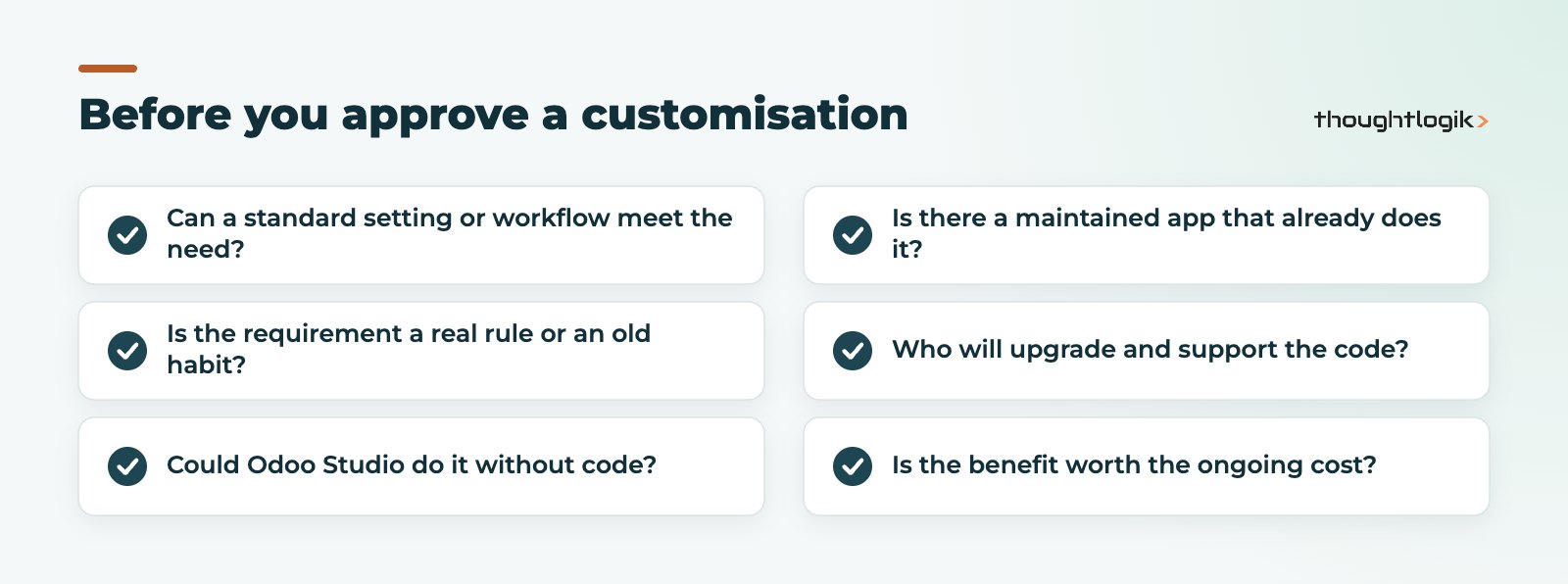
We run every change request through the same short test. It takes minutes and prevents weeks of rework.
Start with the business outcome, not the screen
“We need a new field on the sales order” is a solution. “We need to know which orders are for trade customers so we can apply different payment terms” is the outcome. Odoo configuration, such as pricelists, payment terms and customer tags, often solves the real outcome without a single new field.
Challenge the old process
Ask why the current process exists. Many steps were workarounds for an old system’s limits. If Odoo removes the underlying problem, the step can go too.
Record the decision and the owner
Keep a simple register of every Odoo customisation: what it does, why it exists, who approved it and who maintains it. That register becomes gold when you plan your next version upgrade.
Already have an over-customised Odoo?
If your system is already heavy with custom code, you are not stuck. A structured review can show which custom modules are still used, which duplicate features now in standard Odoo, and which can be replaced by configuration. Many businesses clean up as part of a version upgrade, because the code has to be touched anyway. See our advice on upgrading Odoo to a new version and our Odoo optimisation service.
How ThoughtLogik helps
ThoughtLogik is a UK Odoo Partner. We design solutions configuration-first and treat every Odoo customisation as a decision with a lifetime cost, not a quick fix.
- Fit-gap workshops that separate true gaps from habits during Odoo implementation.
- Studio-first design, with custom modules only where they add clear value.
- Code reviews and clean-up plans for systems built by other providers.
- Upgrade planning that accounts for every customisation.
Frequently asked questions
Is Odoo customisation bad?
No. Some Odoo customisation is often needed. The risk comes from customising by default instead of by exception. Keep custom code for requirements that matter and configure the rest.
Does Odoo Studio count as customisation?
Yes, but it is the lightest form. Studio changes are made without code and are covered by Odoo’s upgrade service while Studio remains installed and your subscription is active.
Can I use custom modules on Odoo Online?
Not your own Python modules. Odoo Online supports configuration and Studio. If you need custom modules, you will need Odoo.sh or an on-premise deployment.
How do I know if my Odoo is over-customised?
Warning signs include slow or delayed upgrades, bugs nobody can explain, features that duplicate standard Odoo and code that no one on the team understands. A technical review will confirm it.
Should customisation be decided before or after go-live?
Both, but differently. Before go-live, keep scope tight and challenge every request. After go-live, use real usage to decide which gaps still matter, then prioritise them as small, well-tested changes.
Worried your Odoo is carrying too much custom code? We can review it and show you what to keep. Book a free consultation or see our Odoo upgrade services.