Short answer
Odoo Helpdesk is Odoo’s ticketing system for customer support, turning emails, website forms and live chat conversations into tracked tickets. You organise work into helpdesk teams, set SLA policies with response and resolution deadlines, give customers a portal to follow their tickets, and resolve after-sales issues such as refunds, returns and repairs directly from the ticket.
Key takeaways
- Tickets arrive by email alias, website form or live chat, depending on the team’s settings.
- SLA policies set deadlines by team, priority, ticket type and customer.
- Customers can follow and reply to their helpdesk tickets through the Odoo portal.
- Ratings after a ticket closes give a simple customer satisfaction measure.
- Helpdesk is an Enterprise app and is strongest when sales, stock and accounting are in Odoo too.
Support teams in UK SMEs often run from a shared inbox. It works until it does not: emails get missed, two people answer the same customer, and nobody can say how long customers wait. A proper ticketing system fixes that. Odoo Helpdesk does it inside the same system as your customers, orders, stock and invoices, so agents see the full picture without switching tools.
What is Odoo Helpdesk?
Odoo Helpdesk is an Enterprise app that manages helpdesk tickets through teams and stages. Each team, for example Technical Support, Customer Service or Warranty, has its own members, stages, channels and rules. Tickets move through stages on a Kanban board or list, with the customer’s history, previous tickets, orders and invoices available from the record.
How do tickets get into Odoo Helpdesk?
Each helpdesk team can accept tickets from several channels, enabled in the team settings:
- Email alias. Messages sent to an address such as support@ become tickets automatically, and replies stay on the ticket thread.
- Website form. With Odoo Website, customers submit a ticket through a form on your site.
- Live chat. Agents can turn a chat conversation into a ticket when an issue needs follow-up.
- Manual entry. Agents log phone calls or walk-in issues directly.
Tickets can be assigned manually or automatically across team members, so the workload is shared without someone acting as a dispatcher.
How do SLA policies work in Odoo?
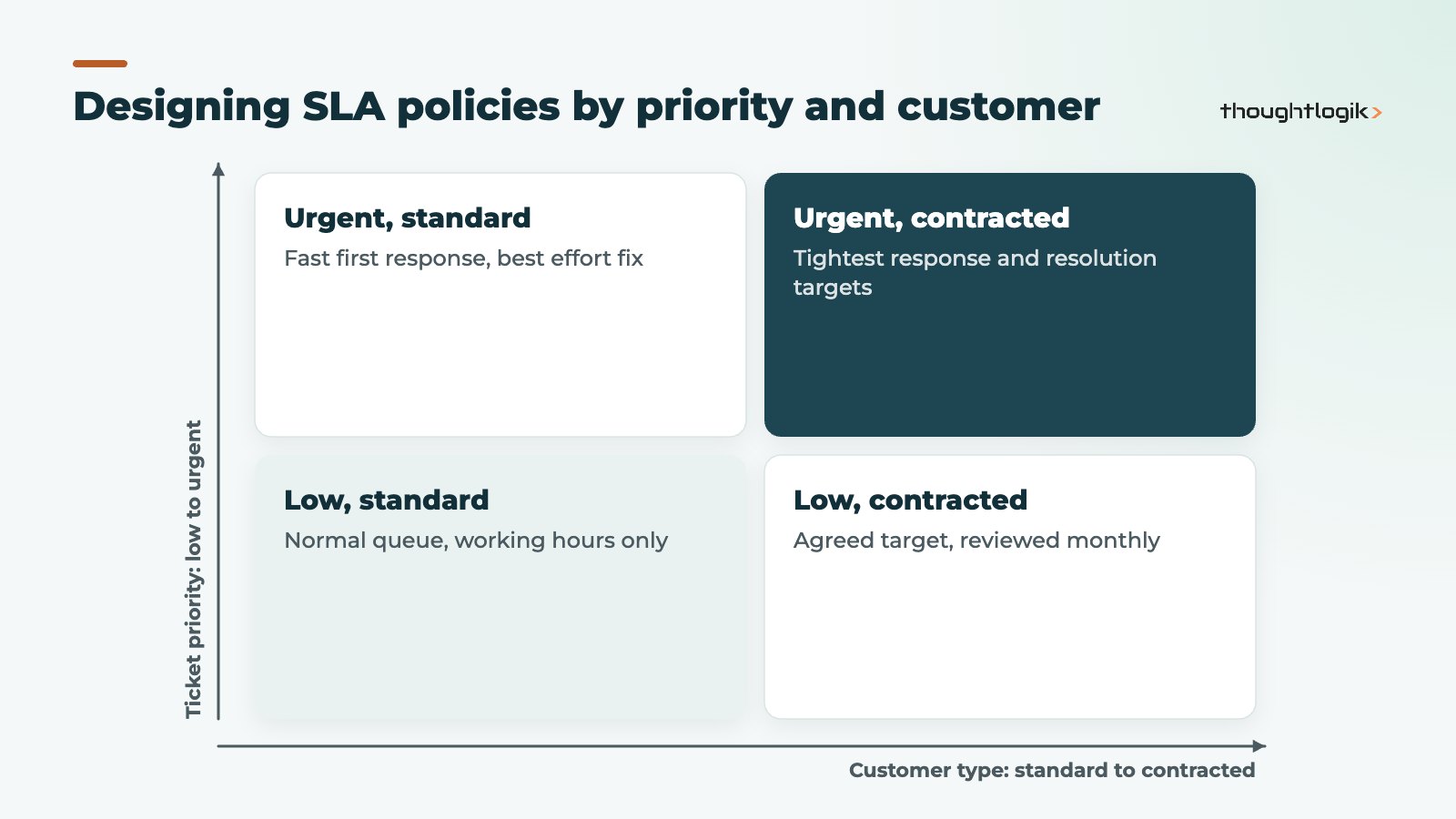
SLA policies define how quickly a ticket should reach a target stage, for example first response or solved. Each policy applies to a team and can be narrowed by criteria such as priority, ticket type, tags or customer. Deadlines are counted in the team’s working hours, and you can exclude stages, such as “waiting for customer”, so the clock does not run while the ball is in the customer’s court. Odoo’s SLA documentation covers the detailed settings.
Each ticket shows its SLA deadline, and tickets that miss their deadline are flagged so managers can act. Reports then show how many tickets met or failed their SLA by team, agent or customer.
Tips for sensible SLA policies
- Start with a small number of policies. Complex SLA matrices are hard for agents to understand and managers to report on.
- Match policies to what your contracts actually promise, not aspirational targets.
- Set business hours to reflect your real UK support hours, including bank holidays in the working calendar.
- Review breaches monthly and adjust staffing or policies, rather than letting red flags become normal.
What can customers do in the Odoo customer portal?
The customer portal gives each customer a secure login to see their own tickets, check status and reply without hunting for an old email. Portal users can also see other documents you share with them, such as quotes, orders and invoices. This reduces “any update?” emails and gives customers confidence that their issue is being tracked.
When a ticket reaches a closing stage, Odoo can email a rating request. Customers pick a rating and can leave a comment, and managers can review ratings by team and agent. It is a simple satisfaction signal, and it works best when you actually read the comments and act on them.
Resolving after-sales issues from the ticket
This is where Odoo Helpdesk differs from standalone ticketing tools. Because it shares a database with sales, inventory and accounting, agents can take action directly from the ticket, depending on which apps you use and which options the team has enabled.
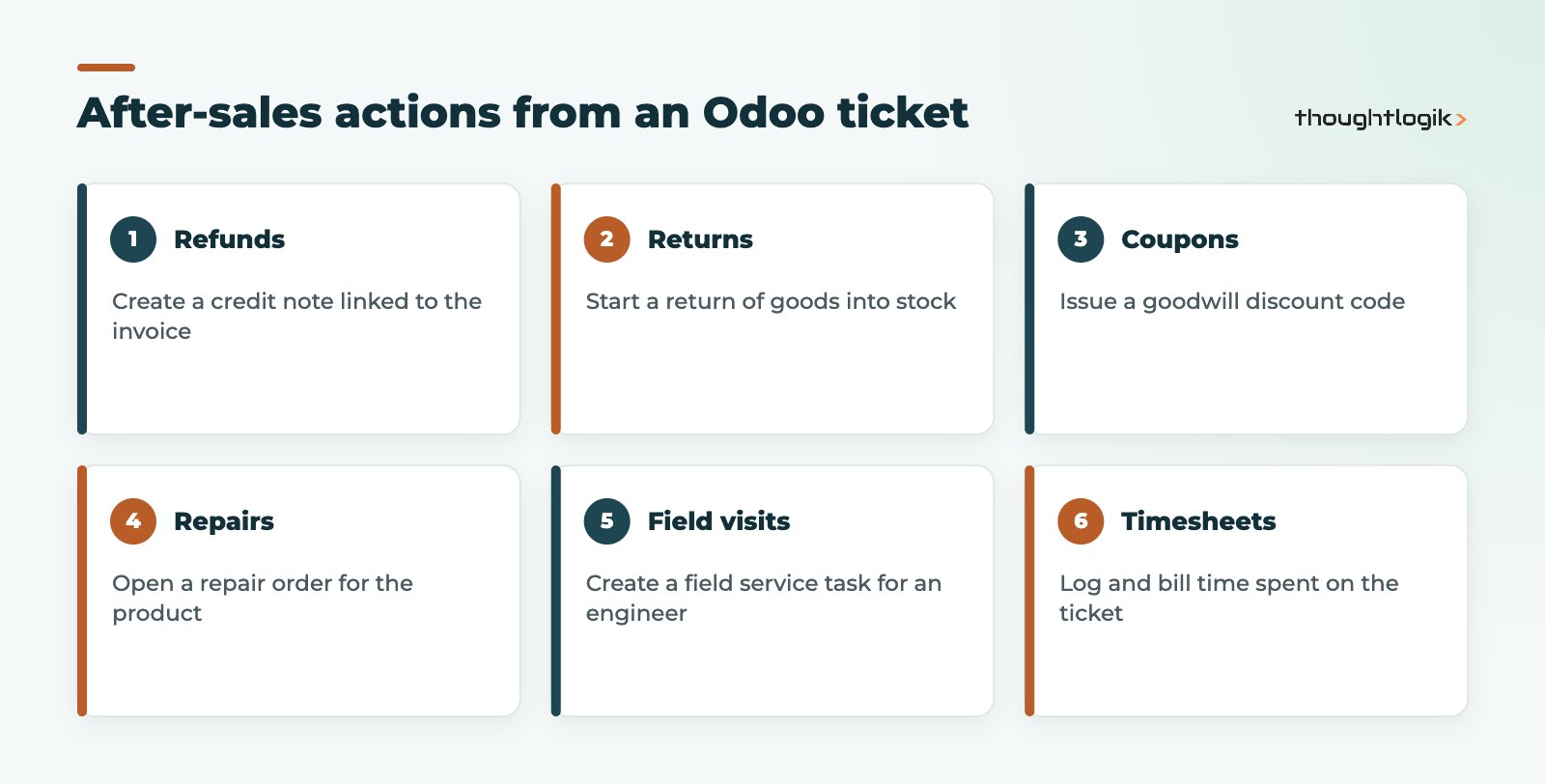
| Customer issue | Action from the ticket | Linked Odoo app |
|---|---|---|
| Wrong price charged | Create a credit note | Accounting |
| Faulty item delivered | Start a return | Inventory |
| Product needs fixing | Open a repair order | Repairs |
| Problem needs a site visit | Plan an intervention | Field Service |
| Billable support time | Log a timesheet | Timesheets |
If your engineers go to site, see our Odoo Field Service guide. If you sell support by the hour, time on tickets can be billed the same way as project work, as explained in our Odoo project and timesheets guide.
Odoo Helpdesk reporting
Standard reports cover ticket volumes, open tickets by stage, SLA success, average time to close and customer ratings. Filters and grouping let you slice these by team, agent, customer, ticket type or period. For management dashboards that combine support with sales and finance, Odoo’s spreadsheet dashboards are useful; see our guide to Odoo reporting.
How to set up Odoo Helpdesk well
- Design teams around how customers contact you, not around your org chart. Fewer teams are easier to manage.
- Keep stages simple: for example New, In Progress, Waiting, Solved and Cancelled.
- Define ticket types and tags you will actually report on.
- Configure SLA policies and working hours that match your contracts.
- Write email templates for acknowledgement, updates and closure in your brand voice.
- Train agents on after-sales actions, so they resolve issues from the ticket rather than passing them around.
Plan a short pilot with one team before switching everyone over. Run the shared inbox and the new helpdesk tickets side by side for a few days at most, then redirect the support address fully to Odoo so there is only one place to look. Agree how agents should handle a ticket that belongs to another team: reassigning it inside Odoo keeps the history intact, whereas forwarding emails does not.
If you are comparing platforms, remember that Odoo Helpdesk shines when the rest of your operations also run on Odoo. If support is your only need, a standalone ticketing system may be simpler; if you want support connected to orders, stock and invoices, Odoo is hard to beat for an SME.
How ThoughtLogik helps
ThoughtLogik is a UK Odoo Partner. We set up Odoo Helpdesk so support, sales, stock and finance work from one customer record.
- Helpdesk team, channel and stage design.
- SLA policies and working calendars aligned to your contracts.
- Customer portal, rating and email template set-up.
- Migration of open tickets from your current tool during Odoo implementation, plus ongoing Odoo support.
Frequently asked questions
Is Odoo Helpdesk free?
Odoo Helpdesk is an Enterprise app, so it is part of a paid Odoo subscription rather than Community. See our Odoo pricing guide for how licensing works.
Can Odoo Helpdesk handle several support teams?
Yes. You can create multiple helpdesk teams, each with its own members, channels, stages and SLA policies.
Do customers need a login to raise helpdesk tickets?
No. Customers can raise tickets by email or website form without logging in. A customer portal login lets them view and reply to their tickets in one place.
Can I move tickets from another ticketing system?
Usually yes. Open tickets and key history can be imported, although attachments and full conversation threads need careful planning. Many businesses migrate open tickets only and archive the rest.
How does Odoo Helpdesk handle personal data under UK GDPR?
Tickets often contain personal data, so apply access rights by team, avoid asking customers for sensitive details in web forms and agree how long closed tickets are kept. Odoo gives you the controls, but the policy is yours to set.
Support still living in a shared inbox? We can have your team working from tracked tickets with clear SLAs. Book a free consultation or see our Odoo solutions.