Short answer
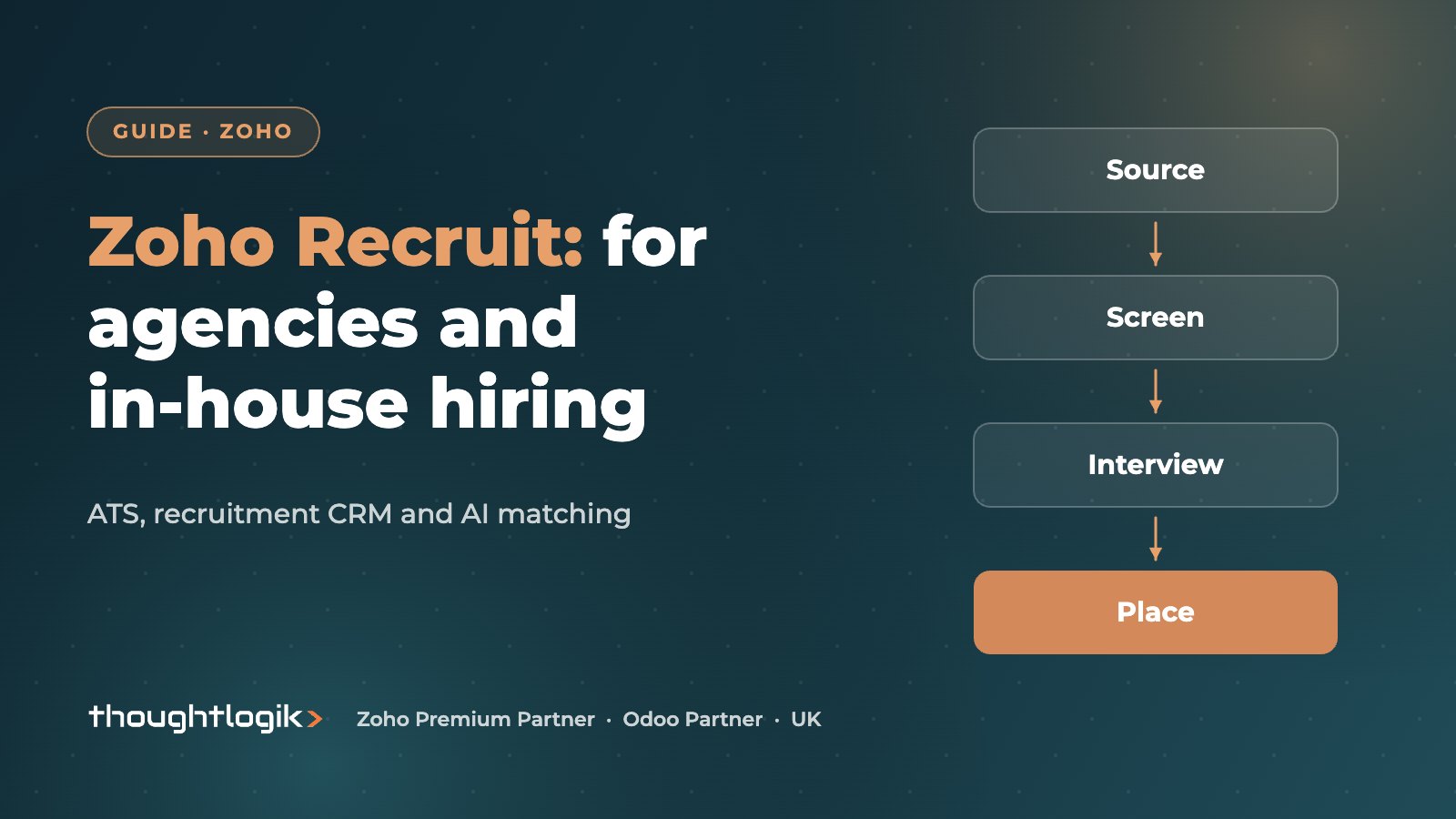
Zoho Recruit is an applicant tracking system and recruitment CRM that comes in two set-ups: one for staffing agencies managing clients and placements, and one for in-house HR teams hiring for their own business. Both cover job posting, resume parsing, pipelines, interview scheduling and AI candidate matching with Zia. Agencies get client records, client portals and timesheets, while in-house teams get hiring manager collaboration and a link to Zoho People for onboarding.
Key takeaways
- Choose the Staffing Agency or Corporate HR set-up at the start; the data model differs.
- Job posting to multiple job boards and a branded careers site are available from the Standard plan.
- AI matching, candidate and client portals and Blueprint process control sit on the Enterprise plan.
- Vendor portal and video interviews are paid add-ons.
- UK GDPR applies to candidate data, so set consent, retention and access rules from day one.
Recruitment runs on speed and relationships. Whether you are a UK agency filling roles for clients or an HR team hiring for your own business, the tools are similar: a place to store candidates, a way to advertise jobs, a pipeline to move people through, and reporting on what is working. The difference is who the customer is.
This article covers how the product serves each type of user, which features sit on which plan, and what a UK rollout involves.
What is Zoho Recruit?
It is a cloud applicant tracking system with recruitment CRM features. Core functions include:
- job openings with multi-board posting, social posting and a branded careers site;
- resume parsing, which extracts candidate details from CVs into structured records;
- hiring pipelines with stages, interview scheduling and assessments;
- email templates, workflows and automation;
- Zia, Zoho’s AI assistant, for drafting job descriptions, summarising profiles and matching candidates;
- integrations with LinkedIn, Microsoft Teams, Google Meet, Zoho People and more.
Plans change over time, so check the current Zoho Recruit plans or our UK Zoho pricing guide before you commit.
Zoho Recruit for UK recruitment agencies
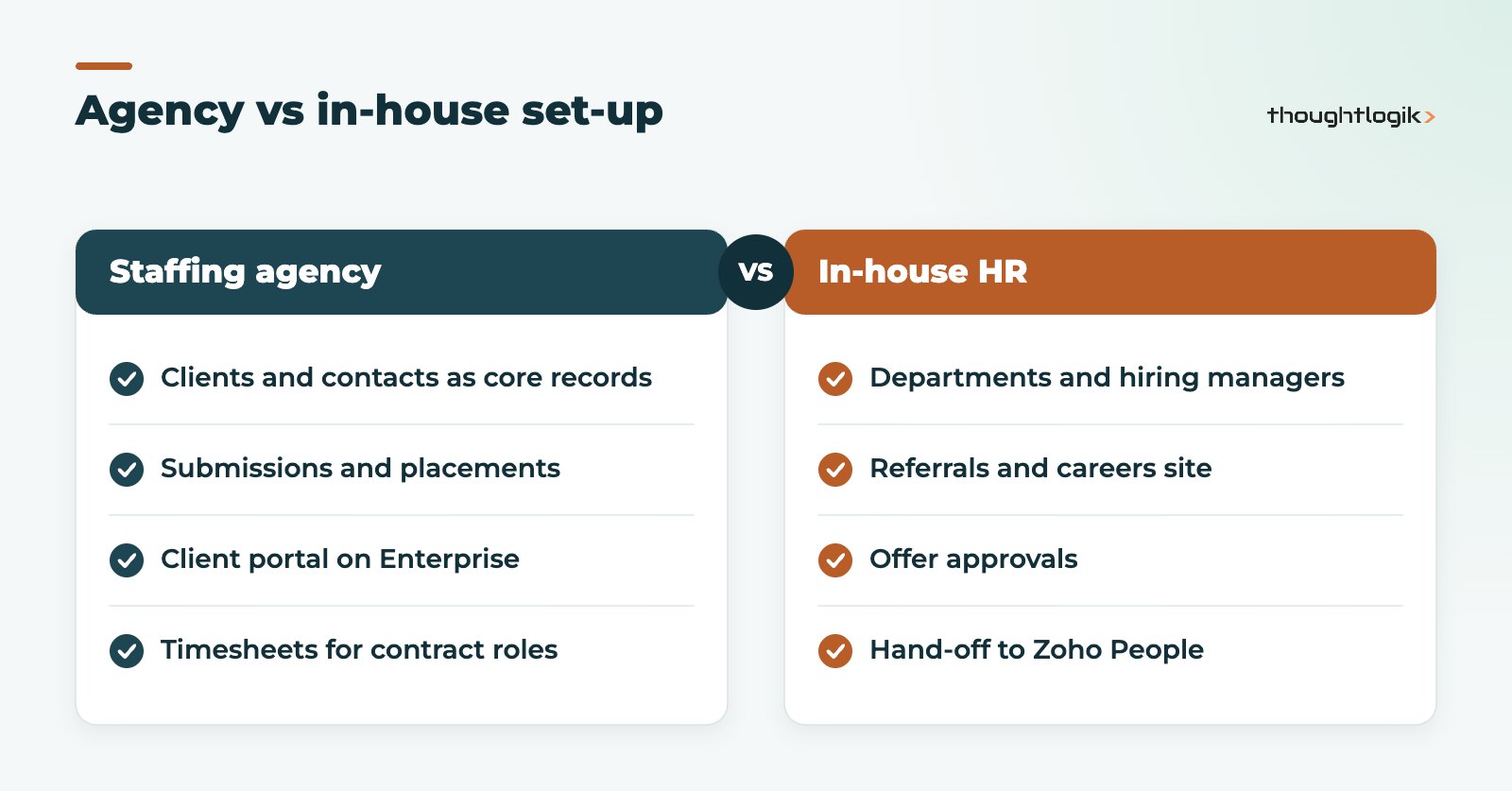
As staffing agency software, the agency set-up treats clients as first-class records. You manage client companies and contacts, record job orders against them, submit shortlisted candidates, and track interviews and placements. That makes it a genuine recruitment CRM rather than a simple applicant tracker.
Features agencies use most
- Resume parsing and a resume inbox to process CVs arriving by email at volume.
- Formatted resumes so CVs go to clients in a consistent, branded layout.
- Zia matches to surface suitable candidates from your existing database for a new job.
- Client portal on the Enterprise plan, where clients can review submissions and give feedback.
- Timesheet management for contract and temporary placements.
- Vendor portal as an add-on, for working with sub-suppliers.
Agencies that also sell to clients through a wider sales team sometimes run Zoho CRM alongside. Our recruitment sector solutions page shows how the two fit together.
Zoho Recruit for in-house hiring teams
For corporate HR, the focus shifts to hiring managers and internal approval. The applicant tracking system handles requisitions, careers site applications, employee referrals, interview panels and offer approvals. Hiring managers can review candidates and leave feedback without full recruiter licences, depending on plan and add-ons.
Why the link to Zoho People matters
When a candidate accepts an offer, their details can pass to Zoho People for onboarding, so HR does not re-key names, start dates and job titles. Right-to-work checks, contracts and equipment requests then run as onboarding tasks. See our guide to Zoho People for UK HR teams.
Which plan do you need?
| Need | Feature | Where it sits |
|---|---|---|
| Post to job boards and social | Multi-board posting, careers site | Standard and above |
| Import CVs quickly | Resume parsing and management | Standard and above |
| AI candidate matching | Zia matching | Enterprise |
| Client or candidate self-service | Client and candidate portals | Enterprise |
| Enforced hiring process | Blueprint | Enterprise |
| Work with sub-suppliers | Vendor portal | Paid add-on |
| One-way video screening | Video interviews | Paid add-on |
Plan tiers differ slightly between the agency and corporate set-ups, so confirm the exact feature list for your edition.
How do you handle UK GDPR for candidate data?
Candidate records are personal data under UK GDPR. Before importing your database, agree a lawful basis for holding each group of candidates, a retention period and a process for deletion requests. In the system, restrict field and record access by role, mark sensitive fields appropriately, and use workflows to prompt consent renewal or deletion when a record has been inactive for your retention period. Document the set-up so you can show the ICO what you do if asked.
How does it compare with a general CRM?
Some agencies try to run recruitment inside a general sales CRM. That works for business development but struggles with candidates: CV parsing, job board posting, interview scheduling and compliance fields all need building from scratch. A purpose-built applicant tracking system gives you those out of the box. The reverse is also true: if your agency has a large account management team, pairing the recruitment system with Zoho CRM for client sales can make sense, as long as you are clear which system owns client records. Our Zoho CRM services cover that design.
How does a rollout work?
A typical rollout runs through the stages below. Agencies usually spend longer on data migration because their candidate databases are larger and older.
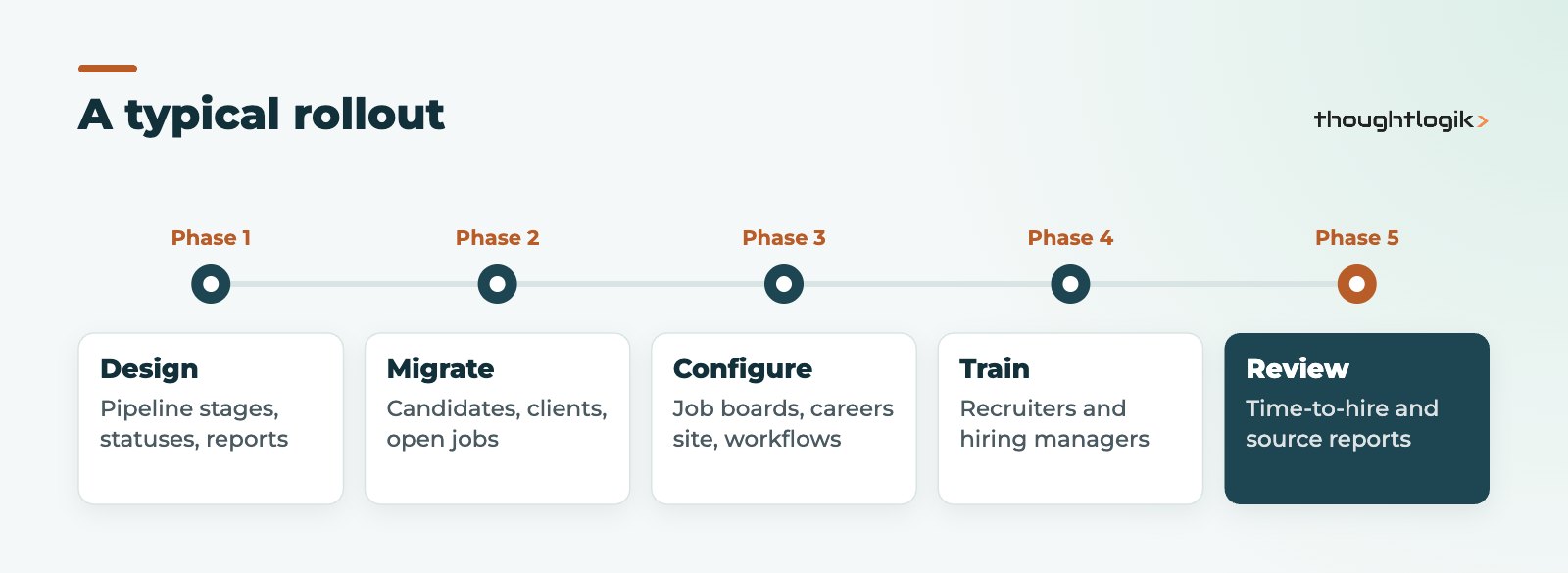
- Design the pipeline stages and statuses you will report on.
- Clean and migrate candidates, clients and open jobs, removing duplicates and stale records.
- Configure job board accounts, careers site, email templates and workflows.
- Train recruiters and hiring managers on the daily routine.
- Review time-to-hire and source reports after the first month.
What reporting should you set up?
A recruitment system earns its keep through the numbers it gives you. Decide on a short list of reports before go-live, so stages and fields capture the right data.
- Time to hire or time to fill, by role type and recruiter.
- Source of hire, to see which job boards, referrals and campaigns produce placements rather than just applications.
- Pipeline conversion from application to interview to offer, which shows where candidates drop out.
- Placements and revenue by client for agencies, or hires by department for in-house teams.
- Recruiter activity, such as calls, submissions and interviews booked.
When comparing staffing agency software, ask each vendor to show these reports with sample data. It quickly reveals whether a product fits how your consultants actually work. Dashboards are available on Standard, with custom reports and advanced analytics on Enterprise.
How ThoughtLogik helps
ThoughtLogik is a UK Zoho Premium Partner with Zoho Recruit certification. We set up recruitment systems for agencies and in-house teams.
- Edition and plan selection based on how you recruit.
- Pipeline, workflow and Blueprint design.
- Data migration from spreadsheets or another ATS, with de-duplication.
- Integration with Zoho People, Zoho CRM and your other tools through our Zoho integration services.
Frequently asked questions
Is Zoho Recruit suitable for small UK agencies?
Yes. The Standard plan covers job posting, resume parsing and pipelines. Agencies needing client portals or AI matching should look at Enterprise.
Can I switch from Corporate HR to the staffing agency set-up later?
The data model differs, so choose carefully at the start. If you need to change, speak to Zoho or your partner before migrating data.
Does it integrate with LinkedIn?
Yes, LinkedIn is among the listed integrations. Check the exact capabilities against your LinkedIn subscription.
Is Zoho Recruit a recruitment CRM or an applicant tracking system?
Both. The agency set-up adds client management, making it a recruitment CRM, while the core is an applicant tracking system.
Which UK job boards are supported?
Zoho lists more than 75 free, paid and premium job boards. Confirm the boards you rely on are included before you buy.
Hiring or placing at volume? We will configure a recruitment system that fits how you work. Book a free consultation or see our Zoho implementation services.