
Short answer
An Odoo implementation timeline depends far more on scope, data and decision speed than on the software itself. A single company adopting a few standard apps with clean data can often go live in weeks rather than months, while multi-company, manufacturing or heavily integrated projects usually run for several months. Every project passes through the same phases: discovery, design, build, migration, testing, go-live and hypercare.
Key takeaways
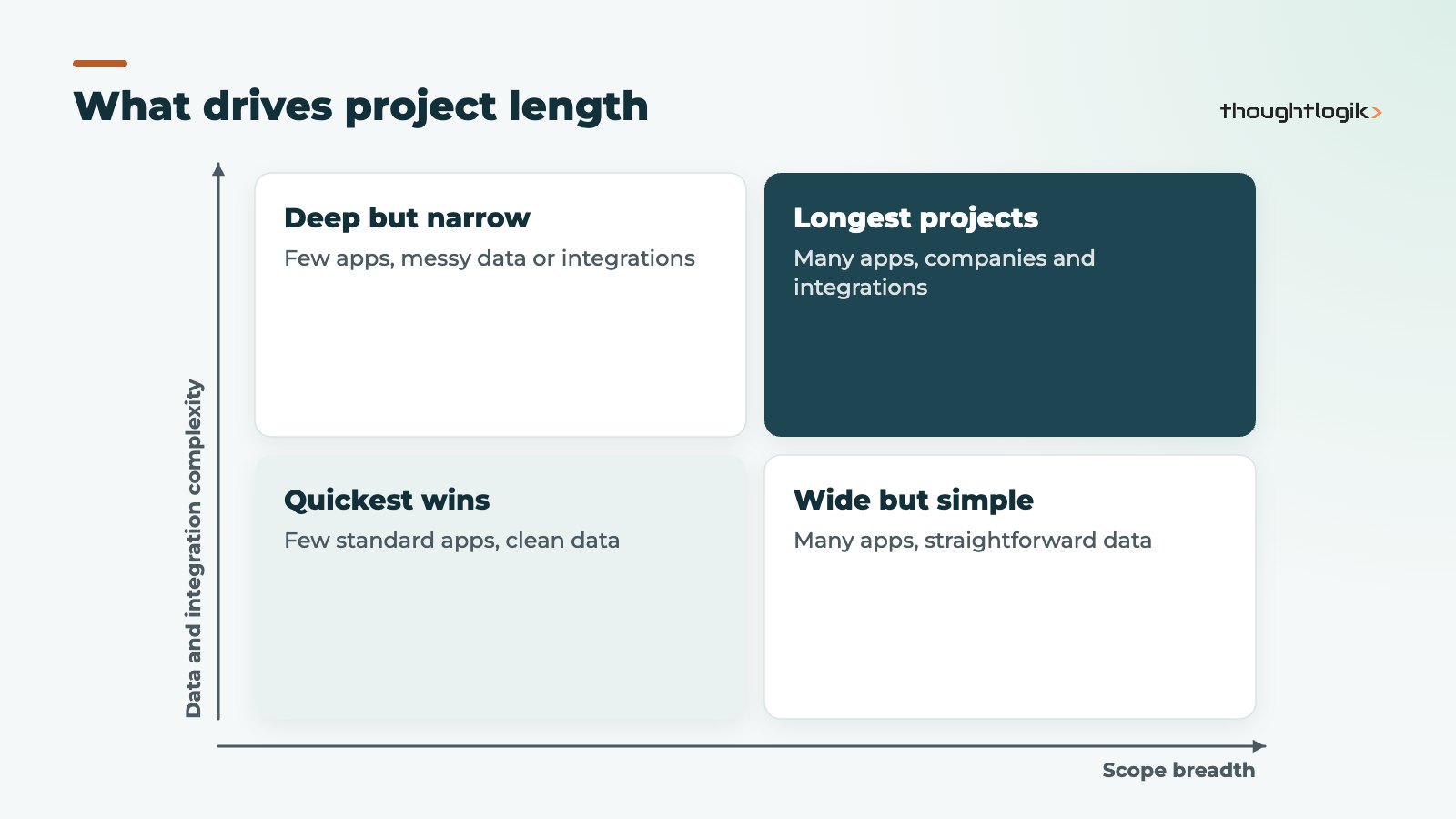
- Scope, not software, sets the pace: each extra app, company or integration adds time.
- Data migration and user testing are the phases most often underestimated.
- Slow internal decisions delay projects more than technical work does.
- Phased rollouts reach a first go-live sooner and reduce risk.
- Plan go-live around your financial calendar, ideally a period or year end.
“How long will it take?” is usually the second question we hear after “how much?”. The honest answer is that it depends, but it depends on things you can identify and control. This guide sets out the Odoo implementation phases, what makes each one longer or shorter, and how to plan a realistic date.
How long does Odoo implementation take?
How long does Odoo implementation take for a typical UK SME? There is no fixed figure, and any partner quoting one before understanding your processes is guessing. What we can say with confidence is how projects group:
| Project shape | Typical profile | Relative timeline |
|---|---|---|
| Focused rollout | One company, a few standard apps (for example CRM, Sales, Invoicing), light data | Shortest; often weeks rather than months |
| Core ERP | Accounting, Inventory, Purchase and Sales with migration from Sage, Xero or QuickBooks | Medium; driven by data and finance sign-off |
| Complex operations | Manufacturing, multiple warehouses or companies, several integrations | Longest; usually several months, often phased |
The Odoo implementation timeline also depends on hosting. Odoo Online is fastest to start, while Odoo.sh and on-premise add environment and deployment work. Our comparison of Odoo Online vs Odoo.sh vs on-premise explains the differences.
What are the Odoo implementation phases?
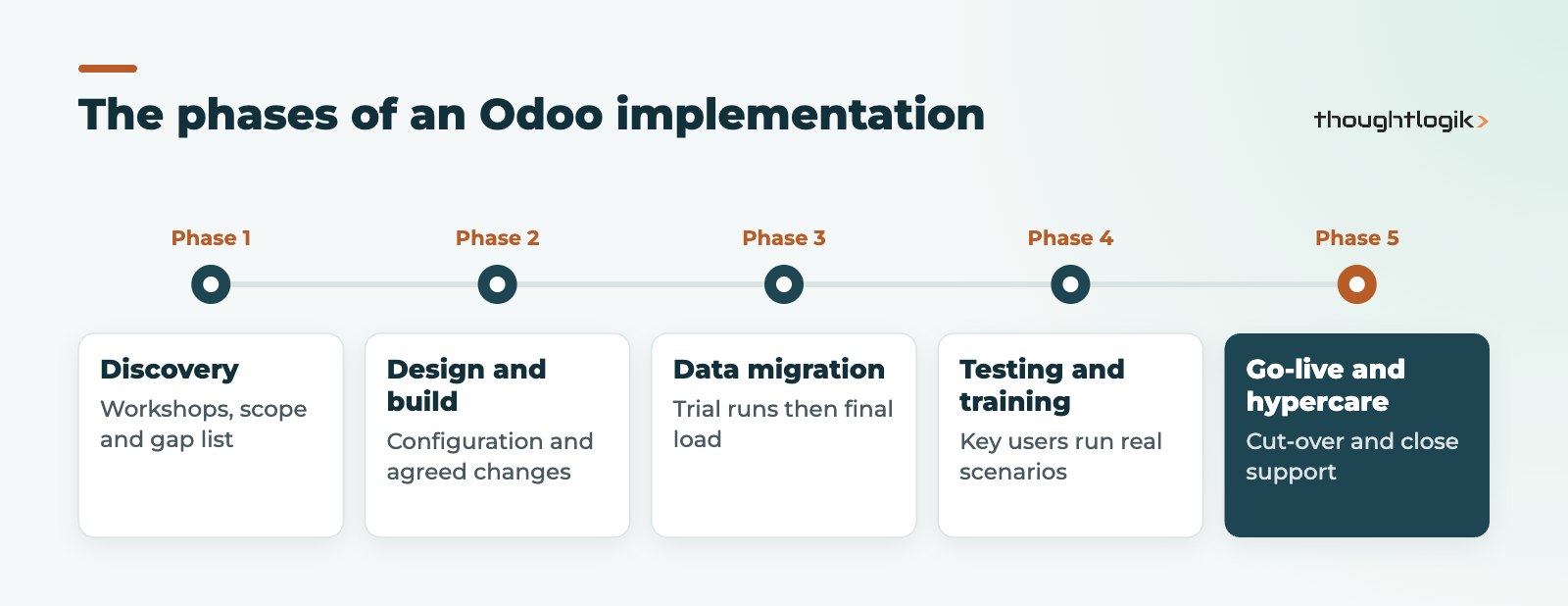
Most methodologies, including Odoo’s own and ours, follow a similar sequence. The names vary but the work does not.
1. Discovery and analysis
Workshops map how you quote, buy, make, ship and invoice today. The output is a scope document and a list of gaps between your processes and standard Odoo. A clear discovery phase is the single best protection for your Odoo implementation timeline, because late scope changes are what push dates.
2. Solution design and configuration
The partner configures Odoo to fit: chart of accounts, taxes, warehouses, routes, approval rules and user rights. Where standard features fall short, decide early between configuration, Studio changes or custom modules. Our guide to Odoo customisation vs configuration helps with that call.
3. Data migration
Customers, suppliers, products, prices, open orders, open invoices and opening balances all move across. Expect at least one trial migration before the final one. See our Odoo data migration guide for what to clean first.
4. Testing and training
Key users run real scenarios end to end in a test database. This is where missing steps appear, and fixing them before go-live is far cheaper than after.
5. Odoo go-live and hypercare
The final migration runs, balances are checked and users switch over. A short hypercare window follows, with fast support while people settle in. A well-planned Odoo go-live usually happens at a period end so finance can close the old system cleanly.
What makes an Odoo implementation timeline longer?
The same factors appear on most delayed ERP projects, whatever the software:
- Unclear ownership. Without an internal project lead who can make decisions, questions wait days for answers.
- Scope creep. “While we are at it” requests added mid-build reset testing.
- Poor source data. Duplicate customers, inconsistent product codes and unreconciled ledgers slow every migration run.
- Heavy customisation. Custom code needs specification, development, testing and future upgrade effort.
- Integrations. Each connection to ecommerce, EDI, payroll or logistics systems adds design and testing work.
- Staff availability. Key users still have day jobs; testing slips when nobody is freed up.
How do you shorten your ERP implementation timeline?
A shorter ERP implementation timeline rarely comes from working faster. It comes from doing less at once and deciding quickly.
- Phase the rollout. Go live with finance, sales and stock first, then add manufacturing, field service or ecommerce once the core is stable.
- Adopt standard processes where you can. Odoo’s standard flows are well tested; bending your process slightly is often better than bending the software.
- Clean data before the project starts. Archive dead customers and products, and reconcile ledgers.
- Name a decision maker. One person with authority to sign off design choices within days, not weeks.
- Protect testing time. Book key users into testing sessions in advance.
Does a phased Odoo implementation timeline cost more?
Not necessarily. Phasing adds some repeated activity, such as extra training and go-live checks, but it lowers risk and gets value earlier. For a breakdown of what drives budget, read our guide to Odoo implementation cost factors.
Planning your Odoo go-live date
Work backwards from a sensible go-live date rather than forwards from a kick-off. Good go-live points are the start of a VAT quarter, a month end or the financial year end, because opening balances are simplest there. Avoid your busiest trading period, and allow time for a final migration rehearsal. If you are replacing Sage, our Sage to Odoo migration guide covers the cut-over in detail.
What does Odoo recommend for the finance cut-over?
Odoo’s own Accounting onboarding documentation splits the finance switch into three stages: install the right fiscal localisation when the database is created, configure master data (chart of accounts, journals, taxes, payment terms, products and contacts) before implementation, then import opening entries at go-live. Those opening entries are the trial balance, open customer invoices and supplier bills, and stock counts. The documentation also recommends transitioning at the end of the fiscal year where possible, to reduce the amount of data that has to move. Building those three stages into your plan from day one stops the finance workstream becoming the critical path late in the project.
In practice we schedule at least one full rehearsal of this cut-over. Finance exports the trial balance and aged debtor and creditor reports from the old system, we load them into a copy of the new database, and the team checks the totals match to the penny. Any differences are fixed in the migration scripts, not by hand on go-live day.
How ThoughtLogik helps
We plan every Odoo implementation timeline around your business calendar and agree phases, owners and milestones before any build starts.
- Structured discovery to fix scope early
- Phased delivery plans with clear go-live criteria
- Trial migrations and user acceptance testing built into the plan
- Hypercare and ongoing support after go-live
Read more about how we deliver or our Odoo implementation service.
Frequently asked questions
What is a realistic Odoo implementation timeline for a small business?
A small business adopting a handful of standard apps with clean data can often go live within weeks. Add accounting migration, inventory or integrations and it becomes a matter of months.
Which Odoo implementation phases take longest?
Data migration and testing, because both depend on your team’s time and the quality of your existing data.
Can we go live before every module is ready?
Yes. A phased rollout puts core apps live first and adds others later, which is often the safer approach.
Does hosting choice change the Odoo implementation timeline?
It can. Odoo Online needs no server setup, while Odoo.sh and on-premise deployments add environment, deployment and testing work to the plan.
When is the best time for an Odoo go-live?
At a period or financial year end, outside your peak trading season, so balances transfer cleanly and staff have time to adjust.
Need a realistic plan for your project? We will map your scope and suggest a phased timeline. Book a free consultation or see our Odoo implementation service.





