Short answer
Odoo Purchase manages buying from request for quotation to paid bill: you send RFQs, confirm purchase orders, receive goods into stock and record vendor bills against the order. Purchase agreements handle blanket orders and competitive tenders, and the bill control policy plus three-way matching let finance check that billed quantities match what was ordered and received before paying.
Key takeaways
- RFQs become purchase orders on confirmation, and reordering rules can create RFQs automatically.
- Vendor pricelists hold supplier prices, minimum quantities and lead times per product.
- Purchase agreements cover blanket orders and calls for tenders.
- The bill control policy decides whether you bill on ordered or received quantities.
- Three-way matching flags vendor bills that exceed what has been received.
Purchasing is where margin quietly leaks: a price not updated, goods paid for that never arrived, or a duplicate order placed because nobody could see the first one. For UK distributors, manufacturers and retailers, the Odoo Purchase app joins buying, stock and accounts so those gaps close.
How does Odoo Purchase work?
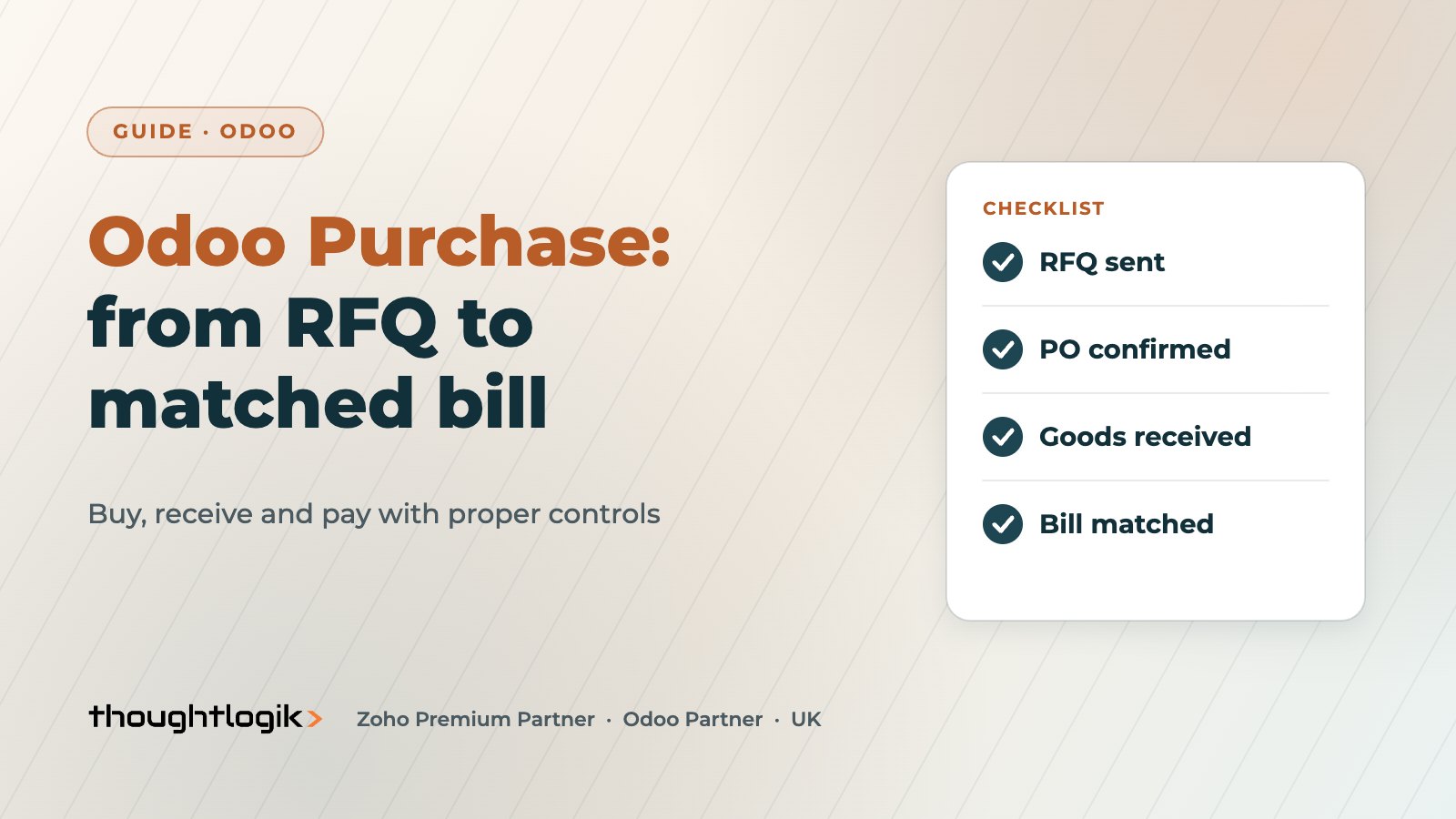
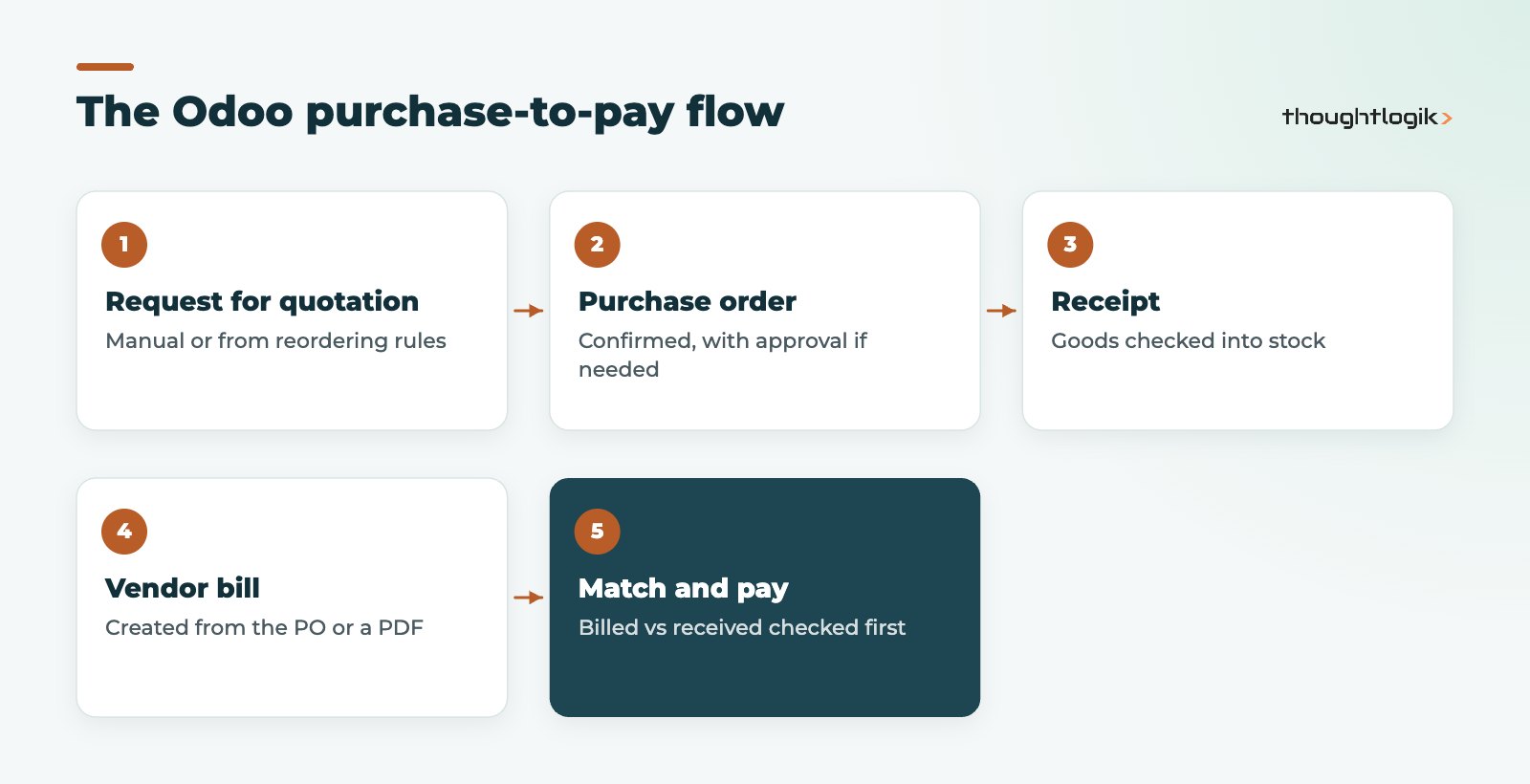
The Odoo Purchase flow uses a small set of linked documents. A request for quotation (RFQ) goes to the supplier. When the supplier confirms, you confirm the RFQ and it becomes a purchase order. Goods are received against the order in Odoo Inventory, and the supplier’s invoice is recorded as a vendor bill linked to the same order.
Creating RFQs and purchase orders
Buyers can create RFQs by hand, but in a stocked business many are generated automatically. Reordering rules in Odoo Inventory create or add to RFQs when stock falls below a minimum, and make-to-order routes can create them from a sales order. Our Odoo inventory management guide explains replenishment in detail.
RFQs can be emailed from Odoo, and the supplier’s confirmation date and expected arrival are tracked on the order. If you need spend control, Odoo’s purchase order approval setting requires a manager to approve purchase orders above an amount you set.
Vendor pricelists and lead times
Each product can hold vendor pricelist lines with the supplier, price, minimum quantity, currency and delivery lead time. Odoo uses these to pre-fill prices on RFQs and to calculate when to reorder. Keeping them current is one of the most valuable Odoo purchase housekeeping tasks, because it stops buyers relying on memory or old emails.
What are purchase agreements in Odoo?
Purchase agreements are enabled in the Purchase settings and cover two common situations.
| Agreement type | What it does | When to use it |
|---|---|---|
| Blanket order | Long-term agreement with a supplier for set products and prices, with orders called off as needed | Regular buying from a preferred supplier at negotiated prices |
| Call for tenders | Sends RFQs for the same need to several suppliers so offers can be compared | Larger or one-off purchases where you want competitive quotes |
Recent Odoo versions also let you create alternative RFQs for different suppliers from an existing RFQ and compare them line by line before choosing the best offer.
Managing vendor bills in Odoo Purchase
Vendor bills can be created directly from the purchase order, which copies the products, quantities and prices, so finance only needs to check the supplier’s figures. Bills can also be uploaded as PDFs, and Odoo can read key details from them using its digitisation service, depending on your subscription. Once posted, bills flow into Odoo Accounting for payment runs and reconciliation. See our Odoo accounting UK guide for the finance side, and our Odoo landed costs guide if freight and duty need adding to stock value.
How does three-way matching work in Odoo?
Three-way matching compares the purchase order, the goods receipt and the vendor bill before payment. In Odoo, it depends on two settings working together.
The bill control policy
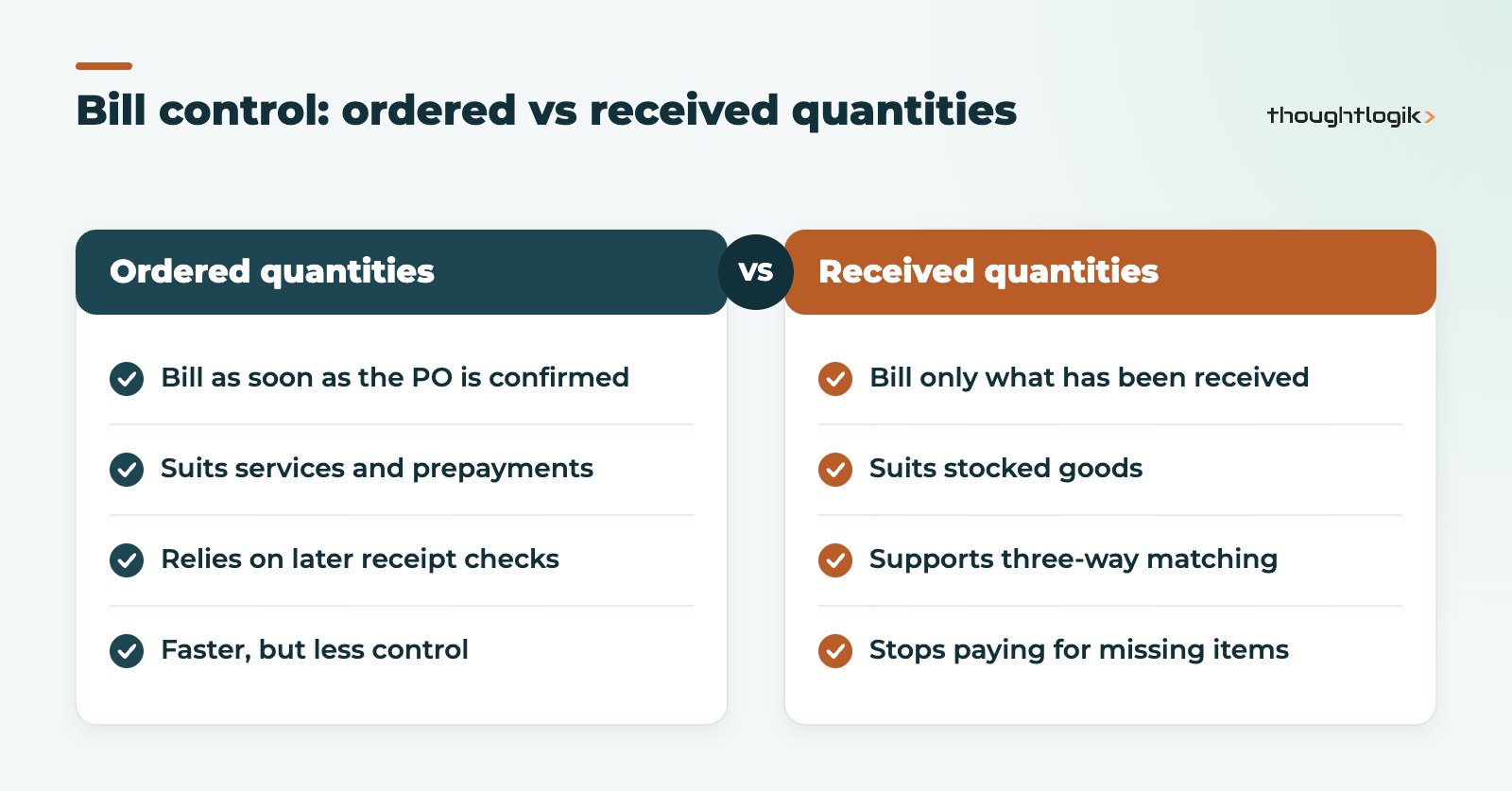
Each product has a bill control policy: bill on ordered quantities or on received quantities. With ordered quantities, the full order can be billed as soon as it is confirmed, which suits services or prepayments. With received quantities, Odoo only proposes billing for what has actually been received. Odoo’s documentation on bill control policies explains the options.
The three-way matching setting
When three-way matching is enabled in the Purchase settings, each vendor bill shows whether it should be paid. In short, a bill whose quantities are covered by receipts is marked as payable, a bill for goods not yet received is marked as not to be paid yet, and a bill for more than has been received is flagged as an exception for review. Finance teams can filter on this before each payment run, so exceptions are resolved with the supplier rather than paid by mistake.
Partial deliveries, returns and price differences
Real purchasing is rarely tidy, and the way Odoo handles exceptions matters as much as the happy path.
- Partial deliveries. If a supplier sends part of an order, stores validate what arrived and Odoo can create a backorder for the rest. With billing on received quantities, only the delivered part is proposed for billing.
- Supplier returns. Goods sent back are recorded as a return against the original receipt, which reduces the received quantity. A credit note from the supplier can then be recorded against the order.
- Price differences. If the bill price differs from the purchase order, finance can see the difference on the bill before posting. Decide in advance who can accept a price change and whether vendor pricelists should be updated.
- Cancelled lines. Cancel lines the supplier cannot fulfil, rather than leaving them open, so outstanding order reports stay accurate.
Writing these rules down before go-live saves many arguments between buyers, stores and finance later, and gives new staff a clear reference.
Odoo purchase reporting
The purchase analysis report shows spend by supplier, product, buyer and period, with pivot and graph views for drilling down. Useful measures include ordered versus received quantities, average prices and lead-time performance. Many businesses add purchase figures to a management dashboard alongside sales and stock; see our Odoo reporting guide.
Tips for a clean Odoo purchase set-up
- Decide the bill control policy per product category before loading products, so it is consistent.
- Set up vendor pricelists during data migration rather than after go-live.
- Use purchase order approval thresholds that match your delegated authority policy.
- Agree who owns three-way matching exceptions: buyers, stores or finance.
- Train stores staff to receive exactly what arrived, including partial deliveries and backorders. Matching is only as good as receipts.
For wholesale and distribution businesses, these controls often pay for themselves quickly because purchasing volumes are high and margins are thin.
How ThoughtLogik helps
ThoughtLogik is a UK Odoo Partner. We design Odoo purchase processes that give buyers speed and finance control.
- Purchase-to-pay process mapping and approval rules.
- Vendor pricelists, reordering rules and lead times.
- Bill control and three-way matching set-up with finance.
- Supplier and open purchase order migration during Odoo implementation.
Frequently asked questions
Is Odoo Purchase available in Odoo Community?
The core Purchase app is available in both Community and Enterprise. Some related features and integrations depend on your edition, so check them against your requirements.
Can Odoo create purchase orders automatically?
Yes. Reordering rules and make-to-order routes in Odoo Inventory can generate RFQs automatically, which buyers then review and confirm.
Can suppliers confirm orders online?
Suppliers receive RFQs and purchase orders by email and can be given portal access to view their documents. Many businesses still record supplier confirmations manually.
Does three-way matching block payment?
It flags bills rather than hard-blocking them. Finance teams filter on the should-be-paid status and resolve exceptions before including bills in a payment run.
Can Odoo handle purchases in foreign currencies?
Yes. With multi-currency enabled in Accounting, purchase orders and vendor bills can be raised in the supplier’s currency, with exchange rates applied when bills and payments are posted.
Paying for goods you have not received? We can tighten your purchase-to-pay process in Odoo. Book a free consultation or see our Odoo solutions.