Short answer
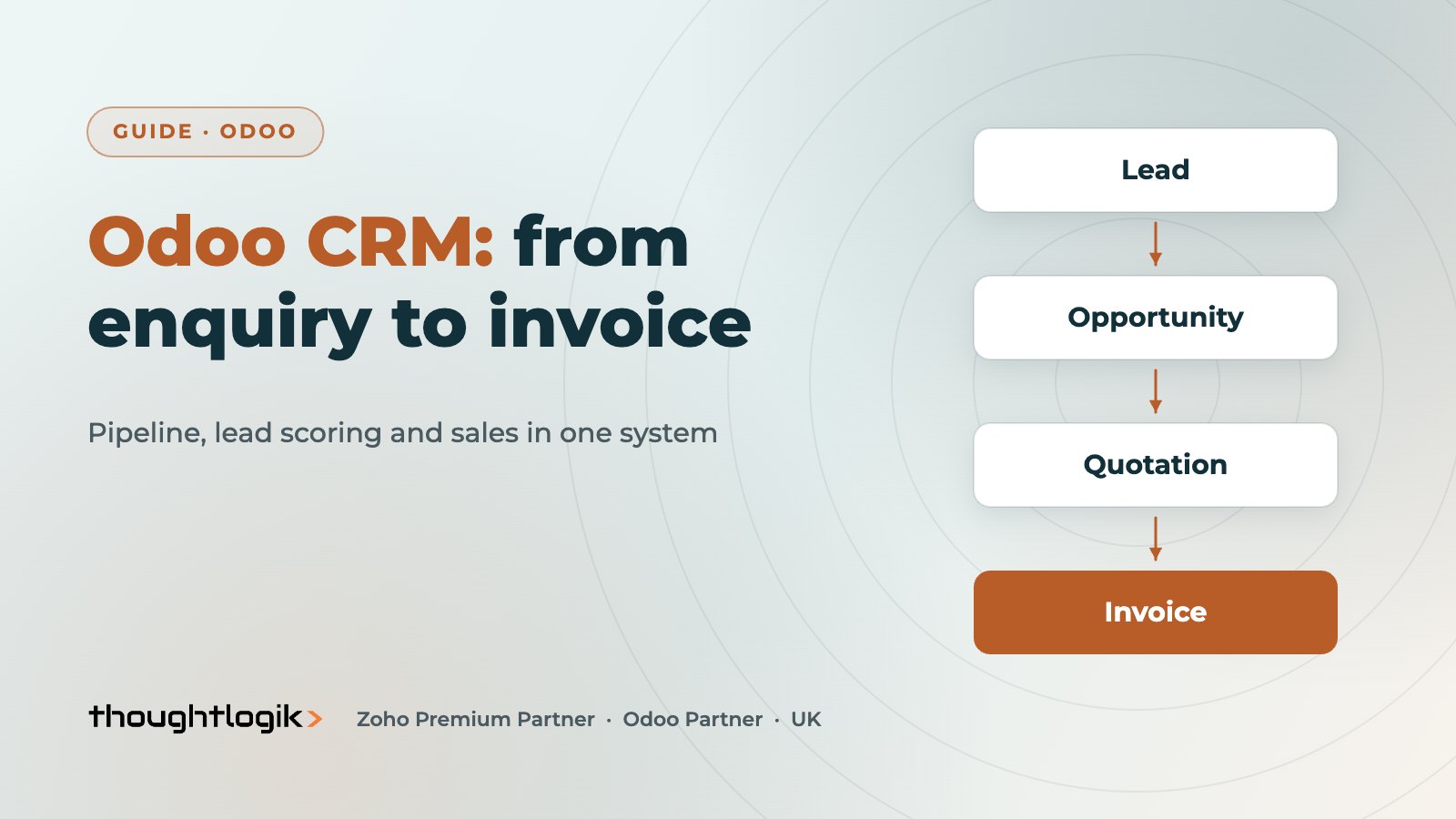
Odoo CRM is a pipeline-based CRM built into Odoo, so leads, opportunities, quotations, orders and invoices live in one system. Salespeople work a visual sales pipeline, predictive lead scoring estimates each opportunity’s chance of winning from your own history, and assignment rules route new leads to the right team. Its biggest advantage for UK SMEs is what happens after the deal: the quotation, stock, delivery and invoice follow without re-keying.
Key takeaways
- The pipeline is a kanban board of opportunities by stage, with activities and expected revenue.
- Enable leads if you want to qualify enquiries before they reach the pipeline.
- Predictive lead scoring learns from your won and lost opportunities.
- Assignment rules share new leads across sales teams and salespeople.
- Quotations are created from the opportunity in the Odoo Sales app.
Most UK SMEs that look at Odoo CRM already have a CRM of some sort: a spreadsheet, a standalone tool, or a CRM that stops at the quote. The pain is rarely the pipeline itself; it is the hand-off to operations and finance. This guide walks through how the CRM works in practice, from first enquiry to invoice, and how to set it up so salespeople actually use it.
How the Odoo CRM sales pipeline works
The heart of Odoo CRM is the sales pipeline: a kanban board where each card is an opportunity and each column is a stage, such as New, Qualified, Proposition and Won. Salespeople drag cards between stages, schedule activities (calls, meetings, emails, to-dos) and record expected revenue and closing dates.
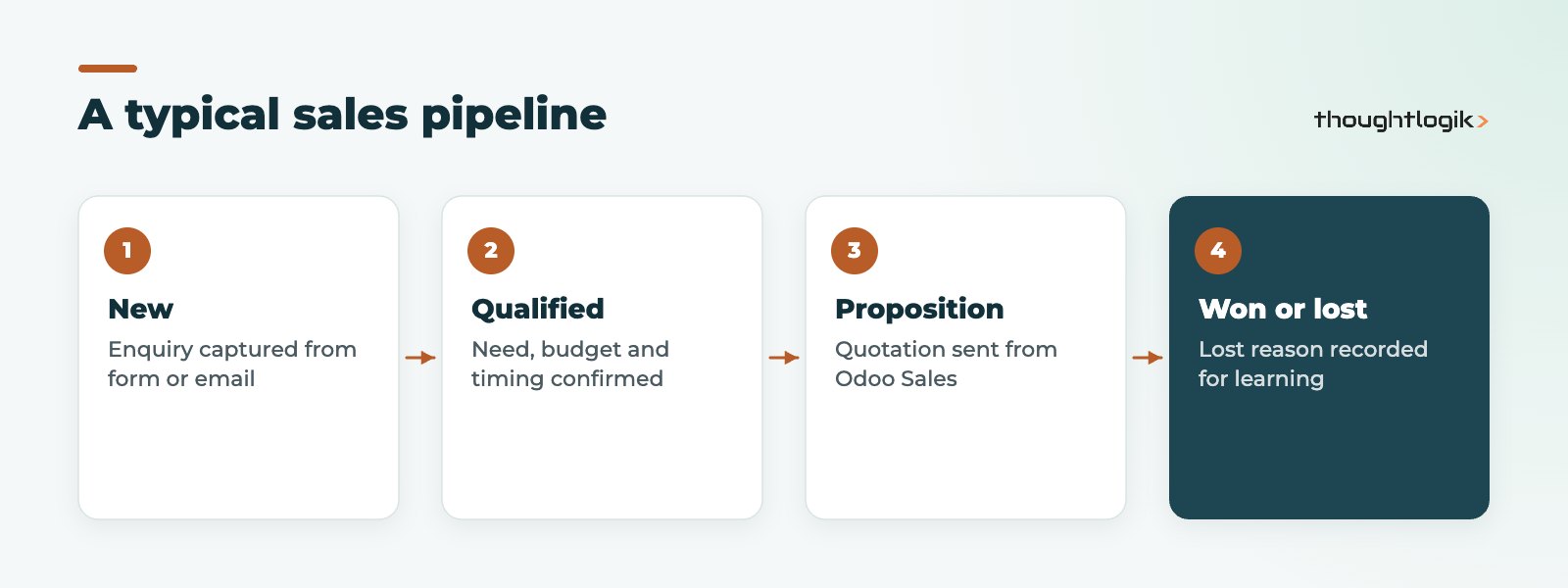
Each sales team can have its own pipeline stages, email alias for incoming enquiries, and targets. Managers get pipeline and forecast reports grouped by team, salesperson, stage or expected closing month.
Leads or opportunities: which do you need in Odoo CRM?
By default, every enquiry goes straight into the pipeline as an opportunity. If you receive lots of unqualified enquiries, turn on leads in the CRM settings. New enquiries then land in a separate leads list, where a qualifier checks them before converting the good ones to opportunities. This keeps the pipeline clean and the forecast honest.
| Setup | Best for | Trade-off |
|---|---|---|
| Opportunities only | Small teams with mostly qualified enquiries | Pipeline can fill with low-quality cards |
| Leads then opportunities | Marketing-led enquiries, inside sales, SDR teams | One extra step to convert each lead |
Where do leads come from?
- Website forms built with the Odoo website builder create leads directly.
- Email aliases per sales team turn incoming emails into leads or opportunities.
- Imports from spreadsheets or events.
- Lead generation tools that use Odoo’s paid in-app credits to find companies matching criteria.
- Integrations with other systems through the API. See our Odoo integrations service.
Predictive lead scoring in Odoo CRM
Predictive lead scoring gives each lead or opportunity a probability of success, calculated from your historical won and lost opportunities. The Odoo lead scoring documentation explains that you can choose which variables the model considers, such as country, source, tags and the quality of contact details, and from which date historical data is used.
Two practical points. First, predictive lead scoring is only as good as your history, so mark opportunities as lost with a reason rather than leaving them open. Second, salespeople can override the probability, which is useful but reduces the value of the model if done by habit.
How does lead assignment work?
Lead assignment uses rules on each sales team and salesperson. You define which leads a team should receive (for example by country, source or product interest) and how many leads each salesperson can take over a period. Odoo can then distribute new leads automatically on a schedule or when you run assignment manually. This avoids the common problem of the fastest responder taking every good lead.
From opportunity to invoice: the Odoo Sales app hand-off
This is where Odoo CRM differs from standalone tools. From an opportunity, the salesperson creates a quotation in the Odoo Sales app, using products, pricelists, optional products and quotation templates. The customer can review and sign the quote online and pay if you allow it. Once confirmed, the order drives delivery in Inventory, a manufacturing order if needed, and the invoice in Accounting.
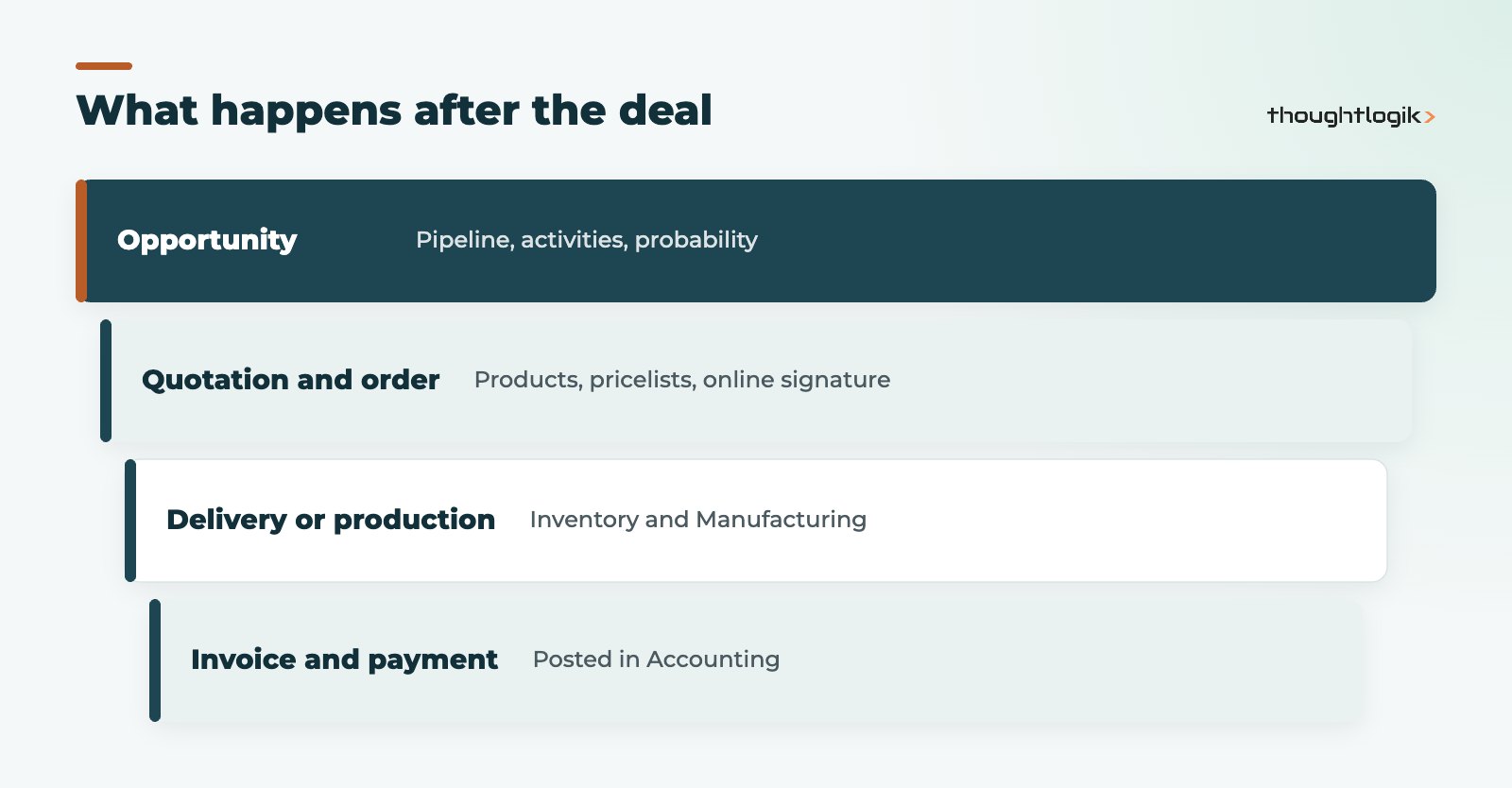
Because everything is linked, anyone viewing the opportunity can see the quotation, order, delivery status and invoice. ThoughtLogik also publishes an Odoo app for integrated numbering across CRM and Sales, for businesses that want one reference from enquiry to order.
Which reports should sales managers use?
Good reporting is what turns a pipeline from a to-do list into a management tool. The views we set up first for most UK sales teams:
- Pipeline by stage and salesperson: where deals are stuck, and who has too many or too few.
- Forecast by expected closing month: expected revenue weighted by probability, so the forecast reflects the scoring rather than optimism.
- Won and lost analysis: win rate by source, team and lost reason. This is the feedback loop for marketing spend.
- Activity reports: overdue activities by salesperson, the simplest early warning that deals are being neglected.
Why CRM projects stall, and how to avoid it
The common causes are rarely technical. Too many stages, too many mandatory fields, and managers who still ask for updates by email all tell salespeople the system is optional. Start small, make the pipeline the only place forecasts come from, and review the activity report in the weekly sales meeting. Adoption follows quickly when the team sees that updating the record saves them a report.
Setting up Odoo CRM so people use it
- Agree stages with the sales team. Few stages, each with a clear exit rule.
- Set up sales teams with their own pipeline, email alias and targets.
- Decide on leads and lead assignment rules.
- Import contacts and open deals with owners and next activities.
- Define lost reasons so reporting and scoring learn something.
- Connect email and calendar so activity is captured without extra typing.
Resist the urge to customise heavily on day one. Our guide to Odoo customisation vs configuration explains when a change is worth making.
Odoo CRM vs Zoho CRM
If your priority is a deep standalone CRM with extensive sales automation, Zoho CRM is a strong option. If you want sales, stock, manufacturing and finance in one system, Odoo is usually the better fit. We compare both in Odoo vs Zoho.
How ThoughtLogik helps
ThoughtLogik is a UK Odoo Partner and Zoho Premium Partner, so we can advise on either CRM without bias.
- Pipeline, stage and sales team design with your sales leaders.
- Lead capture, lead assignment rules and predictive lead scoring set up and tuned.
- Quotation templates, pricelists and the hand-off to operations.
- Data migration from spreadsheets or another CRM as part of an Odoo implementation.
Frequently asked questions
Is Odoo CRM free?
CRM is available in both Odoo Community and Enterprise, and Odoo Online offers a free plan limited to one app. Some features and integrations depend on your edition and plan; see our Odoo pricing guide for how licences work.
Can Odoo CRM send marketing emails?
Marketing emails are handled by Odoo’s Email Marketing app, which uses the same contacts and can create leads from responses.
Does Odoo CRM work on mobile?
Yes. Odoo runs in a mobile browser and through the Odoo mobile apps, so salespeople can update opportunities and log activities on the road.
Does it work with Outlook and Gmail?
Yes. Odoo provides mail plugins for Outlook and Gmail, so salespeople can create leads and log emails against contacts without leaving their inbox. Calendar synchronisation keeps meetings aligned with scheduled activities.
Can we migrate from another CRM?
Yes. Contacts, companies, open opportunities and activity history can be imported. Clean and de-duplicate the data first.
Want a CRM that connects to the rest of the business? We will map your sales process into Odoo before you commit. Book a free consultation or read about AI features in Odoo.