
Short answer
Duplicate records in Zoho CRM usually come from web forms, imports, integrations and manual entry that do not check for existing records. You can clean them up with the Deduplicate tool for bulk merges or Find and Merge Duplicates on individual records, both of which merge up to three records at a time. To prevent them, mark key fields such as email as unique, set import and integration rules to update existing records, and standardise how data is entered.
Key takeaways
- Most duplicates come from web forms, spreadsheet imports, integrations and sync tools, not just manual entry.
- The Deduplicate tool works in Leads, Accounts, Contacts, Deals, Vendors and custom modules, using up to three matching fields.
- Merges are permanent: duplicate records are deleted and the action cannot be undone, so back up first.
- Unique fields, available in paid editions, block new records that match an existing value.
- Standardised company names, UK addresses and company numbers make duplicates far easier to prevent and detect.
Duplicate records are one of the most common problems we see in Zoho CRM accounts. Two contacts for the same person means split email history, reps calling the same prospect twice, inflated pipeline reports and customers receiving the same campaign more than once. Under UK GDPR, duplicates also make it harder to honour an opt-out or a subject access request reliably. The good news is that Zoho CRM has solid built-in tools to fix them, as long as you use them in the right order.
Why duplicate records happen in Zoho CRM
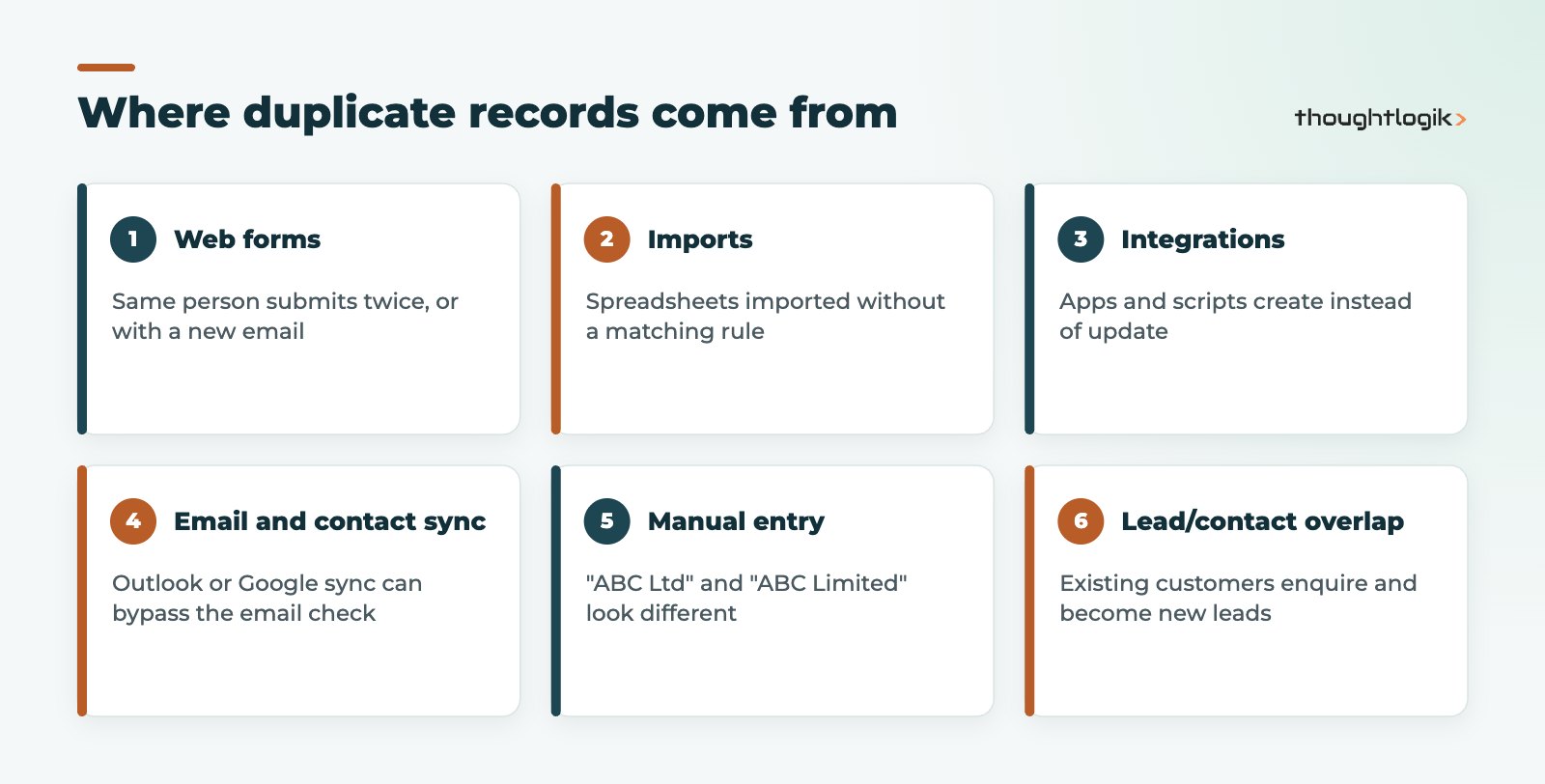
- Web forms: the same person fills in a contact form twice, or uses a different email address the second time.
- Imports: spreadsheets from events, old systems or purchased lists are imported without a matching rule, so existing records are added again.
- Integrations: connected apps, custom scripts or third-party tools create records instead of checking for and updating existing ones.
- Email and contact sync: syncing with tools such as Outlook or Google Contacts can bring in records that bypass Zoho’s standard email duplicate check.
- Manual entry: reps create a new record because searching is slower, or because “ABC Ltd” and “ABC Limited” do not look the same.
- Lead and contact overlap: an existing customer submits an enquiry and becomes a new lead alongside their contact record.
Before you merge anything: back up
This point matters more than any other. When Zoho CRM merges records, the duplicates are deleted permanently and the merge cannot be undone. Zoho also notes that CRM does not keep a report listing which records were merged by the Deduplicate tool. Before a clean-up, export the affected modules or take a full data backup, and agree the rules for which record wins.
How to find and merge duplicates
Zoho CRM gives you two tools. Use the bulk tool for large clean-ups and the record-level tool for day-to-day fixes.
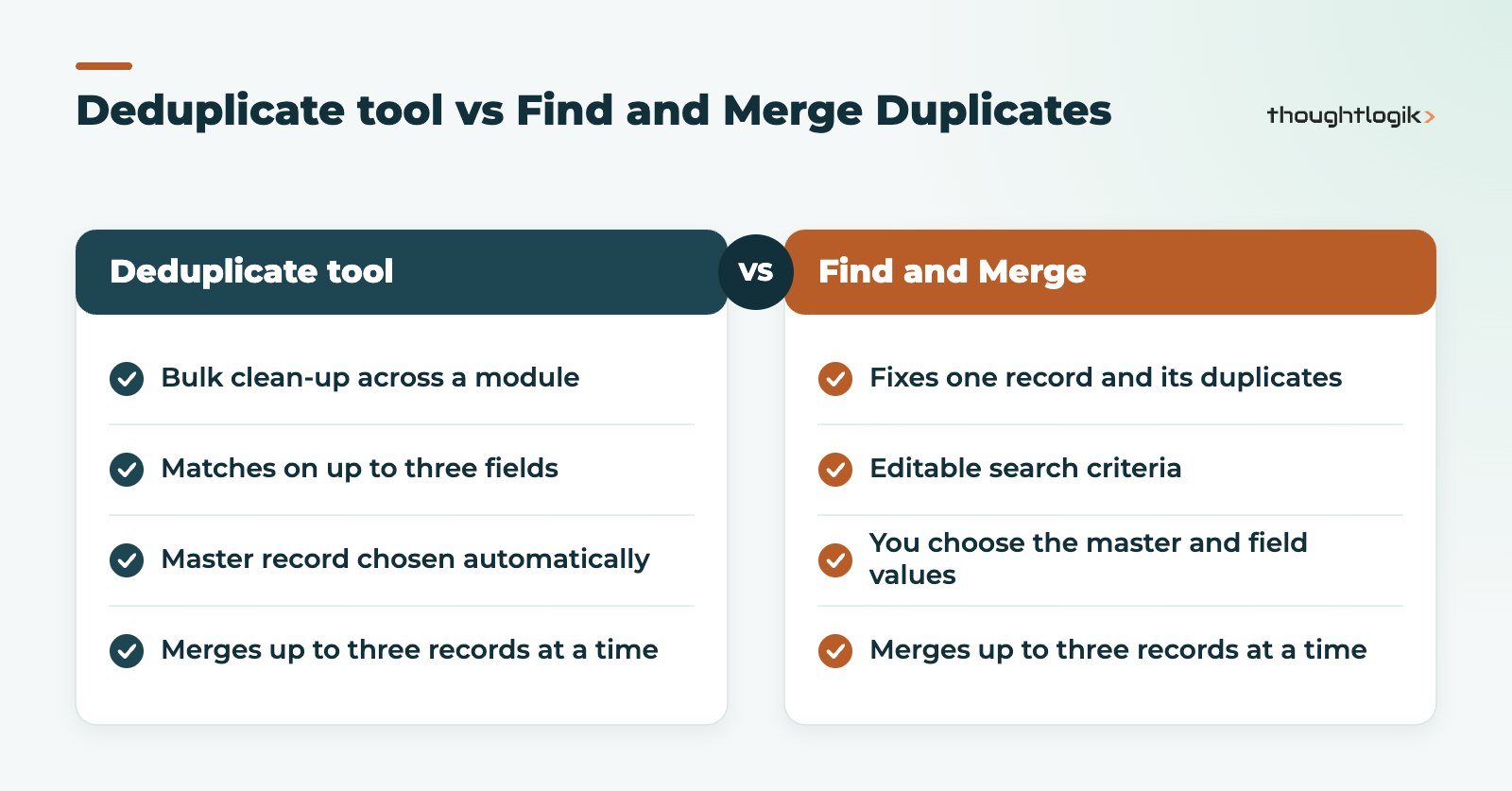
| Deduplicate tool | Find and Merge Duplicates | |
|---|---|---|
| Where | Module list view, Actions, Deduplicate | On a record, More menu, Find and Merge Duplicates |
| Best for | Bulk clean-up across a module | Fixing one record and its duplicates |
| Matching | Up to three fields, starting from unique fields | Editable search criteria |
| Master record | Chosen automatically: the most recent Last Activity Time | You choose, and pick which field values to keep |
| Records per merge | Up to three | Up to three |
| Who can use it | Administrators or users at the top of the role hierarchy | Users with the Find and Merge module permission |
Using the Deduplicate tool
- Open the module (Leads, Accounts, Contacts, Deals, Vendors or a custom module).
- Click Actions, then Deduplicate.
- Choose up to three fields to match on, such as Email, Phone and Last Name for contacts, or Account Name and Website for accounts.
- Review the matches. Where there are more than three duplicates, choose which three to merge.
- Run the merge. Related items such as emails, tasks, events and child records move to the master record.
Only one user per module can run deduplication at a time, and the master record is picked automatically, so review your matching fields carefully before you start.
Using Find and Merge Duplicates
- Open the record you suspect is duplicated.
- Click the More icon and choose Find and Merge Duplicates.
- Adjust the search criteria and click Search.
- Select the records to merge (at least two, up to three) and click Next.
- Choose the master record and, where fields conflict, choose the value to keep.
- Click Merge.
Attachments, notes, activities and related records move to the master. The merged record takes its Created Time and Created By values from the oldest record in the group, which helps preserve an accurate history.
How to prevent duplicate records for good
1. Use unique fields
Marking a field as unique makes Zoho CRM check existing records and block a new record with the same value. Unique fields are available in paid editions. Text, Email, Phone, Integer, Long Integer and URL fields can be unique. Most modules allow up to two unique fields, while Leads, Contacts and custom modules allow Email plus two more, and Products allows Product Code plus two more. Matching is not case-sensitive. Good candidates include email address, company registration number and your own customer reference.
2. Check leads against contacts
Zoho CRM can check new leads against existing contacts as well as leads, either against converted leads only or the whole Contacts module, using a unique field. Switch this on so existing customers who enquire again are recognised.
3. Control web forms
For web-to-lead and web-to-contact forms, Zoho checks the email address. When a duplicate is detected, the submission is sent for approval before it enters the module, even if lead or contact approval is otherwise switched off. Make sure someone owns that approval queue.
4. Import with a matching rule
When importing, choose whether to skip or update records that match an existing unique field value or record ID. Updating existing records is usually the right choice for event lists and data refreshes. For larger moves from another system, follow a planned data migration with cleansing before import.
5. Make integrations update, not create
Integrations should search for an existing record first, or use an upsert with defined duplicate check fields, rather than always creating a new record. Review every connected app, Zoho Flow and custom function. Our Zoho integrations team audits these as part of a clean-up.
6. Standardise the data itself
Duplicates hide behind inconsistent data. Validation rules, picklists and layout rules help, and two of our own Zoho CRM extensions address common UK causes:
- Companies House Verification checks company records against Companies House, so accounts carry a consistent registered name and company number that you can use as a unique field.
- UK Postcode Address Finder standardises UK addresses at entry, so the same site is not recorded three different ways.
7. Make checking a habit
Schedule a regular review with a custom view or report of likely duplicates, and train users to search before they create. If your team follows a guided process, a Zoho CRM Blueprint can prompt for key fields at the right moment.
How ThoughtLogik helps
ThoughtLogik is a Zoho Premium Partner based at Vulcan Works in Northampton. We clean up duplicate-heavy CRMs and put controls in place so the problem does not return.
- Data audits to measure duplicates and trace where they come from
- Safe, backed-up merge projects with agreed master record rules
- Unique field, web form, import and integration fixes
- Companies House and UK address extensions for cleaner B2B data
- Ongoing data hygiene through our Zoho optimisation service
Frequently asked questions
How do I find duplicate records in Zoho CRM?
Use the Deduplicate option under Actions in a module’s list view to find duplicates in bulk using up to three fields, or open a record and choose Find and Merge Duplicates to check that record.
How many records can I merge at once in Zoho CRM?
You can merge up to three records at a time. If there are more than three duplicates, you choose which three to merge first and repeat.
Can I undo a merge in Zoho CRM?
No. The merged duplicates are permanently deleted and the action cannot be reverted, so export or back up your data before any clean-up.
How do I stop duplicates being created in Zoho CRM?
Mark key fields such as email as unique, check leads against contacts, set imports to update existing records, make integrations search or upsert before creating, and standardise company and address data.
Does Zoho CRM check for duplicates from web forms?
Yes. Web-to-lead and web-to-contact forms check the email address, and duplicates are sent for approval before entering the module, even if approvals are otherwise switched off.
Is your Zoho CRM full of duplicates? We will audit your data and fix the causes, not just the symptoms. Book a free consultation or see our Zoho optimisation service.





