Short answer
Zoho CRM lead scoring uses scoring rules to add or subtract points from a lead based on who they are (field rules) and how they engage with you (touchpoint rules), so reps can work the hottest leads first. You build rules under Setup, Automation, Scoring Rules, and you can also let Zia calculate AI scores once you have enough data. The best results come from a simple, agreed model that you review against real wins.
Key takeaways
- Scoring rules work on Leads, Contacts and Deals, with touchpoint scoring limited to Leads and Contacts.
- Each rule can add positive points or subtract negative points, and Zoho CRM keeps separate score fields for each.
- A layout can hold up to ten rules, with up to five active, so different teams can score the same record differently.
- Zia Scores need a minimum amount of historical data before they switch on.
- Channel options depend on your edition: the Standard edition is limited to the Calls channel for touchpoints.
Most UK sales teams we meet have the same problem: plenty of leads, not enough time, and no shared view of which ones deserve a call today. Reps pick the names they recognise, marketing complains that good enquiries go cold, and the pipeline review turns into an argument. Lead scoring fixes that by putting an agreed number on every record. This guide explains how Zoho CRM lead scoring works, where the settings live, and how to design a model your team will actually use.
What is Zoho CRM lead scoring?
Zoho CRM lead scoring is a points system. You decide which attributes and behaviours signal a good prospect, attach a value to each, and the CRM keeps a running total on the record. Higher scores should mean a greater chance of conversion, which lets you sort views, trigger assignment rules, or alert a rep when a lead crosses a threshold.
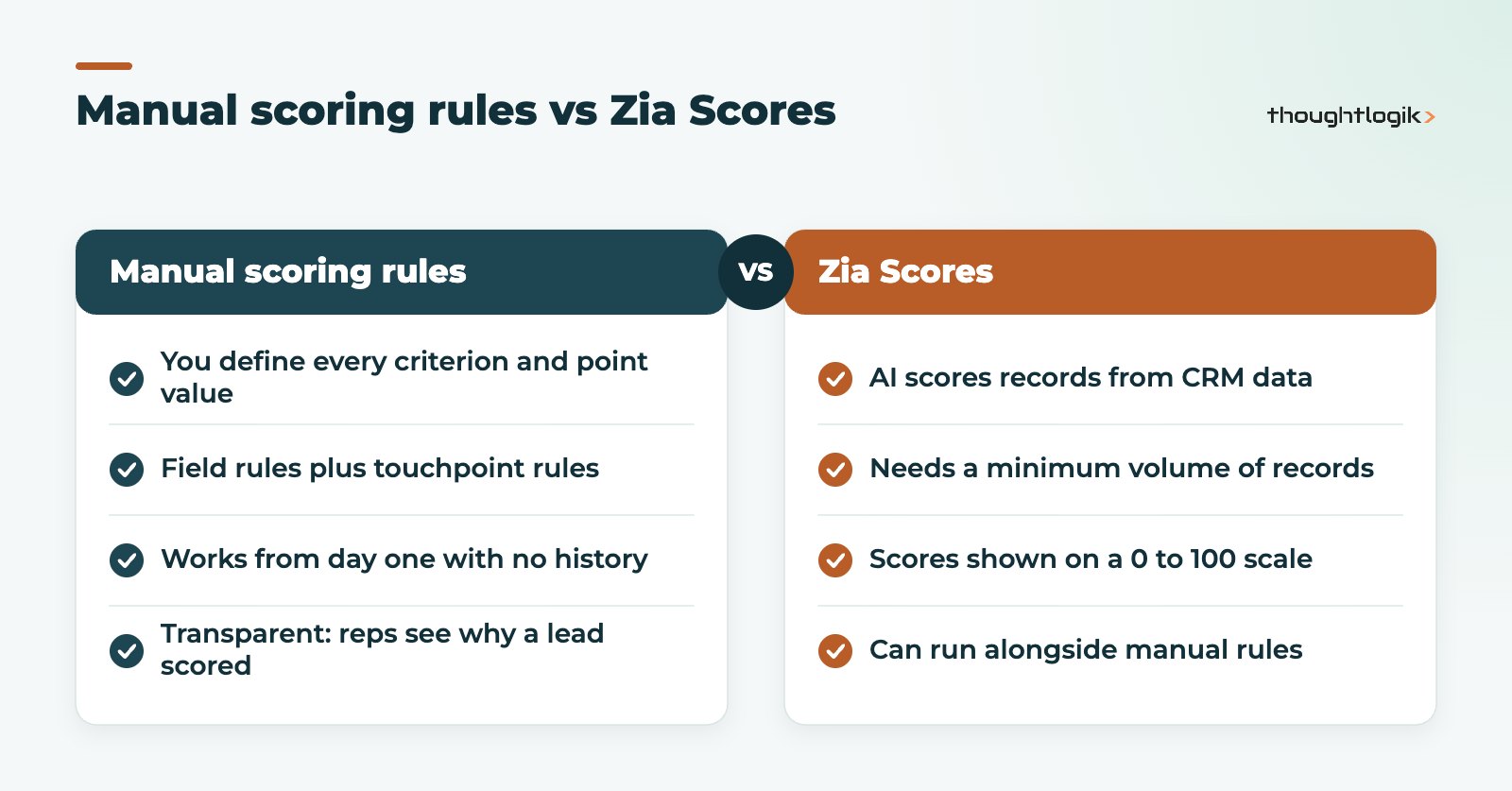
Zoho offers two approaches. Manual scoring rules follow criteria you define. Zia Scores use Zoho’s AI to score records from the data already in your account. You can use either, or both in the same module.
Field rules and touchpoint rules
Scoring rules are built from two kinds of criteria:
- Field rules score the data on the record itself, such as industry, company size, region or lead source. A manufacturer in your target sector might earn points; a student email address might lose them.
- Touchpoint rules score engagement, such as email opens and clicks, calls, webinar registrations or survey responses, depending on which channels and integrations your edition supports.
Zoho is clear that a touchpoint score can only be configured for Leads and Contacts, because those are the modules where you interact directly with prospects. Deals can still be scored on field rules.
Positive and negative scores
Every criterion either adds or subtracts points. Negative scoring matters as much as positive: an unsubscribe, a competitor domain or a job title outside your buyer group should pull a lead down. Zoho CRM can create up to six score fields per rule, including Positive Score, Negative Score, Positive Touchpoint Score, Negative Touchpoint Score, Total Touchpoint Score and Total Score. You choose which of these to show on the record.
How to set up scoring rules in Zoho CRM
You need the Manage Automation permission to create scoring rules. The steps below follow Zoho’s own help documentation for multiple scoring rules.
- Go to Setup, then Automation, then Scoring Rules, and click New Scoring Rule.
- Name the rule, choose Manual Score, then select the module and layout it applies to.
- Add field rules: set the criteria and the points to add or subtract for each.
- For Leads or Contacts, add touchpoint rules for the channels available to you, again with positive or negative values.
- Pick which score fields to display on records, save and activate.
Scores are recalculated as activity happens. If you use time windows such as “in the last 15 days”, older records are updated automatically so a lead that went quiet months ago does not keep a high score. Deactivating a rule stops new calculations but keeps the existing scores on records. Zoho’s multiple scoring rules help article covers each option in detail.
Multiple scoring rules per layout
Each layout supports up to ten scoring rules, of which five can be active at once. This is useful when sales and marketing define a good lead differently. Marketing can score for engagement while sales scores for fit, and both numbers sit side by side on the record.
What are Zia Scores and when should you use them?
Zia Scores are the AI option. Rather than you setting the criteria, Zia looks at module data, related records, activity history and signals, and produces scores on a 0 to 100 scale. According to Zoho’s documentation, Zia can generate several score types, including health, engagement, follow-up, conversion and field attribute scores, grouped into bands from “Needs improvement” to “Excellent”.
The catch is data. Zia needs a minimum volume of records before it can score, and for conversion and field attribute scores it needs examples of both good and poor outcomes to learn from. A business with a young CRM or messy historic data will get more value from manual rules first. If you want to go further with AI in the CRM, our guide to Zia AI in Zoho CRM explains what else it can do.
| Question | Manual scoring rules | Zia Scores |
|---|---|---|
| Who decides the criteria? | You do | Zia, from your data |
| Data needed to start | None | A minimum number of records |
| Easy to explain to reps? | Yes, every point is visible | Less so, it is a model output |
| Best for | New CRMs, clear ideal customer | Mature CRMs with clean history |
How to score leads: best practice for UK sales teams
The software is the easy part. The hard part of deciding how to score leads is agreeing what a good lead looks like. These are the practices we use on Zoho projects.
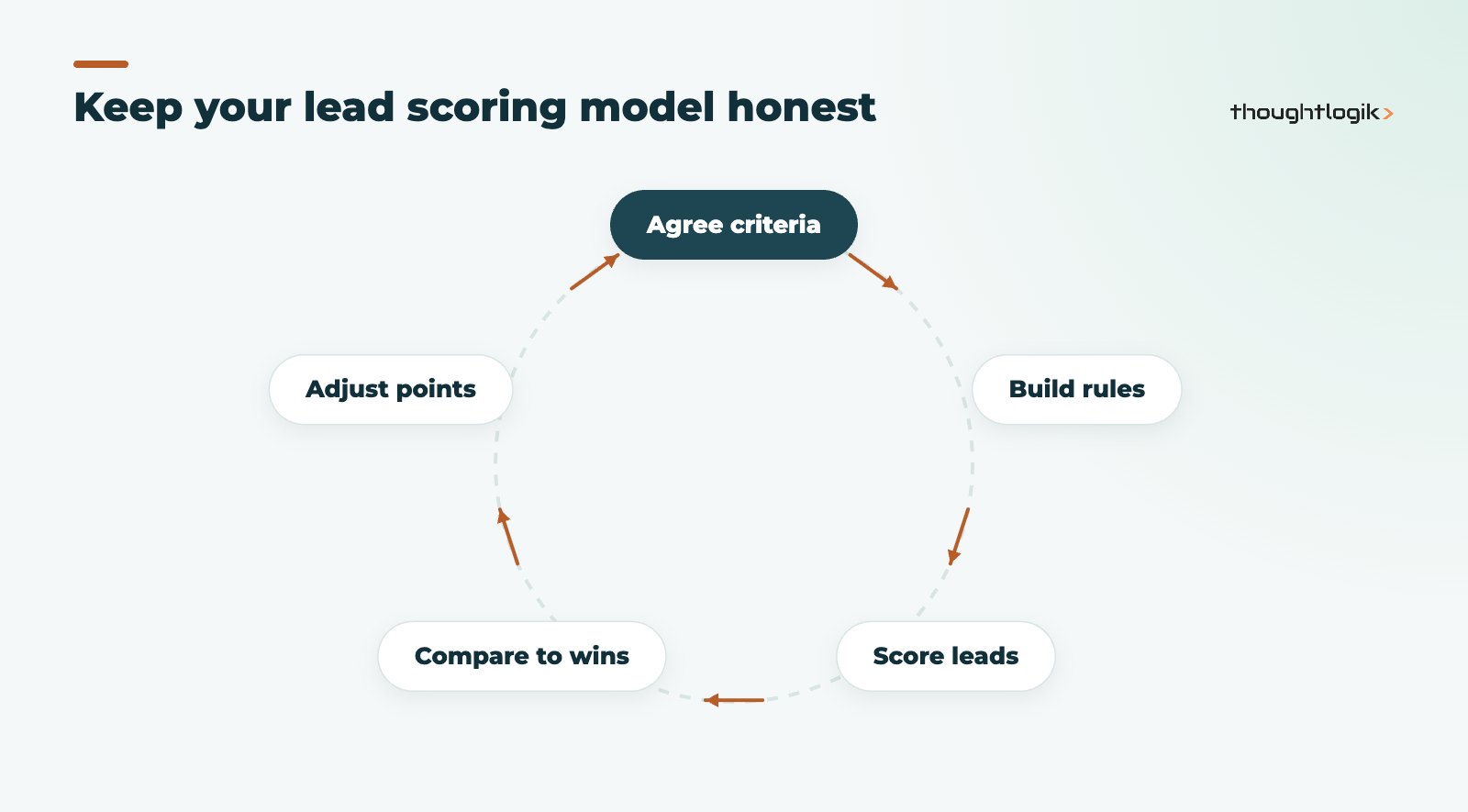
Start from closed deals, not opinions
Pull a report of the last year of won and lost deals and look for patterns in sector, size, source and engagement. Score what actually predicts a sale, not what the loudest person in the room believes. Our guide to Zoho CRM reports explains how to build that analysis accurately.
Keep the model small
Five to eight criteria are usually enough for Zoho CRM lead scoring. A model with thirty rules is impossible to explain, and reps stop trusting numbers they cannot explain.
Use the touchpoint score for timing, fit for priority
Fit tells you whether a lead is worth pursuing at all; the touchpoint score tells you when. A strong-fit lead who clicked a pricing email this morning should be at the top of the list.
Act on the score
A score nobody uses is decoration. Connect thresholds to workflow rules that assign leads, create tasks or notify the owner, and build views sorted by Total Score.
Review Zoho CRM lead scoring every quarter
Compare scores against outcomes. If high-scoring leads are not converting, the weights are wrong. Adjust and move on.
Common mistakes with Zoho CRM lead scoring
- No negative scoring. Without it, scores only go up and every old lead looks hot.
- Scoring on empty fields. If industry is blank on half your leads, a field rule on industry will mislead. Fix data capture on web forms first.
- Ignoring edition limits. On the Standard edition, touchpoint scoring covers only the Calls channel. Check the Zoho CRM editions comparison before designing a model around channels you do not have.
- Treating Zia as a shortcut. AI scores built on thin or inconsistent data will be unreliable.
How ThoughtLogik helps
As a UK Zoho Premium Partner, ThoughtLogik designs scoring models with your sales and marketing teams, then builds and tests them in Zoho CRM.
- Workshops to agree fit and engagement criteria from your real deal history.
- Scoring rules, views and automation configured as part of a wider Zoho CRM setup.
- Data clean-up so field rules score accurate information.
- Quarterly reviews through our Zoho optimisation service.
Frequently asked questions
Is Zoho CRM lead scoring available on every edition?
Scoring rules are available across paid editions, but channels differ. Zoho states that on the Standard edition, touchpoint criteria and scoring are available only for the Calls channel. Zia Scores are documented for Professional and above. Check your edition before designing the model.
Can I score contacts and deals as well as leads?
Yes. Scoring rules can be applied to Leads, Contacts and Deals. Touchpoint scoring, which measures engagement, can only be configured for Leads and Contacts.
What happens to scores if I deactivate a rule?
Existing scores stay on the records, but no new calculations are made. If you reactivate the rule, scoring resumes as originally configured.
How many scoring rules can I create?
Zoho allows up to ten scoring rules per layout, with up to five active at the same time, so different teams can apply their own criteria to the same records.
Should we use Zia Scores or manual scoring rules?
Start with manual scoring rules if your CRM is new or your data is patchy, because Zia needs a minimum amount of history. Once you have clean data and enough won and lost records, Zia Scores can run alongside your manual rules.
Leads going cold in your CRM? We can design and build a scoring model your reps will trust. Book a free consultation or see our Zoho CRM services.