Short answer
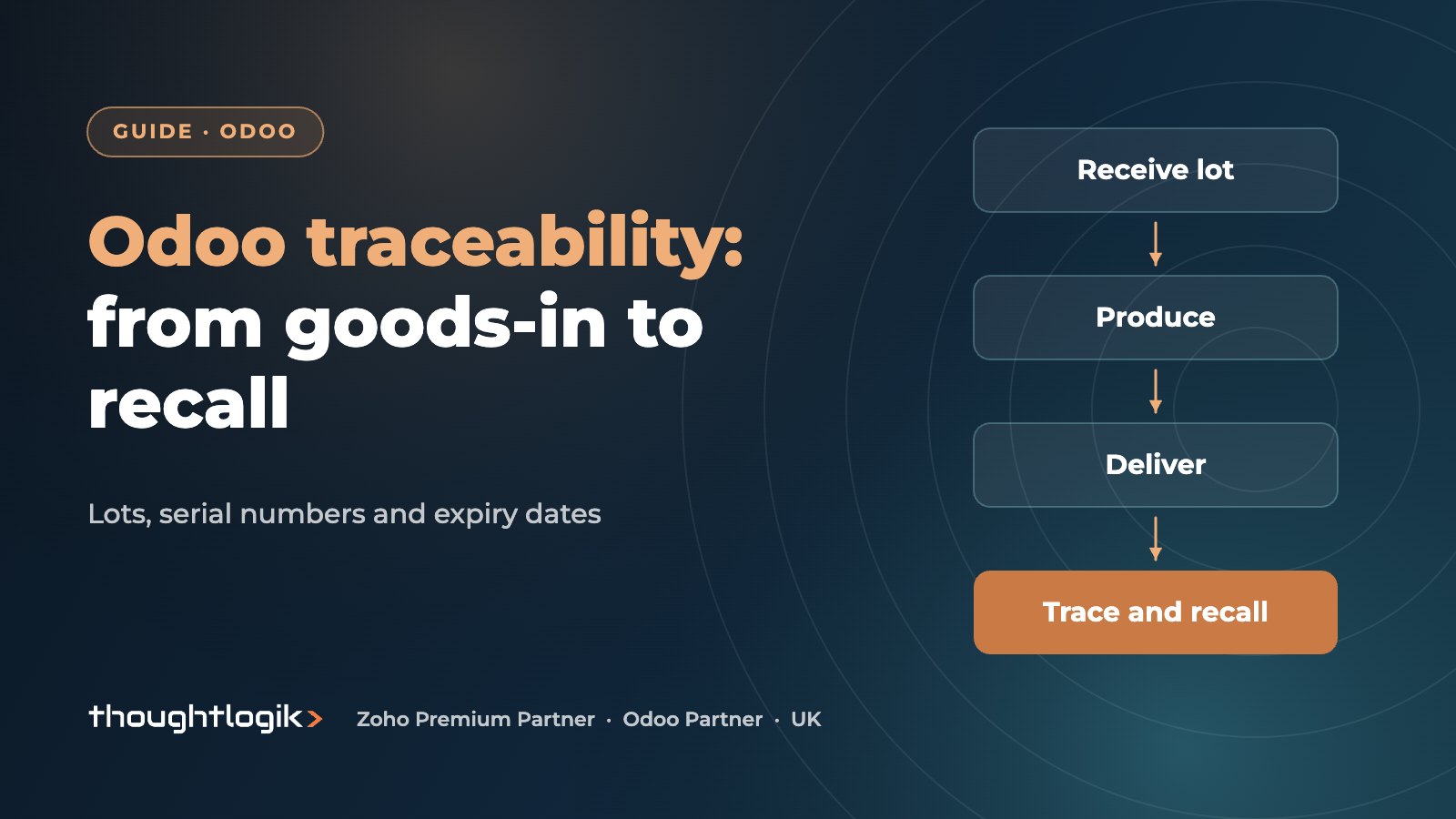
Odoo traceability works by tracking products by lot or by unique serial number, so every receipt, manufacturing order and delivery records exactly which batch moved where. The Traceability report then shows the full history of a lot in either direction, from supplier to customer. Add expiration dates and a First Expiry, First Out removal strategy and you have the basis for fast, targeted recalls.
Key takeaways
- Enable Lots & Serial Numbers in Inventory settings, then set tracking per product: by lots or by unique serial number.
- The Traceability report shows every movement of a lot, including source and destination locations.
- Expiration dates add best before, removal and alert dates to each lot.
- FEFO picking sends the lot closest to expiry out first, which cuts waste.
- A recall becomes a report and a customer list, not a week of spreadsheet work.
If you sell food, drink, components or anything with a warranty, you will eventually need to answer a simple question under pressure: which customers received this batch? Many UK SMEs still answer it with paper goods-in sheets and spreadsheets. This guide explains how Odoo traceability works in practice, how to set up lot tracking and expiry dates properly, and what a product recall looks like when the data is already in the system.
What is Odoo traceability and why does it matter?
Odoo traceability is the ability to follow a specific batch or individual unit through every stock movement in your business. Instead of knowing only that you received 500 units of a product, you know that you received lot A123 from a named supplier on a given date, used part of it in two production runs, and shipped the finished goods to specific customers.
For UK food businesses this matters because the Food Standards Agency expects you to be able to trace food one step back (who supplied you) and one step forward (who you supplied). Manufacturers of electrical goods, medical devices and machinery face similar expectations from customers and insurers. Even where regulation is light, traceability protects margin: a targeted recall of one lot is far cheaper than pulling an entire product line.
Lots vs serial numbers: which should you use?
Odoo gives each product one of three tracking options: no tracking, by lots, or by unique serial number. The choice depends on how you sell and support the item, not on how valuable it is.
| Tracking option | Best for | What you record |
|---|---|---|
| By lots | Food, drink, chemicals, packaging, batch-produced parts | A lot number shared by many units from the same batch |
| By unique serial number | Machines, electronics, tools, anything with a warranty | One serial number per individual unit |
| No tracking | Low-risk consumables and non-regulated items | Quantity only |
When Odoo lot tracking is the right choice
Use Odoo lot tracking when a recall or quality issue would affect a whole batch. A bakery ingredient, a pallet of bottled drinks or a run of moulded parts all fit this model. Lots keep data entry light because one number covers many units.
When Odoo serial numbers are the right choice
Use Odoo serial numbers when you need to know the history of each individual item: who bought it, when it was serviced, and whether it is under warranty. Serial tracking means scanning every unit, so plan for barcode scanners in the warehouse. Our guide to barcode scanning in the Odoo warehouse covers how to keep that fast.
How to set up Odoo traceability step by step
The setup is straightforward, but the decisions you make at the start (numbering, which products to track, how expiry is calculated) shape how useful the data is later.
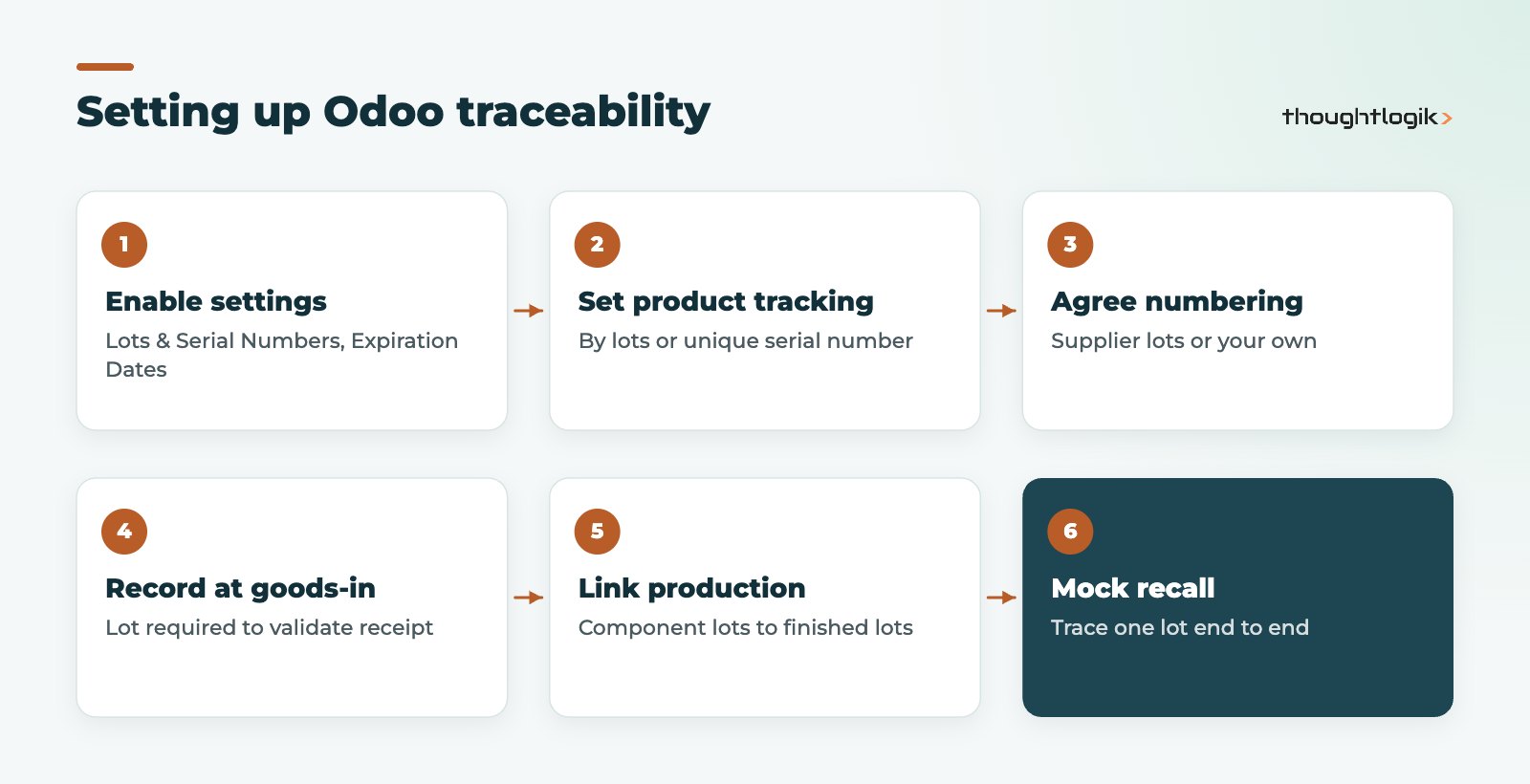
- Enable the settings. In Inventory, go to Configuration, then Settings, and switch on Lots & Serial Numbers under Traceability. Food businesses should also enable Expiration Dates.
- Set tracking on products. On each product form, choose tracking by lots or by unique serial number. Do this before stock arrives, not afterwards.
- Agree a numbering rule. Decide whether you keep supplier lot numbers or generate your own, and apply it consistently.
- Record lots at goods-in. Receipts require a lot or serial number before they can be validated, which enforces the discipline on the dock.
- Carry lots through production. In Manufacturing, component lots consumed and finished lots produced are linked, so traceability survives the transformation.
- Test a mock recall. Pick a lot and trace it end to end before you go live.
Managing Odoo expiration dates for food and perishables
When Odoo expiration dates are enabled, each lot can hold four dates, calculated from the receipt or production date using the time periods you set on the product (see the Odoo expiration dates documentation):
- Best before date: when the product may start to deteriorate, though it is not yet dangerous.
- Expiration date: when the product must no longer be sold or used.
- Removal date: when stock should be taken out of saleable locations ahead of expiry.
- Alert date: when Odoo flags that the lot is approaching expiry.
Pair these with the First Expiry, First Out (FEFO) removal strategy on your stock locations. Odoo then proposes the lot with the nearest expiration date when pickers prepare an order, which reduces write-offs and stops short-dated stock being left at the back of the rack. If stock accuracy is already a concern, read our guide to improving Odoo inventory accuracy first, because expiry data is only as good as the counts behind it.
Running a product recall with Odoo traceability
The real test of any system is the day a supplier emails to say a batch is contaminated. With Odoo traceability in place, the process looks like this:
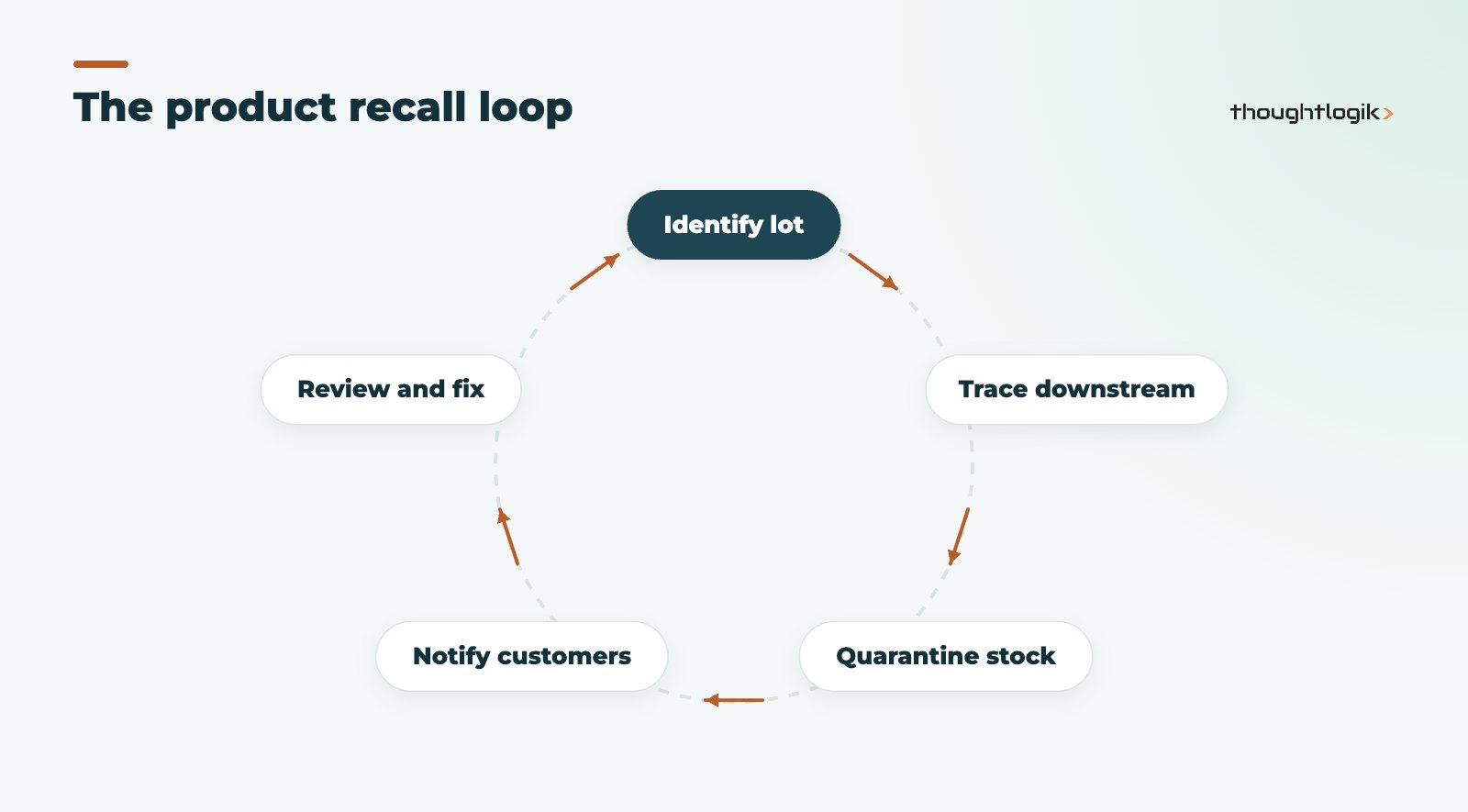
Start from the Traceability report (Inventory, then Reporting) or from the lot record itself. Tracing downstream shows every delivery that contained the affected lot, including lots of finished goods made from it. Tracing upstream from a customer complaint shows which supplier lot was involved. From there you can quarantine remaining stock with an internal transfer or scrap it, and export the customer list for recall notices.
What does the Odoo traceability report show?
For each movement it shows the reference, product, lot or serial number, date, source location, destination location and quantity. Because it follows lots through manufacturing orders, you can see which finished product lots used a given raw material lot. That is the one step back, one step forward view regulators and major retail customers expect.
Common mistakes that break traceability
- Turning tracking on after go-live without a stock count. Existing stock has no lot numbers, so the history starts with a gap.
- Letting staff bypass scanning. Manually typed lot numbers create near-duplicates that split one batch into two records.
- Tracking everything. Serial tracking cheap consumables adds work with no benefit.
- Ignoring returns. Customer returns must be booked back against the original lot or serial number.
- No recall rehearsal. A mock recall exposes gaps while the stakes are low.
Food producers should also look at our Odoo for food manufacturing guide, which covers recipes, yields and allergen data alongside lot control.
How ThoughtLogik helps
ThoughtLogik is a UK Odoo Partner working with manufacturers and distributors that need reliable batch control. We design the tracking model with you, configure it, and prove it with a mock recall before go-live.
- Tracking design: which products to track by lot, by serial number, or not at all.
- Expiry rules, FEFO locations and alert dates set up per product category.
- Warehouse processes and scanning as part of an Odoo implementation.
- Sector templates through our food and drink manufacturing and distribution team.
Frequently asked questions
Is Odoo traceability available in Odoo Community?
Lot and serial number tracking is part of the Inventory app. Some related features, such as the Barcode app and Quality, are Enterprise only. See our Odoo Community vs Enterprise comparison to check which edition fits your needs.
Can I use supplier lot numbers instead of my own?
Yes. You can enter the supplier’s lot number at receipt or generate your own. What matters is a consistent rule so the same batch is never recorded under two numbers.
Do expiration dates work without lot tracking?
No. Expiry dates are stored on the lot or serial number, so the product must be tracked by lots or serial numbers first.
How quickly can we trace a product recall in Odoo?
If lots were recorded correctly at every step, tracing a lot is a report query rather than a manual investigation. The speed depends on data discipline, which is why we recommend regular mock recalls.
Need recall-ready batch control? We will map your tracking needs and show you traceability working on your own products. Book a free consultation or see our UK Odoo partner services.