Short answer
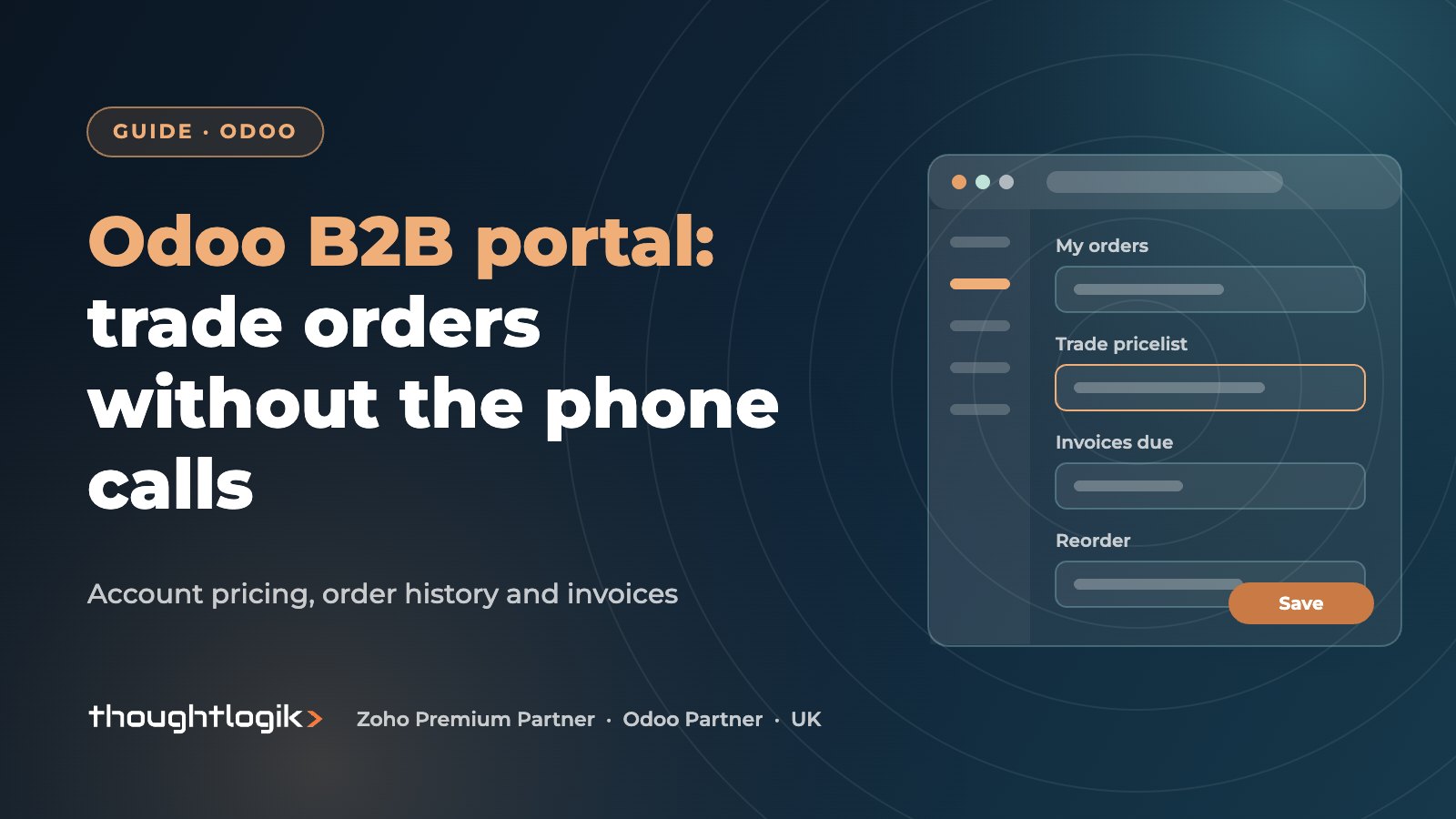
An Odoo B2B portal combines Odoo eCommerce with the customer portal so trade customers can log in, see their own prices, place orders, track deliveries and download invoices without calling your sales team. Set accounts to invitation only, assign each customer the right pricelist, show prices excluding VAT, and orders flow straight into Odoo Sales, Inventory and Accounting.
Key takeaways
- Use invitation-only accounts so only approved trade customers can log in.
- Customer pricelists give each account its own prices, discounts and quantity breaks.
- Show prices excluding VAT for trade buyers.
- The customer portal gives self-service access to quotations, orders and invoices.
- Portal orders are ordinary Odoo sales orders, so there is no re-keying or sync.
Many UK wholesalers still take most trade orders by phone, email and spreadsheet, then key them into the system by hand. It works, but it ties up sales staff, invites errors and limits ordering to office hours. An Odoo B2B portal lets trade customers order for themselves, at their own prices, while your team focuses on accounts that need a conversation.
What is an Odoo B2B portal?
Odoo does not have a separate “B2B portal” product. The portal is a combination of two things that work together in one database:
- Odoo eCommerce, configured for trade: restricted access, customer pricelists and trade-appropriate checkout.
- The Odoo customer portal, where logged-in customers see their quotations, sales orders, deliveries and invoices.
Because both sit on the same database as your sales, stock and accounting, there is no integration to maintain. An order placed online is a normal sales order, reserved against real stock and invoiced in the usual way.
Setting up B2B ecommerce in Odoo for trade customers
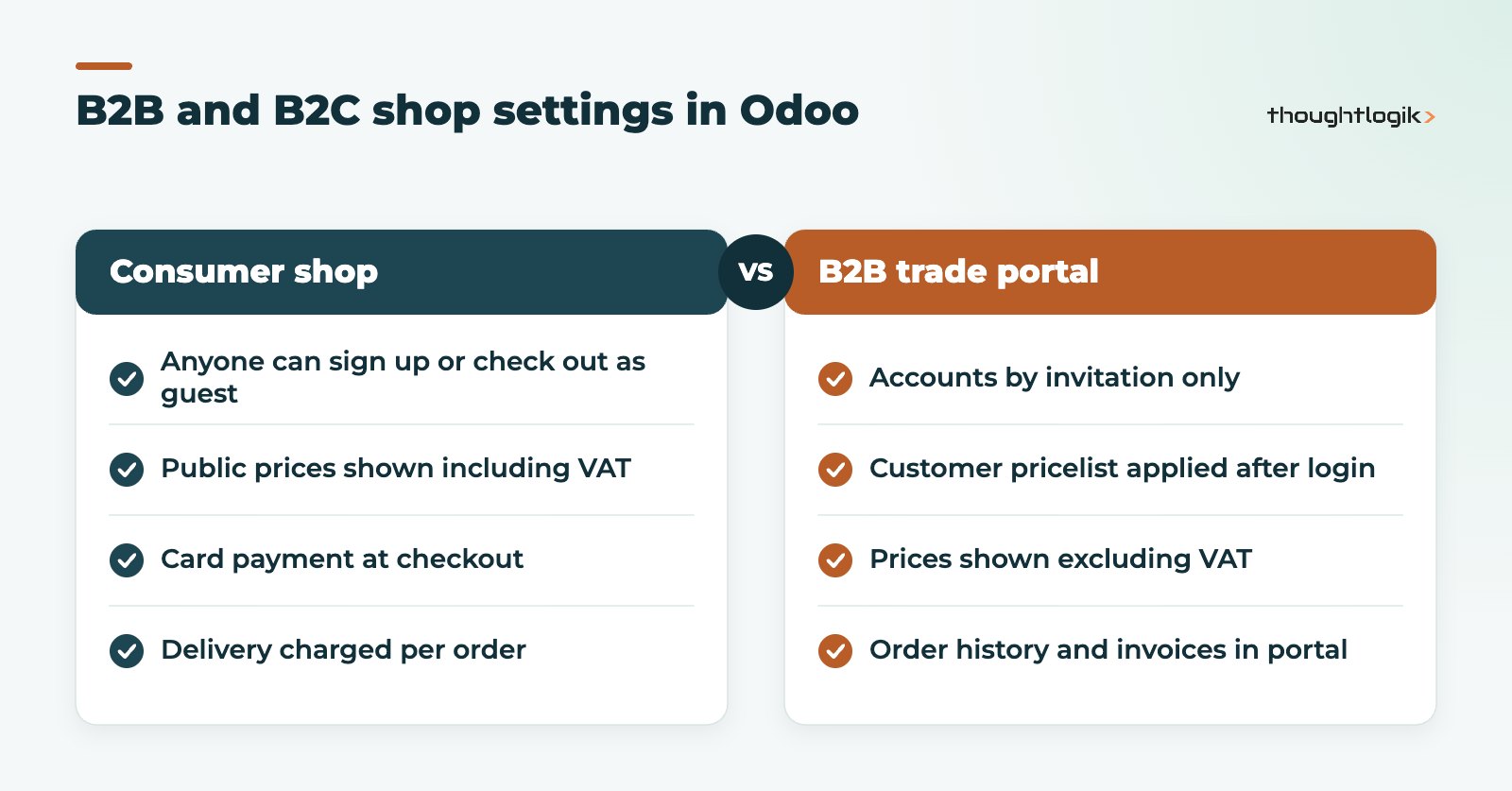
The key settings are in the website and eCommerce configuration. The Odoo customer accounts documentation describes two account creation modes: Free sign up and On invitation. On invitation is the recommended choice for B2B, because only customers you have approved can create an account. You can also restrict who can see the shop and require sign-in at checkout.
How do customer pricelists work in an Odoo B2B portal?
Pricelists are the core of any trade portal. Each customer record can carry a pricelist, and when that customer logs in, the shop shows their prices. Pricelists can hold fixed prices, percentage discounts, formulas based on cost or list price, and minimum quantity breaks. Typical wholesale setups include:
- A standard trade pricelist for most accounts.
- Tiered pricelists (for example bronze, silver, gold) based on volume.
- Contract pricelists for key accounts with agreed prices on specific products.
Keep the number of customer pricelists manageable. Dozens of one-off lists become hard to maintain when supplier costs change.
Should trade prices show VAT?
Trade buyers usually think in prices excluding VAT, so most UK wholesalers display prices tax-excluded on a B2B shop. VAT is still calculated correctly on the order and invoice using the customer’s fiscal position. If you also sell to consumers, you can run a separate B2C website from the same database with prices shown including VAT.
| Requirement | How Odoo handles it |
|---|---|
| Only approved customers can log in | On invitation account mode, portal access granted from the contact |
| Customer-specific prices | Pricelist on the customer record |
| Prices ex VAT | Website tax display setting |
| Order history and invoices | Customer portal (My Account) |
| Pay invoices online | Payment providers enabled on the portal |
| Separate B2B and B2C shops | Multiple websites on one database |
What can trade customers do in the customer portal?
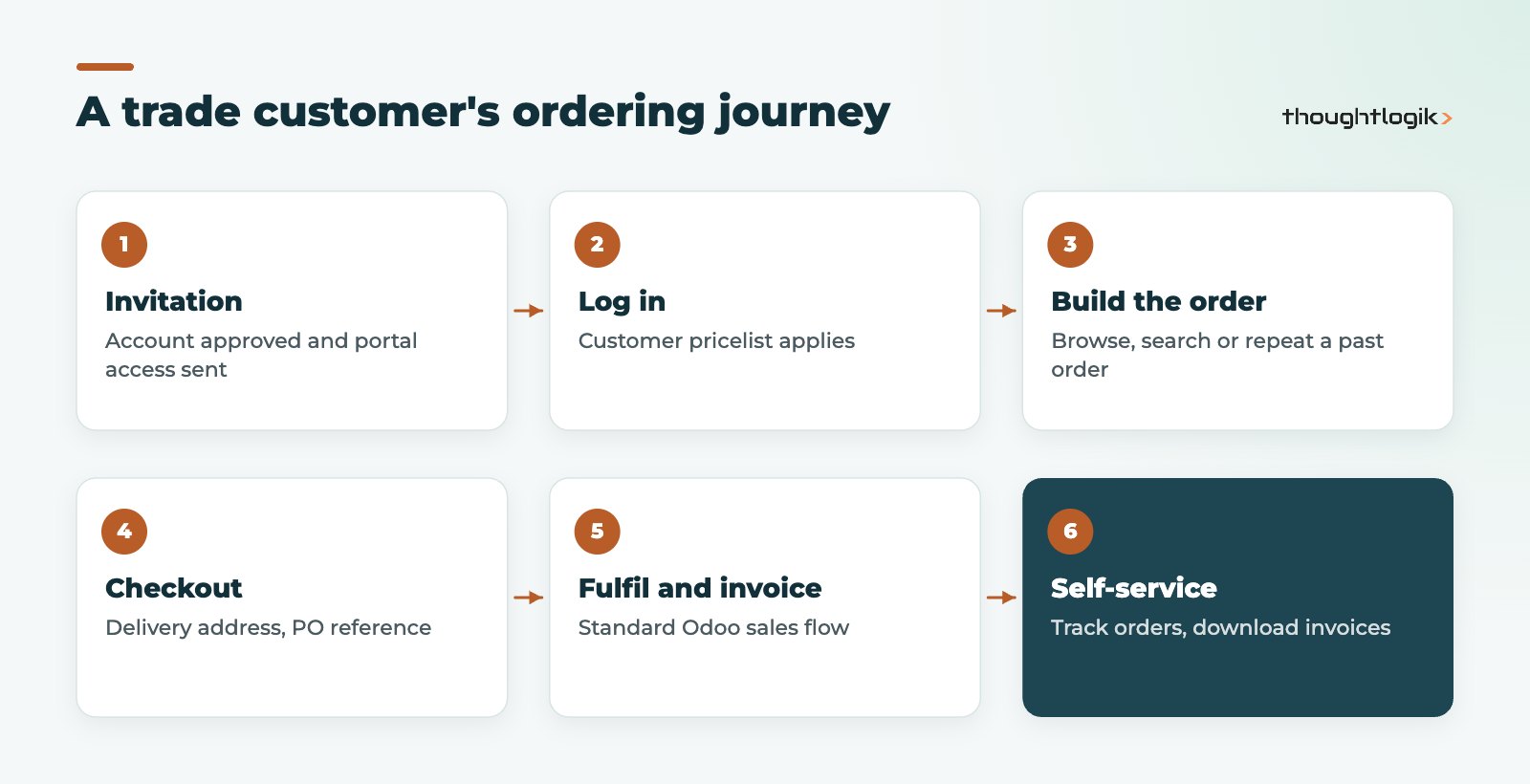
Once logged in, customers reach their portal through My Account. From there they can see quotations and sales orders, follow delivery status, download invoices and, if you enable online payment, pay outstanding invoices by card or other connected payment methods. Recent versions of Odoo eCommerce also let customers repeat items from a previous order, which suits wholesale buyers who order the same lines each week.
Practical touches that make an Odoo B2B portal work well for wholesalers:
- A customer reference field at checkout so buyers can enter their own purchase order number.
- Multiple delivery addresses on the customer account for businesses with several sites.
- Product packaging and units of measure that match how customers actually buy (case, pallet).
- Clear stock availability messages so buyers know what will ship.
Does an Odoo B2B portal replace your sales team?
No. It changes what they spend time on. Routine repeat orders move online, while the team handles new accounts, negotiations, large projects and problems. Your CRM history, quotations and the portal all live in the same system, so a rep can see what a customer ordered online before calling them. Our Odoo CRM guide covers the sales side.
What about credit limits and account terms?
Trade customers usually buy on account. Payment terms on the customer record carry through to portal orders and invoices, and Odoo accounting can warn when a customer exceeds a credit limit. Decide early whether customers over their limit can still order online or should be held for review.
How to roll out an Odoo B2B portal to existing customers
The technology is the easy part. Getting trade customers to change habits takes a plan. We usually recommend a phased rollout:
- Clean the data. Check that every active account has the right pricelist, payment terms, delivery addresses and a named ordering contact with a valid email address.
- Pilot with friendly accounts. Invite a handful of regular customers who order often and will give honest feedback. Fix the friction they find, which is usually search, product naming or missing packaging units.
- Invite in waves. Roll out by region or sales rep so each rep can support their own accounts during the first few weeks.
- Nudge, do not force. Confirm phoned or emailed orders with a note that the same order could have been placed online, and point customers to their portal for invoices and delivery updates.
In our experience, an early win is often not ordering at all, but customers finding their own invoice copies and proof of delivery instead of emailing accounts. Plan your rollout messaging around the benefits your customers care about. Our wholesale and distribution page covers related processes such as warehouse picking and returns, and our Odoo implementation approach explains how we phase projects like this.
Common Odoo B2B portal pitfalls
- Leaving account creation on Free sign up, so consumers can see trade prices.
- Too many overlapping pricelists, giving unpredictable prices.
- Poor product data: missing images, descriptions and packaging units.
- Not training key customers, so they keep emailing orders out of habit.
For the wider picture on selling online with Odoo, see our Odoo eCommerce guide, and if you also run a consumer shop on another platform, our Odoo Shopify integration post explains the options.
How ThoughtLogik helps
We design trade portals around how your customers actually order, then configure Odoo eCommerce, pricelists and the customer portal to match.
- Pricelist structure review before building the portal
- B2B ecommerce configuration, including invitation-only access and tax display
- Product data and packaging set up for trade buying
- Rollout plan for inviting and onboarding trade customers
Frequently asked questions
Is an Odoo B2B portal a separate app?
No. It is Odoo eCommerce configured for trade customers, working with the standard customer portal in the same database.
Can each trade customer see different prices?
Yes. Assign a pricelist to each customer record and they see those prices when logged in. Pricelists can include fixed prices, discounts and quantity breaks.
Can we run B2B and B2C shops together?
Yes. Odoo supports multiple websites on one database, so you can run a trade portal and a consumer shop with different settings and pricelists.
Can customers pay invoices through the customer portal?
Yes, if you enable a payment provider. Customers can open outstanding invoices in the portal and pay them online.
Still keying in trade orders by hand? We will help you move routine orders online. Book a free consultation or see our guide to Odoo for wholesale.