
Short answer
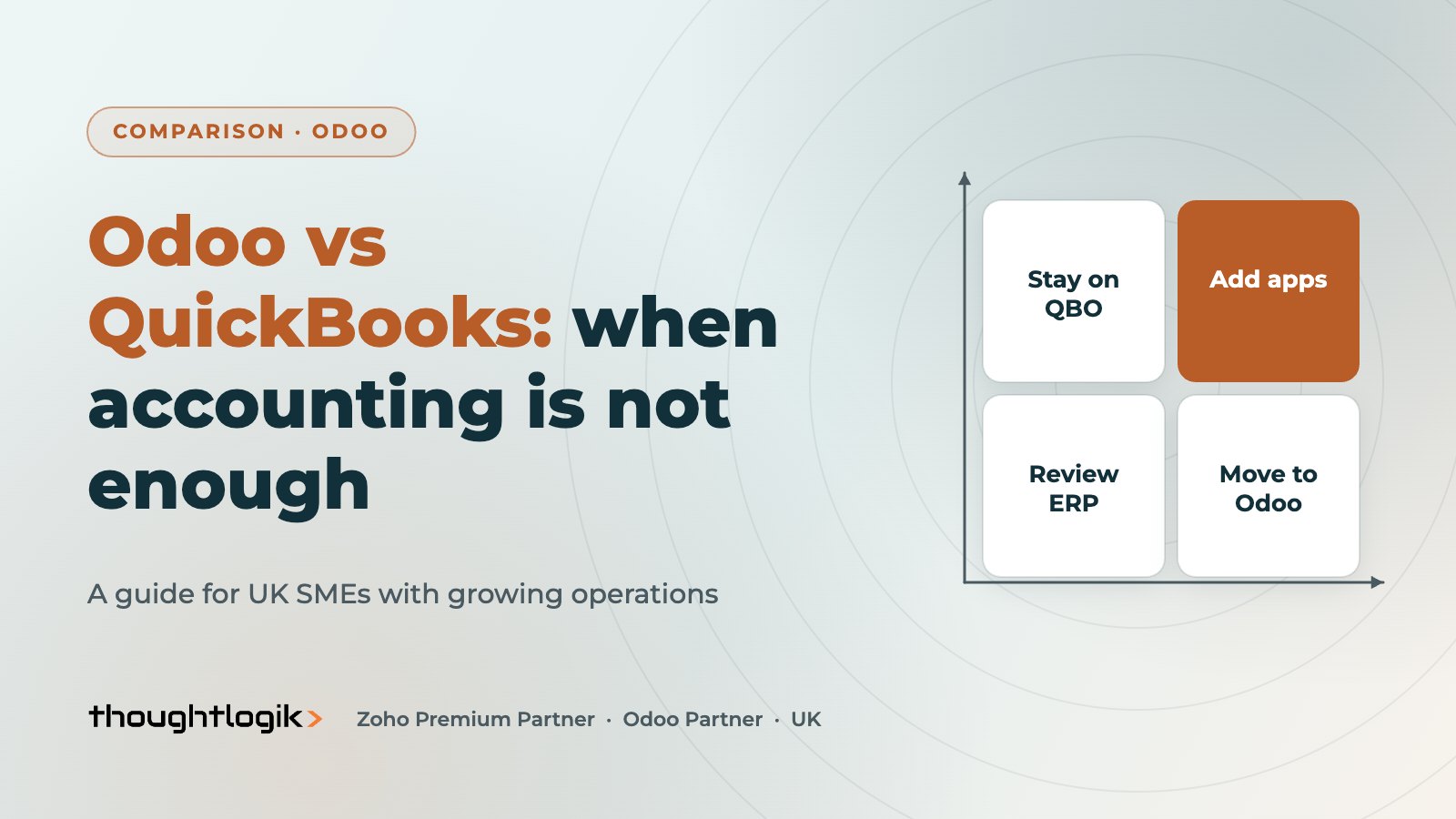
Odoo vs QuickBooks comes down to whether you need accounting software or a business system. QuickBooks Online is capable, affordable accounting for small UK businesses, but stock, manufacturing and multi-site operations usually need add-on apps. Odoo ERP runs accounting alongside sales, inventory, purchasing and manufacturing in one database, so it suits SMEs whose operations have outgrown bookkeeping plus spreadsheets.
Key takeaways
- QuickBooks Online is accounting-first, sold in UK plans from Simple Start to Advanced.
- Odoo is a modular ERP; accounting is one integrated app among many.
- Both file VAT returns to HMRC under Making Tax Digital.
- Stock-heavy and manufacturing businesses usually feel QuickBooks’ limits first.
- Moving from QuickBooks to Odoo is a planned migration of master data and opening balances.
Many UK SMEs start on QuickBooks because it is quick to set up and their accountant knows it. A few years on, the business has more products, more staff and more tools bolted on. This Odoo vs QuickBooks guide helps you decide whether to stay, and what changes if you move.
Who should compare Odoo vs QuickBooks?
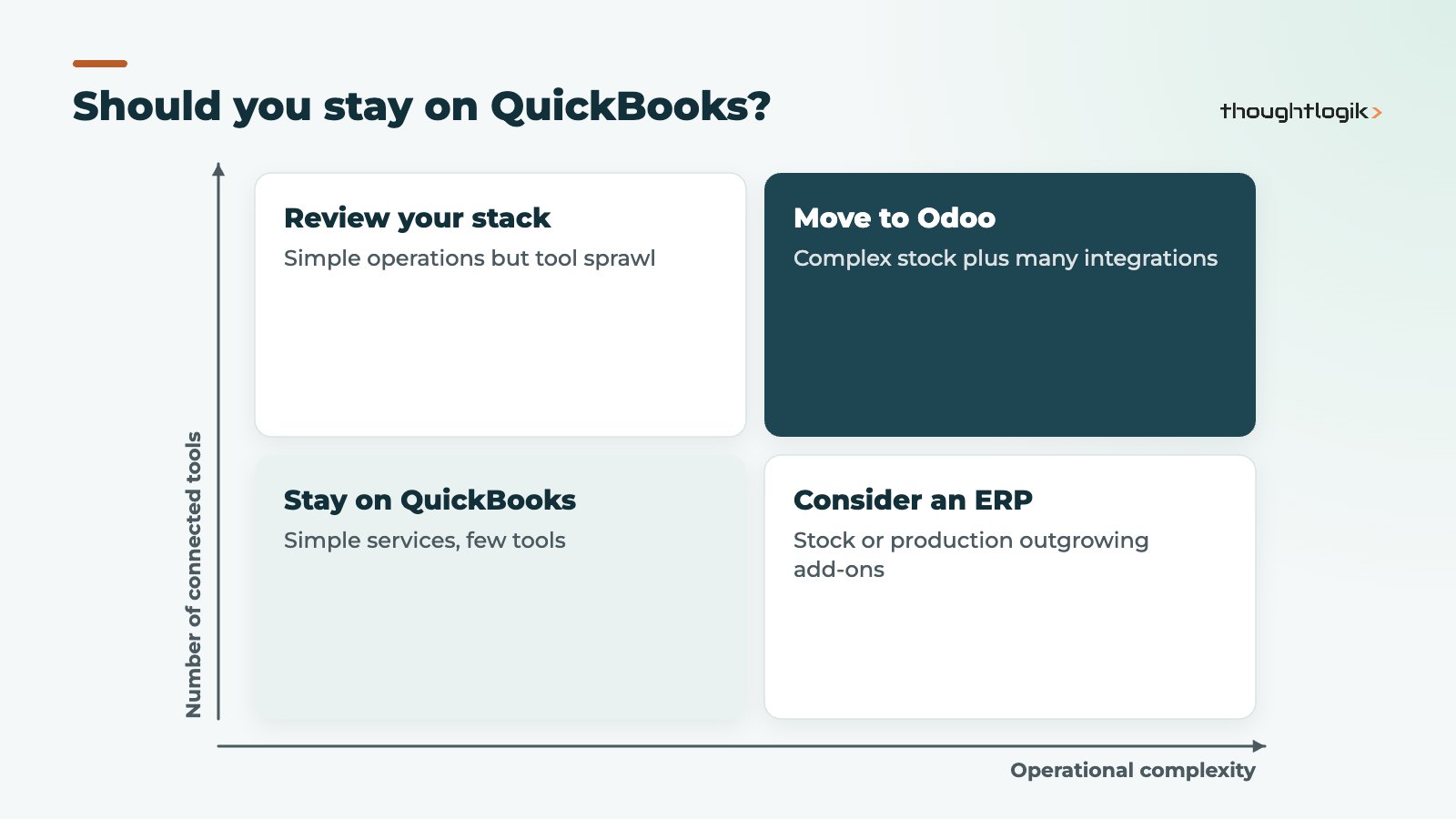
This comparison matters most if you sell physical products, hold stock in more than one place, make or assemble goods, or run sales and operations from spreadsheets next to your accounts. If you are a small service business with straightforward invoicing, QuickBooks may be all you need, and a change would add cost without a clear return.
What QuickBooks Online does well
QuickBooks Online UK is sold in plans named Simple Start, Essentials, Plus and Advanced. According to Intuit, VAT tracking with submission to HMRC and Construction Industry Scheme support are available across these plans, and Advanced adds custom permissions, automatic data backup and more tailored reporting. Project tracking sits on the higher plans, and each plan has a user limit. For bookkeeping, bank feeds, invoicing and VAT, it does the job well and accountants are comfortable with it.
Where do businesses start outgrowing QuickBooks?
Outgrowing QuickBooks usually starts in operations rather than the ledger. Independent UK reviews describe its inventory as light, with stock-heavy or manufacturing businesses typically adding a separate inventory app. That creates a two-system setup: stock and orders in one tool, accounting in another, with an integration in between. Other signs include user limits on your plan, margin reporting done in Excel, and orders re-keyed from a CRM or web shop.
Odoo vs QuickBooks side by side
| Need | QuickBooks Online | Odoo |
|---|---|---|
| Bookkeeping, bank feeds, invoicing | Core strength | Included in Odoo Accounting |
| MTD for VAT | Submits to HMRC | Submits to HMRC via the UK localisation (Enterprise) |
| Stock across warehouses | Usually needs an add-on app | Native, with routes and locations |
| Bills of materials and production | Needs third-party software | Native Manufacturing app |
| CRM, quotes and sales orders | Basic estimates; CRM via apps | Native CRM and Sales |
| Helpdesk, field service, ecommerce | Via other products | Native apps on the same database |
| Implementation effort | Low | Moderate to high, depending on scope |
Why Odoo ERP works as a QuickBooks alternative
The case for Odoo ERP as a QuickBooks alternative rests on integration inside one system. A sales order reserves stock, the delivery updates inventory, the invoice is raised from what was shipped, and with perpetual valuation the stock movement posts its accounting entry. Purchasing works the same way in reverse. Reports on margin by product or customer come from live data rather than exports.
Odoo is modular, so you do not need every app on day one. Many SMEs start with Accounting, Sales, Purchase and Inventory, then add Manufacturing, CRM or eCommerce later. Our Odoo inventory management guide and Odoo MRP guide show what those apps involve.
What about compliance and UK finance?
Odoo’s UK localisation loads a UK chart of accounts and taxes, submits MTD VAT returns and supports BACS payment files and CIS returns, as set out in the Odoo UK localisation documentation. See our Odoo Making Tax Digital guide for the detail. Payroll is a separate question in both products, so check how you will run it before switching.
Odoo vs QuickBooks by type of business
The right answer to Odoo vs QuickBooks changes with what you sell and how you deliver it.
- Wholesale and distribution. Multiple locations, purchase orders, landed costs and customer price lists point strongly towards an ERP. Stock valuation that matches the ledger is a daily benefit, not a nice-to-have.
- Manufacturing. Bills of materials, work orders and component planning are native in Odoo. In QuickBooks they come from separate software, which then has to stay in step with your accounts.
- Ecommerce and retail. If you sell online and in store, Odoo’s eCommerce and Point of Sale apps share stock and customers with the back office. With QuickBooks, each channel usually connects through its own integration.
- Professional services. QuickBooks projects on its higher plans may be enough. Odoo becomes attractive when you also need CRM, project planning, timesheets and helpdesk in one place.
In each case, look at the full picture: the QuickBooks subscription plus every add-on and integration, against Odoo licences and a one-off implementation. The Odoo vs QuickBooks decision is rarely about accounting features alone.
Odoo vs QuickBooks: the honest drawbacks
- Odoo takes longer to start. It needs design, configuration, data migration and training. QuickBooks can be live in days.
- Odoo needs ownership. Someone internally must own processes and user access.
- Accountant familiarity. Your accountant may know QuickBooks better; involve them early.
- Change for staff. Warehouse, sales and purchasing teams will work in a new system too, not just finance, so training has to reach everyone who touches an order.
- QuickBooks sprawl. On the other side, a QuickBooks setup with several paid add-ons and integrations can become harder to run than one ERP.
How does a QuickBooks to Odoo migration work?
A QuickBooks to Odoo migration is best timed at a period or financial year end. The usual sequence is shown below.
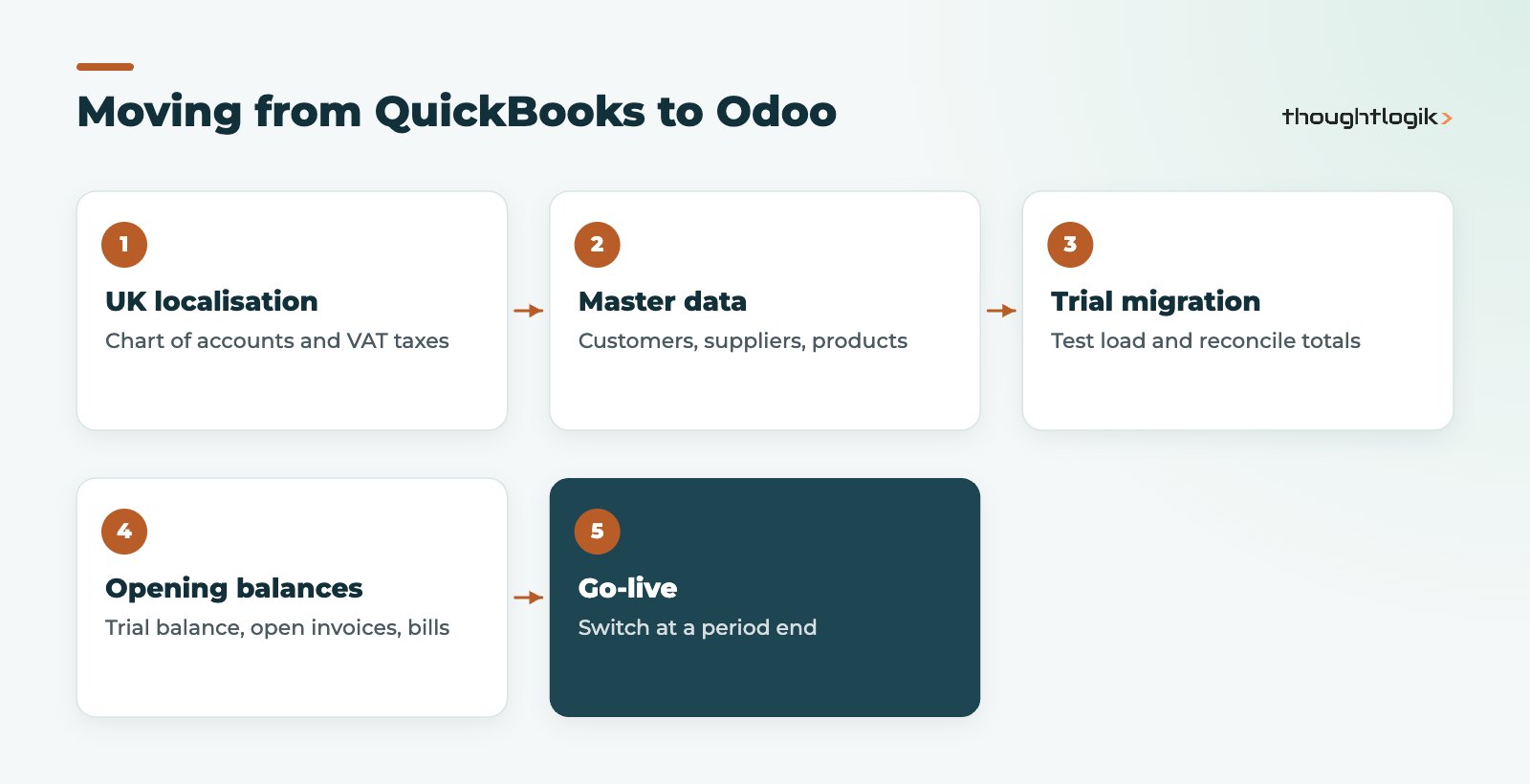
Historic transactions usually stay in QuickBooks, or in an archived export, for reference; you migrate master data, open items and balances. Our Odoo data migration guide explains how to clean data first, and our Odoo implementation timeline guide shows how long each phase tends to take relative to scope.
Should you choose Odoo vs QuickBooks or another ERP?
If you are comparing Odoo with other options too, see our comparisons of Odoo vs Xero and Odoo vs Sage. The same test applies to each: does the product remove the spreadsheets and integrations your team fights with today? If it only replaces your ledger, the upheaval is hard to justify.
How ThoughtLogik helps
We help UK SMEs make the Odoo vs QuickBooks decision with a practical process review, then deliver the move if it makes sense.
- Review of your current QuickBooks setup and add-on apps
- Odoo design for accounting, stock and operations
- Migration of customers, suppliers, products and opening balances
- Training for finance and operations teams
Frequently asked questions
Is Odoo harder to use than QuickBooks?
Odoo covers far more of the business, so there is more to learn. Day-to-day finance tasks are comparable once configured.
Can I keep QuickBooks and use Odoo for inventory?
It is possible with third-party connectors, but you then maintain two systems and an integration. Most businesses moving stock into Odoo also move accounting.
Does Odoo handle UK VAT like QuickBooks?
Yes. Odoo Enterprise with the UK localisation files MTD VAT returns directly to HMRC.
How long does a QuickBooks to Odoo move take?
It depends on how many apps you adopt and the state of your data. A finance-and-stock rollout is shorter than one that adds manufacturing or ecommerce integrations.
When is QuickBooks the better choice?
For small service businesses with simple invoicing and no stock, QuickBooks is usually the cheaper, faster option.
Outgrowing QuickBooks? Let us review your processes and tell you honestly whether Odoo fits. Book a free consultation or see our Odoo migration service.





