Short answer
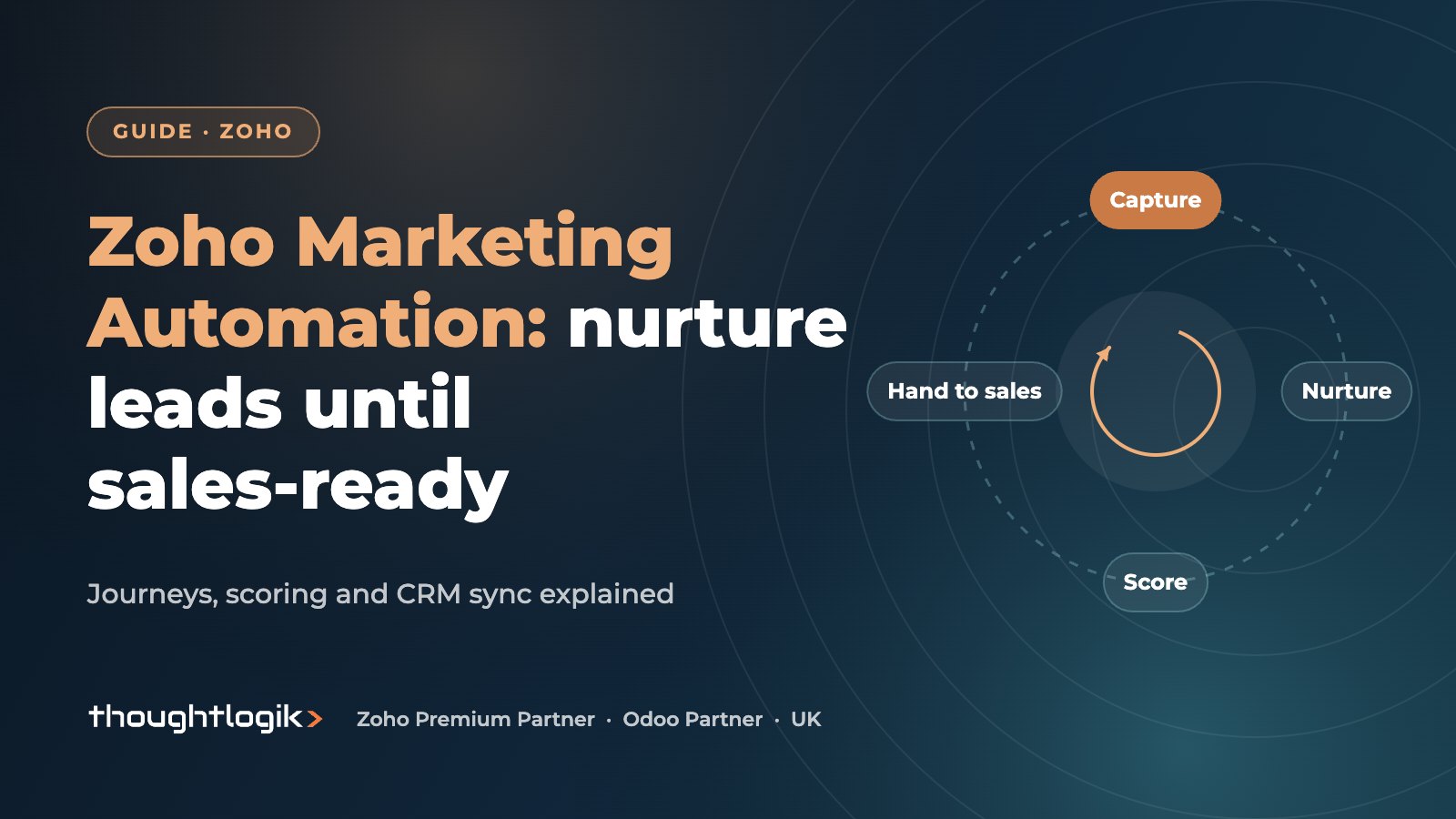
Zoho Marketing Automation is Zoho’s platform for capturing leads, nurturing them through multi-channel journeys and scoring their engagement until they are ready for sales. It syncs leads, contacts and custom modules with Zoho CRM, and can push scores, engagement stages, tasks and deals back to CRM. For UK SMEs it replaces a separate email tool with nurture that sales can actually see.
Key takeaways
- Journeys are visual workflows that react to what contacts do across email, SMS, web and CRM.
- CRM sync covers leads, contacts and custom modules, with fields mapped during setup.
- Engagement scores and stages can be pushed into Zoho CRM fields so reps prioritise warm leads.
- The Push Data component in a journey can create or update records in Zoho CRM.
- UK consent rules (UK GDPR and PECR) must be reflected in subscription types and opt-out handling.
Most UK SMEs we meet have the same gap: marketing sends newsletters from one tool, sales works leads in the CRM, and nobody knows which leads are warm. Zoho Marketing Automation closes that gap by running nurture and scoring in a system that shares data with Zoho CRM. This guide explains the parts that matter and how to set them up sensibly.
What does Zoho Marketing Automation do?
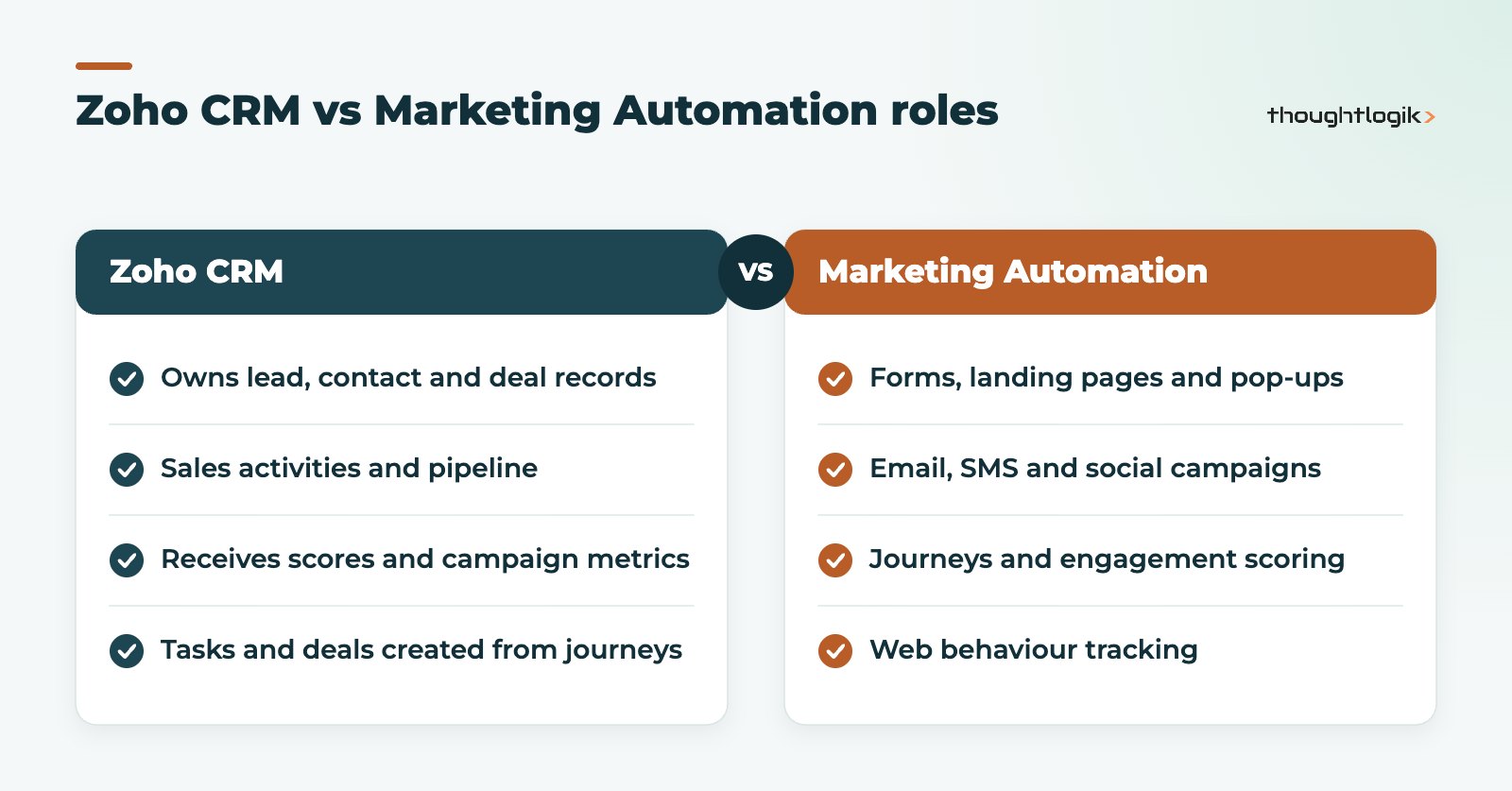
Zoho positions the product around analysing web behaviour, generating, nurturing and qualifying leads, and converting them into customers. In practice the main components are:
- Lead capture: signup forms, landing pages and pop-ups.
- Campaigns: email, SMS and social media.
- Journeys: automated, personalised paths that respond to behaviour.
- Lead scoring and stages: scoring contacts on criteria you define and moving them through lead stages.
- Web behaviour tracking: seeing which pages known contacts visit.
- Analytics: real-time dashboards and reports on campaigns and journeys.
How does the journey builder work?
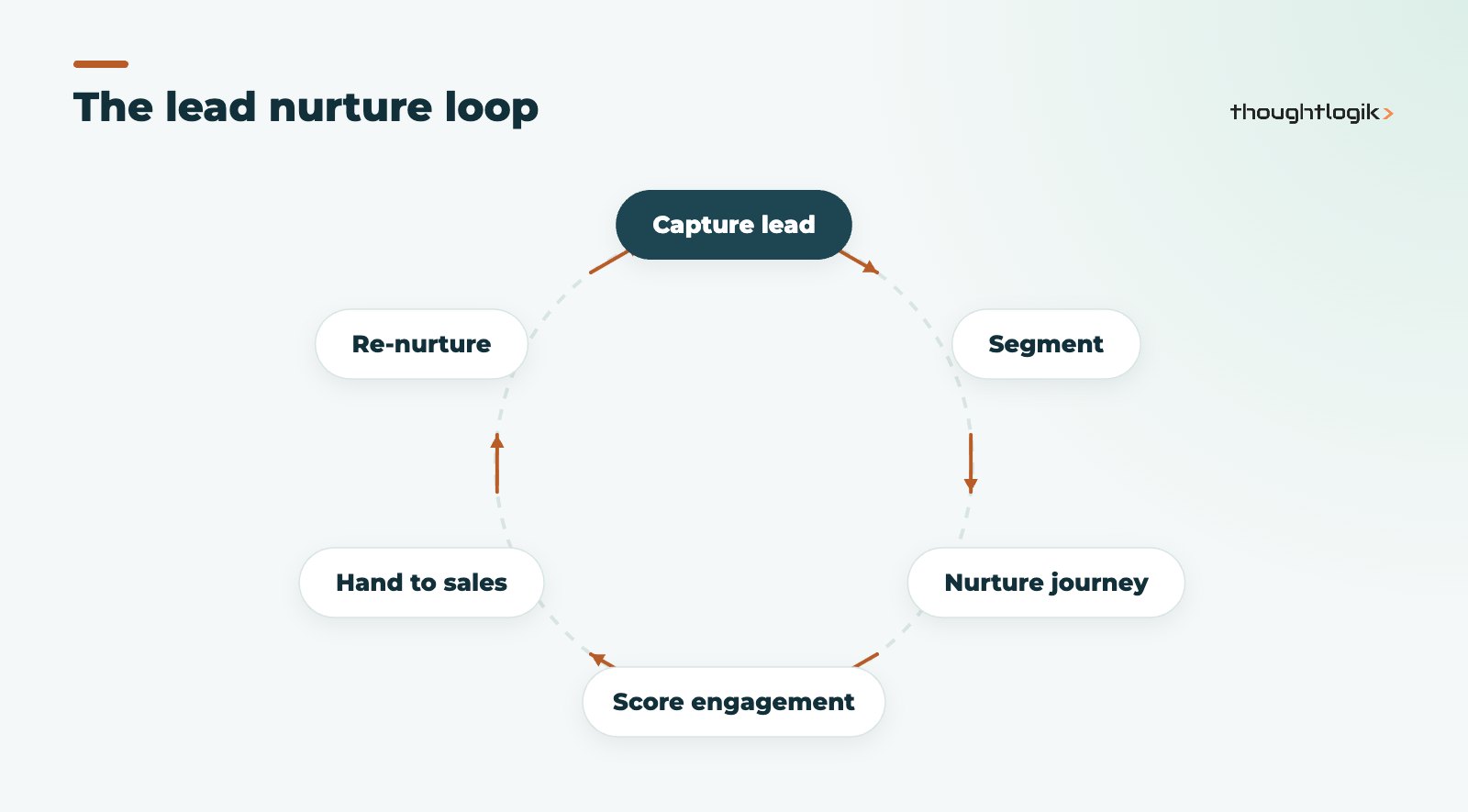
The journey builder is a visual canvas where you define a starting trigger, such as a form submission or a contact joining a list, then add actions, waits and conditions. A journey can send an email, wait three days, check whether the link was clicked, and branch accordingly. Journeys can also act on Zoho CRM: the Push Data component pushes contacts into CRM, and journeys can create tasks and deals for sales.
Lead nurturing journeys that work for UK B2B
Good lead nurturing is specific. Rather than one generic drip, build journeys around intent:
- Content download: follow up with related guides, then a case-style article, then an invitation to talk.
- Pricing page visitors: a short sequence addressing common objections, with a task for sales if they return.
- Closed-lost deals: a light-touch quarterly journey so the relationship does not go cold.
- Event attendees: a follow-up that references the event and routes engaged contacts to the right rep.
Zoho Marketing Automation CRM sync explained
The CRM sync is the reason most Zoho CRM users choose Zoho Marketing Automation. You connect it from the integrations settings, choose a CRM module (Leads, Contacts or a custom module), map fields and start the sync. After that, changes in Zoho CRM flow into Marketing Automation, and marketing data flows back.
| Direction | What moves | Why it matters |
|---|---|---|
| CRM to Marketing Automation | Leads, contacts and custom module records with mapped fields | Segment campaigns on CRM data such as lead source or account type |
| Marketing Automation to CRM | Scores and engagement stages into custom CRM fields | Reps can sort and filter by lead score |
| Journeys to CRM | Contacts pushed, tasks and deals created | Automatic handover when a lead is ready |
| Campaign reporting | Campaign metrics visible in Zoho CRM analytics | Sales see what a lead has engaged with |
CRM sync set-up details to get right
- Every synced contact needs an email address or a phone number in international (E.164) format.
- Some field types cannot be mapped, including lookups, file uploads and system fields such as Modified By.
- Choose whether to exclude opted-out contacts and remove previously synced contacts who later opt out.
- Assign synced contacts to lists and to marketing or non-marketing subscription types.
Zoho’s CRM integration help article walks through each step.
Lead scoring: deciding when a lead is sales-ready
Lead scoring in Zoho Marketing Automation adds points for engagement such as opens, clicks, page visits and form submissions, and can reflect fit criteria such as job title or company size. Agree the threshold for “sales-ready” with sales before you build it, and review it after the first month. Push the score to a CRM field and use it in views and workflow rules. Our Zoho CRM lead scoring guide explains how this relates to CRM scoring rules.
UK consent: PECR and UK GDPR
Marketing automation makes it easy to email a lot of people, so UK rules need to be designed in. Under PECR, electronic marketing to individuals generally needs consent unless the soft opt-in applies, while corporate subscribers must still be able to opt out. Use subscription types and topics to record what people have agreed to, honour opt-outs across both systems, and keep evidence of consent. The ICO’s guidance on PECR is the authoritative reference, and our Zoho CRM GDPR guide covers the CRM side.
Setting up Zoho Marketing Automation in the right order
Projects go wrong when teams start with beautiful email templates and leave the data until last. The order that works is:
- Agree definitions. What counts as a marketing qualified lead, and what should sales do with it?
- Tidy CRM data. Remove duplicates, standardise lead sources and record consent before the first sync.
- Configure the CRM sync. Map only the fields you will segment or personalise on.
- Set up capture. Rebuild website forms and landing pages so new leads arrive with consent recorded.
- Build one journey. Start with your highest-volume lead type and prove it before adding more.
- Add scoring and handover. Push scores to CRM and create tasks for sales at the agreed threshold.
How to measure whether it is working
Open and click rates tell you whether emails are read, not whether marketing is helping sales. Track the number of leads reaching the sales-ready threshold each month, how quickly sales follows up, the share of those leads that become deals, and pipeline value by lead source. Because scores, stages and campaign metrics flow into Zoho CRM, these can all be reported in one place, which is the practical benefit of keeping marketing and CRM in the same ecosystem.
How ThoughtLogik helps
ThoughtLogik sets up Zoho Marketing Automation as part of a joined-up sales and marketing system.
- CRM sync design, field mapping and consent handling.
- Lead nurturing journeys and lead scoring models agreed with sales.
- Reporting that shows marketing’s contribution to pipeline, with BI reporting and analytics where needed.
- Delivered through our Zoho implementation service.
Frequently asked questions
Is Zoho Marketing Automation the same as Zoho Campaigns?
They are separate products. Zoho Campaigns is Zoho’s email marketing tool, while Zoho Marketing Automation is the broader platform built around journeys, web behaviour tracking and multi-channel engagement.
Which Zoho CRM modules can sync with Zoho Marketing Automation?
Leads, contacts and custom modules can be synced, with fields mapped during setup. Each synced record needs an email address or a phone number in E.164 format.
Can Zoho Marketing Automation create deals in Zoho CRM?
Yes. Journeys can push contacts to Zoho CRM and create tasks and deals, so sales handover can be automated.
Can sales see marketing activity in Zoho CRM?
Yes. Email campaigns sent through Marketing Automation appear under marketing metrics in Zoho CRM analytics, and scores and stages can be pushed into CRM fields.
How soon will nurture journeys show results?
It depends on your sales cycle and lead volume. Review engagement within the first month, but judge pipeline impact over at least one full sales cycle before redesigning journeys.
Leads going cold between marketing and sales? We can build nurture journeys and a CRM handover that works. Book a free consultation or see our Zoho One UK services.