Short answer
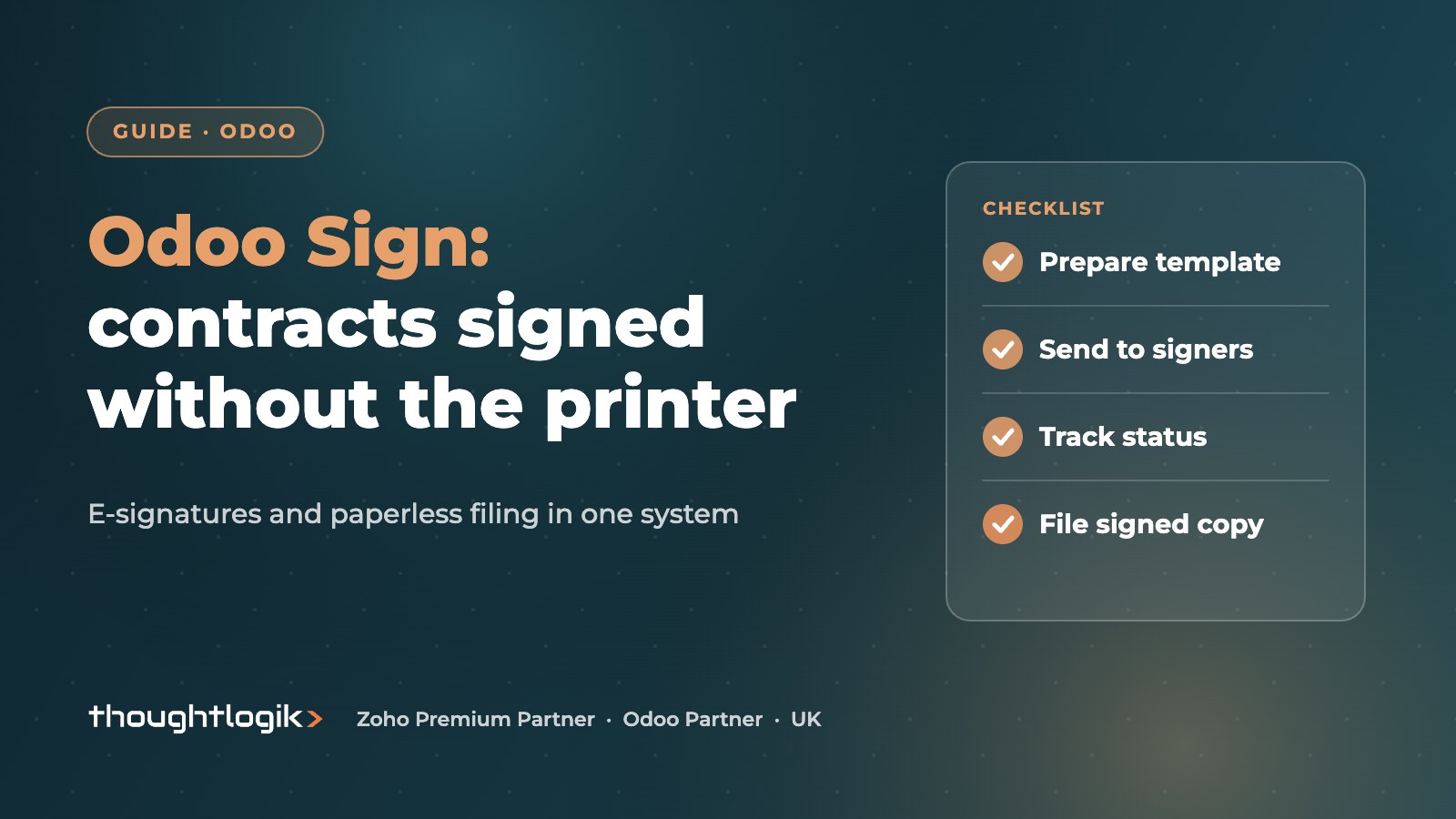
Odoo Sign lets you send documents for electronic signature from inside Odoo, using reusable templates, signer roles, signing order, reminders and a certificate of completion. Paired with Odoo Documents, signed files are stored, tagged and shared in the same database, giving UK businesses a paperless flow from contract to filing without a separate e-signature tool.
Key takeaways
- Odoo Sign supports templates, signer roles, signing order, expiry dates and reminders.
- A certificate of completion is sent once all parties have signed.
- Electronic signatures are widely accepted in the UK, but some documents need special formalities.
- Odoo Documents stores and tags files, and can capture attachments sent to an email alias.
- Both are Enterprise apps that work alongside Sales, HR, Accounting and other Odoo apps.
Many businesses already use an e-signature tool, a shared drive and an ERP, each with its own login and copy of the same contract. Odoo brings those together. Odoo Sign handles the signature, Odoo Documents handles where the file lives, and both connect to the customer, employee or supplier record the paperwork belongs to.
What is Odoo Sign?
Odoo Sign is Odoo’s app for preparing documents and collecting electronic signatures. You upload a PDF, drag fields onto it (signature, initials, name, date, text, checkboxes, selections and more), assign each field to a signer role, and send it. Signers complete the document in their browser without needing an Odoo account.
The Odoo Sign documentation describes features that matter to most businesses:
- Templates for documents you send repeatedly, with tags, a linked Odoo model and a default storage folder.
- Roles and signing order, so the customer signs first and your director countersigns afterwards, for example.
- Valid Until dates and automatic reminders at an interval you choose.
- Envelopes that group several documents in one signature request.
- Auto-complete fields that fill in details already held in Odoo.
- A certificate of completion emailed once everyone has signed, optionally referenced on each page.
How do you send a signature request in Odoo Sign?
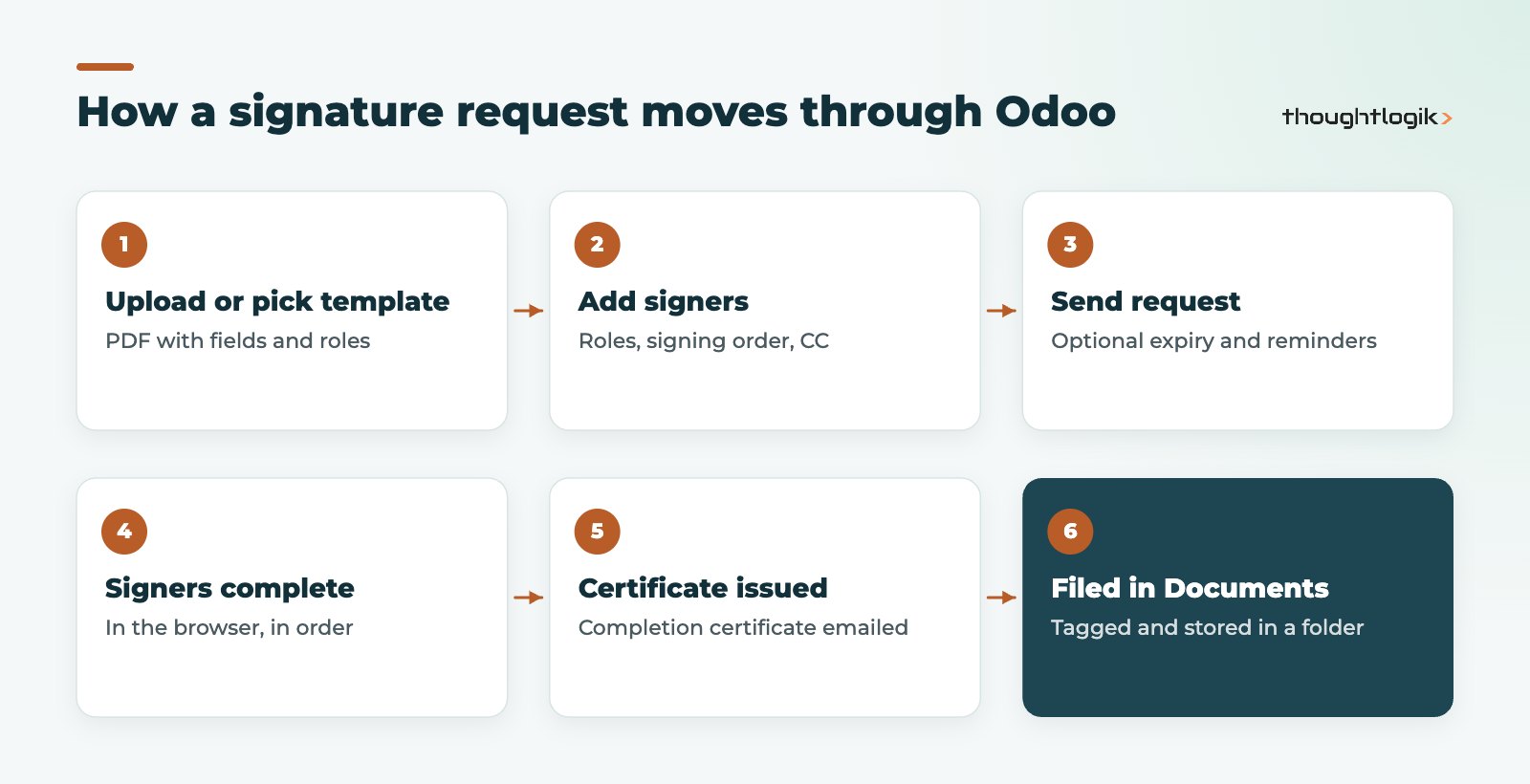
You can start from the Sign app, from a template, or from the chatter on an Odoo record such as a contact or sales order. Choose the signers for each role, add anyone who should receive a copy, set an expiry and reminders if needed, and send. Everyone signs in the order you set, and the status of each signature request is visible in the app.
Are Odoo Sign electronic signatures legally valid in the UK?
Odoo states that signatures created with the Sign app are valid electronic signatures in the European Union and the United States and meet the requirements in most countries. In England and Wales, electronic signatures are generally capable of executing contracts; the Law Commission confirmed this position in its 2019 report on electronic execution. The UK also kept an equivalent of the EU eIDAS rules after Brexit.
Some documents need more care. Deeds that require a witness, wills and certain property and court documents have their own formalities, and Scotland and Northern Ireland have their own rules. For everyday commercial documents such as order forms, terms of business, NDAs, supplier agreements and employment paperwork, e-signature is common practice. Take legal advice for anything unusual. This article is general information, not legal advice.
How do you verify who signed?
The app can require extra authentication before signing. The options listed in Odoo’s documentation are SMS verification and two country-specific identity services (itsme, used in Belgium and the Netherlands, and Aadhaar eSign in India). For most UK use, SMS verification plus the certificate of completion is the practical choice.
What does Odoo Documents add?
Odoo Documents is the filing side of a paperless office. It organises files into folders, including company-wide folders, a personal My Drive and files shared with you. Key features include:
- Tags for filtering by type, status or department.
- Email aliases that save incoming attachments straight into a folder.
- Document requests asking a colleague to upload a file by a due date.
- Sharing with viewer or editor rights, internally or via a link.
- PDF tools to split and merge files, plus locking and versions.
Odoo Documents connects to Sign (send a stored file for signature), to Accounting (turn supplier bills into draft vendor bills using Odoo’s digitisation) and to spreadsheets.
| Need | Odoo Sign | Odoo Documents |
|---|---|---|
| Collect signatures | Yes: roles, order, reminders | Sends files to Sign |
| Store and organise files | Saves signed copies to a folder | Yes: folders, tags, versions |
| Capture emailed paperwork | No | Yes: email aliases |
| Share with outsiders | Signers only | Viewer or editor links |
| Link to Odoo records | Templates linked to a model | Files linked to records |
Data protection and access control for signed documents
Contracts, offer letters and supplier agreements usually contain personal data, so going paperless does not remove your UK GDPR responsibilities; it changes where you apply them. A few practical points help:
- Restrict folders. Keep HR and payroll documents in folders only the right people can open, and review access when staff change roles.
- Be deliberate with share links. Links to external parties should have the minimum rights needed, and should be removed once they are no longer required.
- Decide retention periods. Agree how long each document type is kept and who deletes it, in line with your retention policy.
- Keep one copy. The benefit of signing and filing inside Odoo is a single signed version linked to the record, rather than copies scattered across inboxes and desktops.
Where your Odoo database is hosted also matters for your data protection records; our comparison of Odoo Online, Odoo.sh and on-premise sets out the hosting choices. Moving to paperless processes is as much about agreeing these rules as it is about the software, and it is easier to set them at the start than to tidy up a busy shared drive later.
Paperless workflows that work well in Odoo
The best starting points are high-volume, standard documents where a template saves real time.
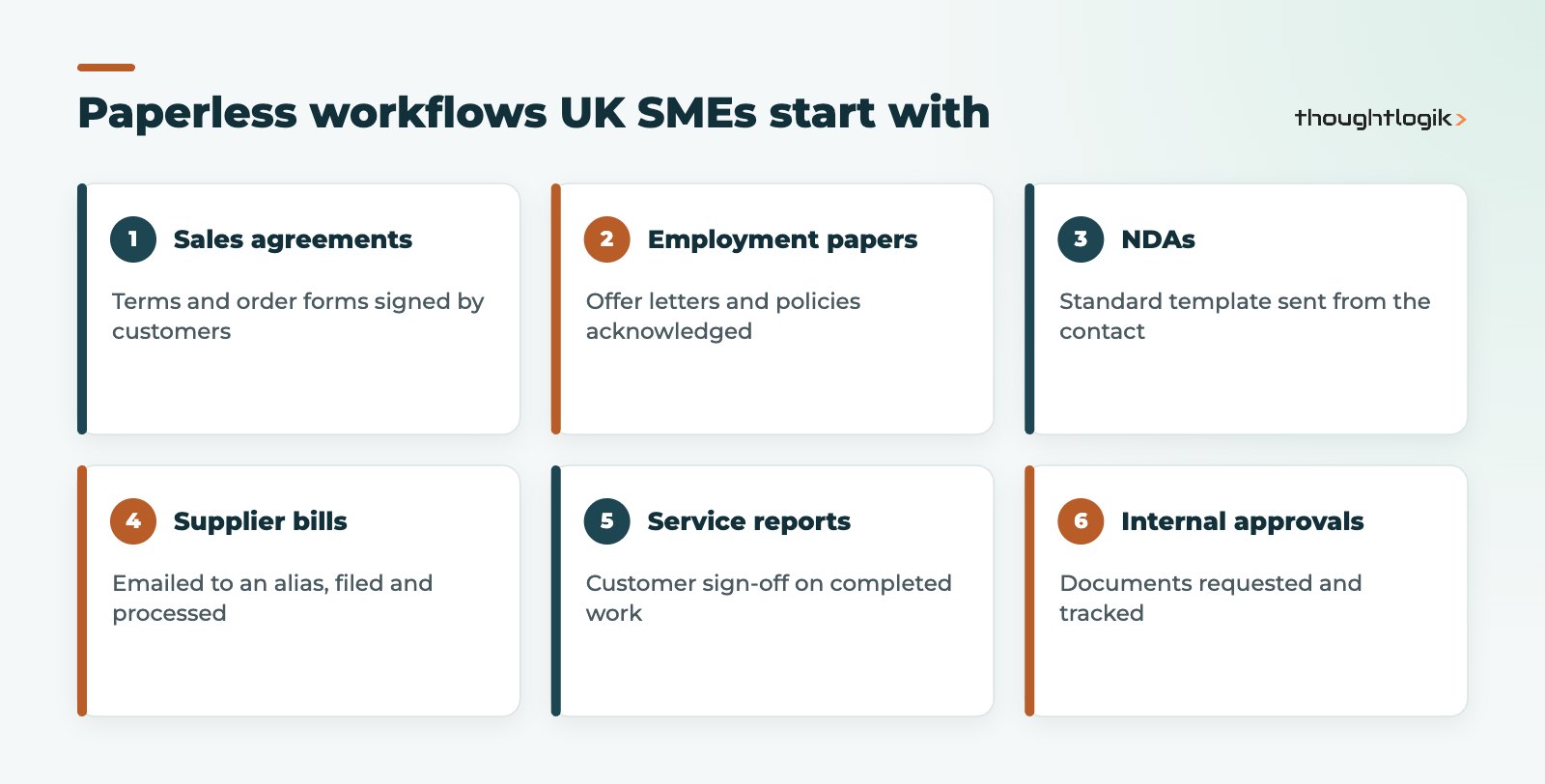
Good first candidates include standard terms for new customers, recurring agreements handled in Odoo Subscriptions, employee policy acknowledgements, and supplier bills captured into Odoo Accounting. Professional services firms often start with engagement letters; see our professional services solutions.
Tips for rolling out e-signatures
- Build templates for your top five documents before launch.
- Agree who is authorised to sign on behalf of the company.
- Set a folder and tags for signed copies so they file themselves.
- Use reminders instead of chasing by email.
How ThoughtLogik helps
We set up Odoo Sign and Odoo Documents as part of wider process work, so signed paperwork lands on the right record and in the right folder automatically.
- Templates, roles and signing order for your standard documents
- Folder structure, tags and email aliases in Odoo Documents
- Connections with Sales, HR, Accounting and Odoo CRM
- Training so teams stop printing and scanning
Frequently asked questions
Do signers need an Odoo licence to use Odoo Sign?
No. External signers receive a link by email and sign in their browser. Only the people preparing and sending requests need Odoo user access.
Can Odoo Sign handle multiple signers in order?
Yes. Assign each field to a role, then set the signing order. Later signers receive the request only after earlier ones have signed.
Are Odoo Sign and Odoo Documents included in Odoo Community?
No, both are Enterprise apps. See our Community vs Enterprise comparison and Odoo pricing for details.
Can I use electronic signatures for deeds in the UK?
Deeds usually need witnessing and other formalities, so take legal advice before signing them electronically. Everyday contracts are commonly signed electronically.
What proof do I get when a document is signed?
Odoo emails a certificate of completion to the requester and anyone copied once all parties have signed.
Still printing contracts to sign them? We will move your paperwork into Odoo. Book a free consultation or see our Odoo solutions.