Short answer
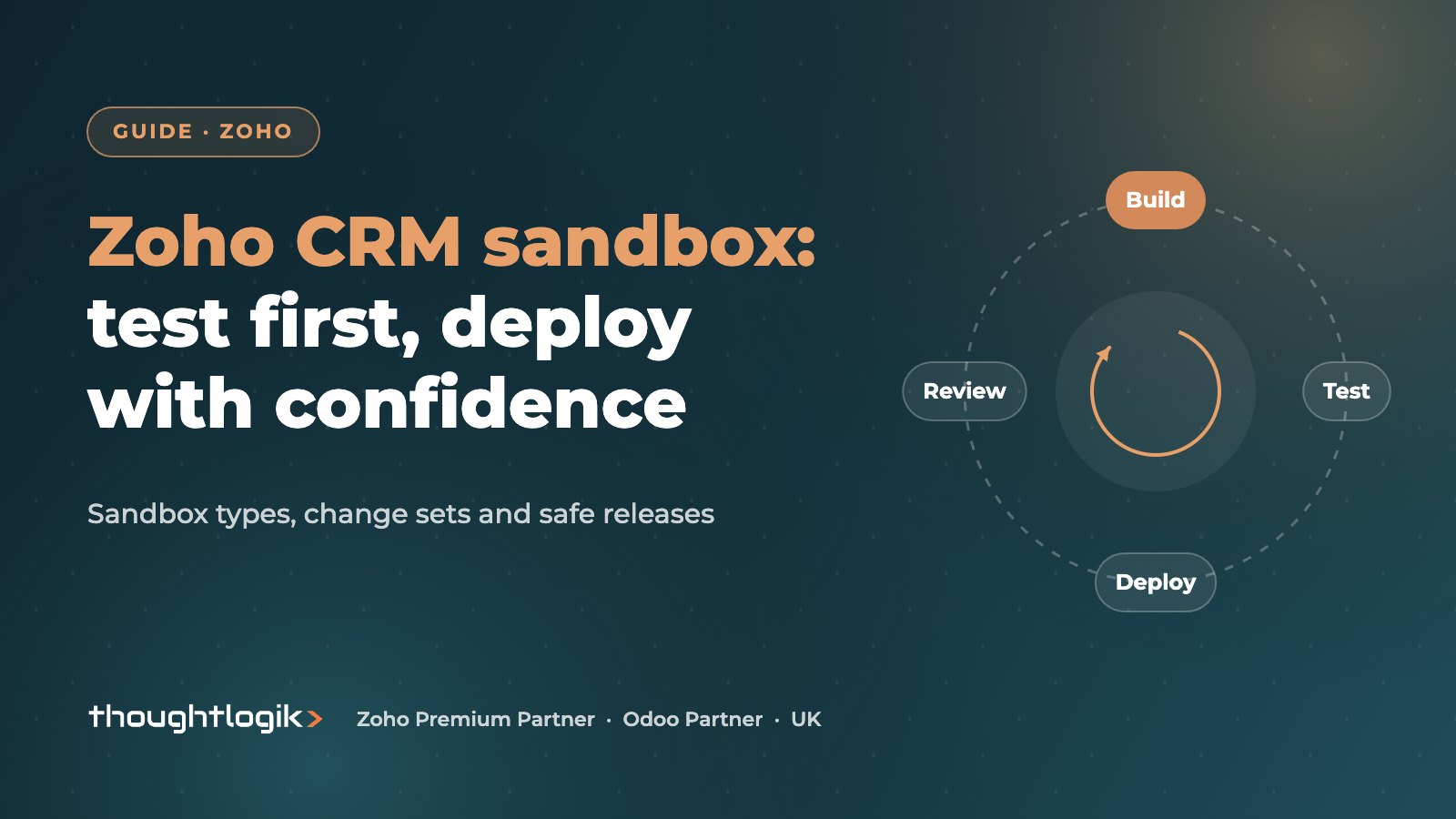
The Zoho CRM sandbox is an isolated copy of your CRM where you can build and test changes, such as workflows, Blueprints, layouts and permissions, without affecting live users or customers. When a change is ready, you deploy it to production from a change set, and Zoho flags any conflicts first. Sandboxes are available on higher editions, with the number and type depending on your plan.
Key takeaways
- There are four sandbox types: Configuration, Sample Data, Partial Data and Full Data.
- Only configuration is deployed; records created or edited in a sandbox never move to production.
- Changes are collected in a change set, and you can deploy all or part of it.
- Zoho marks each change as qualified or conflicted before deployment.
- Zoho does not document an automatic rollback, so test properly and keep notes.
Every CRM administrator has a story about the workflow that emailed the wrong customers, or the validation rule that stopped the sales team saving deals at month end. These mistakes happen when changes are built directly in the live system. A sandbox removes that risk: you build, test and sign off in a copy, then deploy. This guide explains how the Zoho CRM sandbox works and how to build a release routine around it.
What is a Zoho CRM sandbox?
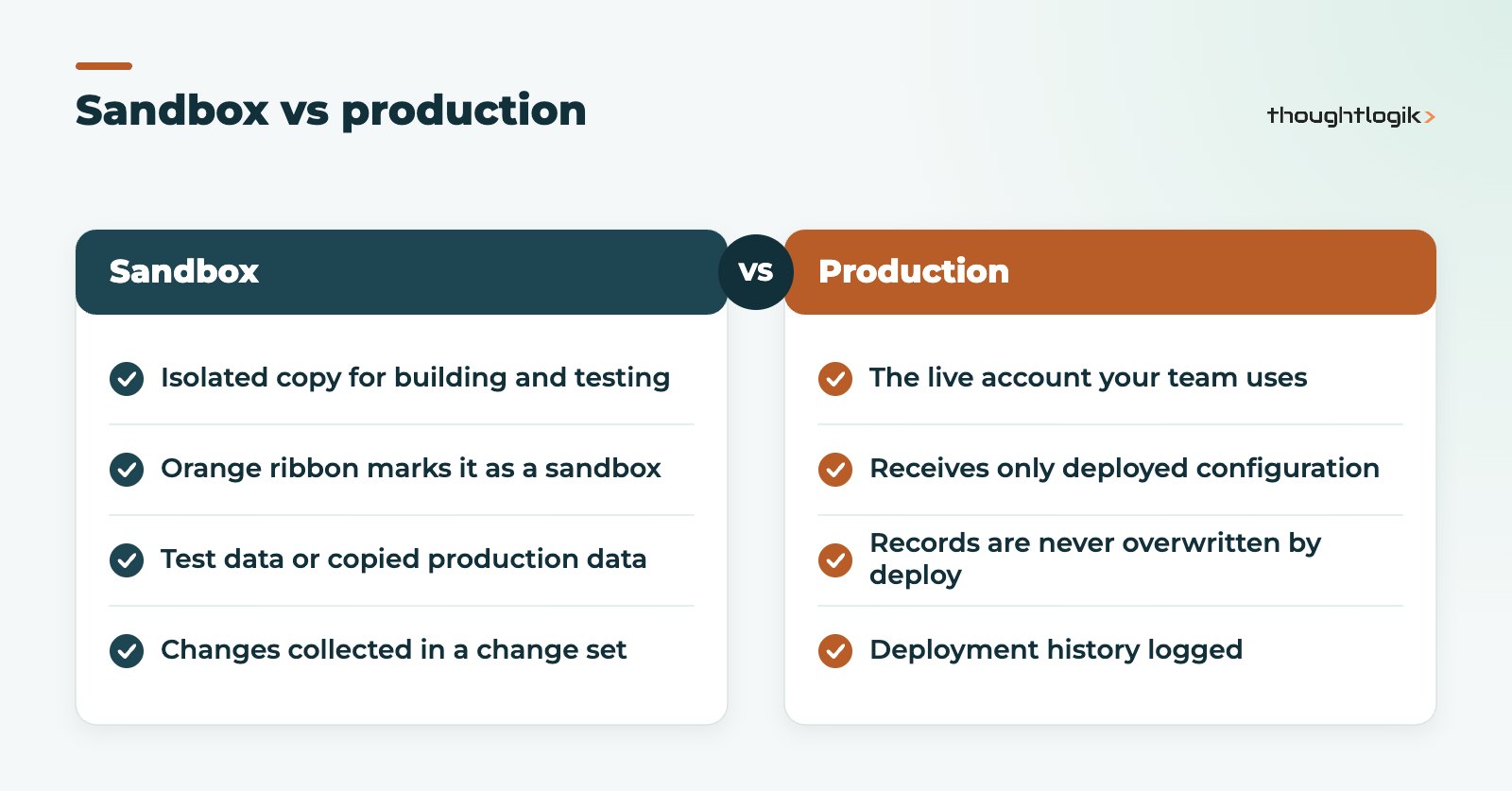
A sandbox is a separate environment linked to your production CRM. It has your configuration (modules, fields, layouts, automation and so on) and, depending on the type, some or all of your data. Users are invited by email and see a bright orange ribbon so nobody confuses it with the live system. You can invite your own users and outside developers to collaborate.
Zoho CRM sandbox types
Zoho offers four types, set out in its creating a sandbox help article:
| Sandbox type | What it contains | Best for |
|---|---|---|
| Configuration | Your settings, no production records | Building layouts, fields and simple rules |
| Sample Data | Settings plus a small set of system-generated records per module | Quick tests of automation |
| Partial Data | Settings plus selected modules and record counts from production | Testing with realistic data |
| Full Data | A full replica of production | Complex changes and data-heavy testing |
Availability depends on edition. Zoho’s documentation lists sandboxes for the Enterprise and Ultimate editions, with the Full Data sandbox on Ultimate only, and a Full Data sandbox can be rebuilt once every 30 days. Check the current limits for your plan in our Zoho CRM editions comparison.
What can you test in a sandbox?
Almost any configuration change is worth testing first. Zoho lists a wide range of deployable components, including:
- Profiles, roles, groups and data sharing settings.
- Workflow rules, Blueprints, wizards and other automation.
- Layouts and customisation, templates and web forms.
- Territory management, multi-currency, custom schedules, auto-response rules, translations and tags.
High-risk changes should always go through the sandbox: new workflow rules that send emails, Blueprint changes that alter how deals move, and Deluge custom functions that update records in bulk. Canvas page designs are also a good candidate; see our Zoho CRM Canvas guide.
How does sandbox deployment work?
Sandbox deployment is handled from Setup, Data Administration, Sandbox. As you work, Zoho records each change in a change set, grouped by component, action (added, updated, deleted), user and date.
- Select the sandbox you want to deploy.
- Open the change set and choose either a complete deployment or a partial deployment of selected items.
- Review the Start Deployment page. Items are marked qualified or conflicted.
- Resolve conflicts, such as name clashes, missing parent items or feature limits. Conflicted items are not deployed until fixed.
- Confirm the deployment.
Records, IDs and permissions
Records are never deployed, and changes to data in the sandbox cannot be pushed to production. Where configuration refers to IDs or URLs, such as in Deluge, client scripts, web tabs and custom buttons, Zoho converts them for production. Only users with the Manage Sandbox permission can deploy, and a deployment history log shows what went live, when and by whom.
How to test changes in a Zoho CRM sandbox properly
A sandbox only helps if testing is real. We recommend this routine.
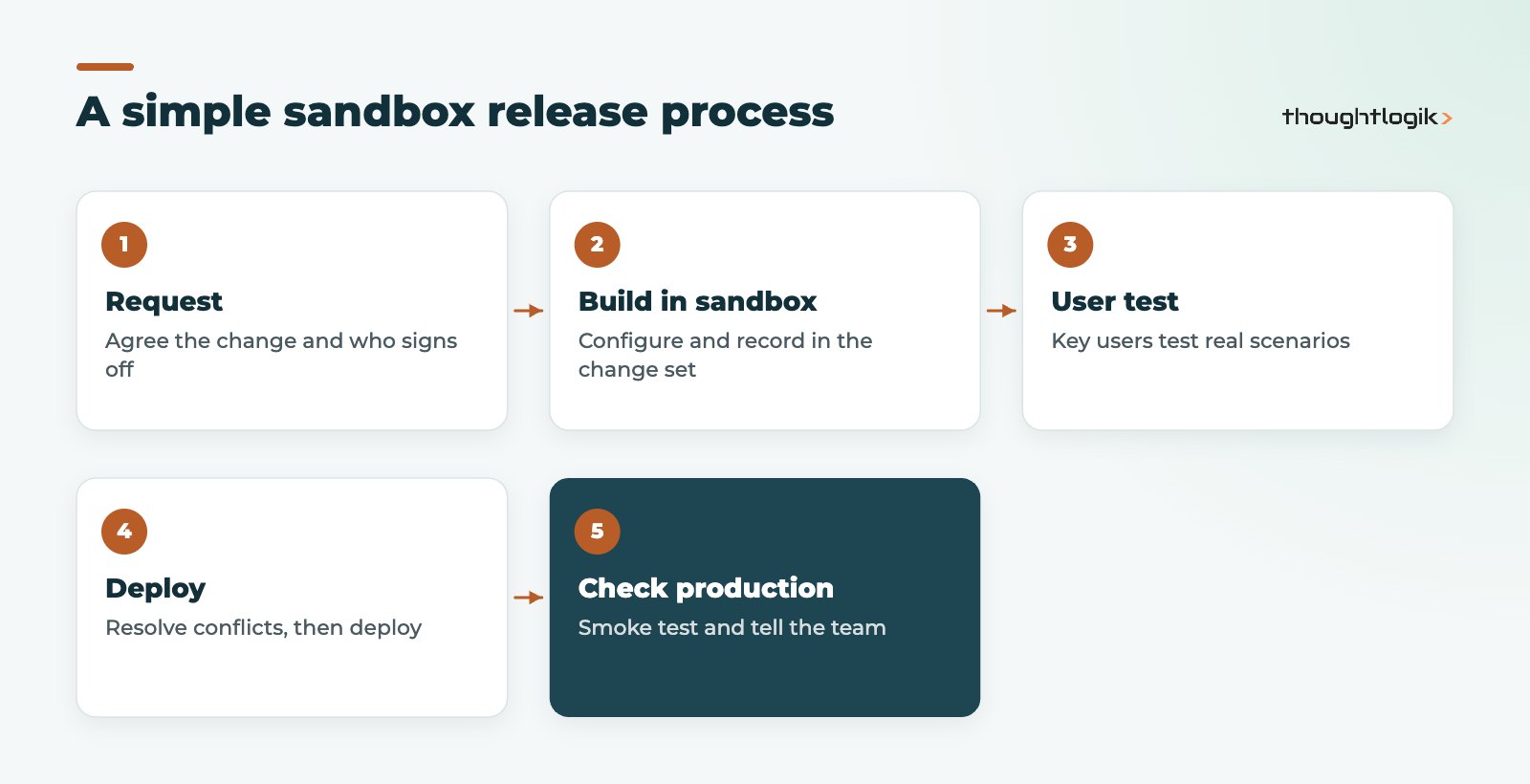
Write test scenarios before you build
List the scenarios the change must handle, including the awkward ones: a deal with no account, a lead from a web form with a blank field, a user in a different role.
Test with the right people
Administrators test that a rule fires. Users test that it makes sense. Invite one or two key users into the sandbox to try each scenario.
Deploy small and often
Smaller change sets have fewer conflicts and are easier to check afterwards. Avoid deploying at month end or during busy sales periods.
Keep the Zoho CRM sandbox in step with production
If someone changes production directly, the sandbox drifts. Agree that configuration changes go through the sandbox only, and refresh or recreate it periodically so tests reflect the live set-up.
Common sandbox mistakes to avoid
- Copying more personal data than you need. A Full Data sandbox holds real customer records. Under UK GDPR, only give sandbox access to people who need it, and consider a Sample Data or Partial Data sandbox where realistic volumes are not essential.
- Testing emails on real addresses. If your sandbox holds production contacts, check how automation emails behave before triggering them, and use test records with internal addresses where you can.
- Forgetting dependencies. A workflow that updates a new field needs that field deployed too. Review linked items in the change set before deploying part of it.
- No record of what changed. The deployment history shows what went live; add a short note to your own change log explaining why, so future administrators understand the design.
- Letting sandboxes go stale. An out-of-date sandbox gives false confidence. Rebuild it before a large project.
A little discipline here pays off quickly. The first time a sandbox test catches a workflow that would have emailed every customer in the database, it has earned its place.
When is a Zoho CRM sandbox worth it?
If a single administrator makes occasional layout tweaks, testing carefully in production may be acceptable. Once you have several people changing the system, automation that contacts customers, integrations with finance or other tools, or regulated processes, a sandbox becomes part of basic governance. It also makes working with a partner safer, because changes are visible and reviewable before release.
How ThoughtLogik helps
ThoughtLogik builds and tests client changes in the Zoho CRM sandbox as standard.
- Sandbox set-up and a release process that suits your team size.
- Development and testing of automation, Blueprints and custom functions.
- Managed deployments with conflict resolution and post-release checks.
- Ongoing change management through our Zoho support service.
Frequently asked questions
Which Zoho CRM editions include a sandbox?
Zoho’s documentation lists sandboxes for the Enterprise and Ultimate editions, with the number of each type depending on edition. The Full Data sandbox is listed for Ultimate. Limits can change, so confirm them for your plan.
Can I move test records from the sandbox to production?
No. Only configuration is deployed. Records created or edited in the Zoho CRM sandbox cannot be deployed to production.
Can I undo a sandbox deployment?
Zoho does not document an automatic rollback. To reverse a change, you make and deploy a corrective change, which is why careful testing and small change sets matter.
What is a change set in Zoho CRM?
It is the list of configuration changes recorded in a sandbox. You can deploy all of it or select specific items, and Zoho checks each item for conflicts first.
Who can deploy changes from a sandbox?
Users whose profile has the Manage Sandbox permission. They can also view the full deployment history.
Making changes straight in live CRM? We can set up a sandbox and a safe release routine for your team. Book a free consultation or see our Zoho optimisation service.