Short answer
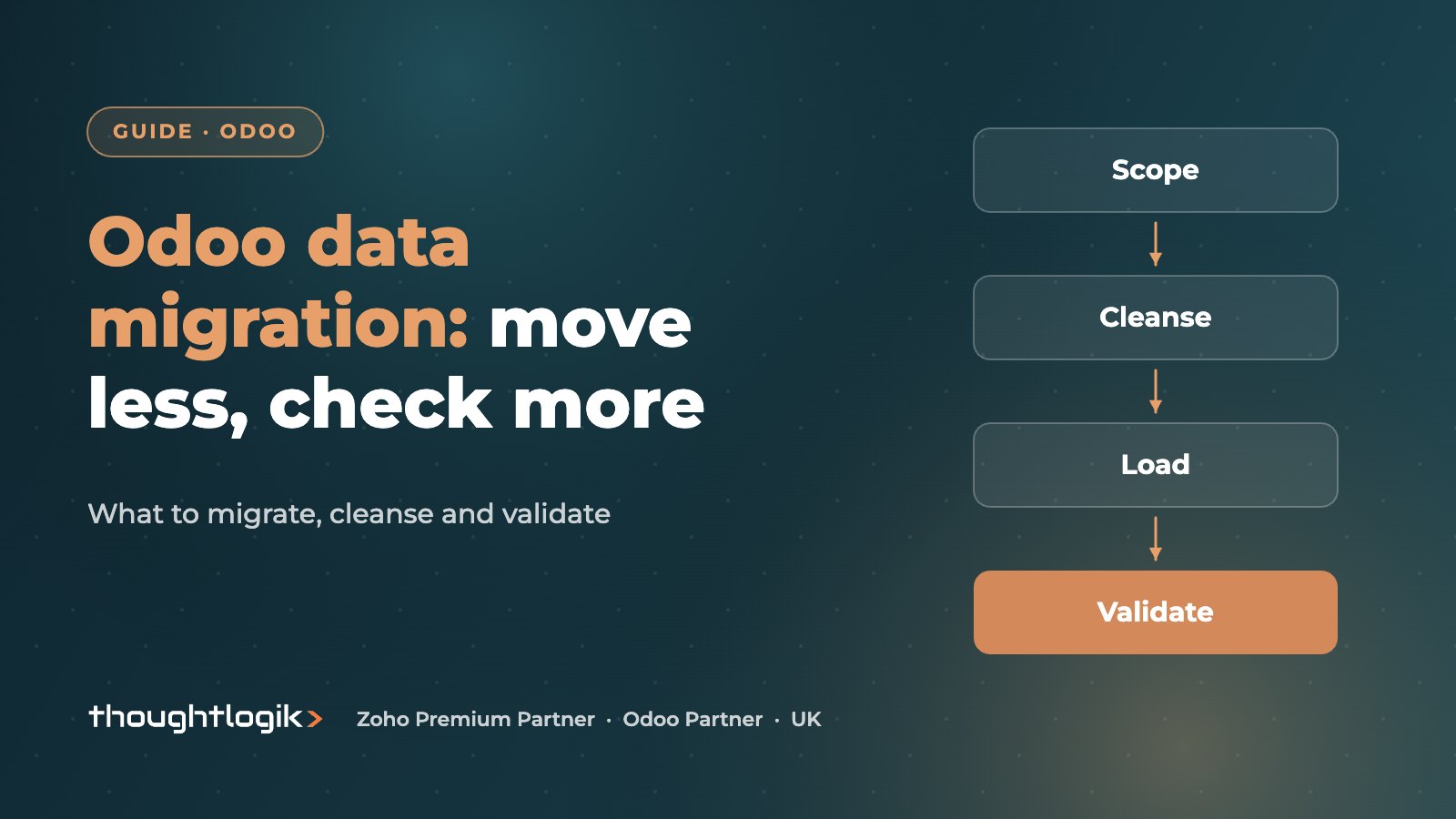
Odoo data migration works best when you move only the data you need to run the business from day one: customers, suppliers, products, open transactions, stock and opening balances. Cleanse it before loading, import it in dependency order with test runs, and validate totals against your old system before cut-over.
Key takeaways
- Scope first: migrate live master data and open items, archive closed history.
- Data cleansing before import is cheaper than fixing records inside Odoo later.
- Use Odoo’s import templates and keep an External ID column so re-imports update rather than duplicate.
- Load in dependency order: configuration, master data, open documents, stock, balances.
- Data validation means reconciling counts and totals, not just checking the import said ‘success’.
Most ERP projects that slip do so in the data, not the software. Odoo is flexible about what it accepts, but it will faithfully import duplicate customers, retired products and wrong VAT codes if you give it them. This guide sets out how we approach Odoo data migration for UK SMEs moving from Sage, Xero, QuickBooks, spreadsheets or an older Odoo version.
What should you migrate to Odoo, and what should you leave behind?
The first decision in any Odoo data migration is scope. The instinct is to bring everything. Resist it. Every extra year of history adds mapping work, testing time and risk, and much of it will never be opened again. A useful rule: migrate what you need to transact on day one, and keep the rest accessible in a read-only archive or export.
Plot each data set on value and effort before you decide.
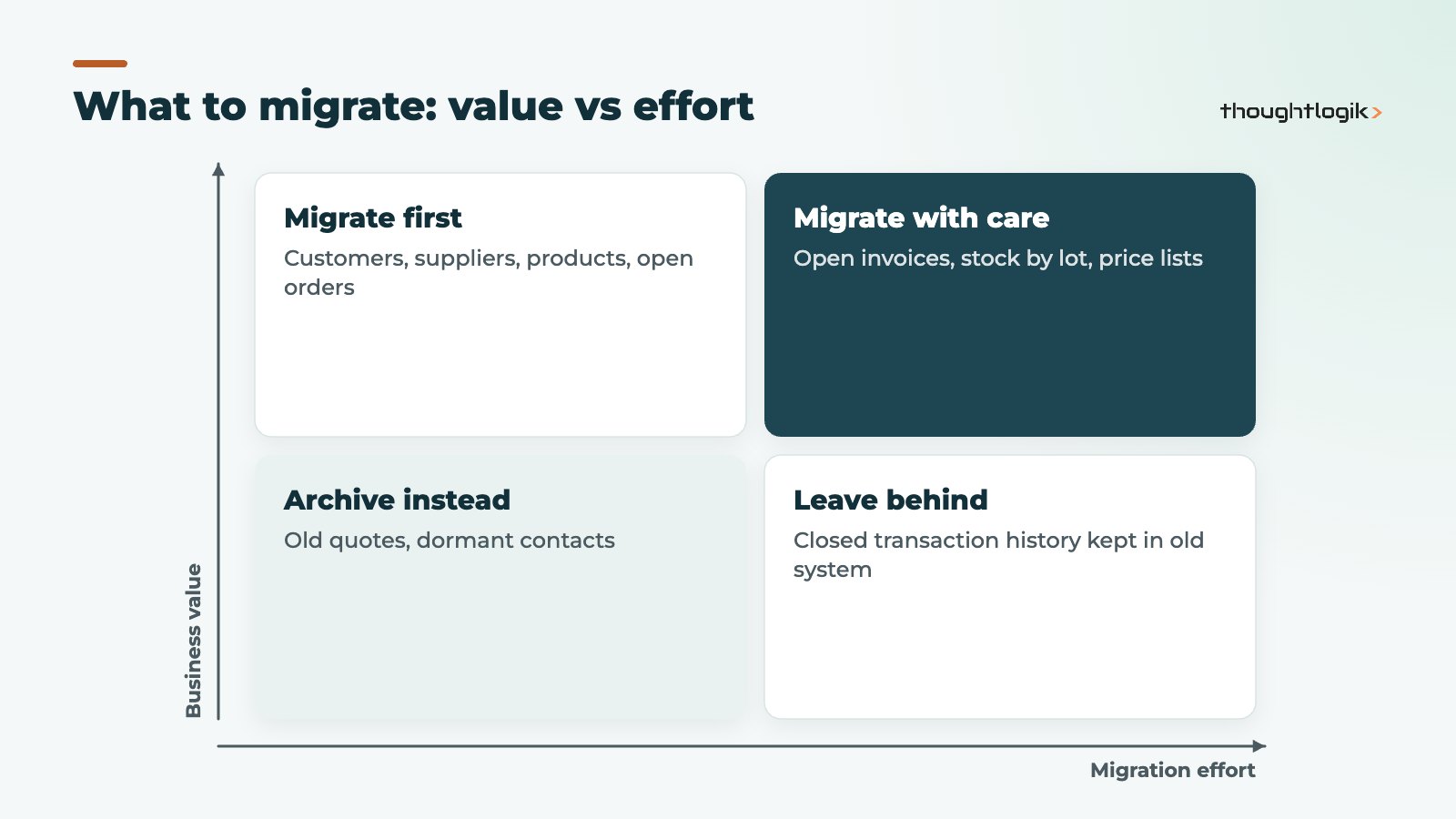
| Data set | Usually migrate? | Notes |
|---|---|---|
| Customers and suppliers | Yes (active only) | Merge duplicates, confirm VAT numbers and payment terms |
| Products and prices | Yes | Rationalise categories, units of measure and costing method first |
| Open sales and purchase orders | Yes | Only undelivered or unbilled lines |
| Open invoices and bills | Yes | Needed for credit control and supplier payments |
| Stock on hand | Yes | Counted at cut-over, with lots or serials if you track them |
| Closed transaction history | Rarely | Summary balances are usually enough; keep the old system for lookups |
For finance, most businesses bring across an opening trial balance at the cut-over date plus open receivables and payables, rather than years of posted journals. Your accountant should agree this approach, particularly around the VAT period in which you switch.
Why data cleansing comes before any Odoo import
Data cleansing is the part of Odoo data migration everyone underestimates. It is also the part only your team can really do, because it needs judgement about which record is correct. Typical issues we see:
- The same customer entered three ways, with different addresses and contacts.
- Products that were discontinued years ago but never archived.
- Free-text fields holding data that should be structured (payment terms, delivery instructions).
- Postcodes, phone numbers and email addresses in inconsistent formats.
- Inactive suppliers still carrying open balances that nobody can explain.
Do the cleansing in the source system or a controlled spreadsheet, with a named owner per data set and a deadline. If you are also tidying CRM data, our tools such as the Odoo Smart Address Navigator help keep addresses clean once you are live.
How do you map legacy fields to Odoo?
Build a mapping sheet listing each source field, the target Odoo field, any transformation and who signed it off. This is where decisions about customisation surface: if a field has no home in standard Odoo, ask whether you still need it before creating one. Our guide to customisation versus configuration explains why fewer custom fields makes future upgrades easier.
How to migrate data to Odoo in the right order
Odoo links records together, so the order matters. A sales order cannot reference a customer or product that does not yet exist. Load reference data first, then the records that depend on it.
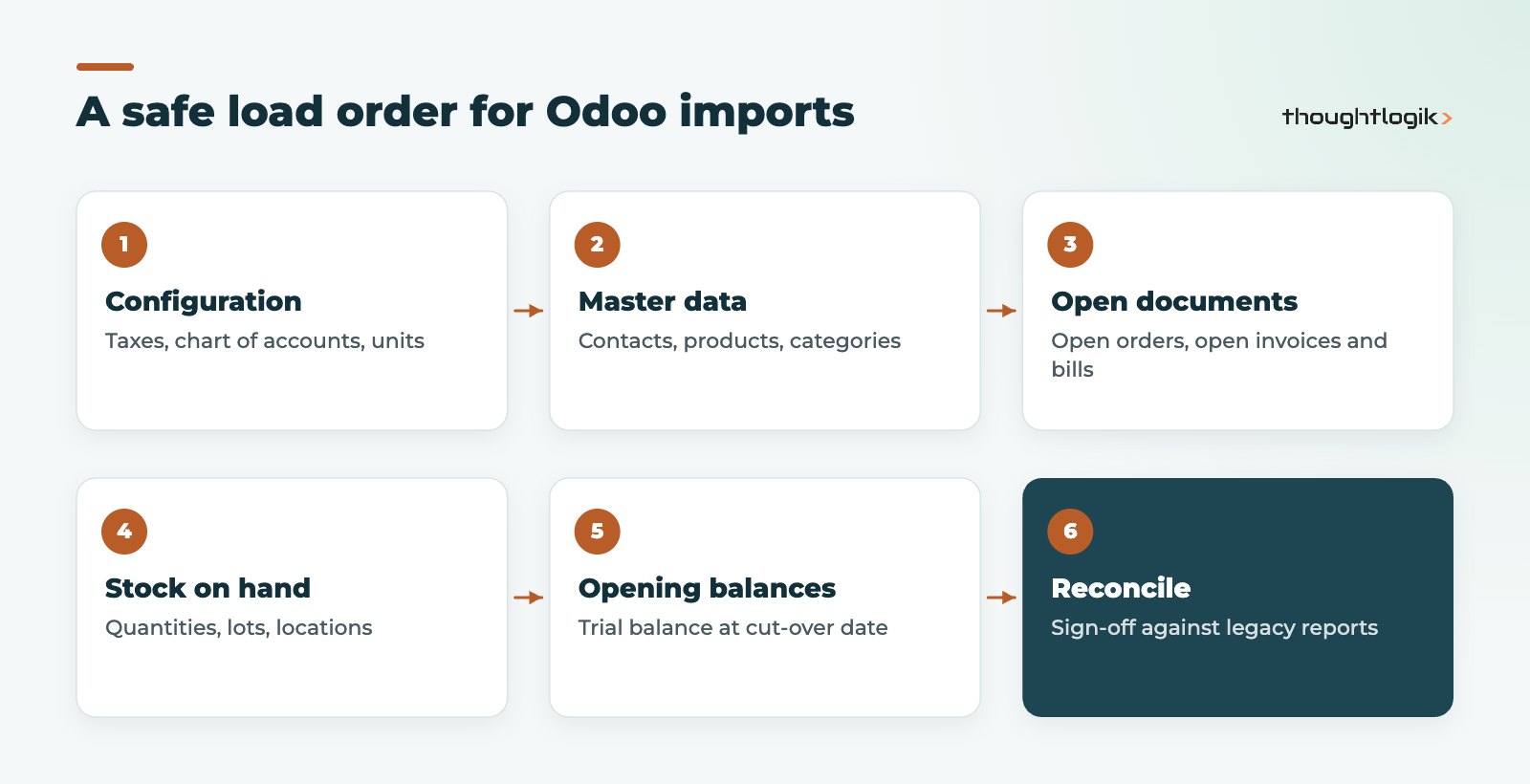
The standard Odoo import tool accepts CSV and Excel files, offers templates for common records such as contacts and products, and has a Test button that checks your file before anything is written. The Odoo import and export documentation recommends keeping the External ID column. That identifier lets you re-run an Odoo import to update records rather than create duplicates, and lets related files reference each other using your old system’s IDs.
Larger or more complex migrations, such as full transaction history or data from another ERP database, are usually scripted rather than loaded by hand. Either way, the principle is the same: repeatable, documented loads you can run again from scratch.
How many trial runs should an Odoo data migration include?
Plan for at least two full rehearsals into a test database before the live load. The first run exposes mapping errors. The second proves the process is repeatable and gives you a realistic timing for the cut-over weekend. Users should test their own processes on the migrated data, not on demo data, during user acceptance testing. Our Odoo implementation timeline shows where these rehearsals fit.
Data validation: how do you know the migration is right?
The last stage of Odoo data migration is proof. An import that completes without errors is not the same as a correct migration. Data validation means proving that what arrived in Odoo matches what left the old system. Agree the checks, and who signs them off, before the first trial run.
- Record counts: active customers, suppliers and products in and out.
- Financial totals: aged debtors and aged creditors totals, and the opening trial balance, matching the legacy reports at the cut-over date.
- Stock: quantity and value by product and location, including lot or serial numbers where tracked.
- Spot checks: a sample of records opened and compared field by field by the people who use them.
- Process tests: raise an order, deliver it, invoice it and receive payment using migrated records.
Keep the signed validation pack from your Odoo data migration. It is useful evidence for your accountant and auditors, and it shortens arguments later about whether a number was wrong before or after go-live.
What about upgrading from an older Odoo version?
Moving between Odoo versions is a different job from importing data from another system. Odoo provides an upgrade service for the database, and custom modules need to be updated to match. See our guide to upgrading Odoo to a new version and our Odoo migration service for that route.
Common Odoo data migration mistakes
- Leaving data cleansing until the final week.
- Migrating closed history “just in case”, then running out of time to validate the data that matters.
- Letting users keep editing the old system after the final extract without a freeze or delta plan.
- Importing products before agreeing costing method and units of measure, then having to redo stock valuation.
- No named business owner for each data set.
If you are coming from Sage specifically, our Sage to Odoo migration guide covers the finance side in more detail.
How ThoughtLogik helps
We run Odoo data migration as a defined workstream with its own plan, owners and sign-off, not as a task squeezed in before go-live.
- Scoping workshop to decide what to migrate and what to archive
- Mapping sheets and data cleansing templates your team can work through
- Scripted, repeatable loads with at least two rehearsals
- A validation pack reconciling counts, balances and stock
Frequently asked questions
How long does Odoo data migration take?
It depends on the number of data sets, their quality and how much history you bring. Cleansing by your team is usually the longest part, so start it early in the project.
Can I migrate data to Odoo myself using the import tool?
For simple master data such as contacts and products, yes. Use the templates, keep the External ID column and always click Test first. Open transactions, stock with lots and opening balances benefit from partner support.
Should I migrate all my historic invoices?
Usually not. Most businesses bring open invoices and bills plus an opening trial balance, and keep the old system or an export for historic lookups. Agree this with your accountant.
What is the difference between data cleansing and data validation?
Cleansing fixes the source data before it is loaded. Validation checks after loading that Odoo matches the old system, using counts, totals and process tests.
Planning a move to Odoo? We will help you decide what to migrate and how to prove it is right. Book a free consultation or see our Odoo implementation service.